

Opal
Opal is your visual workspace that organizes all projects and notes so you can find anything instantly.
AI tool Details
Explore More
Alternatives

About Opal
Opal is a visual knowledge and project management workspace designed for people who think spatially. It replaces the frustration of nested folders and buried notes with an intuitive, infinite digital canvas. If you're a solopreneur, consultant, agency owner, writer, or anyone whose business thrives on conversations, details, and creative ideas, Opal is built for you. Its core value proposition is leveraging spatial memory: you organize notes, documents, files, and links by dragging and dropping them visually on a single, expansive screen. This approach means you remember where information is located, not just what it's called, making retrieval instant and keeping your entire operational world visible. Opal stops the cycle of searching and forgetting by keeping all active projects, client details, and brilliant ideas top-of-mind. It's the tool that connects to how your brain naturally works, allowing you to stop managing files and start placing information in a way that feels intuitive, so you can maintain flow and do your best work without constant interruption.
Features
The Infinite Visual Canvas
Opal provides a boundless digital workspace where you can lay out all your work elements just like you would on a physical desk. This infinite canvas allows for free-form organization, letting you drag notes, links, documents, and tasks into clusters, groups, or any spatial arrangement that makes sense to you. There are no restrictive folders or rigid hierarchies, only a visual landscape that your brain can map and remember, turning information retrieval from a search into a glance.
Spatial Memory & Visual Organization
This feature taps into the powerful cognitive principle of spatial memory. By placing information in specific locations on your canvas, you create a mental map of your work. You remember that the client quote is in the top-left corner, next to the project brief, and that your content ideas are stacked near your editorial calendar. This visual organization system means you stop losing things because your work never disappears from view; it's always right where you left it.
Multi-Element Side-by-Side View
Opal enables you to open and work with multiple notes, documents, or links simultaneously, side-by-side, limited only by your screen's real estate. This is crucial for connecting ideas, referencing client details during a call, or comparing project versions without the friction of constant tab switching. It supports a truly parallel workflow, keeping all relevant context visible and interactable at once to maintain deep focus.
Drag-and-Drop Everything
The entire Opal experience is built on intuitive drag-and-drop functionality. You can effortlessly move notes around to reorganize your thinking, stack related items together, or create visual connections between projects. This direct manipulation makes the workspace feel tactile and responsive, reducing cognitive load and making the process of organizing as simple as moving a piece of paper on your desk.
Use Cases
Client & Project Management for Solopreneurs
For solo business owners managing multiple clients, Opal becomes the central command center. You can create a dedicated zone for each client, placing their contact info, project notes, meeting summaries, contracts, and to-do lists together visually. This setup ensures nothing falls through the cracks between clients, and you can instantly access any detail before a call or when delivering work, projecting professionalism and reliability.
Content Planning & Creative Ideation
Writers, creators, and marketers can use Opal to map out their entire content strategy on one canvas. Brainstorm topics, cluster related ideas, place links to research, draft outlines, and track publishing schedules visually. Seeing all concepts and stages side-by-side helps identify connections and gaps in your content pipeline, making the planning process more creative and cohesive than a linear list ever could.
Managing Agency Workflows & Client Assets
Small agency teams or consultants can use a shared Opal workspace to keep campaigns visible. Place client briefs, brand assets, feedback threads, performance reports, and task lists in a shared visual space. This creates a single source of truth that everyone can see, reducing status update meetings and ensuring all team members have immediate, spatial context for their work and client history.
Personal Knowledge Management & Note-Taking
For individuals tired of losing brilliant ideas in a sea of notes, Opal offers a spatial thinking refuge. Use it as a digital commonplace book or second brain where you can place reading notes, inspiration, quotes, and personal projects. The visual layout helps you form unexpected connections between disparate pieces of information, fostering creativity and ensuring valuable insights are always findable, not forgotten.
Pricing
Opal offers a free trial to start with no credit card required. You can register to claim your Early Access workspace URL and begin using the platform at no initial cost. This allows you to fully experience the spatial workspace and integrate it into your workflow before committing. For detailed information on ongoing pricing plans, tiers, and features for continued use beyond the trial, please visit the official Opal website's pricing page after registration.
Frequently Asked Questions
How is Opal different from tools like Notion or Google Docs?
Opal is fundamentally different in its organizational philosophy. While Notion and Google Docs rely on hierarchical filing (pages inside folders inside dashboards), Opal uses a spatial, canvas-based approach. Instead of burying information in nested structures you have to remember and search through, Opal lets you place information visually on an infinite board. You remember where things are spatially, which is often more intuitive than recalling a file path or title, leading to faster retrieval and less cognitive friction.
Is Opal suitable for team collaboration?
Yes, Opal is designed to support collaborative workflows, especially for small teams, agencies, or solopreneurs working with contractors. Shared workspaces allow multiple users to view, edit, and organize notes and documents on the same visual canvas simultaneously. This provides immediate, shared context for projects, client work, and campaigns, making it easier to stay aligned without constant meetings or lengthy email threads.
Can I import my existing notes and documents into Opal?
Opal is built to be a flexible workspace where you can bring all your work together. You can easily drag and drop files from your computer directly onto the canvas or paste links to existing documents from Google Drive, Notion, or other web-based tools. This allows you to create a visual portal to all your critical information without necessarily migrating everything at once, building your Opal workspace organically around your active projects.
What happens if my canvas gets too cluttered?
The infinite canvas is designed to scale with your thinking. To prevent clutter, Opal encourages intuitive practices like grouping related items together, stacking notes, and creating distinct zones or areas on the canvas for different projects or areas of focus. The power of spatial memory means that even a large canvas remains navigable because your brain maps the locations. You can always zoom out for a high-level view or reorganize sections with simple drag-and-drop as your projects evolve.
Similar to Opal

MD to Text
Convert Markdown to clean plain text instantly in your browser. Formatting stripped, readable output ready to copy - fully private, no sign-up.
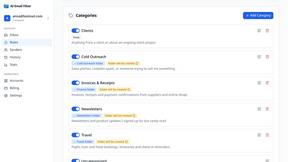
AI Email Filter
AI Email Filter sorts incoming mail into folders using plain-language prompts you write. Works with any IMAP mailbox; bring your own LLM if you want.
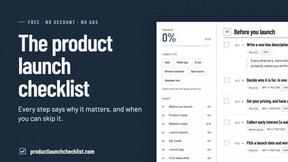
Product Launch Checklist
A free launch checklist for SaaS, apps, AI tools and more. Every step says why it matters and when you can skip it.
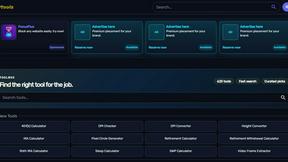
Kody Tools
Free collection of online developer utilities, code formatters, and digital converters designed to streamline your daily workflow.
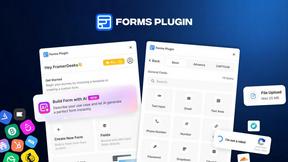
Forms Plugin
The #1 Native Form Builder Plugin for Framer - No Code, No Embeds, No External Platforms.


