

SchoolGPT
SchoolGPT is your AI teaching assistant, saving K-12 educators 10+ hours weekly on effortless lesson planning and.
AI tool Details
Explore More
Alternatives

About SchoolGPT
SchoolGPT is an innovative AI teaching assistant designed specifically for K-12 educators, transforming how teachers approach lesson planning and student engagement. By leveraging advanced AI models like ChatGPT, Claude, and Gemini, SchoolGPT provides instant access to a plethora of resources tailored for classroom use. With over 60 ready-to-use templates created by educators for educators, this powerful tool enables teachers to generate lesson plans, writing feedback, quizzes, rubrics, report card comments, Individualized Education Programs (IEPs), and parent communications in mere seconds. Each output aligns with state standards and incorporates built-in differentiation, ensuring it meets the diverse needs of all students. Unlike generic AI tools, SchoolGPT eliminates the need for complex prompt engineering, providing ready-to-use drafts that resonate in the teacher’s unique voice. With over 10,000 teachers already benefiting from this tool, many have reclaimed their evenings and weekends, allowing them to focus more on teaching and improving student outcomes.
Features
Writing Feedback
SchoolGPT allows teachers to generate personalized feedback on student writing based on custom criteria or rubrics. This feature helps educators provide constructive insights quickly, ensuring that students receive timely guidance to enhance their writing skills.
Lesson Plan Generator
With the lesson plan generator, teachers can create comprehensive lesson plans based on specific topics, objectives, or state standards. This feature streamlines the planning process, saving educators valuable time and ensuring alignment with educational requirements.
Multiple Choice Quiz Creator
Teachers can easily generate multiple choice assessments, quizzes, or tests on any subject using this tool. It simplifies the assessment creation process by allowing educators to input topics or standards, producing high-quality quizzes in seconds.
Rubric Generator
The rubric generator enables educators to create customized rubrics for any assignment, providing clear criteria for evaluating student work. This feature supports consistent grading and helps students understand expectations for their assignments.
Use Cases
Streamlining Lesson Planning
Teachers can use SchoolGPT to quickly generate detailed lesson plans that align with curriculum standards. This feature helps reduce planning time, allowing educators to focus on delivering engaging lessons rather than spending hours on paperwork.
Enhancing Student Feedback
Educators can utilize the writing feedback tool to provide personalized insights on student assignments. This not only saves time but also helps foster a supportive learning environment where students receive constructive criticism promptly.
Conducting Assessments
The multiple choice quiz creator allows teachers to generate quizzes tailored to their specific curriculum needs. By automating assessment creation, educators can ensure they have relevant and effective assessments ready for their students.
Communicating with Parents
With the professional email and family email tools, teachers can easily draft clear and appropriate communications. This feature streamlines parent engagement, ensuring that families are informed about student progress and school activities.
Frequently Asked Questions
Is SchoolGPT really free to start?
Yes, SchoolGPT offers a free forever plan that allows educators to get started without any upfront costs. This plan includes 10 AI generations each month and does not require a credit card.
Why not just use ChatGPT?
While ChatGPT is a powerful tool, SchoolGPT is specifically designed for educators. It offers ready-to-use templates aligned with state standards and requires no prompt engineering, making it more efficient for classroom use.
Is my data and student information safe?
Absolutely. SchoolGPT is fully compliant with FERPA and COPPA regulations, ensuring that all user data and student information is handled securely and responsibly.
How much time will I actually save?
Teachers using SchoolGPT report saving over 10 hours each week on lesson planning, grading, and administrative tasks. This time savings allows educators to focus more on teaching and engaging with students.
Similar to SchoolGPT
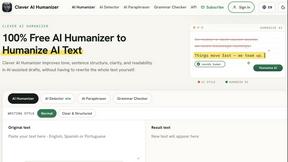
Clever AI Humanizer
Clever AI Humanizer is a free tool that makes AI-generated text sound more human.
Wordy
Learn languages with real movie and TV show clips.
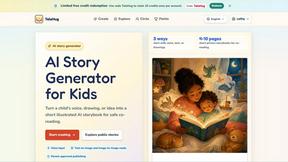
TaleHug AI Story Generator for Kids
Turn a child's voice, drawing, or idea into a safe, illustrated AI storybook for co-reading in minutes.
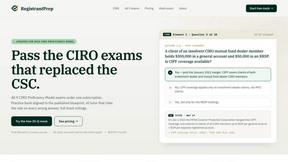
Registrant Prep
Registrant Prep replaces costly CIRO exam prep with an AI tutor, full mocks, and cited rules for just $29.99 monthly.
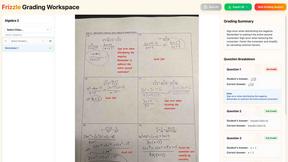
Frizzle
Frizzle transforms handwritten math work into real-time insights, identifying student misconceptions and guiding tailored instruction effortlessly.