

Image3D AI
Transform any 2D image into high-precision 3D models in minutes, perfect for printing and game design.
AI tool Details
Explore More
Alternatives
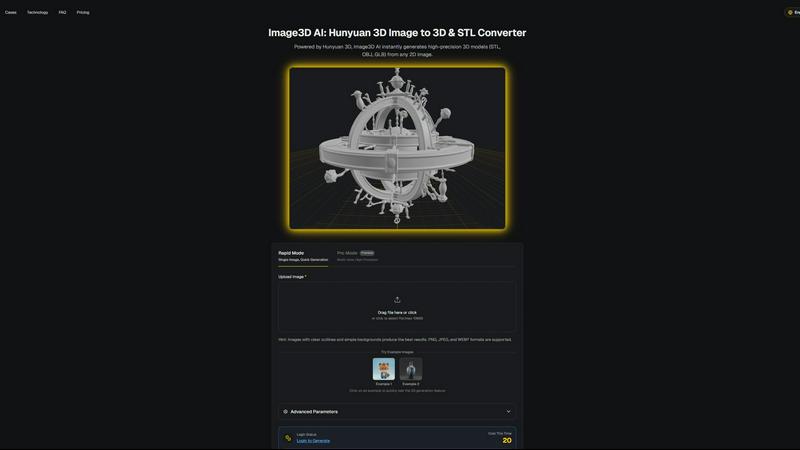
About Image3D AI
Image3D AI is a groundbreaking tool designed to transform static 2D images into intricate 3D models with unprecedented speed and precision. Powered by Tencent's advanced Hunyuan 3D engine, this professional-grade application caters to a diverse audience, from artists and designers to hobbyists and 3D printing enthusiasts. The platform democratizes 3D modeling, allowing users with no technical background to create high-quality assets from single photos or multi-view images. With a focus on enhancing creative workflows, Image3D AI supports a range of applications, including game development, e-commerce, and architectural design. Users benefit from rapid model generation, multi-format exports, and automatic PBR material creation, ensuring that their 3D assets are not only quickly produced but also ready for immediate integration into professional projects.
Features
Rapid Mode
The Rapid Mode of Image3D AI allows users to generate high-precision 3D models from a single image in just seconds. This mode is ideal for quick projects or when time is of the essence, providing an efficient pathway to create 3D assets without the need for advanced skills.
Pro Mode
For those seeking more detail, the Pro Mode leverages multi-view inputs to create high-precision 3D models. Users can upload images from different angles, enabling the AI to reconstruct a more accurate and detailed representation of real-world objects, perfect for professionals needing higher fidelity in their models.
Multi-format Exports
Image3D AI supports various output formats including STL, OBJ, and GLB. This flexibility ensures that the generated models can be seamlessly integrated into multiple platforms, whether for 3D printing, game development, or virtual reality applications, accommodating a wide array of user needs.
Automatic PBR Material Generation
One of the standout features of Image3D AI is its capability to automatically generate Physically Based Rendering (PBR) materials. This feature ensures that the created models not only look realistic but also perform well across different rendering engines, providing a polished look without additional work.
Use Cases
For Game Developers
Game developers can quickly generate 3D assets that are ready for integration into engines like Unity or Unreal Engine. The high-quality output supports PBR materials, making it easier to create immersive gaming experiences.
For E-commerce
E-commerce businesses can enhance their product presentations by converting flat product images into interactive 3D models. This allows customers to engage with products in a more dynamic way, improving the online shopping experience and potentially increasing sales.
For 3D Printing
Image3D AI is an excellent resource for those involved in 3D printing. It offers high-precision STL file outputs, ensuring that users receive print-ready files that maintain their quality and detail, streamlining the printing process.
For Architecture & Design
Architects and designers can utilize Image3D AI to quickly generate 3D models of their architectural designs. This capability saves time and enhances productivity, allowing professionals to focus on creativity and innovation without getting bogged down by tedious modeling tasks.
Frequently Asked Questions
What types of images work best with Image3D AI?
Images with clear outlines, high contrast, and simple backgrounds yield the best results. Avoid using blurry or low-light images, as they can hinder the model generation process.
Can I use Image3D AI for both personal and commercial projects?
Yes, Image3D AI is suitable for both personal use and commercial projects, making it a versatile tool for a wide range of professional applications.
How long does it take to generate a 3D model?
In Rapid Mode, 3D models can be generated in seconds. In Pro Mode, the time may vary depending on the complexity of the input images, but the process is still remarkably fast.
What file formats can I export my 3D models in?
You can export your 3D models in several formats including STL for 3D printing, OBJ for 3D editing, and GLB for web and augmented reality applications, providing flexibility for various uses.
Similar to Image3D AI

Presentation Intelligence
AI-native presentation and visual content platform that turns prompts, documents, images, videos, and data into polished, shareable decks.


IsThisAIImage
Free AI image checker: upload a photo for AI-generated and deepfake scores, a clear verdict, and optional generator hints.
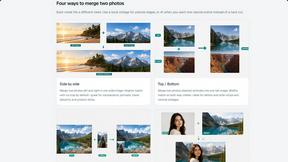
Merge Two Photos
Merge two photos free in your browser: side by side, stacked, overlay, or AI. Download a clean PNG, no watermark.
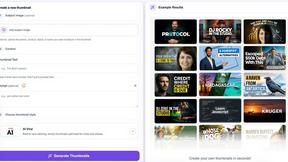
StopScroll
StopScroll is an AI thumbnail maker that generates YouTube thumbnail concepts from a URL, title, or prompt.
HubVanta AI
HubVanta AI helps creators generate images and videos with advanced AI tools for visual content workflows.
Kirkify
Kirkify AI instantly swaps any face in your photos with Charlie Kirk's iconic look for hilarious, viral-ready memes.