
AutoPhish vs Zovo
Side-by-side comparison to help you choose the right AI tool.

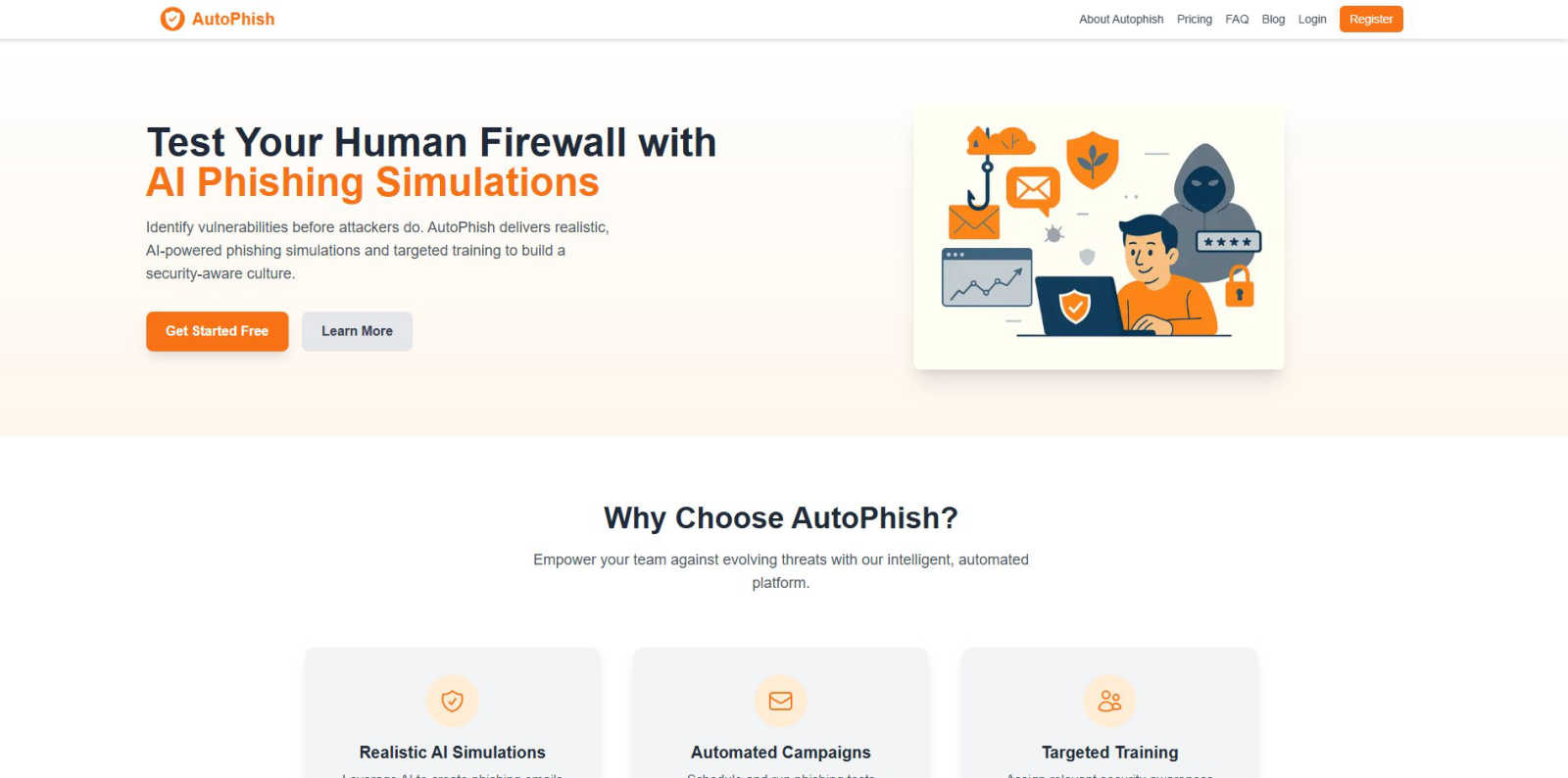
AutoPhish uses AI to run realistic phishing simulations and train your team against threats.
Last updated: March 1, 2026

Unlock 20 privacy-first Chrome extensions for developers and writers, all from one dedicated solo developer.
Last updated: February 28, 2026
Visual Comparison
AutoPhish
Zovo

Feature Comparison
AutoPhish
AI-Powered Phishing Simulations
Leverage advanced artificial intelligence to generate highly convincing and varied phishing email templates that mimic real-world attacker tactics. The AI tailors content to reflect your specific industry and current threat trends, moving beyond generic templates to create truly realistic tests that challenge even savvy users and accurately identify vulnerabilities.
Automated Campaign Management
Streamline your entire security awareness program with full automation. Schedule phishing simulation campaigns in advance, set them to run at regular intervals, and target specific user groups—all without manual intervention. This hands-off approach saves significant time for security teams and ensures consistent, ongoing testing to maintain a high level of awareness across the organization.
Targeted, Instant Training Modules
Close the security loop automatically. When an employee interacts with a simulated phishing email, AutoPhish can instantly deliver bite-sized, relevant security training directly to them. This immediate, contextual feedback is far more effective than generic, annual training, transforming a mistake into a powerful, personalized learning opportunity that drives behavioral change.
Centralized Dashboard & Advanced Reporting
Gain complete visibility into your organization's security posture from a single, intuitive mobile-first dashboard. Monitor campaign performance in real-time, track click-through rates, identify high-risk individuals or departments, and measure improvement over time. Generate detailed compliance reports to demonstrate due diligence and the ROI of your security awareness program to stakeholders.
Zovo
BeLikeNative
BeLikeNative is Zovo's flagship extension that helps users write like native speakers with just a keystroke. Supporting 80 languages, it simplifies communication for non-native speakers, making it an invaluable tool for anyone who writes in a foreign language. The extension adjusts tone, style, and phrasing, enabling users to convey their messages more effectively and naturally.
Tab Suspender Pro
Tab Suspender Pro helps manage browser memory usage by automatically suspending inactive tabs. This feature is especially beneficial for users who tend to keep many tabs open, as it reduces memory consumption, enhances browser performance, and prolongs battery life on laptops. It ensures a smoother browsing experience without manual tab management.
Clipboard History Pro
This extension keeps a history of copied items, allowing users to retrieve previously copied text and images easily. With Clipboard History Pro, you can access up to 100 items, making it a reliable tool for anyone who regularly copies and pastes information. It saves time and enhances productivity by reducing the need to recopy frequently used items.
Form Filler Pro
Form Filler Pro streamlines the process of filling out online forms by auto-generating random data or using previously saved information. This feature is particularly useful for users who frequently register for services or complete surveys, as it saves time and minimizes the frustration often associated with tedious form filling.
Use Cases
AutoPhish
Proactive Security Awareness for IT Teams
IT and security teams use AutoPhish to move from a reactive to a proactive security stance. Instead of responding to incidents, they can continuously test their human layer, identify weak points before attackers do, and measure the effectiveness of their training programs with concrete data, all from an easy-to-manage central platform.
Compliance and Audit Readiness
Compliance officers and managers in regulated industries utilize AutoPhish to fulfill mandatory security awareness training requirements. The platform provides documented proof of regular phishing simulations and employee training, making it easy to demonstrate compliance with standards like GDPR, HIPAA, ISO 27001, and others during audits.
Onboarding New Employees
HR and security departments integrate AutoPhish into the employee onboarding process. New hires can be enrolled in a basic phishing simulation and training campaign shortly after joining, ensuring that security awareness is ingrained from day one and establishing a culture of vigilance as a core company value.
Simulating Sophisticated Attack Campaigns
For organizations seeking to test their defenses against advanced persistent threats (APTs), AutoPhish allows security leaders to design and execute multi-stage phishing campaigns. This can simulate complex scenarios like spear-phishing targeting executives or department-specific lure emails, providing a true test of the organization's resilience.
Zovo
Enhancing Language Skills
For users learning a new language, BeLikeNative provides instant rewrites that make it easier to compose messages and documents. This application is perfect for students, professionals, or anyone looking to improve their writing skills in a foreign language, enabling them to communicate more confidently.
Boosting Productivity
Tab Suspender Pro is ideal for busy professionals who juggle multiple projects. By automatically suspending inactive tabs, it allows users to focus on the task at hand without being distracted by unnecessary tabs, thus enhancing overall productivity and efficiency.
Streamlining Copying and Pasting
Clipboard History Pro is beneficial for writers, researchers, and anyone who frequently needs to copy text from various sources. By maintaining a history of copied items, users can quickly retrieve and paste information, making their workflow smoother and more efficient.
Simplifying Online Registrations
Form Filler Pro is particularly useful for users who often sign up for online services or complete surveys. By auto-filling forms with generated or saved data, it saves time and reduces the likelihood of errors, allowing users to navigate the web more seamlessly.
Overview
About AutoPhish
AutoPhish is a mobile-first, AI-powered security awareness platform designed to transform your employees into a resilient human firewall. In today's threat landscape, sophisticated social engineering attacks like phishing are a primary entry point for breaches. AutoPhish directly addresses this by providing IT security teams, compliance officers, and business leaders with a proactive, automated solution. The platform intelligently simulates hyper-realistic phishing attacks, creating a safe, controlled environment for your team to learn by doing. Its core value proposition is seamless automation and AI-driven personalization, allowing you to launch and manage sophisticated, ongoing security awareness programs directly from your dashboard in minutes, not weeks. By closing the loop with targeted, role-based training delivered instantly after a simulated click, AutoPhish ensures every interaction becomes a powerful learning moment. This continuous cycle of testing and education empowers your entire organization to recognize and resist real phishing attempts, turning your greatest potential vulnerability into your strongest line of defense in a cost-effective and scalable way.
About Zovo
Zovo is a comprehensive suite of 20 Chrome extensions developed by a dedicated solo developer with over a decade of experience and an impressive track record of earning over $400K on Upwork, boasting a 100% success rate. The flagship extension, BeLikeNative, empowers more than 3,300 users to write like native speakers, offering one-keystroke rewrites in as many as 80 languages. The diverse collection of tools includes essential utilities such as Tab Suspender Pro, JSON Formatter Pro, Clipboard History Pro, and Form Filler Pro, among others. Each extension prioritizes user privacy, ensuring that no data leaves your device—there are no investors, no data harvesting, and no corporate interference. Users actively participate in shaping the roadmap by voting on features, fostering a community-driven approach to development. With new extensions rolling out monthly and early access for members, Zovo caters to users who seek powerful, privacy-first tools for their browsers. Many of these tools are also available for free online at zovo.one, making Zovo a compelling choice for anyone looking to enhance their browsing experience without compromising on privacy.
Frequently Asked Questions
AutoPhish FAQ
How does AutoPhish ensure simulations are safe and ethical?
AutoPhish simulations are conducted in a completely controlled environment. All emails are clearly identifiable as simulations in their headers and metadata for IT administrators, and users are notified after the fact as part of the training. The goal is education, not punishment. We provide full transparency and tools to ensure tests are ethical and constructive.
What is required to get started with AutoPhish?
Getting started is quick and mobile-friendly. You simply sign up for an account, verify your company's email domain to ensure secure sending (we offer a free DNS security check tool for this), and then configure your first campaign by selecting a target group and an AI-generated template. You can launch a test within minutes.
Can I customize the phishing templates and training content?
Yes. While AutoPhish provides a vast library of AI-generated, realistic templates, you can fully customize them to match internal communication styles or mimic specific past threats. Similarly, you can tailor training modules or integrate your own existing training materials to align with company policies.
What happens if an employee reports a simulation email?
This is a positive outcome! AutoPhish's dashboard tracks and highlights users who report simulated phishing emails. You can recognize and reward these vigilant employees, fostering a positive security culture. The system marks them as "passed" the test, and you can configure whether they receive the follow-up training or an acknowledgment.
Zovo FAQ
Is Zovo free to use?
Zovo offers many extensions for free, allowing users to access essential features without any cost. For additional capabilities, users can upgrade to a Pro subscription.
How does Zovo ensure my privacy?
Zovo is built with privacy in mind. All extensions run locally on your device, meaning no data is collected, stored, or transmitted. This guarantees that your browsing activity remains private and secure.
Can I suggest new features for Zovo extensions?
Absolutely! Zovo encourages user feedback and suggestions. You can submit feature requests directly, and the most requested features are prioritized for development.
How often are new extensions released?
New extensions are released monthly, with early access provided to members. This ensures that users can benefit from the latest tools and features as soon as they become available.
Alternatives
AutoPhish Alternatives
AutoPhish is a mobile-first, AI-powered platform in the security awareness and phishing simulation category. It helps organizations train employees to recognize and resist real-world social engineering attacks by running automated, realistic simulations. Users often explore alternatives for various reasons, such as budget constraints, specific feature requirements, or the need for a platform that integrates with their existing tech stack. Some may seek different pricing models, more advanced reporting, or solutions tailored for very large or niche industries. When evaluating other options, consider core capabilities like the realism of simulations, automation of campaigns, and the quality of integrated training. A strong alternative should offer ease of use, scalability, and provide actionable insights to measurably improve your team's security posture over time.
Zovo Alternatives
Zovo is a suite of 20 privacy-first Chrome extensions designed for developers and writers, providing tools that enhance productivity and streamline various tasks. With extensions like Tab Suspender, JSON Formatter, and Clipboard History, Zovo caters to users looking for efficient ways to manage their workflow without compromising their privacy. The platform is built on a foundation of user feedback, ensuring that the features evolve according to the needs of its community. Users often seek alternatives to Zovo for reasons such as pricing, feature sets, or specific platform compatibility. When evaluating alternatives, it's essential to consider the core functionalities offered, the level of privacy protection, and the overall user experience. Additionally, look for platforms that prioritize user input in their development roadmap, as this fosters a more tailored and satisfying experience.