
BRCKS vs Updaytr
Side-by-side comparison to help you choose the right AI tool.

BRCKS runs your construction projects from WhatsApp, keeping your team updated and organized without switching apps.
Last updated: April 4, 2026
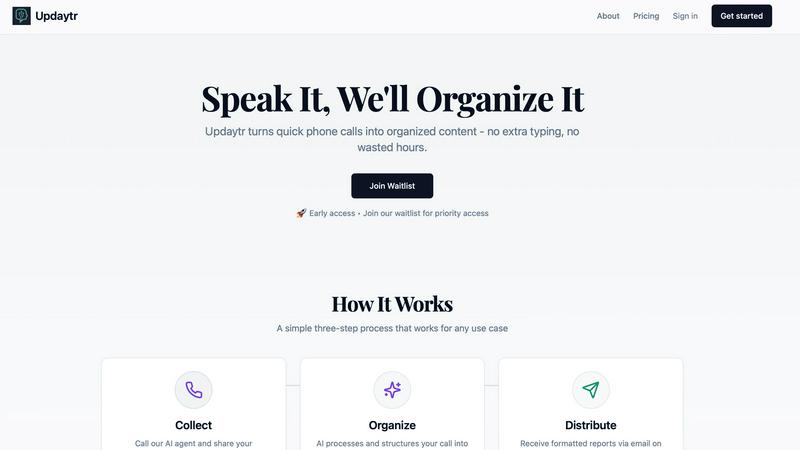
Updaytr turns team phone updates into organized AI reports, eliminating status meetings.
Last updated: March 1, 2026
Visual Comparison
BRCKS

Updaytr
Feature Comparison
BRCKS
BRCKS Bot for WhatsApp
Update projects without ever leaving your chat app. Simply text the BRCKS Bot on WhatsApp to create tasks, check off checklist items, ask for project updates, or get instant answers. Every instruction sent via text is automatically logged and organized within the main BRCKS platform, ensuring nothing is lost while letting your team communicate in the tool they use every day. It eliminates app-switching and makes updating the project as easy as sending a message.
Checklists & Task Management
Create, assign, and monitor progress on tasks and daily checklists directly within BRCKS. Assign responsibilities to specific team members, set deadlines, and track completion in real-time. This feature replaces paper lists and scattered notes, providing a clear, digital record of what needs to be done, by whom, and by when, ensuring accountability and smooth progression from first fix to final sign-off.
Client Portal
Provide homeowners and clients with a beautiful, read-only window into their project's progress. They can view key milestones, latest photos, and important updates without gaining access to your internal tools, team chats, or sensitive documents. This keeps clients informed and engaged, building trust, while preventing them from disrupting the team's workflow with constant questions.
Free Subcontractor Access
Invite every trade and subcontractor to their relevant projects at no extra cost. They get full access to checklists, calendars, files, and schedules specific to their work, completely free. You only pay for your core internal team members. This removes the barrier to onboarding your entire supply chain, ensuring everyone has the information they need to stay on schedule.
Updaytr
Voice-First Update Collection
Team members share updates through a natural, intuitive phone call—no apps to download, no forms to fill out. They simply dial a dedicated number, speak to an AI agent, and relay their information in their own words. This mobile-centric design respects the workflow of field personnel, allowing them to report in seconds from anywhere, even in areas with limited data connectivity, using the most universal tool they have: their phone.
AI-Powered Report Organization & Structuring
The AI doesn't just transcribe; it intelligently structures the raw audio. It automatically tags updates by relevant categories like project name, client, or team member. It identifies key details, filters out filler words, and formats the information into a coherent, professional summary. This smart organization turns scattered voice notes into actionable, well-organized content ready for distribution.
Automated, Scheduled Report Distribution
Managers and stakeholders receive beautifully consolidated reports directly in their inbox without lifting a finger. You control the schedule—whether you need daily digests, weekly summaries, or real-time alerts. Updaytr ensures the right people get the right information at the perfect time, replacing constant check-in calls and messy email threads with streamlined, automated delivery.
Context-Aware Conversation Tracking
Updaytr maintains the thread of conversations across multiple calls. The AI recognizes returning callers and can reference previous updates, ensuring continuity in reporting. This creates a living log of project progress or client interactions, providing valuable context that makes each new update more meaningful and informative for report recipients.
Use Cases
BRCKS
Streamlining Daily Site Communication
Site managers and foremen use BRCKS to replace chaotic WhatsApp groups and emails. Daily instructions, photo updates of work completed, and urgent queries are all handled through the BRCKS Bot or app. This consolidates every conversation into a single project feed, saving over an hour a day previously spent searching through different apps and ensuring nothing gets missed.
Managing Subcontractor Deliverables
General contractors can invite all subcontractors for free, assigning them specific checklists and tasks within BRCKS. Each trade can see their scheduled work, access relevant files, and mark tasks as complete. This provides clear accountability, reduces the need for constant follow-up calls, and creates a transparent record of who did what and when.
Keeping Clients Updated and Happy
Builders and renovators use the Client Portal to proactively share progress. Instead of fielding daily "how's it going?" calls, they can direct clients to the portal to see recent photos, completed milestones, and next steps. This professional approach manages client expectations, reduces anxiety, and minimizes disruptive interruptions to the working team.
Centralizing Project Documentation
Project managers consolidate all meeting notes, site photos, material specifications, and change order discussions into BRCKS. The Project Files feature acts as a single source of truth for the entire project history, making it easy to find any document or recall any decision, which is crucial for handovers, compliance, and resolving any disputes.
Updaytr
Construction & Field Project Management
Foremen and field supervisors call in with daily progress reports, safety notes, and material requests. Updaytr organizes these by job site and project, automatically sending a formatted end-of-day report to the project manager and office, ensuring everyone is aligned without disruptive site meetings.
Sales & Client Service Reporting
Outside sales representatives and insurance adjusters can instantly report on client visits, deal progress, or inspection findings immediately after an appointment. The AI structures updates by client name and opportunity stage, keeping sales managers and service coordinators informed with fresh, actionable intelligence.
Service Technician & Maintenance Updates
HVAC technicians, plumbers, and field service crews report job completions, parts used, and customer feedback via a quick call from the van. Updaytr routes these updates, creating instant service tickets and customer follow-up notes, streamlining operations and improving customer communication.
Personal Productivity & Journaling
Individuals use Updaytr as a hands-free journaling and tracking tool. Whether logging daily accomplishments, tracking personal goals, or capturing ideas on a commute, users call in their thoughts. The AI organizes these entries into searchable, dated notes, creating a personal log without the hassle of typing.
Overview
About BRCKS
BRCKS is the construction project management platform that works the way your team already does. Built specifically for residential builders, trades, and homeowners, it solves the communication chaos that plagues every project. Instead of forcing your team to learn a complicated new app, BRCKS integrates seamlessly into your existing workflow, especially WhatsApp. It automatically pulls every project conversation, photo, update, and file from scattered chats and emails into one organized, central platform that you control. This means no more lost instructions in endless message threads, no more chasing subcontractors for updates, and no more confusion over decisions. The core value proposition is powerful simplicity: zero disruption for your team, complete oversight for you. From daily task checklists and team scheduling to sharing polished updates with clients, BRCKS keeps the entire project team—directors, site managers, trades, and homeowners—perfectly aligned, saving teams an average of 2+ hours daily and dramatically reducing costly delays and miscommunication.
About Updaytr
Updaytr is the AI-powered communication hub that transforms how teams share updates, eliminating the friction of status meetings and manual reporting. Designed for on-the-go professionals, it leverages the simplicity of a phone call to capture real-time information from the field. Users simply call a dedicated number to verbally share their progress, and Updaytr's intelligent AI takes over—transcribing, organizing, and formatting those updates into clear, professional reports delivered automatically to managers and stakeholders. It’s built for industries like construction, field services, sales, and logistics, where teams are mobile and time is critical. The core value proposition is profound: keep your team focused on their core work, not on paperwork. By making content creation as effortless as having a conversation, Updaytr ensures timely information flow, maintains context over multiple interactions, and enhances overall productivity without requiring anyone to download an app or type a single word.
Frequently Asked Questions
BRCKS FAQ
How does BRCKS work with WhatsApp?
Your team continues using WhatsApp as normal. You add the BRCKS Bot as a contact in your project group or message it directly. When you send a text, photo, or voice note to the bot, it intelligently logs that update to the correct project and category (like tasks or files) in the main BRCKS platform. Your team doesn't need to change habits; BRCKS organizes the chaos in the background.
Do my subcontractors really get free access?
Yes. You can invite an unlimited number of subcontractors and tradespeople to collaborate on projects. They will have full access to the features necessary for their work on that project—like checklists, calendars, and files—without any cost to you or them. You are only billed for the seats used by your direct, internal employees.
Is the Client Portal secure?
Absolutely. The Client Portal is a read-only, curated view of the project. Clients cannot see internal team conversations, financials, or sensitive documents. They only see the updates, photos, and milestones you choose to share, giving them transparency without compromising your operational privacy or security.
What if my team isn't tech-savvy?
BRCKS is designed for real construction teams. The primary interface for many can remain WhatsApp, which they already know how to use. The web and app platforms are built to be simple, intuitive, and practical. The focus is on ease of use, requiring minimal to no formal training to get started and see immediate benefits.
Updaytr FAQ
How does my team start using Updaytr?
Getting started is designed to be effortless. Simply sign up, add your team members by entering their names and phone numbers, and they will receive instructions. They can immediately begin calling the dedicated AI agent number to leave updates. No software installation or training is required—they just use their phone.
Is there a mobile app to download?
No, and that's by design. Updaytr is entirely phone-call based to maximize accessibility and ease of use for field teams. Team members interact through a standard phone call, while managers receive organized reports via email. This eliminates app fatigue and compatibility issues.
How does the AI know where to send reports?
During setup, you configure rules and recipients. The AI uses intelligent tagging (like recognizing project names or team member IDs from the call) to automatically route information. You can set up distributions so that, for example, all updates tagged "Project Alpha" go to the specific project manager's email.
Is my team's data secure and private?
Yes. Updaytr takes security seriously. Audio and transcript data are processed securely. However, it is important to note that Updaytr is not currently HIPAA compliant and should not be used to transmit or store protected health information (PHI). Please refer to the official Privacy Policy and Terms for detailed information.
Alternatives
BRCKS Alternatives
BRCKS is a mobile-first construction project management app designed to centralize communication for residential builders, tradespeople, and homeowners. It tackles the common chaos of site coordination by replacing scattered emails, WhatsApp threads, and documents with a single, organized platform for tasks, photos, files, and updates. Users often explore alternatives for various reasons. These can include budget constraints, the need for different feature sets like advanced scheduling or accounting integrations, or a requirement for software that serves larger commercial projects or different team structures. The specific needs of your business and team are key drivers in the search. When evaluating other options, focus on core needs: seamless mobile usability for on-site teams, clarity in client communication, and robust tools for tracking tasks and decisions. The ideal alternative should streamline your daily workflow, reduce miscommunication, and create a reliable digital paper trail for the entire project lifecycle.
Updaytr Alternatives
Updaytr is an AI-powered productivity tool that transforms phone call updates into organized reports, saving teams significant time on manual documentation. It's designed for field teams, project managers, and anyone who needs to streamline status reporting without extra apps or typing. Users often explore alternatives for various reasons. Some may need a different pricing model, require specific integrations with existing project management software, or prefer a solution that uses text or video input instead of voice calls. Others might be looking for more granular control over report formatting or different team collaboration features. When evaluating other options, consider your team's primary communication style. Look for core functionality that automates reporting and organizes information intelligently. Key factors include the input method (voice, text, form), the quality of AI processing, customization for your workflows, and how easily reports are delivered to stakeholders.