
Clipt vs Kling 5
Side-by-side comparison to help you choose the right AI tool.

Clipt creates consistent AI characters for your brand videos in minutes.
Last updated: February 28, 2026

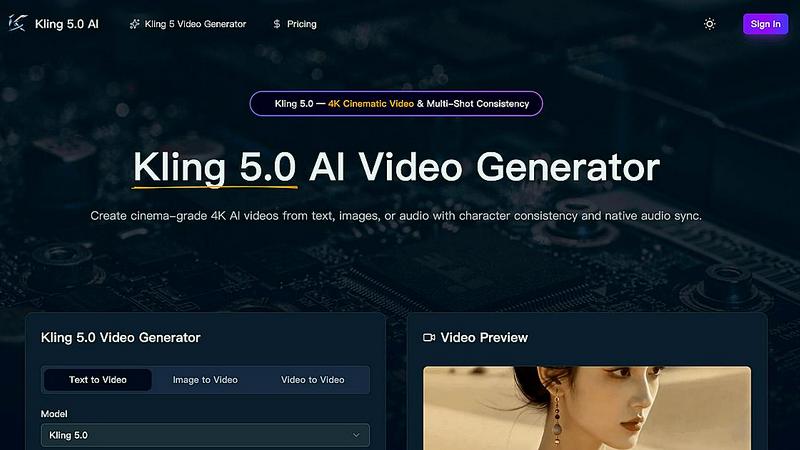
Kling 5.0 is an AI video generator that effortlessly creates 4K cinematic videos from text, images, or audio with stunning realism and consistency.
Last updated: April 13, 2026
Visual Comparison
Clipt

Kling 5
Feature Comparison
Clipt
AI-Generated Character Creator
Build your own roster of digital brand ambassadors without cameras or models. Simply describe your ideal character—like "Professional tech reviewer in their 30s" or "Relatable busy mom"—and Clipt's AI generates four unique, photorealistic variations. These characters are fully licensed for commercial use, eliminating stock photo issues. Once created, they remain perfectly consistent across every video, allowing you to build recognizable brand faces for all your content, from UGC testimonials to explainer videos.
Smart Caption & Video Editor
Transform any video into an accessible, engaging piece of content. Clipt can ingest videos directly from over 50 platforms like YouTube and TikTok or from your device's uploads. It automatically generates word-accurate captions, which you can then customize with a library of fonts, colors, and smooth animation presets. The editor is powered by parallelized cloud rendering, meaning your videos process quickly in the background, keeping your creative queue moving so you can publish faster.
Viral Slideshow Maker
Instantly convert a simple idea into a structured, visually-rich carousel for TikTok and Instagram. Describe what you want—for example, "5 slides on the benefits of morning meditation"—and Clipt's AI plans the entire script, generates matching image prompts, and writes slide descriptions. You can pick a visual style, let the AI create the graphics, and even add one-click voice narration. This turns complex content planning and design into a seamless, automated workflow.
Talking Heads Video Generator
Create professional spokesperson or testimonial videos in seconds. Type a script, and Clipt's AI plans the scene delivery and pacing. You can browse and select from a library of pre-made AI characters (like a "Skincare Reviewer" or "Student") or use one you've created. The AI avatar delivers your script with natural expressions and gestures. Finalize your video by adding custom backgrounds and captions, then export it for any social platform or embed it directly on your website.
Kling 5
AI-Powered Video Generation
Kling 5.0 employs cutting-edge AI algorithms to generate high-quality videos directly from user-provided text prompts. This innovative technology ensures that users can create visually appealing content quickly and efficiently.
Cinematic Quality
With Kling 5.0, users can produce videos that boast a professional, cinematic look and feel. The platform's advanced rendering capabilities deliver stunning visuals, making your videos stand out in any competitive environment.
Easy to Use
The user-friendly interface of Kling 5.0 makes video creation accessible to everyone, regardless of their experience level. The straightforward process allows users to focus on creativity rather than navigating complex software.
Versatile Styles
Kling 5.0 supports a wide variety of video styles, such as cinematic, animated, and more. This versatility enables users to tailor their videos to suit different projects and audiences, ensuring effective communication of their ideas.
Use Cases
Clipt
Building a Consistent Brand Presence
For businesses and influencers, Clipt solves the challenge of maintaining a uniform look across all video content. By creating and reusing custom AI characters, you ensure your brand ambassador, spokesperson, or recurring host has the same appearance and vibe in every campaign, tutorial, and social post. This builds instant recognition and trust with your audience, whether you're posting daily on TikTok or updating your website's homepage video.
Rapid Social Media Content Repurposing
Content creators and social media managers can breathe new life into long-form content. Quickly pull clips from a webinar, podcast, or YouTube tutorial into Clipt. The tool automatically adds stylish, animated captions optimized for silent viewing on platforms like Instagram Reels and TikTok. This allows you to create multiple snackable, accessible clips from a single source, dramatically increasing your content output and reach without starting from scratch.
Producing User-Generated Content (UGC) Style Ads
Marketers and e-commerce brands can generate authentic-feeling testimonials and product reviews on demand. Using the Talking Heads generator with UGC-style presets (like "Post-Gym Selfie" or "Kitchen Quick"), you can produce realistic, relatable review videos featuring diverse AI characters. This provides the social proof of UGC without the hassle of recruiting and managing real creators, perfect for scaling ad campaigns and product launch content.
Creating Educational Carousels and Explainer Videos
Educators, coaches, and B2B companies can simplify complex information. Use the Slideshow Maker to turn a blog post or key concept into a structured, visual carousel. The AI writes the script and creates supporting imagery. For more personal explanation, use a friendly AI character in the Talking Heads tool to narrate the key points directly to the camera. This makes learning more engaging and shareable on visual platforms.
Kling 5
Content Creation for Social Media
Kling 5.0 is perfect for content creators who need to produce engaging videos for platforms like Instagram, TikTok, or YouTube. The quick turnaround time allows for timely content that resonates with audiences.
Marketing and Promotional Videos
Businesses can leverage Kling 5.0 to create eye-catching promotional videos that highlight their products or services. The cinematic quality of the videos can enhance brand storytelling and improve audience engagement.
Educational and Training Videos
Educators can utilize Kling 5.0 to develop informative video content for online courses or training modules. The platform allows for the integration of various styles and formats, making learning more interactive and enjoyable.
Storyboarding and Prototyping
Filmmakers and animators can use Kling 5.0 to visualize concepts and storyboard ideas quickly. With character consistency and realistic physics simulation, this tool helps professionals prototype scenes effectively.
Overview
About Clipt
Clipt is your all-in-one mobile studio for creating scroll-stopping short-form video content. Designed for the modern creator, marketer, and entrepreneur, it streamlines the entire video production process from a single, intuitive app. Forget complex editing software and expensive production crews. Clipt empowers you to repurpose existing video from platforms like YouTube, TikTok, and Instagram, or build captivating videos from scratch using AI. Its core magic lies in three powerful, interconnected tools: a professional Caption & Video Editor for polishing clips, a Slideshow Maker for turning ideas into viral carousels, and a revolutionary Talking Heads generator for creating spokesperson videos with unique, AI-generated characters. With a focus on speed, style, and brand consistency, Clipt helps you ship high-quality, engaging content for social media, marketing campaigns, and websites in minutes, not days.
About Kling 5
Kling 5.0 is a groundbreaking AI video generator that empowers users to craft stunning video content effortlessly, regardless of their technical expertise. By harnessing advanced artificial intelligence, Kling 5.0 converts text prompts into high-quality, cinematic videos in mere seconds. Gone are the days of complicated editing software and tedious production workflows. This innovative platform allows you to bring your creative visions to life and share them with the world with just a few clicks.
Designed for a broad audience, from content creators to marketers, Kling 5.0 provides an intuitive user experience. Users can simply enter a text prompt detailing their desired video scene, characters, and style, and the AI will generate a unique, visually captivating video. With various video styles to choose from, including cinematic and animated options, Kling 5.0 caters to diverse projects, making it a versatile tool for anyone looking to enhance their video production capabilities.
Frequently Asked Questions
Clipt FAQ
How many AI characters can I create?
You can create multiple AI characters to build a diverse roster for different campaigns or client needs. The platform is designed to let you generate and save a library of unique personas. The free plan offers a starting point, while paid plans provide more credits for extensive character creation and usage across unlimited videos.
Can I use my AI characters across different types of videos?
Absolutely. Once you create or select an AI character, it becomes a reusable asset within your Clipt account. You can use the same consistent character to generate Talking Heads videos, UGC-style testimonials, and any other video format Clipt supports, ensuring brand uniformity across all your content.
Are the AI-generated characters unique to my account?
Yes. The characters generated from your text descriptions are unique creations. Clipt's technology ensures you have full commercial rights to use them in your videos, avoiding the licensing issues and lack of exclusivity commonly associated with stock photo or actor footage.
How consistent is the character's appearance across different videos?
Clipt's AI is specifically engineered for high consistency. Your selected character will maintain the same facial features, hairstyle, and overall appearance in every video you generate. This allows you to build a familiar and trustworthy face for your audience, just like a recurring human presenter.
Kling 5 FAQ
What types of videos can I create with Kling 5?
You can create a wide range of videos, including cinematic, animated, and narrative styles. The platform allows for customization based on your specific project needs.
Can I use my own audio in the videos?
Yes, Kling 5.0 allows you to add music and sound effects to your videos. You can also generate native audio that is synchronized with the visuals for a complete audio-visual experience.
Is there a limit to the length of videos I can create?
Kling 5.0 supports video generation up to 15 seconds long. This length is ideal for quick, impactful content that captures viewers' attention.
How does the character consistency feature work?
The character consistency feature ensures that characters maintain identical facial features and proportions across different shots. This is achieved through the Omni Subject Library, which locks character appearances for seamless multi-shot projects.
Alternatives
Clipt Alternatives
Clipt is an AI-powered video and content creation platform in the marketing technology category. It automates the heavy lifting of video editing, captioning, and asset generation, allowing creators and teams to produce professional content quickly. Users often explore alternatives for various reasons. This could be due to specific budget constraints, a need for different feature sets like advanced desktop editing, or requirements to integrate with other tools in their existing workflow. The search for the right tool is highly personal to a team's goals and resources. When evaluating other platforms, consider your core needs. Look at the automation capabilities for transcription and rendering, the quality and flexibility of AI-generated assets like visuals and voiceovers, and how well the platform supports your target social media channels. The ideal tool should save you time without compromising on the creative quality of your final posts.
Kling 5 Alternatives
Kling 5 is an innovative AI video generator that allows users to create high-quality, cinematic videos effortlessly. This platform caters to individuals and businesses alike, aiming to simplify the video production process by transforming text prompts into engaging visual narratives. Users commonly seek alternatives to Kling 5 for various reasons, such as pricing structures, specific feature sets, or platform compatibility with their unique needs. When exploring alternatives, it's essential to consider factors like ease of use, quality of output, and the variety of styles available for video creation. Additionally, users should evaluate customization options, resolution capabilities, and overall value for money to ensure they find a solution that best fits their video production goals.