
Job Boardly vs TemplateFox
Side-by-side comparison to help you choose the right AI tool.

Job Boardly
Launch your own niche job board without any coding required.
Last updated: March 1, 2026

TemplateFox
Design PDFs visually and generate thousands automatically with no-code tools or an API.
Last updated: February 28, 2026
Visual Comparison
Job Boardly
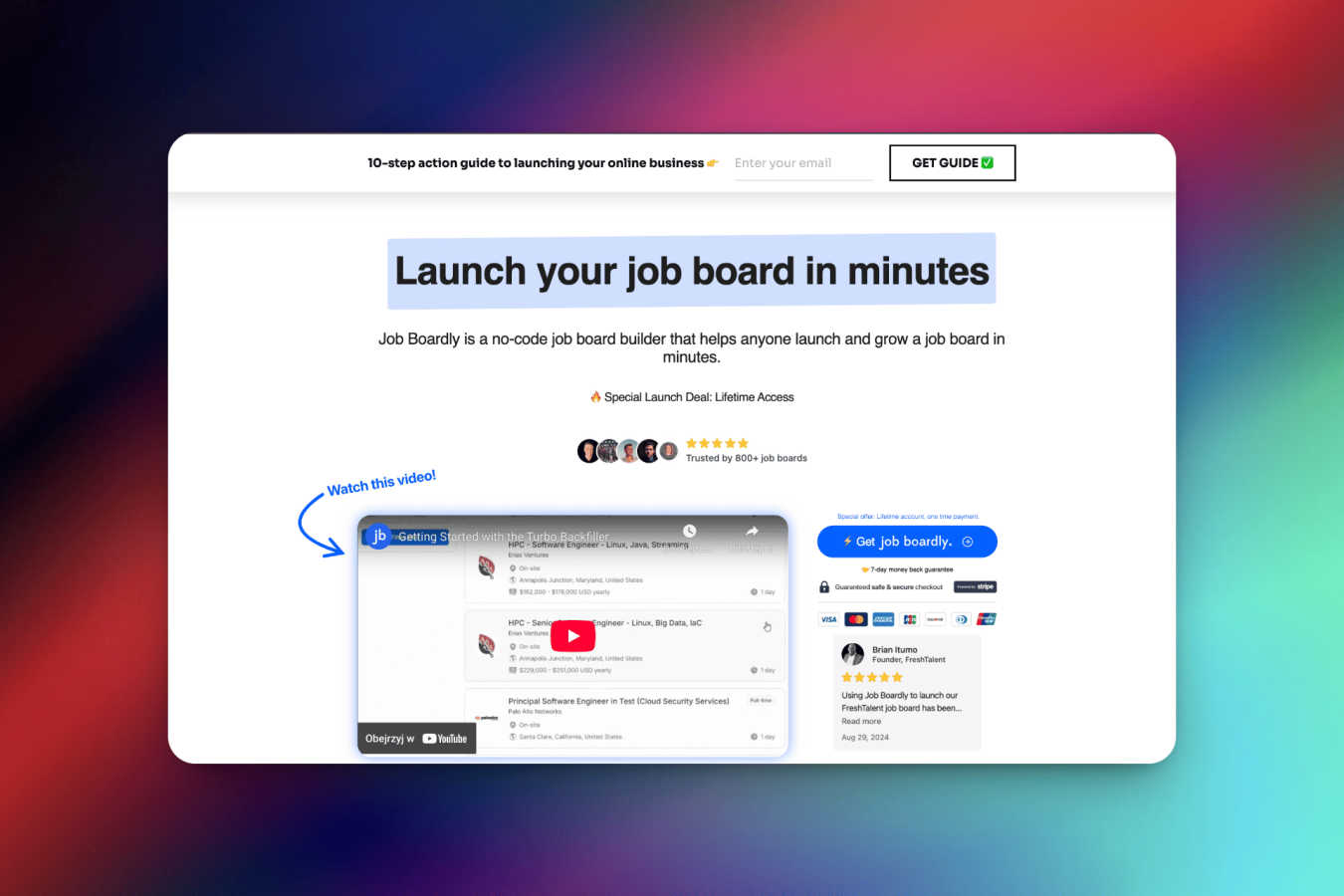
TemplateFox

Feature Comparison
Job Boardly
No-Code Job Board Builder
Launch your fully functional job board without writing a single line of code. Job Boardly's intuitive, drag-and-drop inspired interface guides you through setup, making it accessible for complete beginners. You can have a live board in less than 5 minutes, complete with essential pages, navigation, and job listing functionality. This feature democratizes job board creation, putting powerful tools directly in the hands of entrepreneurs, community managers, and HR professionals who want to move fast without technical bottlenecks.
Paywall & Monetization Tools
Generate recurring revenue effortlessly with Job Boardly's integrated paywall system. This feature allows you to gate premium job listings, candidate profiles, or other valuable content behind a subscription. You can offer a limited selection of jobs for free to attract visitors, while requiring a paid plan for full access. With seamless Stripe integration, managing subscriptions and payments is automated, turning your job board from a project into a profitable business from day one.
Turbo Backfiller & Magic Aggregator
Instantly populate your new job board with relevant, high-quality listings using our powerful backfill tools. The Turbo Backfiller and Magic Aggregator automatically import jobs from millions of active listings across the web based on your chosen categories, keywords, and countries. This solves the "empty board" problem immediately, providing value to visitors from the moment you launch and significantly boosting your site's SEO with fresh, indexed content.
Customization & Branding
Fully customize the look and feel of your job board to match your brand identity. Easily upload your logo, select brand colors, and adjust design elements to create a seamless experience for your users. Beyond aesthetics, you can create custom pages, connect your own domain (like jobs.yourdomain.com), and utilize built-in SEO tools to ensure your board ranks well on search engines and stands out as a unique, professional destination.
TemplateFox
Visual Drag-and-Drop Editor
Design professional PDF templates in minutes without writing a single line of code. The intuitive, mobile-friendly WYSIWYG editor lets you place text, images, tables, and barcodes exactly where you need them. Fine-tune every component with a dedicated properties panel, adjusting content, borders, colors, and sizes with a simple tap or click. This visual approach makes template creation accessible to everyone, from developers to business users.
Dynamic Data Binding & Expressions
Go beyond simple placeholders. Inject any data from your application or spreadsheet into your templates. Use expressions to format dates, calculate totals, round numbers, and control content dynamically. Access system variables like page numbers, total pages, and the current date automatically. With over 100 built-in functions, you can create intelligent documents that adapt perfectly to your data every time.
Smart Tables & Automatic Layouts
Create documents that scale effortlessly. Tables are designed to grow automatically with your data, whether you have 3 items or 300. Rows will span multiple pages seamlessly, with headers and footers repeating where needed. This ensures professional formatting is maintained regardless of data volume, making it ideal for invoices, packing slips, and detailed reports.
Built-in Barcodes & QR Codes
Generate scanner-ready codes directly within your templates. Supports Code128, EAN-13, QR codes, and more, all created on-the-fly from your dynamic data. Perfect for adding tracking barcodes to shipping labels, QR codes for asset tracking sheets, or product codes to invoices, all without needing external image generation or manual uploads.
Use Cases
Job Boardly
Niche Community Job Boards
Ideal for industry associations, online forums, or membership groups looking to provide exclusive value to their community. A niche job board for "Remote FinTech Developers" or "Sustainable Fashion Careers" creates a targeted hub where quality candidates meet relevant employers. Job Boardly makes it simple to launch this dedicated space, foster community engagement, and even monetize access, strengthening the group's ecosystem and providing a vital service.
Startup & SME Hiring Hubs
Startups and small to medium-sized businesses can create their own branded career portal to attract talent. Instead of just a static "Careers" page, they can build a dynamic, searchable job board that showcases their culture, open roles, and values. This enhances the candidate experience, improves employer branding, and streamlines the application process, all from a platform they fully control and can customize as they grow.
Recruitment Agencies & Headhunters
Recruitment professionals can use Job Boardly to create a public-facing board for their curated job listings, establishing themselves as a thought leader in their specialization. Features like candidate and employer dashboards (on Pro plans) allow for a more managed experience. They can use the paywall to offer premium placement for client jobs or to provide advanced search features to candidates, creating a new revenue stream alongside their core services.
Content Creators & Affiliate Marketers
Bloggers, influencers, and affiliate marketers in career-adjacent niches can launch a job board to monetize their audience. For example, a popular tech tutorial YouTuber can create a "Tech Jobs Board" for their followers. They can backfill it with relevant listings, drive traffic from their content, and earn revenue through subscription paywalls or promoted listings, effectively leveraging their audience into a sustainable business.
TemplateFox
Automated Ecommerce Document Generation
Streamline your online store's backend by automatically generating invoices, packing slips, and shipping labels for every order. Connect TemplateFox via Zapier or Make to trigger PDF creation whenever a new sale is recorded in Shopify, WooCommerce, or Airtable. Each document is populated with customer details, itemized orders, and tracking barcodes, then emailed directly to the customer or saved to your cloud storage, saving hours of manual work.
On-Demand Certificate Creation for Education Platforms
Easily issue personalized certificates of completion, achievement, or attendance. Educational platforms and online course providers can use the API to generate unique, professional certificates for thousands of students at once. Simply send student names, course details, and completion dates to instantly produce downloadable, verifiable PDF certificates, enhancing the user experience with instant gratification.
Dynamic Business Reporting
Generate consistent, branded business reports, statements, or proposals directly from your data. Financial apps, SaaS platforms, and agencies can use TemplateFox to turn raw data into polished PDF reports. With dynamic tables and page-breaking logic, lengthy financial statements or performance reports are formatted perfectly, complete with automatic page numbers, headers, footers, and company branding.
No-Code Workflow Automation
Empower non-technical teams to automate document-heavy processes. Marketing, HR, and operations teams can use pre-built integrations with Airtable, Bubble, or n8n to generate contracts, offer letters, or shipping labels directly from their no-code workflows. This puts the power of automated PDF generation into the hands of the people who need it most, without relying on developer resources.
Overview
About Job Boardly
Job Boardly is the ultimate no-code platform that empowers anyone to launch, manage, and monetize a professional job board in minutes. Designed with a mobile-first, user-centric approach, it removes the traditional barriers of technical complexity and high cost associated with creating a niche hiring platform. Whether you're an entrepreneur targeting a specific industry, a community leader looking to connect members with opportunities, or an organization aiming to streamline internal hiring, Job Boardly provides the complete toolkit. Its core value proposition lies in its simplicity and power: a seamless interface that requires zero coding skills, coupled with advanced features like automated job aggregation and built-in monetization. This allows you to focus on growing your community and revenue, not on managing software. Trusted by over 1,000 job boards globally, Job Boardly is the all-in-one solution to create a customized, functional, and profitable job board without the hefty price tag or technical headaches.
About TemplateFox
TemplateFox is a powerful, developer-friendly SaaS platform designed to automate and simplify professional PDF generation. It transforms the complex task of creating formatted documents into a seamless, visual, and code-optional process. At its core, TemplateFox provides a drag-and-drop WYSIWYG editor that allows anyone to design pixel-perfect templates for invoices, certificates, reports, and more, without needing any HTML or CSS knowledge. Once a template is designed, you can generate thousands of unique PDFs in seconds by sending your data via a simple REST API call or through popular no-code automation tools like Zapier, Make, and Airtable. Built for speed and reliability, it delivers results in 1-3 seconds via signed URLs or direct binary downloads. With a generous free tier offering 100 PDFs per month and scalable, affordable paid plans, TemplateFox is the perfect solution for indie hackers, developers, and businesses of all sizes looking to eliminate manual document work and integrate dynamic PDF generation directly into their applications and workflows.
Frequently Asked Questions
Job Boardly FAQ
Can I customize the appearance of my job board to match my brand?
Absolutely! Job Boardly offers easy customization options, allowing you to personalize the look and feel of your job board. You can upload your logo, select custom color schemes that align with your brand palette, and adjust various design elements through a user-friendly settings panel. This ensures your job board provides a seamless and professional brand experience for every visitor, without needing any CSS or design skills.
How can I backfill jobs on my board using Job Boardly?
Job Boardly provides powerful, automatic backfill features to populate your board instantly. You can use either the Turbo Backfiller or the Magic Aggregator tool. Simply set your preferences for category, country, and keywords, and the system will import relevant job listings from a database of millions of active opportunities. You can also backfill jobs manually using our CSV or XML import tools for complete control over the listings on your board.
Can I connect my own domain to my Job Boardly site?
Indeed you can! Job Boardly empowers you to seamlessly connect your own custom domain (e.g., careers.yourcompany.com or jobs.yourniche.com) to your job board. The process is straightforward and managed within your dashboard, ensuring your job board reflects your professional brand identity perfectly. Our support team is available to assist if you have any questions during the domain connection process.
How do the backfiller credits work?
Backfill credits are used to power the automated Turbo Backfiller and Magic Aggregator tools, which tap into an API with over 7 million active job listings. Credits are purchased on a pay-as-you-go basis within the app, starting at $9 for 1,000 credits ($0.009 per credit). These credits are only consumed when you use the automated backfill features; manual imports via CSV/XML or other tools do not require credits. This flexible system lets you control your costs based on your board's activity.
TemplateFox FAQ
Do I need coding skills to use TemplateFox?
No, you do not need any coding skills to start creating and generating PDFs. The primary way to use TemplateFox is through the visual, drag-and-drop template designer, which requires no HTML or CSS knowledge. For automation, you can use the pre-built, no-code integrations with platforms like Zapier, Make, Airtable, and Bubble to generate documents without writing code.
How fast is the PDF generation?
TemplateFox is built for speed and reliability in production environments. Typically, a PDF is generated and delivered within 1 to 3 seconds. You can receive the document via a signed, temporary URL for easy distribution or as a direct binary download to embed in your own application's workflow seamlessly.
Can I use my own branding and fonts?
Yes, you have full control over the design. The editor allows you to upload your company logo, set custom colors, and choose from a variety of fonts to ensure every generated PDF matches your brand identity perfectly. You have complete design freedom within the template to create a pixel-perfect, professional document.
What happens if my table data spans multiple pages?
TemplateFox handles this automatically. The smart table component is designed to grow dynamically with your data. If the data for a table exceeds the space on one page, the table will automatically continue onto the next page. Table headers can be configured to repeat on every new page for clarity, ensuring a professional and readable document regardless of length.
Alternatives
Job Boardly Alternatives
Job Boardly is a no-code platform that lets anyone launch and manage a niche job board without technical skills. It belongs to the category of user-friendly, app-centric tools designed to simplify complex processes. Users often explore alternatives for various reasons. This could be due to specific budget constraints, the need for different feature sets, or a requirement to integrate with other platforms in their tech stack. It's a common step in finding the perfect fit for a unique project. When evaluating other options, focus on core needs. Key considerations include the ease of setup, available automation for listing aggregation, built-in monetization tools, and the overall mobile experience for both admins and job seekers. Prioritizing these elements ensures a smooth, sustainable operation.
TemplateFox Alternatives
TemplateFox is a developer-friendly SaaS platform in the productivity and management category, specializing in visual PDF template design and automated, high-volume document generation. It simplifies creating professional invoices, reports, and certificates by combining a no-code editor with powerful API and no-code automation integrations. Users often explore alternatives for various reasons. Some may have specific budget constraints or require a different pricing model. Others might need niche features, a particular tech stack integration, or a different balance between ease-of-use and advanced customization capabilities that better fits their project's unique demands. When evaluating other solutions, consider your core needs: the importance of a visual editor versus code-based design, the required volume and speed of generation, the complexity of your data and formatting, and how seamlessly the tool integrates into your existing workflows and applications. The right choice aligns with both your technical requirements and team skill set.