
Mailopoly vs SupaSidebar
Side-by-side comparison to help you choose the right AI tool.

Mailopoly
Mailopoly is your AI email assistant that organizes your inbox, highlights priorities, and drafts replies in your voice.
Last updated: February 27, 2026

SupaSidebar
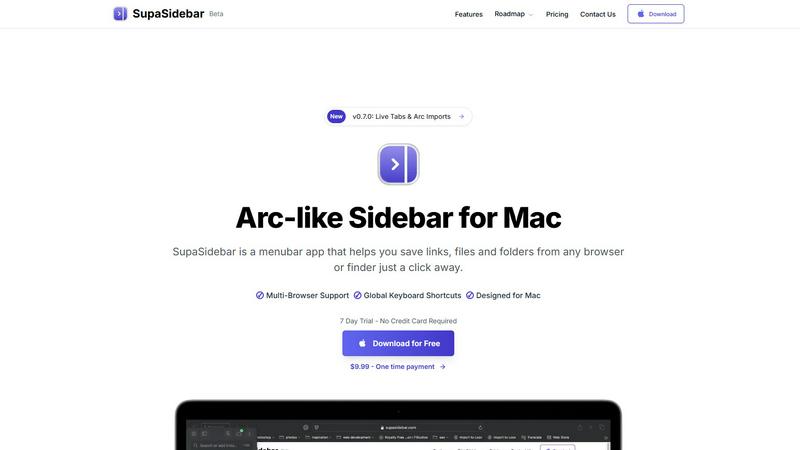
SupaSidebar is your all-in-one Mac sidebar for quickly saving and accessing links, files, and folders with ease.
Last updated: February 28, 2026
Visual Comparison
Mailopoly

SupaSidebar
Feature Comparison
Mailopoly
Smart Inbox Management
Mailopoly intelligently organizes your emails, ensuring only the most relevant messages reach your attention. It filters out noise, allowing you to focus on the essential information without feeling overwhelmed by constant notifications.
AI-Powered Replies
Mailopoly simplifies communication by drafting replies in your unique voice. The AI generates responses that reflect your style and tone, enabling you to respond to emails quickly and accurately, whether for personal or professional contexts.
Integrated Task Management
Manage your life seamlessly with Mailopoly’s built-in task manager. It tracks deliveries, schedules events, and reminds you of important dates, ensuring you never miss a milestone or task amidst your busy life.
Instant Unsubscription Feature
Say goodbye to unwanted emails with Mailopoly's instant unsubscriber. This feature enables you to opt-out of unwanted newsletters and promotional emails effortlessly, cleaning up your inbox and improving your overall email experience.
SupaSidebar
Universal Command Center
SupaSidebar acts as a universal command center in your menubar, providing easy access to links, files, and folders across all your applications. You can quickly save or copy URLs with just a few keyboard shortcuts, streamlining your workflow and reducing time spent switching between apps.
Recent Activity Tracking
With the Recents feature, SupaSidebar tracks every website you have visited in the last 48 hours. This allows you to find your work instantly, ensuring that you never lose track of important information, making research and browsing much more efficient.
Fast Search Functionality
SupaSidebar includes a powerful search capability that lets you locate any file, folder, website, or app at lightning speed. By pressing CMD + CTRL + K and typing in your query, you can quickly access whatever you need, eliminating the hassle of digging through multiple tabs or applications.
Customizable Spaces
Organize your digital workspace exactly how you want it with SupaSidebar's customizable spaces. You can have unlimited spaces in the Pro version, allowing for tailored organization that fits your unique workflow needs. This feature is perfect for users juggling different projects and tasks.
Use Cases
Mailopoly
Efficient Email Management for Professionals
Busy professionals can benefit from Mailopoly's smart inbox management, allowing them to quickly identify and respond to essential emails while minimizing distractions from irrelevant messages.
Streamlined Communication for Side-Hustlers
For those juggling multiple projects or side-hustles, Mailopoly ensures that important communications are never missed, helping users stay organized and on top of their responsibilities with ease.
Personal Life Organization
Individuals can utilize Mailopoly to manage personal finances, appointments, and deliveries. The integrated task manager keeps all life aspects in check, providing a clear overview of what needs attention.
Stress-Free Unsubscribing
Users tired of cluttered inboxes will appreciate the instant unsubscription feature, which allows them to effortlessly declutter their email without the hassle of navigating through multiple unsubscribe processes.
SupaSidebar
Efficient Research
For researchers, SupaSidebar serves as a centralized hub for gathering links, articles, and resources. The ability to quickly save URLs and access recent activity means that compiling information for papers or projects becomes a seamless process.
Creative Projects
Creators can utilize SupaSidebar to keep essential links, files, and inspiration at their fingertips. By pinning favorite resources and accessing them via keyboard shortcuts, they can maintain uninterrupted creative flow without constantly switching applications.
Student Workflow
Students benefit from SupaSidebar by organizing their study materials, assignments, and research. The Recents feature allows them to revisit previously accessed resources quickly, enhancing their learning experience and keeping them focused on their studies.
Professional Task Management
Professionals juggling multiple projects can use SupaSidebar to manage their tasks efficiently. By centralizing links, files, and recent activity, they can easily switch between different responsibilities, boosting their productivity without the frustration of scattered resources.
Overview
About Mailopoly
Mailopoly is an innovative email client designed to revolutionize how you manage your inbox. By leveraging advanced artificial intelligence, Mailopoly automatically extracts critical information from your emails, enabling you to prioritize what truly matters without the need to sift through countless messages. This powerful tool significantly reduces inbox clutter and minimizes distractions by filtering out unnecessary notifications. Beyond just email management, Mailopoly features an integrated AI chatbot, Poly, which acts as your personal assistant, capable of answering queries about your account and providing insights into your schedule, finances, and tasks. With seamless integration across multiple email providers, Mailopoly transforms your inbox from a source of stress into a highly organized command center, perfect for busy professionals, multitaskers, and anyone seeking to streamline their digital life.
About SupaSidebar
SupaSidebar is a beautifully crafted, native macOS application designed to enhance your productivity by bringing the powerful, organized, and flow-centric experience of the Arc browser's sidebar to your entire Mac. It serves as a universal command center that resides in your menubar, providing instant, keyboard-driven access to everything you need, including links, files, and folders. Whether you are a researcher, creator, student, or a professional managing multiple projects, SupaSidebar helps you break free from the silos of apps and browsers. Its main value proposition lies in keeping your digital workspace organized and your focus intact. With seamless integration across all major browsers like Safari, Chrome, Arc, Firefox, and Brave, as well as Finder, SupaSidebar allows users to save, search, and open items from anywhere using simple global shortcuts. Everything remains on your Mac, ensuring privacy and speed, while centralizing your tabs, recent history, and pinned items for a smoother workflow.
Frequently Asked Questions
Mailopoly FAQ
How does Mailopoly reduce email clutter?
Mailopoly uses AI to filter and prioritize your emails, ensuring that only the most relevant messages appear in your inbox. It automatically hides less important communications, reducing overall inbox volume.
Can I integrate multiple email accounts with Mailopoly?
Yes, Mailopoly supports various email providers, including Gmail, Outlook, Yahoo, and any IMAP email account, making it easy to consolidate your communications in one place.
Is my data secure with Mailopoly?
Absolutely. Mailopoly is SOC 2 certified and designed with privacy in mind, ensuring that your personal data and email communications remain secure and confidential.
Does Mailopoly require extensive setup?
No, Mailopoly is designed for zero setup and zero migration friction. It works seamlessly with your existing email accounts, allowing you to start using it immediately without complex configurations.
SupaSidebar FAQ
Is SupaSidebar a browser extension?
No, SupaSidebar is a standalone menubar application designed specifically for macOS. It integrates with all major browsers and Finder but does not function as a browser extension.
Which browsers does SupaSidebar work with?
SupaSidebar is compatible with all major browsers, including Safari, Chrome, Firefox, Arc, and Brave. This ensures that users can access their resources regardless of their preferred browsing platform.
What macOS version do I need?
SupaSidebar requires macOS 13 or later to function properly. This ensures compatibility with the latest features and security updates offered by Apple.
Where is my data stored?
All data remains on your Mac with SupaSidebar. This means you retain full control over your information, ensuring both privacy and speed in accessing your resources.
Alternatives
Mailopoly Alternatives
Mailopoly is an innovative AI-powered email client designed to revolutionize the way you manage your inbox. By leveraging advanced artificial intelligence, it streamlines email communication, cutting down your inbox size and notifications significantly. The intuitive platform not only enhances email management but also incorporates personal finance tracking, event management, and task organization, transforming your inbox into a comprehensive command center. Users often seek alternatives to Mailopoly for various reasons, including pricing concerns, specific feature requirements, or compatibility with their preferred platforms. When exploring alternatives, it's essential to consider factors such as user experience, integration capabilities, and overall functionality to ensure that the chosen solution meets your unique productivity needs.
SupaSidebar Alternatives
SupaSidebar is a powerful productivity application designed specifically for macOS, functioning as a universal sidebar to help users organize and access links, files, and folders effortlessly. It falls under the productivity and management category, catering to individuals who require a streamlined workflow across various applications and browsers. Users often seek alternatives to SupaSidebar due to factors such as pricing, specific feature requirements, or compatibility with different platforms. When considering alternatives, it’s essential to evaluate the ease of use, integration capabilities with existing tools, and the ability to enhance your workflow without causing disruption. Look for applications that offer similar functionalities, such as quick access to multiple resources, a user-friendly interface, and robust performance.