
LuxSign vs MindMap AI
Side-by-side comparison to help you choose the right AI tool.

LuxSign lets you securely sign and manage documents online in minutes, compliant with EU regulations and hosted in.
Last updated: February 27, 2026

MindMap AI
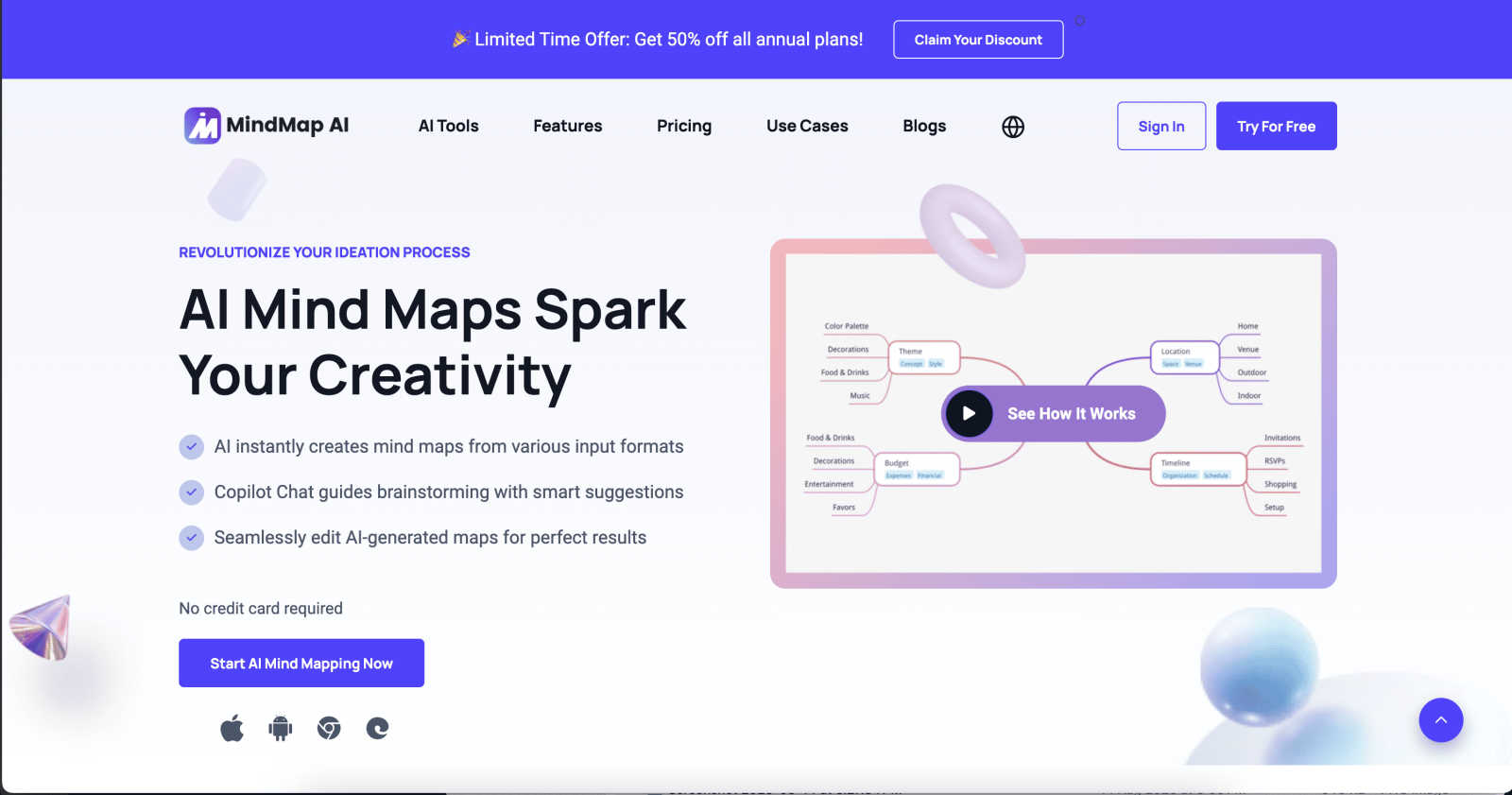
MindMap AI instantly transforms your ideas and documents into structured, editable mind maps.
Last updated: March 1, 2026
Visual Comparison
LuxSign

MindMap AI
Feature Comparison
LuxSign
Multiple Signature Methods
LuxSign offers a variety of signature methods to accommodate user preferences. Users can draw their signature with a mouse, type their name, or upload an image. This flexibility ensures that signing documents is quick and personalized, making the process straightforward and user-friendly.
Advanced Security
Security is paramount at LuxSign. The platform employs industry-standard encryption to protect your documents during upload, storage, and transmission. With secure hosting in Luxembourg, all data is safeguarded against unauthorized access, ensuring peace of mind for users handling sensitive information.
Complete Audit Trail
LuxSign provides a comprehensive audit trail that logs every action taken with a document. This includes timestamps, IP addresses, and signer information, making it easy to verify and ensure compliance. Users can track the entire signing process, enhancing transparency and accountability.
Collaboration Workspaces
LuxSign includes collaboration workspaces that allow teams to work together efficiently. Users can create shared folders, manage member access, and collaborate on signing workflows. This feature streamlines teamwork, making it easier for businesses to manage multiple documents and signers in one centralized location.
MindMap AI
The New Brain: AI Thinking Mode
This isn't just a generator; it's a reasoning engine. Before creating your map, MindMap AI's proprietary technology analyzes context, hierarchy, and relationships between ideas. This ensures every generated mind map is logically structured, meaningful, and accurate on the first try, eliminating the frustration of random, disconnected branches and providing a solid foundation for your thoughts.
File-to-Map Conversion
Ditch manual formatting. With this powerful feature, you can instantly transform virtually any content into a clean, visual mind map. Simply upload text files, PDFs, images, audio clips, videos, Markdown, CSV, and more. The AI extracts key concepts and structures them visually, letting you dive straight into deep thinking and planning instead of tedious data entry.
MindMark Stability & Co-Editing
Experience reliable AI collaboration that respects your work. Unlike other tools, MindMap AI will never overwrite your manual edits, custom layouts, or personal structure. You have full control to expand branches, summarize content, add connectors, and reorganize nodes, with the AI assisting seamlessly alongside you, ensuring your mind map remains stable and true to your vision.
Flexible Layouts & Instant Aesthetics
Visualize your project from every angle. Switch effortlessly between Mind Map, Organizational Chart, and Logic Chart views with a single tap—your structure and data stay perfectly aligned. Coupled with a library of one-click, presentation-ready themes and deep customization options for colors, fonts, and shapes, you can design a beautiful, actionable map that fits your brand and style instantly.
Use Cases
LuxSign
Streamlined Contract Management
Businesses can utilize LuxSign to streamline their contract management process. By enabling electronic signatures, organizations can quickly sign, send, and store contracts without the need for physical paperwork, saving time and resources.
Compliance for Financial Institutions
Financial institutions can leverage LuxSign to ensure compliance with regulatory requirements. The platform’s robust security features and audit trails provide necessary documentation for compliance audits, making it easier to adhere to legal standards.
Efficient HR Processes
Human Resources departments can use LuxSign to manage employee onboarding and documentation efficiently. With the ability to send multiple documents for signature simultaneously, HR can expedite processes such as employment contracts and policy acknowledgments.
Remote Work Solutions
As remote work becomes increasingly common, LuxSign is ideal for businesses looking to facilitate secure document signing from anywhere. With its mobile-friendly design, employees can sign documents on their smartphones or tablets, ensuring flexibility and convenience.
MindMap AI
Academic Research & Study
Students and researchers can quickly synthesize complex information from lectures, textbooks, and papers. By converting audio recordings of lectures or lengthy PDFs into structured mind maps, users can visualize connections between topics, create study guides, and outline research papers with unparalleled speed and clarity, enhancing comprehension and retention.
Project Planning & Strategy
Project managers and teams can streamline brainstorming and strategic planning sessions. Use the app to convert meeting notes, strategy documents, or whiteboard images into a central, living mind map. The flexible org chart and logic views help in defining project scope, assigning tasks with due dates, and visualizing workflows, ensuring everyone is aligned and accountable.
Content Creation & Ideation
Writers, marketers, and creators can overcome creative blocks and organize their ideas. Transform a scattered list of concepts, an interview transcript, or a video brief into a coherent content map. Visually plot article outlines, campaign timelines, or video storyboards, allowing for easy rearrangement and development of narratives in a collaborative, visual space.
Personal Productivity & Goal Setting
Individuals can manage personal projects, set goals, and plan their lives more effectively. Whether planning a vacation, organizing a home renovation, or setting quarterly personal objectives, MindMap AI helps break down large, overwhelming goals into manageable, actionable steps. The visual format provides motivation and a clear roadmap to track progress.
Overview
About LuxSign
LuxSign is a cutting-edge electronic signature platform designed for businesses that prioritize security and compliance. Originating from Luxembourg, it provides a secure, cloud-based solution that ensures all documents are encrypted end-to-end and stored exclusively within the country. This guarantees full compliance with GDPR regulations, making it an ideal choice for organizations operating within the European Union. LuxSign is built to support eIDAS Simple Electronic Signature (SES) standards, ensuring legal validity for contracts across all EU member states. With features like customizable signing workflows, automated notifications, and an intuitive interface, LuxSign simplifies the signing process. This platform is perfect for professionals, small businesses, and enterprises seeking a reliable, efficient way to manage electronic signatures while maintaining the utmost security and compliance.
About MindMap AI
MindMap AI is the premier AI-powered mind mapping application designed for the modern thinker. It transforms the way individuals and teams brainstorm, plan, and organize information by converting chaos into structured clarity. Built for mobile and desktop workflows, the app excels at turning diverse inputs—like text notes, PDFs, images, audio recordings, and even videos—into dynamic, editable mind maps in seconds. Its core value proposition is an AI assistant that thinks alongside you, respecting your work and enhancing it without overwriting your creative input. Tailored for professionals, corporate teams, educators, students, and researchers, MindMap AI streamlines the ideation process. It replaces manual, time-consuming organization with intelligent, visual thinking, enabling users to uncover connections, strategize effectively, and execute projects with greater efficiency and collaborative insight, all from an intuitive, user-centric interface.
Frequently Asked Questions
LuxSign FAQ
What types of documents can I sign with LuxSign?
LuxSign supports various document formats, including PDF, DOC, and DOCX. Users can easily upload files up to 10MB, making it simple to handle different types of documents.
Is LuxSign compliant with GDPR?
Yes, LuxSign is fully compliant with GDPR regulations. All documents are encrypted and stored securely in Luxembourg, ensuring that user data is protected in accordance with EU data protection laws.
How does LuxSign ensure the security of my documents?
LuxSign employs end-to-end encryption during the upload, storage, and transmission of documents. Additionally, all data is hosted on secure servers in Luxembourg, providing a high level of security against unauthorized access.
Can I track the signing process in LuxSign?
Absolutely! LuxSign allows users to track the signing process in real-time. You will receive automatic email notifications to keep you informed when documents are sent, viewed, and signed, enhancing transparency throughout the process.
MindMap AI FAQ
How does MindMap AI's free plan work?
MindMap AI offers a generous free tier that includes 50 AI credits every month, with no credit card required to start. These credits allow you to experience core features like AI-generated maps from files and text. You can create, edit, and collaborate on maps within the free plan limits, making it perfect for trying the app or for light individual use.
What file types can I convert into a mind map?
The app supports a wide array of input formats for instant conversion. You can transform text documents, PDFs, images (JPEG, PNG), audio files (MP3, WAV), video files, Markdown, CSV data, JSON, XML, and HTML. This versatility ensures you can start mapping from almost any source of information without manual transcription.
Does MindMap AI support team collaboration?
Yes, MindMap AI is built for both individual and team thinking. You can easily share your mind maps with colleagues or classmates and co-edit in real-time. The AI co-pilot assists the entire team, and with features like MindMark Stability, each member's manual contributions are protected, enabling seamless and productive group brainstorming and planning.
Can I use MindMap AI in my native language?
Absolutely. MindMap AI provides full multi-language support, allowing you to create, edit, and generate mind maps in over 25 languages. The AI maintains consistent accuracy, structure, and layout integrity across all supported languages, so you can think and map ideas effectively no matter what language you work in.
Alternatives
LuxSign Alternatives
LuxSign is an electronic signature platform designed to facilitate secure and legally valid signing of documents across the European Union. As a cloud-based solution, it provides businesses with a user-friendly way to manage contracts while ensuring compliance with eIDAS SES standards and GDPR regulations. Users often seek alternatives to LuxSign for various reasons, including pricing structures, feature sets, and specific platform needs that better align with their operational workflows. When exploring alternatives, it's essential to consider factors such as ease of use, security measures, integration capabilities with existing systems, and the availability of advanced features like document templates and audit trails. Evaluating these aspects will help users find a solution that meets their unique requirements and enhances their document management processes.
MindMap AI Alternatives
MindMap AI is a leading AI-powered mind mapping tool in the productivity and management category. It excels at transforming text, images, and audio into dynamic visual maps, helping professionals and teams organize ideas and streamline planning. Users often explore alternatives for various reasons. This could be due to budget constraints, a need for different features like more advanced collaboration, or specific platform requirements such as a dedicated mobile app or offline access. Finding the right fit depends on individual workflow needs. When evaluating other options, consider the core AI capabilities for generating maps, the flexibility of editing and layout, and how well the tool supports your team's collaboration style. The goal is to find a solution that feels intuitive and enhances your natural ideation process without friction.