
Postproxy vs SimpleDraw
Side-by-side comparison to help you choose the right AI tool.

Postproxy
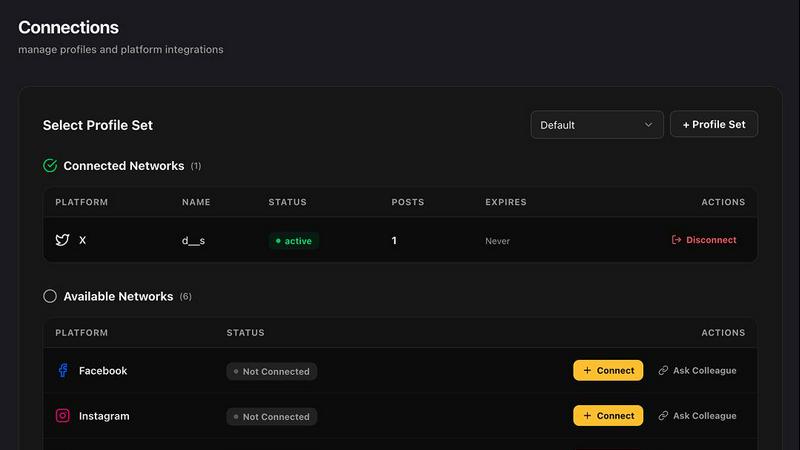
Postproxy streamlines social media publishing by unifying multiple networks into one simple API for hassle-free sharing.
Last updated: February 28, 2026

SimpleDraw
Create precise scale drawings and floor plans instantly online with SimpleDraw, no experience or downloads needed.
Last updated: March 1, 2026
Visual Comparison
Postproxy
SimpleDraw
Feature Comparison
Postproxy
Unified API for Multiple Platforms
Postproxy offers a single API endpoint that allows users to publish content across various social media platforms simultaneously. This eliminates the need for individual platform integrations and reduces the complexity of managing multiple accounts.
Automatic Content Adaptation
The API automatically transforms content to fit the specific requirements of each platform, including format conversions and media specifications. This ensures that posts are compliant and visually appealing wherever they are published.
Robust Error Handling
With built-in retries, rate limit management, and quota awareness, Postproxy handles operational failures by design. Users receive clear notifications about publish states, allowing them to understand what succeeded, what failed, and why without manual checks.
Simplified Authentication Management
Postproxy manages OAuth flows, token storage, and automatic refreshes seamlessly. This means users can focus on creating content while the system takes care of authentication complexities, making the publishing process smoother.
SimpleDraw
Accurate Measurements & Scale Drawing
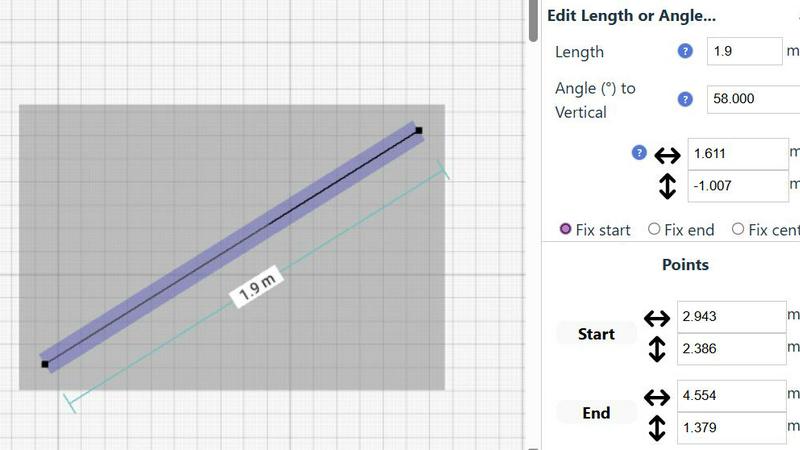
SimpleDraw excels in providing precise measurements and scale drawing capabilities. With smart alignment features, users can ensure that their drawings are not only accurate but also perfectly to scale, allowing for professional-quality results without the need for specialized training.
Specialized Floor Plan Creator
The dedicated Floor Plan Mode allows users to create detailed layouts with walls, doors, and furniture in just a few clicks. This feature streamlines the design process, making it easy to visualize spaces before embarking on any renovation or decoration project.
Smart Alignment System
This intelligent system assists users in placing points and lines exactly where they want them. By providing visual indicators and contextual help, it enhances precision and control, making it easier to achieve the desired layout without frustration.
Comprehensive Measurement System
SimpleDraw includes a robust measurement system that allows users to choose between metric and standard US units. Dynamic contextual measurements display as you work, ensuring that your drawings are as accurate as possible and tailored to your specifications.
Use Cases
Postproxy
Streamlined Publishing for Marketing Teams
Marketing teams can leverage Postproxy to schedule and publish promotional content across various social platforms from a single interface, ensuring brand consistency while saving time and reducing manual effort.
Automated Content Distribution
Businesses that generate AI-driven content can use Postproxy to automatically distribute posts to their social media accounts. This setup allows them to maintain a dynamic online presence without the need for constant manual intervention.
Simplified Management for Agencies
Digital marketing agencies can utilize Postproxy to manage multiple client accounts effortlessly. The unified API allows them to publish client content across different platforms without the headaches of individual integrations or access control issues.
Enhanced Reliability for Content Creators
Content creators can rely on Postproxy to ensure that their posts go live as intended, with built-in error handling and delivery guarantees. This reliability allows them to focus on content creation rather than troubleshooting posting issues.
SimpleDraw
Kitchen & Bathroom Planning
Users can plan their kitchen and bathroom renovations with accurate measurements to visualize layouts before beginning any work. This practical use of SimpleDraw allows for better decision-making and efficient design.
Room Layouts & Furniture Planning
Designing room layouts becomes effortless with SimpleDraw. Users can experiment with different furniture arrangements in bedrooms, living rooms, or offices, ensuring that everything fits perfectly before making any purchases.
House & Apartment Plans
Create complete floor plans for various home projects, whether for personal use or rental listings. SimpleDraw provides the tools necessary to generate comprehensive layouts, aiding in effective space planning.
DIY and Home Renovation Projects
For DIY enthusiasts, SimpleDraw offers a platform to sketch out home improvement ideas. From initial layouts to detailed designs, users can refine their concepts and visualize the final outcome without needing extensive drafting skills.
Overview
About Postproxy
Postproxy is a powerful API solution designed to simplify and streamline social media publishing across multiple platforms, including Instagram, Facebook, YouTube, LinkedIn, and X. It serves as a bridge for developers and automators, allowing them to publish content seamlessly without the hassle of managing individual platform integrations. By automating OAuth, rate limits, retries, content adaptation, and analytics, Postproxy consolidates the complex world of social media publishing into one reliable endpoint. This efficiency is particularly beneficial for developers leveraging tools like n8n, Zapier, and CI/CD processes, transforming social media publishing into a predictable and manageable infrastructure. With a free plan available, users can scale their publishing capabilities as their needs grow, making Postproxy an ideal choice for businesses and individuals looking to enhance their social media presence without the operational chaos.
About SimpleDraw
SimpleDraw is an innovative, free online tool that democratizes the art of scale drawing, making it accessible for everyone from DIY enthusiasts to casual users. With its intuitive interface, SimpleDraw simplifies the complexities of technical drafting, allowing users to create precise floor plans and architectural drawings directly from their web browser. No installation or login is required, making it easy to dive right into your projects without any prior CAD experience. Whether you are sketching a layout for your new kitchen or planning a detailed renovation, SimpleDraw offers professional-grade precision in a user-friendly package. The platform is designed to empower users with features like real-time measurements and smart alignment, ensuring that your drawings are both accurate and visually appealing. With SimpleDraw, you can effortlessly bring your ideas to life, creating clear visual plans that cater to any project, whether it be home improvement, rental listings, or interior design.
Frequently Asked Questions
Postproxy FAQ
What social media platforms does Postproxy support?
Postproxy currently supports publishing to Instagram, Facebook, YouTube, LinkedIn, and X, allowing users to manage multiple accounts from a single API.
How does Postproxy handle platform-specific failures?
Postproxy is designed to manage platform-specific failures by implementing retries, rate limit handling, and clear state reporting. This ensures users are informed about the status of their posts without manual checks.
Is there a free plan available for Postproxy?
Yes, Postproxy offers a free plan that allows users to get started with the service without any upfront costs. As users grow, they can scale their usage based on their needs.
How do I get started with Postproxy?
To get started, create a Postproxy account, generate an API key, connect your social media accounts, and begin publishing content via the unified API. The setup process is simple and requires no platform-specific configurations.
SimpleDraw FAQ
Is SimpleDraw free to use?
Yes, SimpleDraw is completely free to use. There are no hidden fees, and you do not need to sign up or download any software to start drawing.
Do I need any prior CAD experience to use SimpleDraw?
No, SimpleDraw is designed for everyone, including those with no prior CAD experience. Its intuitive interface makes it easy for beginners to create professional-quality drawings.
Can I access SimpleDraw on my mobile device?
Yes, SimpleDraw works directly in your web browser, making it accessible on various devices, including smartphones and tablets, for a seamless drawing experience on the go.
How can I provide feedback or request new features?
Users are encouraged to join the SimpleDraw Discord community, where they can share feedback and suggest new features. The team actively listens to user input to continuously improve the platform.
Alternatives
Postproxy Alternatives
Postproxy is a powerful tool designed for seamless social media publishing, allowing users to connect with multiple platforms such as Instagram, Facebook, YouTube, LinkedIn, and X through a single API. As a part of the design tools category, it automates various aspects of social media management, making it a popular choice for developers and content creators looking to streamline their publishing processes. Users often seek alternatives to Postproxy due to factors like pricing, specific feature sets, or the need for compatibility with particular platforms. When selecting an alternative, it's essential to consider the API's ease of integration, the breadth of social networks covered, and the availability of scalable solutions that grow with your needs. Look for options that provide robust automation, analytics, and a user-friendly experience to ensure efficient social media management.
SimpleDraw Alternatives
SimpleDraw is an innovative online design tool that enables users to create accurate scale drawings and detailed floor plans directly in their web browser, all for free. As a part of the design tools category, it caters to casual users, DIY enthusiasts, and anyone looking to visualize their space without the need for complex software. However, many users may seek alternatives for various reasons, including the need for additional features, specific platform compatibility, or different pricing structures. When searching for an alternative, consider the ease of use, the range of functionalities offered, and whether it meets your specific project requirements. Choosing the right alternative also involves evaluating how well the tool can adapt to your workflow and whether it offers robust support for the types of projects you undertake. Look for features that enhance your design process, such as smart alignment systems, flexibility in zooming, and precision control. Ultimately, the goal is to find a tool that not only meets your technical needs but also enhances your overall user experience.