
Nabbed vs SupaSidebar
Side-by-side comparison to help you choose the right AI tool.

Nabbed is your career CRM that helps sales pros track jobs, contacts, and AI tools to manage their job search like a sales pipeline.
Last updated: April 13, 2026

SupaSidebar
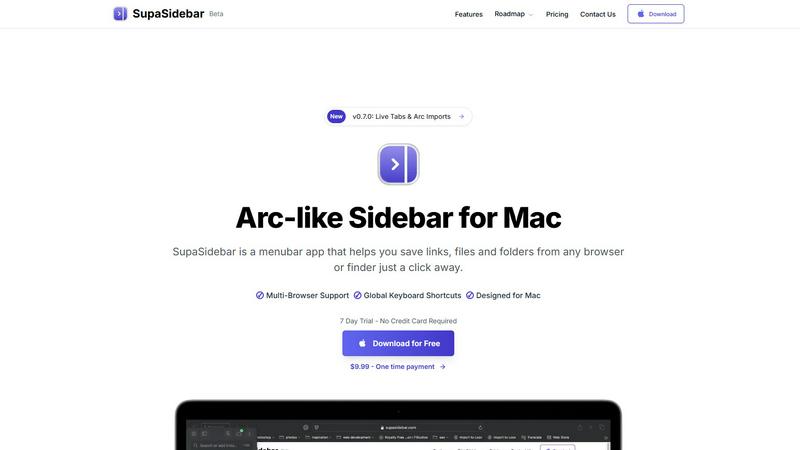
SupaSidebar is your all-in-one Mac sidebar for quickly saving and accessing links, files, and folders with ease.
Last updated: February 28, 2026
Visual Comparison
Nabbed

SupaSidebar
Feature Comparison
Nabbed
Dual Sales Pipelines
Manage your entire job search through two interconnected, visual Kanban boards. One pipeline tracks every job application from initial save to "Closed Won," while the other manages your networking and outreach efforts. This dual-system approach provides momentum tracking and velocity analytics, giving you a clear, actionable overview of your search's health and progress, just like managing a million-dollar sales pipeline.
AI Career Suite
Leverage a suite of four powerful AI tools designed to save you hours. Generate tailored cover letters, optimize your resume for specific job descriptions, prepare for interviews with simulated coaching, and craft compelling outreach emails. The AI is trained to write in a professional tone that matches your style, delivering high-quality, personalized content in seconds to give you a competitive edge.
Chrome Extension with Autofill & Tracking
The free browser extension is your search command center. With one click, save jobs from any site to your pipeline. It automatically fills out application forms on over 60 ATS platforms like Greenhouse and Workday. Most uniquely, it enables email tracking, so you know the exact moment a recruiter opens your sent email, providing invaluable insight no other career tool offers.
Target Account & Company Intelligence
Name your dream companies and build a target account dashboard. Nabbed automatically enriches each saved company with real-time data, including funding stage, employee headcount, tech stack, and Glassdoor ratings. It also sends hiring signal alerts when these companies are growing, allowing you to proactively engage with opportunities instead of just reacting to postings.
SupaSidebar
Universal Command Center
SupaSidebar acts as a universal command center in your menubar, providing easy access to links, files, and folders across all your applications. You can quickly save or copy URLs with just a few keyboard shortcuts, streamlining your workflow and reducing time spent switching between apps.
Recent Activity Tracking
With the Recents feature, SupaSidebar tracks every website you have visited in the last 48 hours. This allows you to find your work instantly, ensuring that you never lose track of important information, making research and browsing much more efficient.
Fast Search Functionality
SupaSidebar includes a powerful search capability that lets you locate any file, folder, website, or app at lightning speed. By pressing CMD + CTRL + K and typing in your query, you can quickly access whatever you need, eliminating the hassle of digging through multiple tabs or applications.
Customizable Spaces
Organize your digital workspace exactly how you want it with SupaSidebar's customizable spaces. You can have unlimited spaces in the Pro version, allowing for tailored organization that fits your unique workflow needs. This feature is perfect for users juggling different projects and tasks.
Use Cases
Nabbed
Strategic Career Transition for Sales Leaders
A Director of Sales aiming for a VP role can use Nabbed to identify and track 50 target companies. The platform's company intelligence helps prioritize high-growth startups, while the networking pipeline ensures consistent, tracked outreach to key decision-makers, turning a broad search into a targeted executive campaign.
Efficient High-Volume Application Management
A professional applying to dozens of roles weekly uses the Chrome extension to one-click save jobs and autofill tedious applications. The central pipeline visually organizes all opportunities, preventing dropped follow-ups and ensuring every application moves through defined stages toward an offer.
Data-Driven Networking & Outreach
A job seeker leverages the integrated Contact CRM to log every interaction with contacts at target firms. Using email templates and sequences with open-tracking, they can measure engagement, perfect their messaging, and systematically warm up introductions, transforming casual connections into powerful advocates.
AI-Powered Interview & Offer Preparation
Before an interview, a user employs the AI Career Suite to generate potential questions and practice answers based on the specific job description. After receiving an offer, they use the salary benchmarking and offer analysis tools to confidently negotiate compensation based on real-time market data.
SupaSidebar
Efficient Research
For researchers, SupaSidebar serves as a centralized hub for gathering links, articles, and resources. The ability to quickly save URLs and access recent activity means that compiling information for papers or projects becomes a seamless process.
Creative Projects
Creators can utilize SupaSidebar to keep essential links, files, and inspiration at their fingertips. By pinning favorite resources and accessing them via keyboard shortcuts, they can maintain uninterrupted creative flow without constantly switching applications.
Student Workflow
Students benefit from SupaSidebar by organizing their study materials, assignments, and research. The Recents feature allows them to revisit previously accessed resources quickly, enhancing their learning experience and keeping them focused on their studies.
Professional Task Management
Professionals juggling multiple projects can use SupaSidebar to manage their tasks efficiently. By centralizing links, files, and recent activity, they can easily switch between different responsibilities, boosting their productivity without the frustration of scattered resources.
Overview
About Nabbed
Nabbed is the first CRM platform built specifically for sales and revenue professionals to manage their careers with the same precision they manage their sales pipelines. It transforms a chaotic job search into a strategic, data-driven process. Designed by a CRO, Nabbed applies the core principles of revenue operations—territory planning, pipeline management, and trigger-based outreach—to help you land your next role faster and more effectively. The platform centralizes your entire search, allowing you to track job applications in a visual Kanban board, build a powerful contact CRM with warm path mapping, and get AI-powered company intelligence on funding and headcount. Its powerful Chrome extension automates the application process across 60+ ATS platforms and provides unique email tracking to see when recruiters open your messages. With a free tier available and a Core plan starting at $19/month, Nabbed is the essential career operating system for ambitious professionals who want to run their job search like a top-performing sales campaign.
About SupaSidebar
SupaSidebar is a beautifully crafted, native macOS application designed to enhance your productivity by bringing the powerful, organized, and flow-centric experience of the Arc browser's sidebar to your entire Mac. It serves as a universal command center that resides in your menubar, providing instant, keyboard-driven access to everything you need, including links, files, and folders. Whether you are a researcher, creator, student, or a professional managing multiple projects, SupaSidebar helps you break free from the silos of apps and browsers. Its main value proposition lies in keeping your digital workspace organized and your focus intact. With seamless integration across all major browsers like Safari, Chrome, Arc, Firefox, and Brave, as well as Finder, SupaSidebar allows users to save, search, and open items from anywhere using simple global shortcuts. Everything remains on your Mac, ensuring privacy and speed, while centralizing your tabs, recent history, and pinned items for a smoother workflow.
Frequently Asked Questions
Nabbed FAQ
How does Nabbed's email tracking work?
Nabbed adds a secure, invisible tracking pixel to the emails you send through its integrated Gmail sync or using its templates. When the recipient opens the email, the pixel loads, and Nabbed instantly notifies you in your dashboard. This provides concrete data on engagement, allowing for timely and relevant follow-ups.
What is the difference between the Free and Core plans?
The Free plan includes the Chrome extension for basic job capture and autofill functionality. Upgrading to the Core plan at $19/month unlocks the full platform: advanced ATS autofill strategies, Gmail email tracking, AI-powered tools (cover letters, resume tailoring), LinkedIn contact capture, outreach sequences, and full access to the company intelligence dashboard.
Is my data safe and private with Nabbed?
Yes. Nabbed takes data security seriously. The platform uses encryption for data in transit and at rest. You maintain control over your information. Nabbed's use of data for analytics and platform functionality is detailed in its publicly available Privacy Policy and Cookie Policy.
How many job boards does Nabbed search?
Nabbed allows you to search across 11 major job sources simultaneously from within its dashboard, including Google Jobs, Indeed, LinkedIn, and Glassdoor. This unified search saves hours by eliminating the need to visit each site individually and ensures you see a comprehensive list of opportunities.
SupaSidebar FAQ
Is SupaSidebar a browser extension?
No, SupaSidebar is a standalone menubar application designed specifically for macOS. It integrates with all major browsers and Finder but does not function as a browser extension.
Which browsers does SupaSidebar work with?
SupaSidebar is compatible with all major browsers, including Safari, Chrome, Firefox, Arc, and Brave. This ensures that users can access their resources regardless of their preferred browsing platform.
What macOS version do I need?
SupaSidebar requires macOS 13 or later to function properly. This ensures compatibility with the latest features and security updates offered by Apple.
Where is my data stored?
All data remains on your Mac with SupaSidebar. This means you retain full control over your information, ensuring both privacy and speed in accessing your resources.
Alternatives
Nabbed Alternatives
Nabbed is a specialized career management CRM designed for sales and revenue professionals actively navigating the job market. It combines job tracking, contact management, and AI-powered tools into a single platform to streamline the entire job search process, from discovery to offer negotiation. Users often explore alternatives for various reasons. Some may need a different pricing structure or a free plan with more capabilities. Others might seek tools that integrate with a specific set of platforms they use daily, or they may prioritize certain features like advanced networking over automated application filling. The ideal tool varies based on individual workflow and career stage. When evaluating alternatives, consider your primary needs. Key factors include the depth of job board aggregation, the sophistication of contact and pipeline management, the quality of company intelligence, and the level of automation for tedious tasks like application filling. Security and data privacy are also critical, as these tools handle sensitive career information.
SupaSidebar Alternatives
SupaSidebar is a powerful productivity application designed specifically for macOS, functioning as a universal sidebar to help users organize and access links, files, and folders effortlessly. It falls under the productivity and management category, catering to individuals who require a streamlined workflow across various applications and browsers. Users often seek alternatives to SupaSidebar due to factors such as pricing, specific feature requirements, or compatibility with different platforms. When considering alternatives, it’s essential to evaluate the ease of use, integration capabilities with existing tools, and the ability to enhance your workflow without causing disruption. Look for applications that offer similar functionalities, such as quick access to multiple resources, a user-friendly interface, and robust performance.