
SupaSidebar vs Zovo
Side-by-side comparison to help you choose the right AI tool.

SupaSidebar
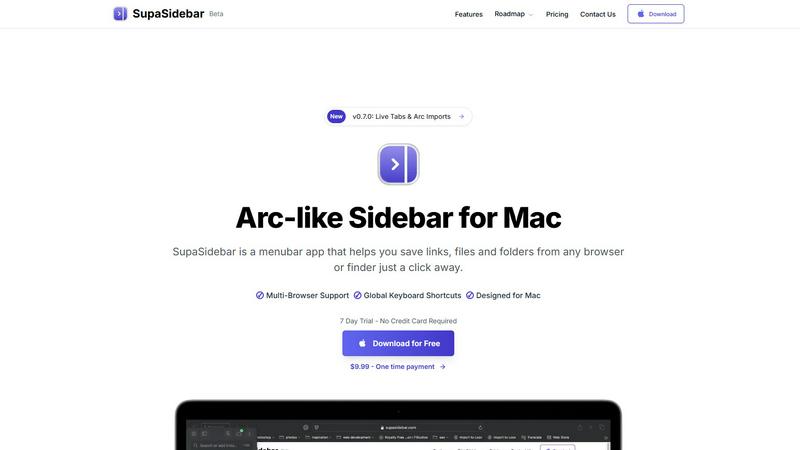
SupaSidebar is your all-in-one Mac sidebar for quickly saving and accessing links, files, and folders with ease.
Last updated: February 28, 2026

Unlock 20 privacy-first Chrome extensions for developers and writers, all from one dedicated solo developer.
Last updated: February 28, 2026
Visual Comparison
SupaSidebar
Zovo

Feature Comparison
SupaSidebar
Universal Command Center
SupaSidebar acts as a universal command center in your menubar, providing easy access to links, files, and folders across all your applications. You can quickly save or copy URLs with just a few keyboard shortcuts, streamlining your workflow and reducing time spent switching between apps.
Recent Activity Tracking
With the Recents feature, SupaSidebar tracks every website you have visited in the last 48 hours. This allows you to find your work instantly, ensuring that you never lose track of important information, making research and browsing much more efficient.
Fast Search Functionality
SupaSidebar includes a powerful search capability that lets you locate any file, folder, website, or app at lightning speed. By pressing CMD + CTRL + K and typing in your query, you can quickly access whatever you need, eliminating the hassle of digging through multiple tabs or applications.
Customizable Spaces
Organize your digital workspace exactly how you want it with SupaSidebar's customizable spaces. You can have unlimited spaces in the Pro version, allowing for tailored organization that fits your unique workflow needs. This feature is perfect for users juggling different projects and tasks.
Zovo
BeLikeNative
BeLikeNative is Zovo's flagship extension that helps users write like native speakers with just a keystroke. Supporting 80 languages, it simplifies communication for non-native speakers, making it an invaluable tool for anyone who writes in a foreign language. The extension adjusts tone, style, and phrasing, enabling users to convey their messages more effectively and naturally.
Tab Suspender Pro
Tab Suspender Pro helps manage browser memory usage by automatically suspending inactive tabs. This feature is especially beneficial for users who tend to keep many tabs open, as it reduces memory consumption, enhances browser performance, and prolongs battery life on laptops. It ensures a smoother browsing experience without manual tab management.
Clipboard History Pro
This extension keeps a history of copied items, allowing users to retrieve previously copied text and images easily. With Clipboard History Pro, you can access up to 100 items, making it a reliable tool for anyone who regularly copies and pastes information. It saves time and enhances productivity by reducing the need to recopy frequently used items.
Form Filler Pro
Form Filler Pro streamlines the process of filling out online forms by auto-generating random data or using previously saved information. This feature is particularly useful for users who frequently register for services or complete surveys, as it saves time and minimizes the frustration often associated with tedious form filling.
Use Cases
SupaSidebar
Efficient Research
For researchers, SupaSidebar serves as a centralized hub for gathering links, articles, and resources. The ability to quickly save URLs and access recent activity means that compiling information for papers or projects becomes a seamless process.
Creative Projects
Creators can utilize SupaSidebar to keep essential links, files, and inspiration at their fingertips. By pinning favorite resources and accessing them via keyboard shortcuts, they can maintain uninterrupted creative flow without constantly switching applications.
Student Workflow
Students benefit from SupaSidebar by organizing their study materials, assignments, and research. The Recents feature allows them to revisit previously accessed resources quickly, enhancing their learning experience and keeping them focused on their studies.
Professional Task Management
Professionals juggling multiple projects can use SupaSidebar to manage their tasks efficiently. By centralizing links, files, and recent activity, they can easily switch between different responsibilities, boosting their productivity without the frustration of scattered resources.
Zovo
Enhancing Language Skills
For users learning a new language, BeLikeNative provides instant rewrites that make it easier to compose messages and documents. This application is perfect for students, professionals, or anyone looking to improve their writing skills in a foreign language, enabling them to communicate more confidently.
Boosting Productivity
Tab Suspender Pro is ideal for busy professionals who juggle multiple projects. By automatically suspending inactive tabs, it allows users to focus on the task at hand without being distracted by unnecessary tabs, thus enhancing overall productivity and efficiency.
Streamlining Copying and Pasting
Clipboard History Pro is beneficial for writers, researchers, and anyone who frequently needs to copy text from various sources. By maintaining a history of copied items, users can quickly retrieve and paste information, making their workflow smoother and more efficient.
Simplifying Online Registrations
Form Filler Pro is particularly useful for users who often sign up for online services or complete surveys. By auto-filling forms with generated or saved data, it saves time and reduces the likelihood of errors, allowing users to navigate the web more seamlessly.
Overview
About SupaSidebar
SupaSidebar is a beautifully crafted, native macOS application designed to enhance your productivity by bringing the powerful, organized, and flow-centric experience of the Arc browser's sidebar to your entire Mac. It serves as a universal command center that resides in your menubar, providing instant, keyboard-driven access to everything you need, including links, files, and folders. Whether you are a researcher, creator, student, or a professional managing multiple projects, SupaSidebar helps you break free from the silos of apps and browsers. Its main value proposition lies in keeping your digital workspace organized and your focus intact. With seamless integration across all major browsers like Safari, Chrome, Arc, Firefox, and Brave, as well as Finder, SupaSidebar allows users to save, search, and open items from anywhere using simple global shortcuts. Everything remains on your Mac, ensuring privacy and speed, while centralizing your tabs, recent history, and pinned items for a smoother workflow.
About Zovo
Zovo is a comprehensive suite of 20 Chrome extensions developed by a dedicated solo developer with over a decade of experience and an impressive track record of earning over $400K on Upwork, boasting a 100% success rate. The flagship extension, BeLikeNative, empowers more than 3,300 users to write like native speakers, offering one-keystroke rewrites in as many as 80 languages. The diverse collection of tools includes essential utilities such as Tab Suspender Pro, JSON Formatter Pro, Clipboard History Pro, and Form Filler Pro, among others. Each extension prioritizes user privacy, ensuring that no data leaves your device—there are no investors, no data harvesting, and no corporate interference. Users actively participate in shaping the roadmap by voting on features, fostering a community-driven approach to development. With new extensions rolling out monthly and early access for members, Zovo caters to users who seek powerful, privacy-first tools for their browsers. Many of these tools are also available for free online at zovo.one, making Zovo a compelling choice for anyone looking to enhance their browsing experience without compromising on privacy.
Frequently Asked Questions
SupaSidebar FAQ
Is SupaSidebar a browser extension?
No, SupaSidebar is a standalone menubar application designed specifically for macOS. It integrates with all major browsers and Finder but does not function as a browser extension.
Which browsers does SupaSidebar work with?
SupaSidebar is compatible with all major browsers, including Safari, Chrome, Firefox, Arc, and Brave. This ensures that users can access their resources regardless of their preferred browsing platform.
What macOS version do I need?
SupaSidebar requires macOS 13 or later to function properly. This ensures compatibility with the latest features and security updates offered by Apple.
Where is my data stored?
All data remains on your Mac with SupaSidebar. This means you retain full control over your information, ensuring both privacy and speed in accessing your resources.
Zovo FAQ
Is Zovo free to use?
Zovo offers many extensions for free, allowing users to access essential features without any cost. For additional capabilities, users can upgrade to a Pro subscription.
How does Zovo ensure my privacy?
Zovo is built with privacy in mind. All extensions run locally on your device, meaning no data is collected, stored, or transmitted. This guarantees that your browsing activity remains private and secure.
Can I suggest new features for Zovo extensions?
Absolutely! Zovo encourages user feedback and suggestions. You can submit feature requests directly, and the most requested features are prioritized for development.
How often are new extensions released?
New extensions are released monthly, with early access provided to members. This ensures that users can benefit from the latest tools and features as soon as they become available.
Alternatives
SupaSidebar Alternatives
SupaSidebar is a powerful productivity application designed specifically for macOS, functioning as a universal sidebar to help users organize and access links, files, and folders effortlessly. It falls under the productivity and management category, catering to individuals who require a streamlined workflow across various applications and browsers. Users often seek alternatives to SupaSidebar due to factors such as pricing, specific feature requirements, or compatibility with different platforms. When considering alternatives, it’s essential to evaluate the ease of use, integration capabilities with existing tools, and the ability to enhance your workflow without causing disruption. Look for applications that offer similar functionalities, such as quick access to multiple resources, a user-friendly interface, and robust performance.
Zovo Alternatives
Zovo is a suite of 20 privacy-first Chrome extensions designed for developers and writers, providing tools that enhance productivity and streamline various tasks. With extensions like Tab Suspender, JSON Formatter, and Clipboard History, Zovo caters to users looking for efficient ways to manage their workflow without compromising their privacy. The platform is built on a foundation of user feedback, ensuring that the features evolve according to the needs of its community. Users often seek alternatives to Zovo for reasons such as pricing, feature sets, or specific platform compatibility. When evaluating alternatives, it's essential to consider the core functionalities offered, the level of privacy protection, and the overall user experience. Additionally, look for platforms that prioritize user input in their development roadmap, as this fosters a more tailored and satisfying experience.