
LuxSign vs UndercoverGPT
Side-by-side comparison to help you choose the right AI tool.

LuxSign lets you securely sign and manage documents online in minutes, compliant with EU regulations and hosted in.
Last updated: February 27, 2026

UndercoverGPT
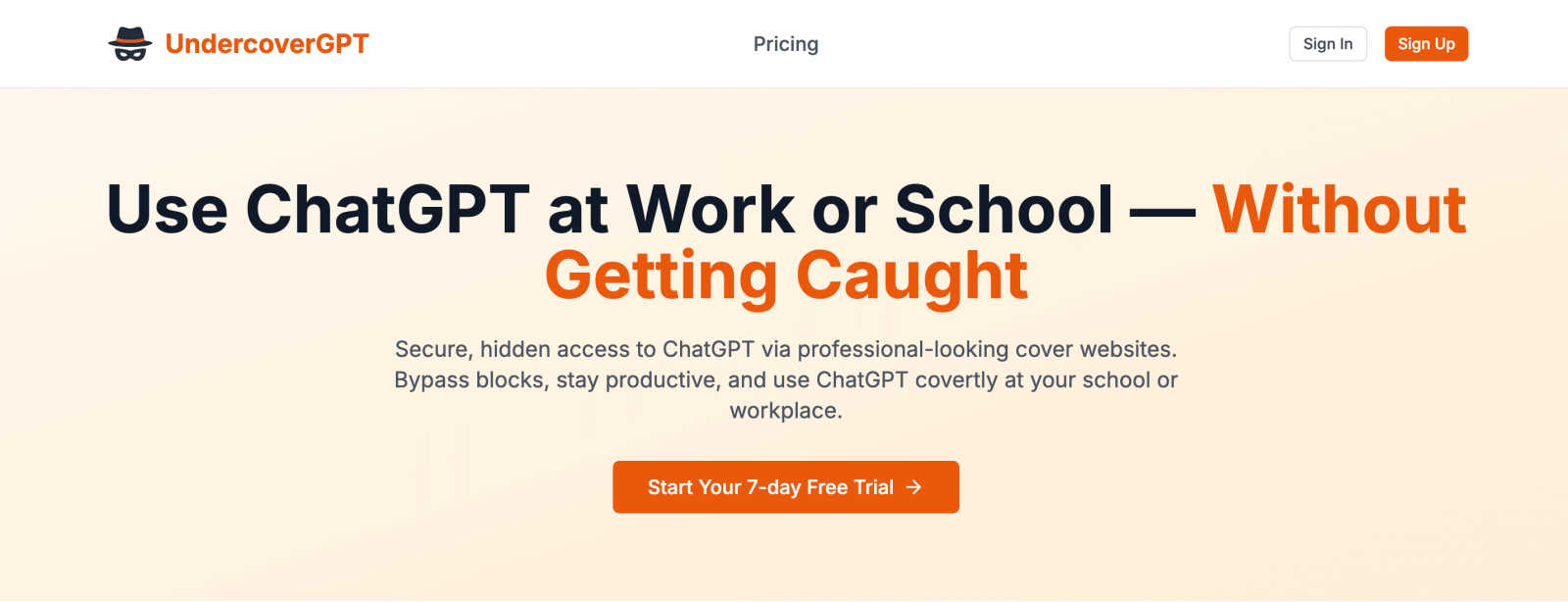
Access ChatGPT secretly at work or school with discreet, professional-looking cover sites.
Last updated: March 1, 2026
Visual Comparison
LuxSign

UndercoverGPT
Feature Comparison
LuxSign
Multiple Signature Methods
LuxSign offers a variety of signature methods to accommodate user preferences. Users can draw their signature with a mouse, type their name, or upload an image. This flexibility ensures that signing documents is quick and personalized, making the process straightforward and user-friendly.
Advanced Security
Security is paramount at LuxSign. The platform employs industry-standard encryption to protect your documents during upload, storage, and transmission. With secure hosting in Luxembourg, all data is safeguarded against unauthorized access, ensuring peace of mind for users handling sensitive information.
Complete Audit Trail
LuxSign provides a comprehensive audit trail that logs every action taken with a document. This includes timestamps, IP addresses, and signer information, making it easy to verify and ensure compliance. Users can track the entire signing process, enhancing transparency and accountability.
Collaboration Workspaces
LuxSign includes collaboration workspaces that allow teams to work together efficiently. Users can create shared folders, manage member access, and collaborate on signing workflows. This feature streamlines teamwork, making it easier for businesses to manage multiple documents and signers in one centralized location.
UndercoverGPT
Professional Disguise Sites
UndercoverGPT provides access through a rotating selection of meticulously designed "cover" websites. These sites are fully functional and appear as legitimate professional tools, such as project dashboards, data visualization platforms, or internal wikis. This design ensures that your screen looks like typical work or study material to any casual observer, providing the ultimate layer of visual stealth and peace of mind in monitored environments.
Zero-Trace Stealth Technology
Our core technology is built to ensure your ChatGPT activity is undetectable. The application operates without leaving any traces in your browser history, local storage, or, critically, in network logs that IT administrators might monitor. This zero-trace approach means you can use AI assistance with confidence, knowing your activity is completely private and won't trigger any security flags or alerts on restricted networks.
Mobile-First, App-Like UX
Designed for on-the-go productivity, UndercoverGPT features a sleek, intuitive interface optimized for mobile and tablet use. The experience feels like using a native app, with fast loading times, responsive touch controls, and a streamlined workflow. This allows you to quickly access the hidden chat panel, get answers, and return to your cover site seamlessly, all from your smartphone during a break or at your desk.
Instant Hidden Chat Panel
At the heart of the disguise is a seamlessly integrated, instant-access chat panel. With a simple, discreet gesture or click within the cover site, a familiar ChatGPT interface slides into view. You can ask questions, request summaries, generate ideas, or get coding help without ever leaving the "safe" window. The panel closes just as smoothly, leaving you back at the convincing cover site in an instant.
Use Cases
LuxSign
Streamlined Contract Management
Businesses can utilize LuxSign to streamline their contract management process. By enabling electronic signatures, organizations can quickly sign, send, and store contracts without the need for physical paperwork, saving time and resources.
Compliance for Financial Institutions
Financial institutions can leverage LuxSign to ensure compliance with regulatory requirements. The platform’s robust security features and audit trails provide necessary documentation for compliance audits, making it easier to adhere to legal standards.
Efficient HR Processes
Human Resources departments can use LuxSign to manage employee onboarding and documentation efficiently. With the ability to send multiple documents for signature simultaneously, HR can expedite processes such as employment contracts and policy acknowledgments.
Remote Work Solutions
As remote work becomes increasingly common, LuxSign is ideal for businesses looking to facilitate secure document signing from anywhere. With its mobile-friendly design, employees can sign documents on their smartphones or tablets, ensuring flexibility and convenience.
UndercoverGPT
The Corporate Professional
Employees in strict corporate environments can use UndercoverGPT to draft emails, analyze data, generate reports, or brainstorm ideas without violating company IT policies that block AI tools. It enables professionals to leverage AI for efficiency and innovation discreetly, maintaining a competitive edge and personal productivity without risking disciplinary action or drawing attention from IT security.
The Student and Researcher
Students at schools or universities with blocked AI access can utilize UndercoverGPT for homework help, research summarization, essay outlining, and understanding complex topics. It acts as a private tutor available anytime, allowing learners to enhance their studies and improve their work quality without triggering network blocks or facing restrictions from educational firewalls.
The Creative Freelancer
Freelancers working from client offices, co-working spaces, or public networks with restrictions can use UndercoverGPT to overcome creative blocks, generate content ideas, edit copy, or troubleshoot code. It provides reliable, on-demand creative and technical support in any location, ensuring project deadlines are met and work quality remains high, regardless of network limitations.
The Remote Worker
Remote employees subject to monitored company networks and software can discreetly access AI assistance for task automation, meeting preparation, and problem-solving. UndercoverGPT helps navigate complex tasks and manage workloads more effectively, offering support that feels like having a savvy colleague on call, all while operating invisibly within the digital boundaries set by their employer.
Overview
About LuxSign
LuxSign is a cutting-edge electronic signature platform designed for businesses that prioritize security and compliance. Originating from Luxembourg, it provides a secure, cloud-based solution that ensures all documents are encrypted end-to-end and stored exclusively within the country. This guarantees full compliance with GDPR regulations, making it an ideal choice for organizations operating within the European Union. LuxSign is built to support eIDAS Simple Electronic Signature (SES) standards, ensuring legal validity for contracts across all EU member states. With features like customizable signing workflows, automated notifications, and an intuitive interface, LuxSign simplifies the signing process. This platform is perfect for professionals, small businesses, and enterprises seeking a reliable, efficient way to manage electronic signatures while maintaining the utmost security and compliance.
About UndercoverGPT
UndercoverGPT is your discreet gateway to AI assistance, designed for the modern mobile-first user navigating restricted digital environments. It is a specialized web application that provides seamless, hidden access to ChatGPT in places where it is typically blocked or closely monitored, such as corporate offices, schools, universities, or secure corporate networks. This tool solves a critical and widespread pain point for students, researchers, and professionals who depend on AI for boosting productivity, accelerating research, and sparking creativity but are hindered by institutional firewalls and policies. Its core, non-negotiable value proposition is stealth. The service operates through a curated selection of fully functional, professional-looking "cover" websites that mimic everyday work tools—think project management dashboards, data analytics platforms, or internal company wikis. Within these convincing interfaces, users can effortlessly activate a hidden chat panel to interact with ChatGPT. The entire experience is engineered to leave zero digital traces on your device or in network logs, ensuring your AI activity remains completely covert. Built with an app-centric, intuitive design, UndercoverGPT delivers fast, reliable help exactly when you need it, empowering you to maintain your productivity and competitive edge without compromising your standing or raising any suspicion.
Frequently Asked Questions
LuxSign FAQ
What types of documents can I sign with LuxSign?
LuxSign supports various document formats, including PDF, DOC, and DOCX. Users can easily upload files up to 10MB, making it simple to handle different types of documents.
Is LuxSign compliant with GDPR?
Yes, LuxSign is fully compliant with GDPR regulations. All documents are encrypted and stored securely in Luxembourg, ensuring that user data is protected in accordance with EU data protection laws.
How does LuxSign ensure the security of my documents?
LuxSign employs end-to-end encryption during the upload, storage, and transmission of documents. Additionally, all data is hosted on secure servers in Luxembourg, providing a high level of security against unauthorized access.
Can I track the signing process in LuxSign?
Absolutely! LuxSign allows users to track the signing process in real-time. You will receive automatic email notifications to keep you informed when documents are sent, viewed, and signed, enhancing transparency throughout the process.
UndercoverGPT FAQ
How does UndercoverGPT remain undetectable?
UndercoverGPT employs advanced stealth technology that operates through proxy servers and does not make direct, identifiable calls to OpenAI's servers from your network. The cover sites are hosted independently and the chat activity is designed to blend with normal web traffic. Crucially, it avoids writing cookies, history, or cache related to ChatGPT on your device, leaving no local or network-level footprints for monitoring tools to detect.
Is it safe to use on my work or school computer?
UndercoverGPT is designed with safety and discretion as the top priority. It runs entirely in your web browser without requiring downloads or installations that could alert system administrators. However, users must always be aware of and comply with their organization's specific Acceptable Use Policies (AUP). We provide the tool for productivity, but ultimate responsibility for usage lies with the user.
Do I need a ChatGPT/OpenAI account to use it?
Yes, you typically need your own valid OpenAI API key or ChatGPT subscription credentials to authenticate and power the chat interactions within UndercoverGPT. The service itself provides the stealthy access channel and interface, but the AI model queries are processed through your personal account, ensuring you use your own allocated limits and subscriptions.
What happens if the cover site is discovered or blocked?
The team behind UndercoverGPT maintains a dynamic roster of multiple, high-quality cover sites. If one particular site were to be identified and blocked by a network filter, the service can deploy alternative sites to ensure continuous access. The mobile-first platform is built for adaptability, aiming to provide a reliable service that evolves alongside common restrictions.
Alternatives
LuxSign Alternatives
LuxSign is an electronic signature platform designed to facilitate secure and legally valid signing of documents across the European Union. As a cloud-based solution, it provides businesses with a user-friendly way to manage contracts while ensuring compliance with eIDAS SES standards and GDPR regulations. Users often seek alternatives to LuxSign for various reasons, including pricing structures, feature sets, and specific platform needs that better align with their operational workflows. When exploring alternatives, it's essential to consider factors such as ease of use, security measures, integration capabilities with existing systems, and the availability of advanced features like document templates and audit trails. Evaluating these aspects will help users find a solution that meets their unique requirements and enhances their document management processes.
UndercoverGPT Alternatives
UndercoverGPT is a specialized AI assistant tool designed for discreet productivity. It falls into the category of stealth applications that provide hidden access to ChatGPT within restricted environments like offices or schools, using convincing cover sites to avoid detection. Users often explore alternatives for various reasons. Some may seek different pricing models or free tiers, while others might need compatibility with specific devices or operating systems. Feature preferences, such as the level of stealth, user interface design, or integration capabilities, also drive the search for other options. When evaluating alternatives, key considerations include the effectiveness of the disguise mechanism, overall user experience, and reliability. It's crucial to assess how well a solution maintains privacy and leaves no digital trace, ensuring seamless and secure assistance without compromising your professional or academic standing.