
Never Drop vs Updaytr
Side-by-side comparison to help you choose the right AI tool.

Never Drop
NeverDrop captures contacts and drafts personalized follow-ups instantly, turning handshakes into closed deals at.
Last updated: February 28, 2026
Updaytr
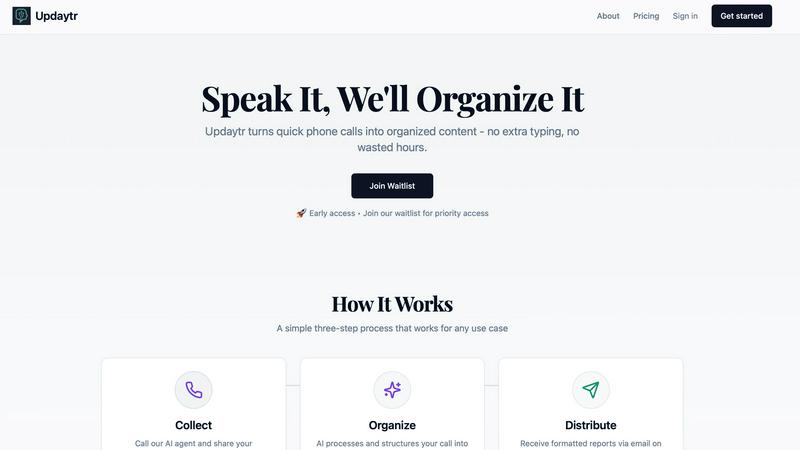
Updaytr turns team phone updates into organized AI reports, eliminating status meetings.
Last updated: March 1, 2026
Visual Comparison
Never Drop

Updaytr
Feature Comparison
Never Drop
Instant Business Card Scanning
Never Drop allows users to snap a photo of any business card, utilizing AI-powered Optical Character Recognition (OCR) to extract essential contact details such as name, company, title, phone number, and email in mere seconds. This feature abolishes the need for manual data entry, saving valuable time and preventing errors.
Automatic Email Enrichment
Often, business cards feature generic emails or lack email information altogether. Never Drop automatically enriches contact profiles by sourcing verified work emails from the name and company provided on the card. This functionality ensures that your sales team always has accurate and reliable contact details without tedious manual searches.
Personalized AI Drafts
Based on the voice notes or text context you provide about your conversation, Never Drop generates a tailored follow-up email within two minutes. Unlike generic templates, these emails reflect your unique tone and conversation specifics, making every follow-up feel personal and relevant.
Team Collaboration Workspace
Never Drop is designed to enhance teamwork within sales environments. It allows users to organize scanned leads by event, reassign leads among team members, and track overall team activity through a comprehensive dashboard. This feature ensures that all team members stay aligned and no lead falls through the cracks.
Updaytr
Voice-First Update Collection
Team members share updates through a natural, intuitive phone call—no apps to download, no forms to fill out. They simply dial a dedicated number, speak to an AI agent, and relay their information in their own words. This mobile-centric design respects the workflow of field personnel, allowing them to report in seconds from anywhere, even in areas with limited data connectivity, using the most universal tool they have: their phone.
AI-Powered Report Organization & Structuring
The AI doesn't just transcribe; it intelligently structures the raw audio. It automatically tags updates by relevant categories like project name, client, or team member. It identifies key details, filters out filler words, and formats the information into a coherent, professional summary. This smart organization turns scattered voice notes into actionable, well-organized content ready for distribution.
Automated, Scheduled Report Distribution
Managers and stakeholders receive beautifully consolidated reports directly in their inbox without lifting a finger. You control the schedule—whether you need daily digests, weekly summaries, or real-time alerts. Updaytr ensures the right people get the right information at the perfect time, replacing constant check-in calls and messy email threads with streamlined, automated delivery.
Context-Aware Conversation Tracking
Updaytr maintains the thread of conversations across multiple calls. The AI recognizes returning callers and can reference previous updates, ensuring continuity in reporting. This creates a living log of project progress or client interactions, providing valuable context that makes each new update more meaningful and informative for report recipients.
Use Cases
Never Drop
Trade Shows
At bustling trade shows, Never Drop empowers sales teams to quickly capture leads by scanning business cards on the spot. This efficiency allows teams to engage with multiple prospects without the fear of losing valuable contact details.
Conferences
During conferences, where networking opportunities abound, Never Drop helps users efficiently collect and manage leads. By adding context to each scanned card, sales professionals can remember key details about their conversations, ensuring effective follow-ups later.
Networking Events
Networking events can often be overwhelming, with numerous contacts to remember. Never Drop simplifies this by allowing users to scan cards and add voice notes for reminders, enabling personalized follow-ups that resonate with new connections.
Business Meetings
In business dinners or meetings, Never Drop can be an indispensable tool for capturing contact information. Users can scan cards and generate follow-ups while still engaged in discussions, ensuring that critical details are not overlooked.
Updaytr
Construction & Field Project Management
Foremen and field supervisors call in with daily progress reports, safety notes, and material requests. Updaytr organizes these by job site and project, automatically sending a formatted end-of-day report to the project manager and office, ensuring everyone is aligned without disruptive site meetings.
Sales & Client Service Reporting
Outside sales representatives and insurance adjusters can instantly report on client visits, deal progress, or inspection findings immediately after an appointment. The AI structures updates by client name and opportunity stage, keeping sales managers and service coordinators informed with fresh, actionable intelligence.
Service Technician & Maintenance Updates
HVAC technicians, plumbers, and field service crews report job completions, parts used, and customer feedback via a quick call from the van. Updaytr routes these updates, creating instant service tickets and customer follow-up notes, streamlining operations and improving customer communication.
Personal Productivity & Journaling
Individuals use Updaytr as a hands-free journaling and tracking tool. Whether logging daily accomplishments, tracking personal goals, or capturing ideas on a commute, users call in their thoughts. The AI organizes these entries into searchable, dated notes, creating a personal log without the hassle of typing.
Overview
About Never Drop
Never Drop is an innovative lead-capture app specifically designed for sales teams navigating fast-paced environments such as trade shows, conferences, and networking events. This app streamlines the process of collecting and managing leads by enabling users to scan business cards directly using their smartphones. Once a card is scanned, users can enhance the captured data with voice notes or text context, ensuring they retain crucial details about each lead. The app harnesses advanced AI technology to generate personalized follow-up emails in under two minutes, significantly reducing the risk of losing potential leads. With seamless integration into popular CRMs like HubSpot, Never Drop keeps your sales pipeline organized and ready for action, allowing sales professionals to turn initial conversations into closed deals effortlessly. Say goodbye to lost leads and hello to efficient follow-ups that maximize conversion potential.
About Updaytr
Updaytr is the AI-powered communication hub that transforms how teams share updates, eliminating the friction of status meetings and manual reporting. Designed for on-the-go professionals, it leverages the simplicity of a phone call to capture real-time information from the field. Users simply call a dedicated number to verbally share their progress, and Updaytr's intelligent AI takes over—transcribing, organizing, and formatting those updates into clear, professional reports delivered automatically to managers and stakeholders. It’s built for industries like construction, field services, sales, and logistics, where teams are mobile and time is critical. The core value proposition is profound: keep your team focused on their core work, not on paperwork. By making content creation as effortless as having a conversation, Updaytr ensures timely information flow, maintains context over multiple interactions, and enhances overall productivity without requiring anyone to download an app or type a single word.
Frequently Asked Questions
Never Drop FAQ
What is Never Drop?
Never Drop is a lead-capture app designed for sales teams at events. Users can scan business cards, add context via voice or text, and receive a personalized follow-up email in under two minutes. It also enriches contact profiles and integrates with popular CRMs.
How does business card scanning work?
Users can take a photo of any business card using the Never Drop app. The AI-powered OCR technology extracts key contact information such as name, company, title, phone number, and email almost instantly, eliminating the need for manual entry.
What types of events is Never Drop suitable for?
Never Drop is ideal for various events including trade shows, conferences, networking events, meetups, and business dinners. It allows users to organize leads by event, making it easy to track and manage contacts from different situations.
Do I need to use the mobile app?
Yes, the mobile app is essential for scanning business cards, recording voice context, and triggering follow-ups on the go. The accompanying web dashboard allows users to manage their team, review scans, and configure settings, providing a seamless experience across devices.
Updaytr FAQ
How does my team start using Updaytr?
Getting started is designed to be effortless. Simply sign up, add your team members by entering their names and phone numbers, and they will receive instructions. They can immediately begin calling the dedicated AI agent number to leave updates. No software installation or training is required—they just use their phone.
Is there a mobile app to download?
No, and that's by design. Updaytr is entirely phone-call based to maximize accessibility and ease of use for field teams. Team members interact through a standard phone call, while managers receive organized reports via email. This eliminates app fatigue and compatibility issues.
How does the AI know where to send reports?
During setup, you configure rules and recipients. The AI uses intelligent tagging (like recognizing project names or team member IDs from the call) to automatically route information. You can set up distributions so that, for example, all updates tagged "Project Alpha" go to the specific project manager's email.
Is my team's data secure and private?
Yes. Updaytr takes security seriously. Audio and transcript data are processed securely. However, it is important to note that Updaytr is not currently HIPAA compliant and should not be used to transmit or store protected health information (PHI). Please refer to the official Privacy Policy and Terms for detailed information.
Alternatives
Never Drop Alternatives
Never Drop is a cutting-edge lead-capture app tailored for sales teams who thrive in dynamic settings such as trade shows, conferences, and networking events. It empowers users to effortlessly collect and manage leads by scanning business cards with their smartphones, while also enriching each entry with personalized notes to ensure context is never lost. Users often seek alternatives to Never Drop for various reasons including budget constraints, unique feature requirements, or compatibility with specific platforms. When exploring alternatives, it's essential to consider factors like ease of use, integration capabilities with existing tools, and the overall value provided to ensure a seamless lead management experience.
Updaytr Alternatives
Updaytr is an AI-powered productivity tool that transforms phone call updates into organized reports, saving teams significant time on manual documentation. It's designed for field teams, project managers, and anyone who needs to streamline status reporting without extra apps or typing. Users often explore alternatives for various reasons. Some may need a different pricing model, require specific integrations with existing project management software, or prefer a solution that uses text or video input instead of voice calls. Others might be looking for more granular control over report formatting or different team collaboration features. When evaluating other options, consider your team's primary communication style. Look for core functionality that automates reporting and organizes information intelligently. Key factors include the input method (voice, text, form), the quality of AI processing, customization for your workflows, and how easily reports are delivered to stakeholders.