

AnyToURL
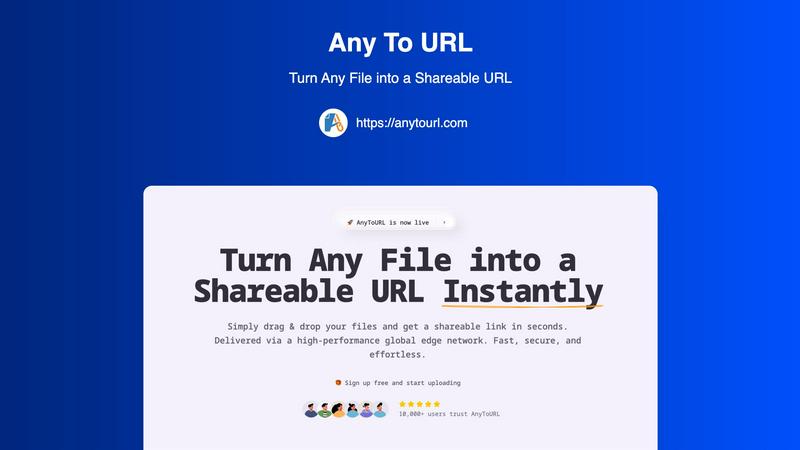
Transform any file into a shareable link in seconds with effortless drag and drop simplicity.
AI tool Details
Explore More
Alternatives
About AnyToURL
AnyToURL is the ultimate mobile-first solution designed to simplify the way users share files online. With a focus on speed and simplicity, AnyToURL allows you to transform any file type, whether it's an image, video, PDF, document, or code snippet, into a clean, shareable link in just seconds. This innovative platform is tailored for modern users who are tired of the cumbersome processes associated with traditional file-sharing methods, such as clunky email attachments and complex cloud storage permissions. By enabling users to drag and drop files directly into the interface, AnyToURL generates instant URLs that can be shared through messaging apps, emails, social media, or embedded in websites. The service is fortified by a global edge Content Delivery Network (CDN), ensuring that files are delivered at blazing speeds and securely to recipients around the world. Designed for professionals, creatives, teams, and anyone in need of quick and hassle-free content sharing, AnyToURL puts the power of efficient file-sharing right at your fingertips.
Features
Effortless Drag & Drop Upload
AnyToURL takes the hassle out of file sharing by allowing users to simply drag and drop their files onto the upload area. This intuitive feature eliminates the need for complicated forms, enabling fast uploads and instant access to shareable links.
Instant Shareable Links
After uploading a file, users receive a short, shareable URL immediately. This feature allows for seamless sharing across various platforms such as email, chat, or social media with just a single click, making it perfect for on-the-go sharing.
Smart File Preview
With AnyToURL, recipients can easily preview images, PDFs, and documents directly in their browsers without requiring any downloads. This smart file handling feature enhances the user experience by providing instant access and visibility to shared content.
Global Edge CDN
AnyToURL leverages a high-performance global edge network powered by Cloudflare, ensuring that files are delivered with lightning-fast access worldwide. This feature guarantees that recipients experience minimal loading times, regardless of their location.
Use Cases
Quick Sharing for Designers
UX designers can use AnyToURL to share design mockups, wireframes, and prototypes with clients instantly. The smart file preview feature allows clients to provide feedback faster without unnecessary downloads.
Efficient Asset Distribution for Marketing Teams
Marketing professionals can distribute campaign assets, brand materials, and media files to their teams effortlessly. With instant shareable links, team members can access the necessary files quickly and efficiently, streamlining workflow.
Documentation Sharing for Product Managers
Product managers can share product specifications, documentation, and resources with distributed teams using AnyToURL. The global edge delivery ensures that all team members have fast access to essential files, improving collaboration.
Secure File Sharing for Sensitive Information
For users needing to share sensitive files, AnyToURL offers password protection. This feature ensures that only authorized recipients can access confidential documents, providing peace of mind during the sharing process.
Frequently Asked Questions
What file types can I upload to AnyToURL?
AnyToURL supports a wide range of file types, including images, videos, PDFs, documents, and code snippets. This versatility makes it suitable for various sharing needs.
Is there a limit to the file size I can upload?
Free users can upload files up to 50MB. If you require larger uploads, you can explore paid plans that offer higher limits and additional features.
How long do my files remain accessible?
Files uploaded under the free tier expire after 24 hours. For users on paid plans, options for permanent storage are available, ensuring your files remain accessible as needed.
Can I protect my files with a password?
Yes, AnyToURL provides an option for password protection. This feature allows you to secure sensitive files, ensuring that only individuals with the password can access the shared content.
Similar to AnyToURL

Product Launch Checklist
A free launch checklist for SaaS, apps, AI tools and more. Every step says why it matters and when you can skip it.
Kody Tools
Free collection of online developer utilities, code formatters, and digital converters designed to streamline your daily workflow.
Forms Plugin
The #1 Native Form Builder Plugin for Framer - No Code, No Embeds, No External Platforms.



PerPageFax
PerPageFax lets you send a fax online from any browser for a flat $0.50 per page — no account, no subscription, no fax machine.
