

File Studio
File Studio lets you convert, edit, and manage files and PDFs offline, ensuring your privacy and security.
AI tool Details
Explore More
Alternatives

About File Studio
File Studio is a powerful desktop application designed for seamless management of PDFs and images while ensuring complete offline functionality. This makes it an excellent choice for users who prioritize privacy and security, such as photographers, freelancers, and remote workers. With File Studio, you can manage sensitive documents like passports, IDs, and contracts without the risk of exposing them to the cloud. The application offers an extensive range of tools to merge, split, reorder, rotate, and password-protect PDFs. Additionally, it supports over 20 file formats, including HEIC, WebP, AVIF, and various RAW types. The one-time purchase model appeals to those who prefer to avoid subscriptions, giving users access to robust file management tools on both Mac and Windows. With File Studio, you gain a reliable solution for handling your files locally while maintaining control over your sensitive data.
Features
Comprehensive PDF Management
File Studio provides an array of PDF tools that allow users to merge multiple files, split documents into individual pages, reorder and rotate spreads, and remove passwords. This comprehensive PDF management is all executed offline, ensuring that your documents remain confidential.
Versatile Image Processing
The application supports over 20 image formats, including HEIC, WebP, AVIF, and various RAW types. Users can convert, resize, compress, crop, and add watermarks to images, making it easy to refine and prepare visuals without the need for an internet connection.
Batch Processing Capability
With its batch processing feature, File Studio can handle hundreds of files simultaneously, converting, resizing, or compressing entire folders in one go. This capability maximizes efficiency and saves users valuable time, making it ideal for anyone dealing with large volumes of files.
100% Offline Functionality
File Studio operates entirely offline on both Mac and Windows, ensuring that your files never leave your device. With no uploads, accounts, or subscriptions required, your sensitive documents are processed locally, providing peace of mind regarding privacy and data security.
Use Cases
Secure Document Management
For professionals handling sensitive documents, such as contracts or legal papers, File Studio offers essential tools to manage these files securely. Users can merge, split, and password-protect PDFs without risking exposure to third-party services.
Image Conversion for Compatibility
Photographers and content creators often need to convert images for various platforms. With File Studio, users can easily convert HEIC photos from their iPhones to JPG format, ensuring compatibility with websites and applications that do not support the HEIC format.
Efficient File Organization
Freelancers and remote workers can utilize File Studio to organize their documents and images effectively. By batch processing files, users can streamline their workflow, saving time and effort while maintaining a well-structured file system.
Simplified File Sharing
File Studio enables users to prepare documents for sharing quickly. Whether converting PDFs to JPGs for easy emailing or compressing large image files for upload, the application simplifies the process of preparing files for distribution.
Frequently Asked Questions
Is my data ever uploaded?
No. File Studio processes everything locally on your device. Your files never leave your computer, ensuring 100% offline processing and complete privacy.
Do you offer a free trial?
Yes. Users can try File Studio for free to explore its features and functionalities before committing to a purchase.
What file formats does File Studio support?
File Studio supports over 20 file formats, including PDFs, HEIC, WebP, AVIF, and numerous RAW types, making it versatile for various file management tasks.
Can I use File Studio on both Mac and Windows?
Absolutely! File Studio is compatible with both Mac and Windows operating systems, allowing users to enjoy its features regardless of their preferred platform.
Similar to File Studio

PerPageFax
PerPageFax lets you send a fax online from any browser for a flat $0.50 per page — no account, no subscription, no fax machine.


AIInLink
AIInLink is a curated platform to discover and submit AI tools, SaaS products, and maker projects, with a unique focus on "vibe coding."
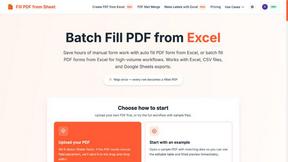
Fill PDF from Sheet
t offers smart mapping to accurately generate individual or batch PDF forms, saving professionals significant time on manual data entry.


Glanced
Follow news, blogs, newsletters, and podcasts in a free RSS reader, with AI summaries, top stories, full-text search, saved searches, and a catalog.

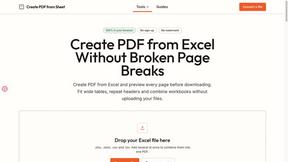
Create PDF from Excel
Create PDF from Excel online and preview every page before downloading. Fit wide sheets, repeat headers, and combine workbooks privately.