

Free Youtube Transcript Generator
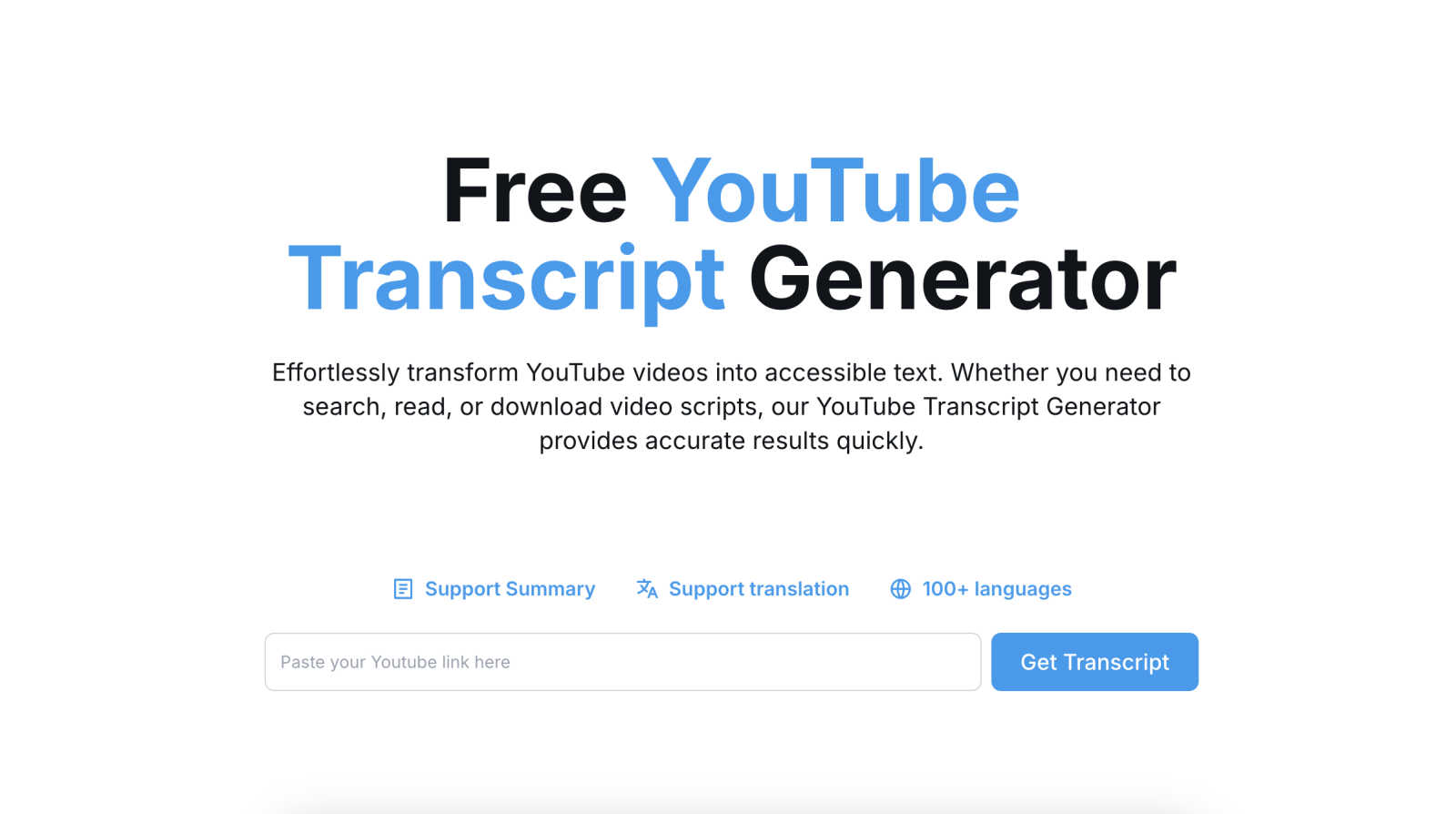
Generate, copy, translate, and download accurate YouTube transcripts effortlessly and for free.
AI tool Details
Explore More
Alternatives
About Free Youtube Transcript Generator
The Free YouTube Transcript Generator is a powerful and intuitive tool designed for anyone looking to convert YouTube videos into accurate text transcripts effortlessly. Whether you are a student, educator, content creator, or researcher, this tool serves as an invaluable resource for accessing video content in a written format. By simply pasting a YouTube video URL and clicking the "Get Transcript" button, users can extract subtitles in just a matter of seconds. The main value proposition lies in its ability to enhance accessibility and comprehension of video content. With support for over 100 languages, the tool also facilitates translation, allowing users from different linguistic backgrounds to benefit from the same video material. Its user-friendly interface ensures that even those with minimal technical knowledge can easily navigate the process, making video content more inclusive and available to all.
Features
Instant Transcript Generation
With the Free YouTube Transcript Generator, users can quickly generate accurate transcripts from YouTube videos by simply entering the video URL. This feature ensures that you waste no time waiting for the content you need, making it perfect for fast-paced environments.
Multi-Format Download Options
The tool offers users the flexibility to download transcripts in various formats, including TXT, DOCX, PDF, and Excel. This feature allows individuals to choose the format that best suits their needs, whether for academic reports, presentations, or simple note-taking.
Language Translation Support
One of the standout features of the Free YouTube Transcript Generator is its ability to translate transcripts into over 100 languages. This functionality broadens the accessibility of video content, ensuring that language barriers do not prevent anyone from engaging with valuable information.
User-Friendly Interface
Designed with a mobile-first approach, the Free YouTube Transcript Generator boasts a clean and intuitive interface. This user-centric design ensures that anyone can navigate the tool with ease, making the transcript generation process straightforward and hassle-free.
Use Cases
Enhancing Learning Materials
Educators can utilize the Free YouTube Transcript Generator to create transcripts of educational videos, which can then be integrated into teaching materials. This use case helps students who prefer reading to enhance their learning experience.
Research and Analysis
Researchers can benefit from this tool by generating transcripts of relevant video content, allowing for easier analysis and citation in their work. This streamlines the research process, making video data more manageable and accessible.
Content Creation and Summarization
Content creators can use the tool to generate transcripts of their own videos or those of others for summarization purposes. This feature aids in scriptwriting, blog post creation, and more, ultimately enhancing content engagement.
Accessibility for Diverse Audiences
By providing transcripts in multiple languages, the Free YouTube Transcript Generator ensures that a diverse audience can access video content. This use case is particularly important for organizations aiming to reach global markets or engage different demographic groups.
Frequently Asked Questions
How do I use the Free YouTube Transcript Generator?
To use the generator, simply copy the URL of the YouTube video you wish to transcribe, paste it into the generator, and click "Get Transcript." The tool will process the video and provide you with the transcript instantly.
Can I download the transcript in different formats?
Yes, the Free YouTube Transcript Generator allows you to download transcripts in several formats, including TXT, DOCX, PDF, and Excel. This flexibility ensures you can choose the format that works best for your needs.
Is there a limit to the length of videos I can transcribe?
While there is no specific limit mentioned, extremely long videos may take longer to process. However, the tool is designed to handle most standard-length videos efficiently.
Is the translation feature accurate?
The translation feature utilizes advanced algorithms to provide translations in over 100 languages. While it aims for high accuracy, users are encouraged to review the translations for context-specific nuances and variations.
Similar to Free Youtube Transcript Generator
GetYouTubeTranscript
Free YouTube transcripts on the web, a Chrome extension, and an API + MCP server so AI assistants can read YouTube.




amaze.directory
AI tools somebody actually used before writing about them.

benchmark.directory
An AI tools directory that turns down money. 146 listings, 20 categories, no sponsored placement and no affiliate ordering.

saasgrow.ai
Submit your SaaS growth tool free. Pass screening and get a permanent listing page, a dofollow link, and real visibility.

Tools Network
Tools Network is a curated directory that brings the internet's best AI tools together in one organized, easy-to-navigate place.