

Nano AI
Nano AI is your all-in-one creative app for rapid AI image generation, editing, and seamless teamwork in one space.

About Nano AI
Nano AI is your ultimate creative companion, an all-in-one platform that seamlessly integrates your entire visual workflow into a single mobile or web app. Designed specifically for creators, marketers, designers, and teams, Nano AI empowers you to transition from initial concept to finished asset at incredible speeds. The core of this platform is the advanced Nano Banana AI model, which facilitates rapid text-to-image and image-to-image generation in under ten seconds. This efficiency allows users to draft concepts, edit visuals, and share results effortlessly without switching between various tools or enduring lengthy rendering times. Nano AI combines state-of-the-art AI generation with practical utilities such as background removal, inpainting, and outpainting, all accessible through an intuitive, tap-friendly interface. Whether your goal is to develop mockups, refine campaign visuals, or experiment with new styles, Nano AI ensures you remain immersed in the creative process. With features like shared galleries and upcoming 4K neural upscaling, the platform accelerates the production of high-quality visuals, transforming inspiration into market-ready assets within a unified workspace.
Features
Nano Banana AI Model
The heart of Nano AI, the Nano Banana model, offers rapid image generation capabilities, enabling users to create stunning visuals from text prompts or existing images in less than ten seconds. This speed allows for quick iterations and enhances the overall creative workflow.
Magic Edit
Magic Edit allows users to make specific changes to images using natural language. You can highlight sections of your image and specify alterations, such as changing colors or adding elements, making post-editing seamless and intuitive.
4K Neural Upscaling
Coming soon, this feature promises to enhance the quality of images significantly. It will add intricate details, such as textures and depth, enabling you to produce high-resolution visuals suitable for large formats without needing to recreate assets from scratch.
Background Removal Tool
This practical utility simplifies the editing process by allowing users to isolate subjects within images easily. Whether for product photography or creative compositions, the background removal tool streamlines the workflow, making it easier to focus on the main subjects of your designs.
Use Cases
Rapid Prototyping for Marketers
Marketers can utilize Nano AI to quickly generate visual content for campaigns, allowing for rapid prototyping of ideas. With the ability to create and edit images swiftly, teams can test multiple concepts and choose the best fit without delays.
Content Creation for Social Media
Social media managers can leverage Nano AI to create eye-catching graphics and posts. The platform’s quick generation and editing features ensure that content is fresh and relevant, keeping pace with the fast-moving nature of social media.
Visual Storyboarding for Designers
Designers can use Nano AI to create visual storyboards efficiently. The rapid image generation capabilities enable them to draft concepts quickly, facilitating collaboration and feedback loops within teams to refine their visions.
Artistic Exploration for Creatives
Artists can explore new styles and techniques using Nano AI’s flexible tools. Whether experimenting with different artistic effects or generating entirely new concepts, the platform provides a creative playground for innovation and inspiration.
Frequently Asked Questions
What platforms is Nano AI available on?
Nano AI is available as both a mobile and web application, providing flexibility for users to access the platform from their preferred devices.
Can I collaborate with my team on Nano AI?
Yes, Nano AI features shared galleries that allow team members to collaborate on projects, share work, and provide feedback in real-time, enhancing the creative process.
How does the image generation process work?
The image generation process in Nano AI uses the Nano Banana AI model, which interprets text prompts or existing images to create new visuals. This process typically takes less than ten seconds, ensuring a fluid creative workflow.
What kind of edits can I make with Magic Edit?
With Magic Edit, you can make a variety of modifications to your images, such as changing colors, adding new elements, or expanding backgrounds. This tool simplifies the editing process by allowing users to specify adjustments using natural language commands.
Similar to Nano AI
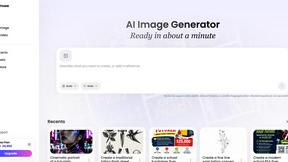
Vismuse
Create polished AI images and videos from prompts or references for social posts, ads, flyers, album covers, and campaigns.


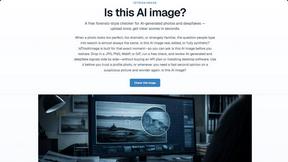
IsThisAIImage
Free AI image checker: upload a photo for AI-generated and deepfake scores, a clear verdict, and optional generator hints.
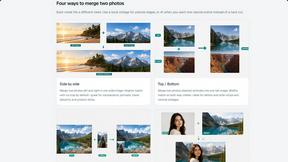
Merge Two Photos
Merge two photos free in your browser: side by side, stacked, overlay, or AI. Download a clean PNG, no watermark.
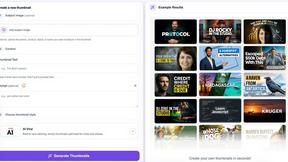
StopScroll
StopScroll is an AI thumbnail maker that generates YouTube thumbnail concepts from a URL, title, or prompt.
HubVanta AI
HubVanta AI helps creators generate images and videos with advanced AI tools for visual content workflows.
