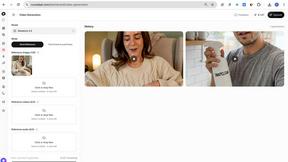
NanoBanana 2
NanoBanana 2 is an advanced AI photo editing tool that enhances images with professional quality and intuitive, real-time processing.
AI tool Details
Explore More
Alternatives

About NanoBanana 2
NanoBanana 2 is a cutting-edge AI image editing model that represents the next evolution in photo enhancement technology. Building on the original NanoBanana, this advanced tool is designed for photographers, graphic designers, and content creators who demand high-quality results with minimal effort. Its powerful AI-driven capabilities allow users to automate the image editing process while maintaining professional standards. With features like intelligent retouching, smart auto-enhancement, and one-click processing, NanoBanana 2 enables users to transform their images in a fraction of the time traditionally required. The model's focus on user experience ensures that even those with limited technical skills can achieve impressive results. Whether you are looking to enhance portraits, create stunning visuals for social media, or streamline your editing workflow, NanoBanana 2 provides an efficient and effective solution.
Features
Smart Auto-Enhancement
Smart Auto-Enhancement uses advanced algorithms to analyze images and apply optimal enhancements automatically. This feature saves users time and effort by eliminating the need for manual adjustments, ensuring that every photo looks its best with minimal intervention.
Intelligent Retouching
The Intelligent Retouching feature leverages AI to understand the context of each image, allowing for natural and refined edits. This capability is particularly valuable for portrait photography, where preserving skin texture and features is essential.
Batch Processing
Batch Processing allows users to edit multiple images simultaneously, making it an essential tool for professionals who need to process large volumes of content. This feature significantly speeds up workflows, ensuring consistency and quality across all images.
Advanced Color Correction
Advanced Color Correction provides professional-grade color grading powered by deep learning algorithms. This feature allows users to achieve stunning color accuracy and vibrancy, enhancing the overall visual appeal of their images.
Use Cases
Professional Photography
Professional photographers can leverage NanoBanana 2 to enhance their portfolio images quickly. The AI-driven tools allow for seamless retouching and adjustments, ensuring that each photo meets industry standards without extensive manual work.
Social Media Content Creation
Content creators can use NanoBanana 2 to produce eye-catching visuals for their social media platforms. The quick editing capabilities enable them to maintain a consistent aesthetic while efficiently managing their content calendar.
E-commerce Product Images
E-commerce businesses can benefit from NanoBanana 2 by enhancing product images to attract customers. The tool's auto-enhancement and color correction features help create visually appealing listings that can drive sales.
Graphic Design Projects
Graphic designers can incorporate NanoBanana 2 into their workflow for quick image manipulation and enhancement. The model’s features streamline the design process, allowing for more creativity and less time spent on editing tasks.
Frequently Asked Questions
How does NanoBanana 2 improve image quality?
NanoBanana 2 improves image quality through advanced AI algorithms that automatically enhance various aspects such as color, sharpness, and detail, resulting in professional-grade outputs.
Is NanoBanana 2 suitable for beginners?
Yes, NanoBanana 2 is designed with user experience in mind, making it accessible for beginners. Its intuitive interface and one-click editing options allow users of all skill levels to achieve high-quality results.
What types of images can I edit with NanoBanana 2?
You can edit a variety of image types with NanoBanana 2, including photos in JPEG, PNG, and WEBP formats. The tool is versatile enough for portraits, landscapes, and product images.
Can I use NanoBanana 2 for batch editing?
Absolutely! NanoBanana 2 features batch processing capabilities that allow users to edit multiple images at once, making it an efficient choice for professionals managing large volumes of work.
Similar to NanoBanana 2
benchmark.directory
An AI tools directory that turns down money. 146 listings, 20 categories, no sponsored placement and no affiliate ordering.
saasgrow.ai
Submit your SaaS growth tool free. Pass screening and get a permanent listing page, a dofollow link, and real visibility.

Tools Network
Tools Network is a curated directory that brings the internet's best AI tools together in one organized, easy-to-navigate place.


Built2Win AI Indexing
Custom PHP websites, AI Indexing Pack ($599 one‑time), and WebAgentScan SaaS ($9/mo). MCP, A2A, llms.txt, full ownership.
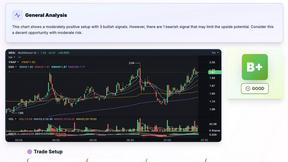
SnapPChart
SnapPChart grades a trading chart screenshot A+ to F, with an entry, stop, targets, and risk/reward. Works on stocks, forex, crypto, futures.