

Pullsy
Pullsy’s AI organizes your inbox and drafts replies in your tone.

About Pullsy
Pullsy is an AI-powered inbox assistant designed to give busy professionals, entrepreneurs, and small teams their time back by transforming email from a daily burden into a streamlined, intelligent workflow. It directly integrates with the tools you already use, like Gmail and Microsoft 365, to act as a smart layer over your existing inbox. The core value proposition is simple: stop letting email run your day. Pullsy achieves this by intelligently organizing your incoming messages to surface what truly matters, automatically drafting context-aware email replies in your unique voice, and providing powerful tools to instantly summarize threads and extract key information. Instead of spending hours sorting, writing, and searching, users can move through their inbox up to 3x faster. With a clean, intuitive interface and a focus on user experience, Pullsy empowers you to review AI-suggested actions, make quick tweaks, and send with confidence, all from a mobile-friendly or desktop view. The platform includes a free 14-day trial, making it easy to experience how AI can turn a chaotic inbox into a clear, actionable command center for your day.
Features
Smart Inbox & Intelligent Organization
Pullsy's AI automatically scans and labels your incoming emails to highlight your most important messages, filtering out the noise. It surfaces critical updates, action items, and time-sensitive documents in a clear "Day at a Glance" dashboard. This means you start your day with clarity, focusing only on what requires your attention without manually sorting through hundreds of messages. The system learns what matters to you, ensuring you never miss a crucial client request or an internal leadership update.
AI-Drafted Replies in Your Tone
Go beyond generic responses. Pullsy drafts complete, context-aware email replies by intelligently identifying the intent behind each message. It detects questions needing answers, tasks to confirm or decline, scheduling needs, and even follow-ups on broken promises. You can choose from preset tones like Professional, Friendly, or Quick, and the AI adapts to your writing style over time. With one-click sending after a quick review, you maintain authentic communication without the typing time.
"Ask Pullsy" & Inbox Chat
This is your smart search and insight engine. Instead of endlessly scrolling, you can chat with your inbox directly. Ask Pullsy to summarize long email threads, review and extract key points from attached PDFs, or find specific information buried in past conversations. It's a faster, more intuitive way to search, filter, and understand your email history, helping you find what matters effortlessly and keep your inbox clear with intelligent insights.
Enterprise-Grade Security & Integrations
Your data's security is foundational. Pullsy is built with enterprise-grade protections, including Google OAuth verification, CASA completion, and GDPR compliance, with SOC Type 2 certification in process. It seamlessly connects to Gmail, Outlook, and your calendar, with Slack integration coming soon. This secure, integrated approach means Pullsy works within your existing workflow without compromising sensitive information.
Use Cases
The Overwhelmed Entrepreneur
Entrepreneurs wearing multiple hats get bombarded with emails from clients, vendors, and team members. Pullsy helps them instantly identify high-priority emails, like a closing document that needs signing tomorrow, and drafts professional, tone-appropriate replies to common inquiries. This cuts down email management from hours to minutes, freeing up time to focus on strategic growth instead of inbox admin.
The Busy Sales Professional
For salespeople, timely responses are everything. Pullsy ensures no lead goes cold by highlighting new prospect emails and drafting friendly, prompt follow-ups. It can quickly summarize a long negotiation thread before a call and extract key details from a client's RFP PDF. This allows the professional to stay responsive and deeply informed without constant inbox monitoring.
The Small Team Project Manager
Managing team communication and project updates via email is chaotic. Pullsy helps project managers by automatically surfacing important messages like "All Hands" meeting updates or task confirmations from team members. It can draft clear, action-oriented replies to delegate work or confirm deadlines, keeping projects moving and ensuring critical communications are never buried.
The Executive with Back-to-Back Meetings
Executives have little time between meetings for email. Pullsy's "Day at a Glance" provides a personalized summary of urgent items and upcoming meetings. They can use "Ask Pullsy" to get a rapid briefing on a lengthy thread related to their next call and send one-click replies to confirm schedules or provide quick approvals, maintaining control and responsiveness on the go.
Pricing
Pullsy offers a free 14-day trial with no credit card required to start, allowing you to fully experience its features risk-free. You can cancel the trial at any time. For specific pricing plans and tier details after the trial period, please visit the official Pullsy website's "Pricing" page for the most current and detailed information on subscription options.
Frequently Asked Questions
What is Pullsy and how does it work?
Pullsy is an AI-powered inbox management tool that connects to your Gmail, Outlook, and calendar (with Slack coming soon). Once connected, its AI automatically organizes your incoming messages, highlights what's important based on context and urgency, and suggests full email replies tailored to the content. You review, tweak if needed, and send, allowing you to clear your inbox much faster with significantly less mental load and manual effort.
Is Pullsy safe to use?
Absolutely. Your data security is Pullsy's top priority. The platform is built with enterprise-grade security measures. It is Google OAuth Verified, has completed CASA, and is GDPR compliant. Furthermore, Pullsy is currently undergoing the SOC Type 2 certification process, which is a rigorous audit of its security controls. Your information remains protected and private.
Can Pullsy draft replies for me?
Yes, drafting intelligent replies is a core function. Pullsy doesn't just write generic text; it analyzes each email to detect specific needs—like questions, tasks, or scheduling requests—and then drafts a context-aware response that addresses those actions directly. You can select your preferred tone (Professional, Friendly, Quick) and send it with one click after a personal review.
What tools can I integrate with Pullsy?
Pullsy seamlessly integrates with the most common workplace tools to fit into your existing flow. It currently connects directly with Gmail and Microsoft 365 (Outlook) for email, as well as your calendar for meeting context. The team has also announced that integration with Slack is coming very soon, further extending its capability to streamline your communication hubs.
Similar to Pullsy
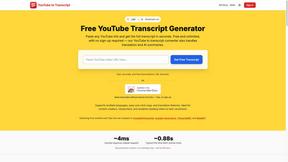
GetYouTubeTranscript
Free YouTube transcripts on the web, a Chrome extension, and an API + MCP server so AI assistants can read YouTube.
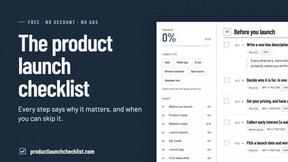
Product Launch Checklist
A free launch checklist for SaaS, apps, AI tools and more. Every step says why it matters and when you can skip it.
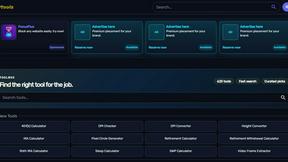
Kody Tools
Free collection of online developer utilities, code formatters, and digital converters designed to streamline your daily workflow.


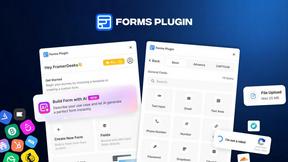
Forms Plugin
The #1 Native Form Builder Plugin for Framer - No Code, No Embeds, No External Platforms.

