Redbark
Effortlessly sync your Australian bank and brokerage data to Google Sheets and YNAB for real-time financial tracking.

About Redbark
Redbark is an innovative tool designed to simplify and secure the management of your financial data. By connecting your Australian bank accounts and global investment portfolios seamlessly to popular productivity tools like Google Sheets, Notion, and Airtable, Redbark eliminates the hassle of manual data entry and cumbersome CSV file imports. With Redbark, you can say goodbye to outdated screen-scraping methods as it utilizes Australia's official Consumer Data Right (CDR) framework. This ensures bank-approved and secure access to your transaction, balance, and investment holding data. Your information is synchronized automatically according to a schedule you set, flowing directly from your financial institution to your chosen destination without ever being stored on Redbark's servers. Designed with user privacy and ease of use in mind, Redbark is ideal for freelancers tracking invoices, investors monitoring portfolios, small business owners managing cash flow, and anyone wishing to achieve a clear and automated view of their finances in familiar applications. Setup is quick and requires no coding expertise, supporting a wide array of Australian banks via CDR, New Zealand banks through Akahu, and global brokerages via SnapTrade.
Features
Seamless Bank Connections
Connect your Australian bank accounts effortlessly and sync transactions directly to your favorite tools. With real-time updates, you can eliminate manual entry while ensuring complete privacy.
Multi-Destination Support
Redbark allows you to sync the same accounts with multiple destinations such as Google Sheets, YNAB, and Actual Budget simultaneously, each maintaining its unique formatting for ease of use.
Automated Background Sync
Your financial data is automatically updated in the background without any manual intervention. This feature uses webhooks to trigger synchronization whenever new data is available from your bank.
Intelligent Deduplication
Redbark employs smart deduplication technology, which intelligently handles late-posting transactions, ensuring you never encounter duplicate rows in your spreadsheets or dashboards.
Use Cases
Freelancers Managing Invoices
Freelancers can utilize Redbark to automatically track and sync invoice payments from their bank accounts to Google Sheets, providing a real-time overview of their income and outstanding payments.
Investors Monitoring Portfolios
Investors can connect their brokerage accounts to Redbark, allowing them to sync investment holdings and transactions to Notion or Google Sheets for efficient tracking and management of their portfolios.
Small Business Owners Tracking Cash Flow
Small business owners can benefit from Redbark by syncing transactions from multiple accounts into a single dashboard, helping them monitor cash flow and make informed financial decisions effortlessly.
Individuals Simplifying Personal Finance
Anyone looking to keep their finances organized can use Redbark to connect all their financial accounts, allowing for easy tracking of transactions and balances in their preferred budgeting tools.
Frequently Asked Questions
How does Redbark secure my financial data?
Redbark employs a pass-through architecture where your financial data flows directly from your bank to the selected destination, ensuring that no data is stored on Redbark's servers. Additionally, all tokens and credentials are encrypted using AES-256 encryption.
What types of accounts can I connect with Redbark?
You can connect a wide range of accounts, including Australian bank accounts, New Zealand banks through Akahu, and global brokerages via SnapTrade. This includes transaction accounts, savings accounts, credit cards, and investment accounts.
Is there a limit to how many accounts I can sync?
No, Redbark supports multi-account sync, allowing you to connect and sync as many accounts as you need. Each account can be synchronized separately to different tools, making financial management highly customizable.
What is the setup process like for new users?
Setting up Redbark is fast and user-friendly, requiring no coding skills. Users can connect their bank accounts and select their desired destinations in just a few minutes to start syncing their financial data automatically.
Similar to Redbark



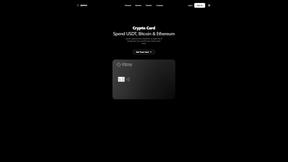
IZIPAY
IZIPAY is a virtual and physical crypto card service that lets users top up with digital assets and pay online like with a regular card.
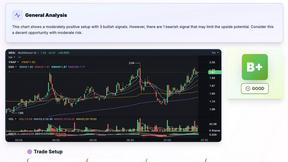
SnapPChart
SnapPChart grades a trading chart screenshot A+ to F, with an entry, stop, targets, and risk/reward. Works on stocks, forex, crypto, futures.
Venduris
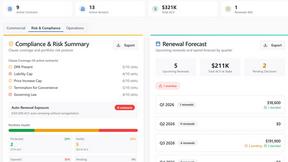
Venduris is a renewal intelligence platform that gives mid-size companies control over SaaS & AI contract renewals before leverage disappears.