
AI tool Details
About securememo.app
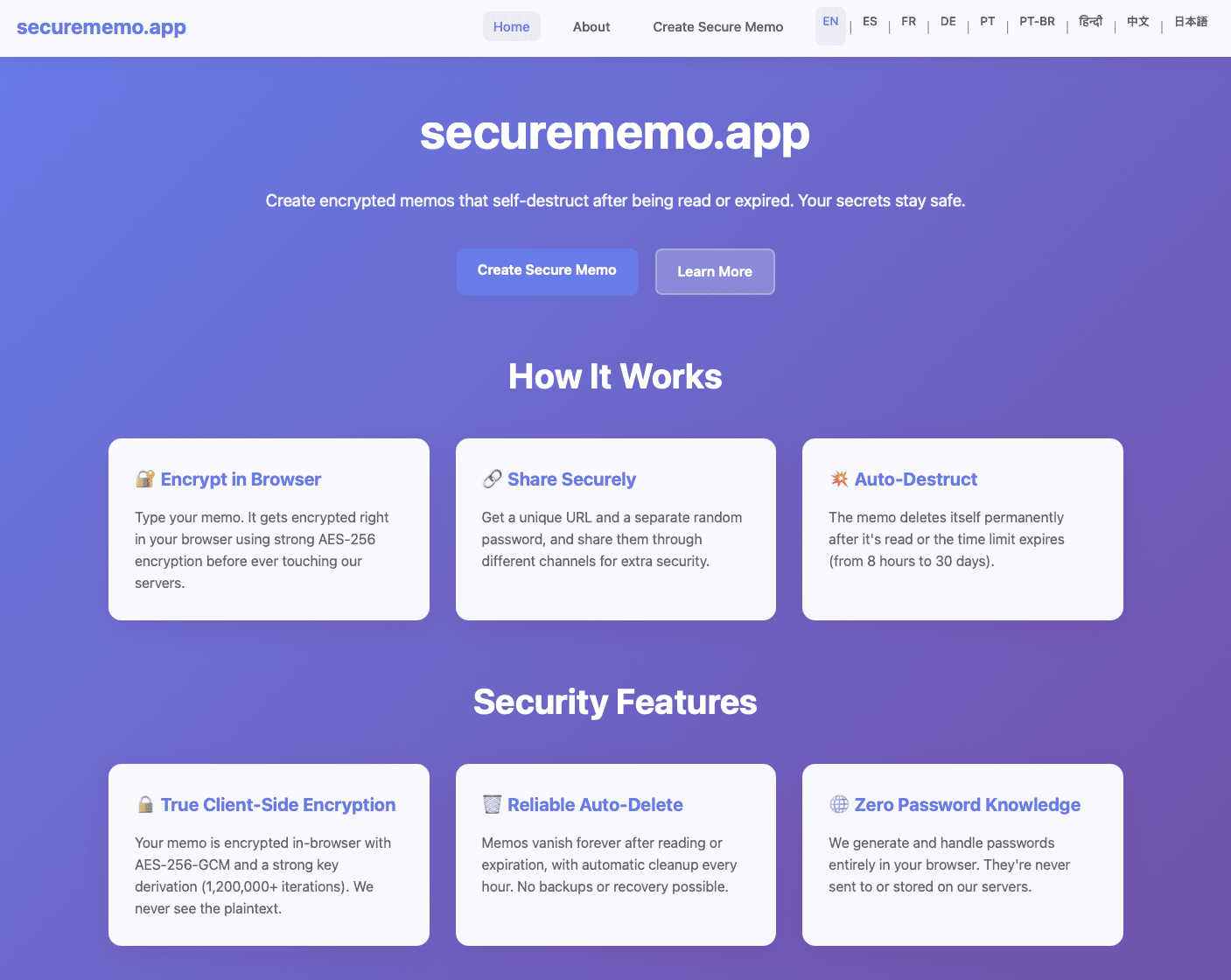
securememo.app is a cutting-edge, privacy-first application designed for anyone who needs to share sensitive information with absolute confidence. It redefines secure communication by allowing you to create encrypted, self-destructing notes directly from your mobile or desktop browser, with no app installation required. The core value proposition is uncompromising security through a zero-knowledge architecture. This means all encryption and decryption happen locally on your device. Your data is encrypted before it ever leaves your browser, making it completely unreadable to the service itself, its servers, or any potential interceptors. The platform is built for a seamless, mobile-centric user experience, prioritizing both robust security and effortless usability. It's ideal for professionals sharing confidential business details, journalists communicating with sources, individuals sending private personal data, or anyone who values their digital privacy. With no account registration needed, it ensures user anonymity and offers instant access, making top-tier encryption accessible to everyone in over 20 languages.
Features
Client-Side Encryption
All sensitive data is encrypted directly within your web browser using strong cryptographic standards before it is transmitted to the servers. This fundamental feature ensures that your plaintext notes are never exposed to the network or stored on securememo.app's systems in a readable format. Only someone with the unique decryption key (password) can ever access the content, guaranteeing true end-to-end privacy.
Self-Destructing Notes
Every memo you create can be set to automatically and permanently delete itself after being read by the recipient. This ephemeral nature ensures that sensitive information does not persist indefinitely on any server. Once the note is viewed or after a set period, it is wiped clean, leaving no digital trace behind and providing peace of mind for sharing temporary, high-stakes information.
Zero-Knowledge Password Generation
For each shared memo, a strong, random password is generated locally on your device. This password is never sent to or stored by securememo.app's servers, adhering to a strict zero-knowledge model. You must share this password with your intended recipient through a separate, secure channel (like a messaging app or in person). This two-part security process ensures that even the service provider cannot access your data.
No-Account Anonymity
You can start creating and sharing secure memos immediately without any sign-up process. This eliminates the need for email addresses, usernames, or personal data, prioritizing your anonymity and privacy from the very first use. The frictionless access is perfectly suited for mobile and on-the-go use cases, where convenience and speed are paramount.
Use Cases
Sharing Confidential Business Information
Professionals can securely send sensitive data like financial reports, contract details, or strategic plans to colleagues or partners. The client-side encryption ensures corporate secrets remain protected from external breaches, while the self-destruct feature prevents information from being archived indefinitely, maintaining tight control over data lifecycle.
Secure Communication for Journalists and Sources
Journalists and their confidential sources can exchange tips, documents, or contact information with a greatly reduced risk of surveillance or interception. The no-account, anonymous access allows sources to share information without revealing their identity, and the self-destructing notes help minimize digital evidence.
Sending Private Personal Data
Individuals can safely share passwords, credit card details, identification numbers, or private documents with family members or trusted friends. Instead of risking exposure over email or standard messaging apps, securememo.app ensures this highly personal data is encrypted and transient, protecting against accidental leaks or account compromises.
One-Time Secure Credential Transmission
IT administrators or team leaders can use the service to send one-time login credentials, API keys, or system access codes to users. The memo can be configured to destruct after first view, ensuring the sensitive credential is not left sitting in an inbox where it could be discovered later in a security audit or breach.
Frequently Asked Questions
How does the encryption work?
The encryption process happens entirely in your web browser. When you create a note, your text is encrypted on your device using a strong, randomly generated key (password) before it is sent to our servers. We only store this encrypted, unreadable data. The decryption key never leaves your device and must be shared separately with your recipient, who uses it to decrypt the note in their own browser. This is known as client-side, zero-knowledge encryption.
What happens to a note after it self-destructs?
When a note self-destructs—either after being read or after a predetermined time—it is permanently and irrevocably deleted from our servers. We do not keep backups or archives of destroyed notes. The unique link associated with the note will no longer function, and the encrypted data is purged, ensuring the information is gone forever.
Is securememo.app really free to use with no account?
Yes, absolutely. securememo.app is designed to be accessible and private. You can create, encrypt, and share notes without ever creating an account, providing payment information, or disclosing any personal details. This commitment to anonymous access is a core part of our privacy-focused philosophy.
How should I share the memo password securely?
The security of your memo relies heavily on sharing the password through a different communication channel than the memo link itself. Best practices include sharing the password via a secure messaging app with end-to-end encryption, telling the recipient in person, or giving them a phone call. Never send the password and the link in the same email or unencrypted message.