

Alternatives to BlueHumanizer
BlueHumanizer turns stiff AI text into clear, natural writing in one click, keeping your meaning intact.
Explore 20 alternatives to BlueHumanizer. Compare features, pricing, and find the best fit for your needs.
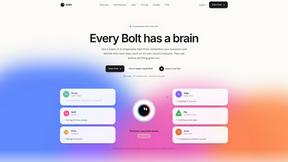
Bolts
AI employees with a brain and their own cloud computer. They think, remember your business and work 24/7.
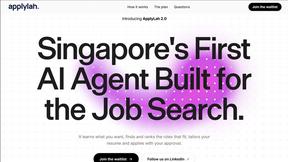
ApplyLah
ApplyLah helps job seekers find and auto apply to Singapore jobs using their approved details. Tailor your resume and track applications in one place,
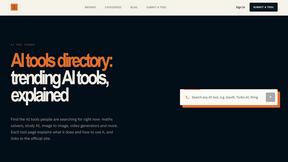
AI Tool Finder
Curated AI tools for study, research, writing, coding, images, video, voice, music, and assistants.
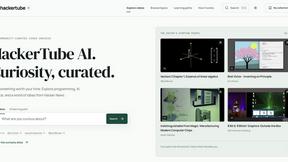
HackerTube AI
HackerTube AI is a searchable, community-curated video learning platform for programming, AI, math, science, and technology.

Vikas Editor AI
AI creative studio for cinematic portraits, fashion edits, festive greetings, and photo-to-video concepts.

Easemic
Open-source Android comic & manga reader with encrypted cloud streaming and AI ad-page stripping.
AIVideoAgent
Turn text ideas or reference images into videos through conversation, with agent-assisted prompts and a choice of video models.

LaunchIntel
Your AI agent picks relevant directories, submits your product in your browser and tracks every step. One-time purchase.

BankBridge
Let your AI agent answer questions about your real bank data. Read-only access, $5/mo per connected bank, cancel any time.

GenX
All-in-one AI workspace to generate images, videos, and audio with multiple leading AI models.
Bloom
An adaptive AI tutor that turns topics or your materials into courses, lessons, and answers tailored to how you learn.

FreeVideoGenerator
Create videos from text prompts and photos with Sora 2, Veo 3.1, Wan and more. Free starter credits and watermark-free downloads.

Verla AI
Verla is an AI academic assistant for university and college students, combining AI essay writing, academic research, AI detection, AI humanization
Riff
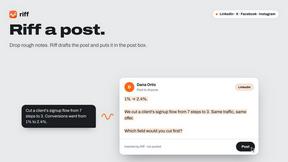
Free Chrome extension. Paste your rough point and Chrome's built-in AI writes a fresh reply for that post on X, LinkedIn, Facebook or Instagram.
GetYouTubeTranscript
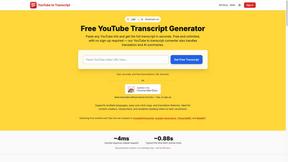
Free YouTube transcripts on the web, a Chrome extension, and an API + MCP server so AI assistants can read YouTube.


About BlueHumanizer Alternatives
BlueHumanizer is an AI-powered writing assistant that sits in the category of AI humanizers and text refinement tools. Its primary function is to take content generated by large language models like ChatGPT, Claude, or Gemini and rewrite it into text that reads naturally, with proper flow, rhythm, and a human-like tone. While the tool offers a free tier and strong core features, users often look for alternatives due to specific needs such as platform compatibility, advanced customization for mobile apps, or a desire for different pricing models beyond the free structure. Others might seek tools that integrate more deeply with specific writing workflows or offer unique formatting presets for app-based publishing. When evaluating an alternative to BlueHumanizer, you should prioritize tools that prioritize mobile-first design and seamless app integration, ensuring you can paste, humanize, and export text without friction on your phone or tablet. Look for features that preserve original meaning and citations while offering adjustable levels of humanization and tone control, as these are critical for maintaining authenticity across different content types. Additionally, consider the breadth of language support, the security of your data during processing, and whether the tool provides a truly free or low-cost entry point without requiring a credit card upfront, allowing you to test its performance within your specific app ecosystem.
FAQs about BlueHumanizer Alternatives
What is BlueHumanizer?
BlueHumanizer is a free AI humanizer tool designed to transform AI-generated text into clear, natural sounding prose with a single click. It reshapes sentence structure and restores natural rhythm, unlike basic synonym-swapping tools, while keeping your original meaning, tone, and key points intact. The tool supports over 50 languages and is optimized for use with outputs from ChatGPT, Claude, Gemini, and other AI writers.
Who is BlueHumanizer for?
BlueHumanizer is built for students, researchers, marketers, and anyone who writes with AI assistance. It is particularly useful for users who need to refine essays, polish research papers, create on-brand marketing copy, or warm up everyday emails and reports. The tool is designed to be accessible to both casual writers and professionals, with adjustable humanization levels and tone controls to suit different contexts.
Is BlueHumanizer free?
Yes, BlueHumanizer is free to start and does not require a credit card to begin using its core features. The tool offers a no-cost entry point that allows users to humanize AI text and produce publish-ready content without upfront payment. While specific premium tiers may exist, the base functionality is accessible without financial commitment.
What are the main features of BlueHumanizer?
BlueHumanizer offers one-click humanization that improves flow and phrasing while preserving meaning, tone, and key points. It supports over 50 languages, includes adjustable humanization levels and tone controls, and keeps quotes and citations untouched during rewriting. The tool is compatible with outputs from major AI writers and is optimized for mobile and app-based use, making it convenient for on-the-go content refinement.