
FilexHost vs Learniverse
Side-by-side comparison to help you choose the right AI tool.

FilexHost
Effortlessly host and share any file with a simple drag and drop, getting a shareable link in seconds.
Last updated: February 27, 2026

Learniverse
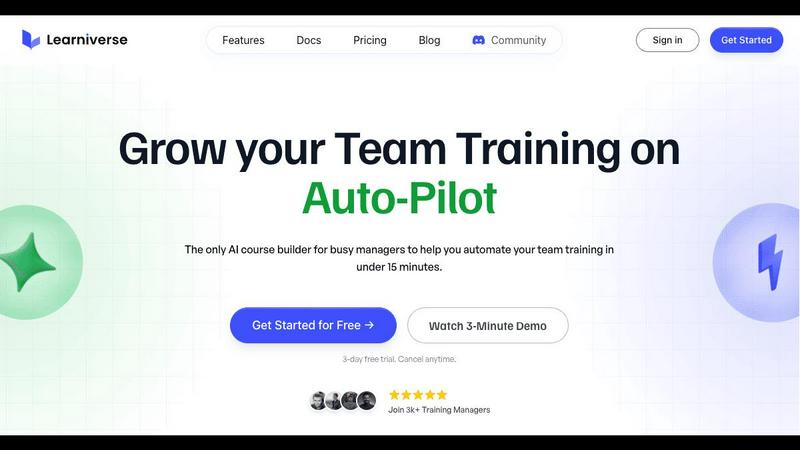
Learniverse instantly turns your team's knowledge into engaging AI-powered training courses.
Last updated: February 28, 2026
Visual Comparison
FilexHost

Learniverse
Feature Comparison
FilexHost
Instant Subdomains
FileXhost generates instant subdomains for every file you upload, such as your-file.filex.host, with zero setup required. This feature allows you to share files quickly and seamlessly, without worrying about complicated configurations.
Free SSL Encryption
Every link generated by FileXhost comes with free SSL encryption, ensuring the security of your shared files. This feature protects sensitive information from unauthorized access, providing peace of mind when sharing important documents.
Smart View Modes
FileXhost offers smart view modes that allow users to choose between direct rendering or a download page. This flexibility enhances the user experience, as viewers can either preview files directly in their browser or download them based on their preferences.
Optional Password Protection
With FileXhost, you can safeguard your files with optional password protection and expiry settings. This means you can set access restrictions to your files, choosing from expiry options ranging from 24 hours to forever, ensuring that only authorized users can access your content.
Learniverse
AI-Powered Course Creation
Simply upload your existing training materials—PDFs, videos, documents, or even meeting recordings—and Learniverse's AI assistant takes over. It automatically analyzes the content, structures it into logical, interactive lessons, and generates key elements like quizzes and progress tracking. This feature eliminates manual content formatting, allowing you to build a comprehensive course from scattered files in minutes, not weeks.
Branded Academy Portal
Launch a fully customized, professional training portal that reflects your company's identity. Learniverse allows you to apply your logo, brand colors, and even use a custom domain, ensuring your training academy looks polished and credible. This creates a cohesive and engaging learning environment for your team, moving far beyond the generic feel of outdated or cheap training tools.
Conversational AI Training Assistant
Interact with a dedicated AI assistant to build and modify courses conversationally. Need to add a module on a new process? Just describe what you want. Want to highlight key points from a recent video? Ask your AI to build lessons around them. This feature puts a dynamic, collaborative tool at your fingertips, handling the heavy lifting of instructional design on the fly.
Integrated Progress & Analytics Dashboard
Gain clear, actionable insights without spreadsheet nightmares. The dashboard provides a centralized view of team progress, engagement metrics, assessment scores, and overall training impact. See who has completed courses, identify where learners are getting stuck, and track completion rates across departments, all in a clean, mobile-optimized interface.
Use Cases
FilexHost
Professional Reports
Professionals can leverage FileXhost to share client reports quickly and efficiently. By using the platform's drag-and-drop feature, they can upload documents, receive a secure link, and share it with clients without any unnecessary delays.
Developer Projects
Developers can utilize FileXhost to host landing pages or mock APIs. The platform supports various file types, allowing developers to share their work with clients or team members effortlessly, ensuring that the project is viewed as intended.
Digital Product Distribution
Creators can distribute digital products like eBooks or software through FileXhost. By uploading files and generating secure links, creators can share their products without worrying about attachment limits or complicated sharing processes.
Frictionless File Delivery
Anyone needing a simple and effective way to deliver files can benefit from FileXhost. The platform’s user-friendly design eliminates the need for "request access" emails, making it perfect for quick file sharing in both personal and professional contexts.
Learniverse
Onboarding New Hires Rapidly
Eliminate the slow, inconsistent onboarding process. Upload your employee handbook, SOPs, and welcome videos to Learniverse. The AI instantly creates a structured onboarding course with interactive checkpoints. New hires get a single, engaging portal for all essential training, drastically reducing ramp-up time and ensuring everyone receives the same core knowledge.
Centralizing Scattered Company Knowledge
Stop the endless hunt for documents in Slack, Drive, or email. Learniverse acts as a single source of truth. Training managers can gather all disparate process guides, policy PDFs, and tutorial videos into one platform. The AI then organizes this "knowledge pile" into searchable, well-structured courses, making company know-how easily accessible and perpetually up-to-date.
Converting Meetings into Actionable Training
Turn valuable company discussions into lasting learning resources. After an all-hands meeting or a crucial team training session, simply upload the recording to Learniverse. The AI can analyze the transcript, identify key topics and decisions, and transform them into bite-sized lesson modules. This ensures important live information is captured and retained by the entire team.
Compliance and Certification Training
Streamline mandatory training for compliance, safety, or industry certifications. Upload regulatory documents and procedure manuals. Learniverse's AI builds standardized courses with integrated quizzes to verify understanding. The platform tracks completion and assessment results automatically, providing an audit-ready report for managers and ensuring consistent company-wide compliance.
Overview
About FilexHost
FileXhost is an intuitive file hosting and sharing platform designed for seamless and efficient file management. Ideal for professionals, developers, and creators alike, FileXhost enables users to effortlessly upload and share any file type, from documents to entire websites, without the hassle of traditional file-sharing methods. With its unique "Drop & Share" workflow, you can simply drag files into the platform, receive an instant secure URL, and share it with anyone, eliminating the need for complex setups or logins. The service prioritizes the viewer experience, ensuring that recipients see files as intended, beautifully rendered without the need for downloads or plugins. Whether you are collaborating on client reports, hosting landing pages, or distributing digital products, FileXhost streamlines the process, making file sharing frictionless and efficient.
About Learniverse
Learniverse is the zero-effort, AI-powered training platform built for busy teams and training managers who need results, not complexity. It transforms the chaotic process of creating and managing employee training from a weeks-long project into a task that takes mere minutes. The core value proposition is stunningly simple: stop juggling scattered Google Docs, SOPs, and video recordings. Instead, upload any existing content—PDFs, documents, videos, or manuals—and let Learniverse's AI instantly structure it into a complete, interactive, and branded learning course. This platform is designed for organizations of all sizes that want to launch a professional, branded academy without any design skills or technical setup. It automates the entire training hub, from course creation with built-in quizzes to progress tracking and analytics, freeing managers to focus on strategic work while ensuring teams have consistent, engaging, and up-to-date knowledge at their fingertips. Learniverse delivers a mobile-first, polished user experience that mirrors modern apps, making training something employees actually want to complete.
Frequently Asked Questions
FilexHost FAQ
What is FileXhost?
FileXhost is a file hosting and sharing platform that allows users to upload and share any file type easily. With features like instant secure links and smart rendering, it simplifies the process of file distribution.
Is it really free?
Yes, FileXhost offers a free plan that allows users to host up to 1,000 files with a maximum size of 25MB each, along with a 7-day expiry for shared links. The free plan is ad-supported.
What file types are supported?
FileXhost supports a wide range of file types, including documents (PDF, TXT), spreadsheets (XLSX, CSV), images (JPG, PNG), media (MP4, MP3), and archives (ZIP), among others, ensuring versatility for users.
How do I update my site?
To update your hosted site on FileXhost, simply drag and drop your updated file or website ZIP into the platform. The service will automatically generate a new secure link for sharing, ensuring your content is always up to date.
Learniverse FAQ
What types of files can I upload to create a course?
Learniverse is designed to work with the content you already have. You can upload a wide variety of file formats including PDFs, Word documents, PowerPoint presentations, video files (like MP4), and audio recordings. The AI will process the content within these files to extract text, identify key concepts, and structure it into interactive learning modules.
Do I need any design or technical skills to use Learniverse?
No, that's the core benefit of the platform. Learniverse is built for training managers and team leaders who are experts in their content, not in graphic design or software development. The AI handles all the course structuring, formatting, and interactive element creation. The branded academy portal also uses simple, intuitive tools for customization, requiring no coding or design experience.
How does the AI training assistant work?
The AI assistant functions like a collaborative partner within the platform. You can chat with it using natural language to give instructions. For example, you can ask it to "create a module on our new customer service protocol" or "add a quiz to the end of the safety course." It can also analyze uploaded content, like a video, and suggest or auto-generate lesson outlines based on the key topics it detects.
Can I track my team's progress and engagement?
Absolutely. Learniverse includes a comprehensive analytics dashboard that provides real-time insights. You can track individual and team-wide course completion rates, see assessment scores, identify modules where learners are spending the most time or struggling, and monitor overall engagement. This data is presented in clear, visual reports, eliminating the need for manual tracking via spreadsheets.
Alternatives
FilexHost Alternatives
FilexHost is a user-friendly file hosting and sharing platform designed for seamless file management. It enables users to quickly upload files, generating shareable URLs with just a simple drag and drop, making it ideal for professionals, developers, and creators. As users explore their options, they often seek alternatives to FilexHost for various reasons, including pricing structures, feature sets, and specific platform requirements that meet their unique needs. When searching for an alternative, it's essential to consider factors such as ease of use, file type support, security features, and any additional functionalities like analytics or user permissions. Evaluating these aspects will help users find a solution that aligns perfectly with their file hosting and sharing needs while ensuring a smooth experience for both senders and recipients.
Learniverse Alternatives
Learniverse is an AI-powered Learning Management System (LMS) designed for fast, automated course creation. It falls into the productivity and management category, helping teams transform documents and videos into branded training academies in minutes. Users often explore alternatives for various reasons. These can include budget constraints, the need for more advanced or specific features, or a requirement for deeper integration with a particular tech stack. The ideal platform depends heavily on your team's unique workflow and scale. When evaluating other options, focus on core needs. Key considerations are the ease of content import and AI automation, the depth of customization and branding controls, the quality of progress analytics, and how well the platform connects with your team's daily communication apps.