
Ironback vs Prompt Builder
Side-by-side comparison to help you choose the right AI tool.

Ironback
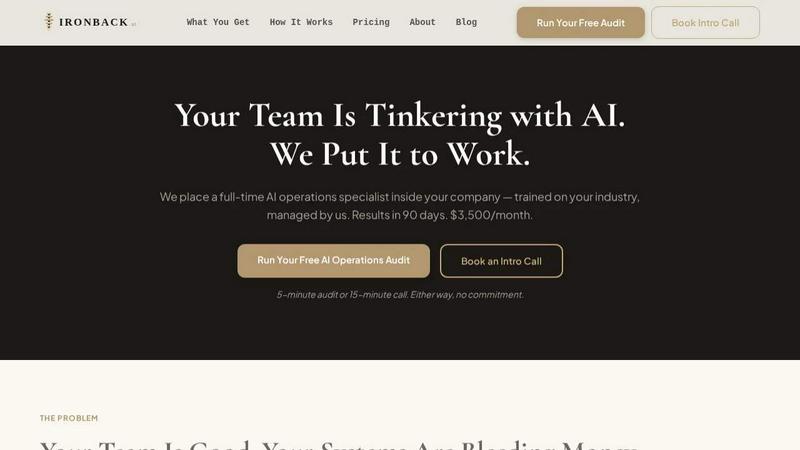
Ironback embeds an AI operations specialist in your team to automate workflows and save you money.
Last updated: April 4, 2026

Prompt Builder
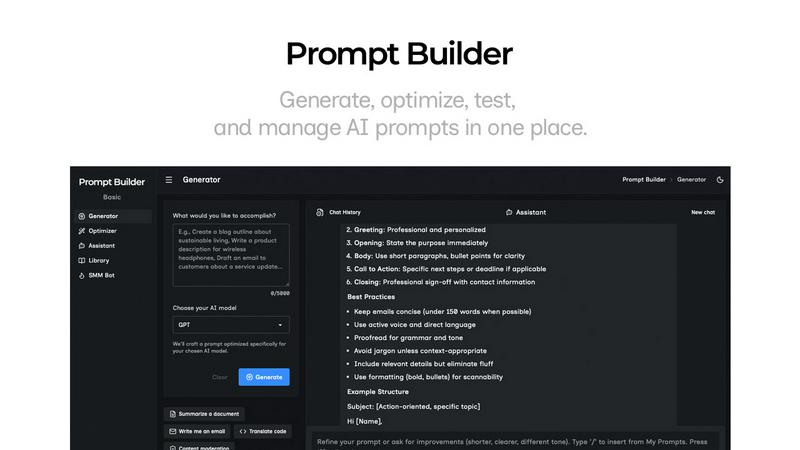
Generate, optimize, test, and manage AI prompts in one place. Turn an idea into a ready-to-use prompt in seconds.
Visual Comparison
Ironback
Prompt Builder
Overview
About Ironback
Ironback is a revolutionary service that embeds a full-time, dedicated AI operations specialist directly into your service company. It's designed specifically for service businesses like contractors, HVAC, plumbing, electrical, and field service companies with 25-50 employees who are struggling with inefficient, manual processes. Unlike simply selling you software, Ironback provides the human expertise to make AI work for you. Your dedicated specialist, trained on your specific industry and managed by the Ironback team, integrates into your daily operations via tools like Slack. They handle critical but time-consuming tasks such as after-hours call answering, AI-assisted estimating and quoting, automated scheduling, and digital compliance paperwork. The core value proposition is guaranteed operational savings—starting with a free audit that identifies at least $50,000 in potential annual savings—for a flat monthly fee of $3,500, delivering measurable results within 90 days without the cost and risk of hiring a full-time, in-house AI expert.
About Prompt Builder
Prompt Builder is a prompt engineering workspace for writing, testing, and saving prompts. Describe the task in plain English, and it helps you create a prompt that matches the model you choose. Start with a draft, refine it in chat, save or pin versions, then run them when you are ready. It works with GPT, Claude, Gemini, Llama, Mistral, DeepSeek, Grok, Perplexity, and more. You also get an Optimizer, an assistant for quick tests, and a library of reusable prompts and templates from the community. Turn an idea into a ready-to-use prompt in seconds. Refine it in chat, save it to your Library, and run it anytime.