
Mister Locator vs Prompt Builder
Side-by-side comparison to help you choose the right AI tool.

Mister Locator
Find your perfect business location with AI-powered insights from Google Maps data.
Last updated: February 28, 2026

Prompt Builder
Generate, optimize, test, and manage AI prompts in one place. Turn an idea into a ready-to-use prompt in seconds.
Visual Comparison
Mister Locator

Prompt Builder
Overview
About Mister Locator
Mister Locator is an AI-powered location intelligence app designed to eliminate the costly guesswork from choosing a business site. Built for entrepreneurs, small business owners, and real estate seekers, it transforms complex real-world data into clear, actionable insights right on your mobile device. The core mission is starkly simple: to drastically lower the number one risk for local businesses—a poor location choice—by providing affordable, data-driven intelligence that was previously only accessible to large corporations. You simply describe your business idea and target area within the app, and within minutes, Mister Locator delivers a comprehensive report analyzing critical factors like foot traffic, local competition, socio-economic profiles, and future area developments. The app-centric design ensures a seamless user experience, empowering you to make confident, fact-backed decisions from anywhere, stopping the cycle of guessing about foot traffic and starting to grow your business with precision.
About Prompt Builder
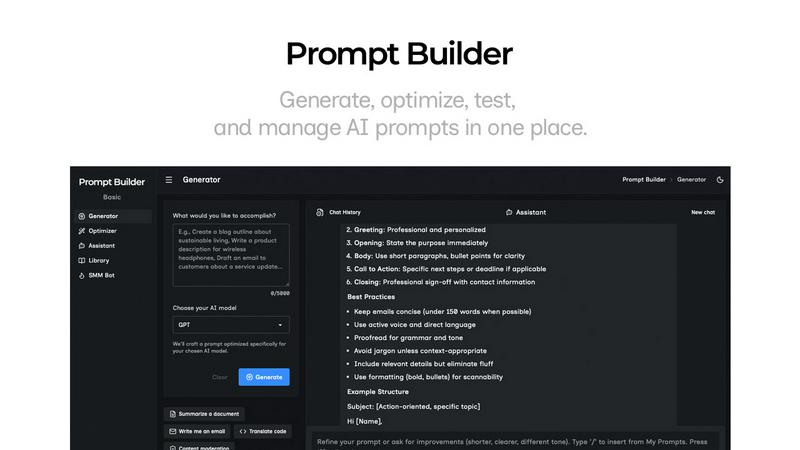
Prompt Builder is a prompt engineering workspace for writing, testing, and saving prompts. Describe the task in plain English, and it helps you create a prompt that matches the model you choose. Start with a draft, refine it in chat, save or pin versions, then run them when you are ready. It works with GPT, Claude, Gemini, Llama, Mistral, DeepSeek, Grok, Perplexity, and more. You also get an Optimizer, an assistant for quick tests, and a library of reusable prompts and templates from the community. Turn an idea into a ready-to-use prompt in seconds. Refine it in chat, save it to your Library, and run it anytime.