
Nani vs TrafficClaw
Side-by-side comparison to help you choose the right AI tool.

Nani organizes your AI image prompts and creations for a seamless, supercharged workflow.
Last updated: February 28, 2026

TrafficClaw
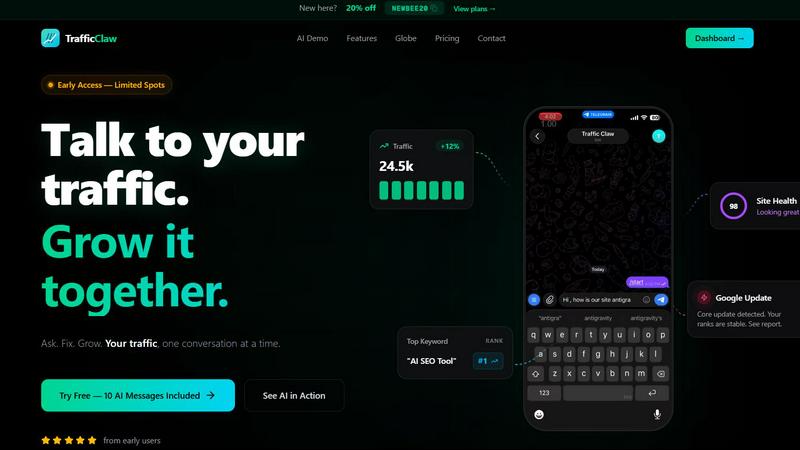
TrafficClaw transforms your SEO and analytics data into actionable insights, helping you grow your traffic with every conversation.
Last updated: April 13, 2026
Visual Comparison
Nani

TrafficClaw
Feature Comparison
Nani
Nano Banana Pro Engine
Experience rapid, high-fidelity image generation powered by Google's cutting-edge Nano Banana Pro (Gemini) technology. Simply type your prompt, choose your aspect ratio and resolution, and get stunning results in seconds. Every image is generated without any visible watermark, giving you clean, professional-grade assets ready for use in your projects, all from a streamlined mobile interface.
Reusable Prompt Sets
Stop retyping and reinvent your workflow with Sets. Group related images together and save their exact prompts as reusable templates. This is perfect for maintaining consistent characters, art styles, or project themes across multiple generations. Need to tweak a scene? Just open your Set, make a small adjustment, and generate again, keeping your creative vision perfectly intact without starting from scratch.
Intuitive Organization Tools
Keep your growing library perfectly tidy with powerful organization features designed for mobile. Create custom folders, filter your gallery to show only favorited images, and use bulk selection to manage or export multiple creations at once. These tools scale seamlessly with your output, ensuring you can always find yesterday's masterpiece in an instant, no matter how much you create.
Seamless Collaborative Workflow
Share and iterate on creations with effortless collaboration built into the app. Drag and drop images as visual references for new prompts, share any creation via a public link, and even let others recreate your work in their own account with your prompt sets. This turns Nani into a connected creative hub, perfect for team projects or sharing inspiration with a community.
TrafficClaw
AI Chat
The AI Chat feature allows users to engage with their analytics in natural language. Instead of sifting through complex data, you can ask straightforward questions and receive instant answers, charts, and actionable insights, enhancing your understanding of traffic trends and performance metrics.
SEO Intelligence
TrafficClaw’s SEO Intelligence feature equips users with valuable insights into keyword gaps, content decay alerts, and cannibalization detection. This tool ensures you stay ahead in the SEO game by identifying opportunities for optimization and helping you align your content strategy with search engine demands.
Analytics Dashboard
The Analytics Dashboard provides a comprehensive overview of your website's performance. Users can monitor real-time visitors, traffic trends, bounce rates, and conversion funnels all in one place. This feature simplifies the data analysis process, enabling users to make informed decisions quickly.
Site Audit
TrafficClaw’s Site Audit feature conducts deep page-level audits, assessing factors like performance scores and Core Web Vitals. It also offers auto-fix suggestions that help you enhance your site’s health and improve user experience, making it easier to maintain optimal performance.
Use Cases
Nani
Consistent Character Design
Illustrators and comic artists can use Nani's Sets to lock in the visual details of a character—like their face, clothing, and style—into a reusable prompt. This allows for generating the same character in countless different poses, actions, and environments, ensuring perfect consistency across an entire story or project without manual redrawing or prompt guesswork.
Brand Asset & Marketing Content Creation
Marketing teams and social media managers can maintain a cohesive brand aesthetic by creating Sets for their brand's color palette, tone, and style. Quickly generate a batch of on-brand images for a campaign, organize them into project-specific folders, and easily locate assets for different platforms, all while ensuring every visual aligns with brand guidelines.
Rapid Concept Ideation & Mood Boards
Designers and creative directors can use Nani for fast visual brainstorming. Generate multiple variations of a concept, favorite the best ones, and drag them together as references to explore new directions. This rapid iteration cycle is ideal for building mood boards, pitching ideas to clients, or overcoming creative block with instant visual feedback.
Structured Content Production
Bloggers, educators, and content creators who need regular visual assets can build a library of prompt Sets for different content types (e.g., blog headers, social posts, course illustrations). This system turns image generation into a repeatable, efficient task, allowing them to produce high-quality, themed visuals for each new piece of content in a fraction of the time.
TrafficClaw
Identifying Traffic Drops
When you notice a decline in website traffic, TrafficClaw allows you to quickly identify the root cause. By asking the AI the right questions, you receive data-backed insights that help you understand what went wrong and how to fix it.
SEO Optimizations
TrafficClaw is perfect for SEO professionals looking to optimize their content strategy. With features that detect keyword gaps and cannibalization issues, users can refine their approach to boost search engine rankings and improve overall visibility.
Content Creation
For content creators, TrafficClaw simplifies the content generation process. By utilizing AI-powered tools, users can generate blog ideas, optimize for keywords, and create internal linking strategies that enhance their overall content marketing efforts.
Performance Monitoring
Website owners can leverage TrafficClaw to monitor their site’s health continuously. With the Analytics Dashboard and Site Audit features, users can stay informed about their site's performance, ensuring they address issues proactively before they impact traffic.
Overview
About Nani
Nani is the ultimate mobile-first workflow companion for AI image generation, built for creators who need to produce consistently, not just occasionally. It transforms the often chaotic and repetitive process of prompting AI into a smooth, organized, and efficient creative pipeline. Powered by Google's advanced Nano Banana Pro (Gemini) model, Nani delivers high-quality, watermark-free images in seconds. But its real superpower is how it structures your work: by letting you save and reuse prompt sets, organize images into folders, and manage generations at scale. It's designed for artists, designers, marketers, and content creators who are tired of juggling multiple tabs, rewriting the same prompts, and losing track of their best creations. Nani gets the administrative hassle out of your way, so you can focus entirely on bringing your ideas to life, directly from your phone or tablet.
About TrafficClaw
TrafficClaw is an innovative AI-driven analytics tool designed to help website owners, marketers, and SEO professionals identify and resolve traffic issues efficiently. When your website experiences a drop in traffic, traditional tools like Google Analytics and Search Console often leave you searching for answers. TrafficClaw changes the game by allowing users to simply ask questions, such as "Why did my traffic drop?" The platform uses real data from your Google Analytics 4 and Search Console accounts to provide actionable insights tailored to your specific situation. With a user-friendly interface, TrafficClaw empowers individuals and teams to understand their site’s performance better, pinpoint issues like keyword cannibalization, and generate content that resonates with their audience, all while maintaining data privacy. This makes it an essential tool for anyone looking to enhance their online presence and drive growth.
Frequently Asked Questions
Nani FAQ
How do I get started with Nani?
Getting started is simple and free. Just sign up for an account—no credit card is required. You'll instantly receive 5 free credits to experiment with the platform. From there, you can start typing prompts, creating Sets, and organizing your images immediately. All features are unlocked from day one, so you can experience the full power of Nani's workflow from your very first session.
What is the pricing model?
Nani uses a simple, transparent credit-based system. You only pay for the images you generate, with no subscriptions or monthly commitments. Pricing starts at approximately 30 cents per image generation for 1K or 2K resolutions. You purchase credits as you need them, and they never expire. Web search for prompt context is included at no extra cost, and larger purchases come with bonus credits.
Can I use the generated images commercially?
Yes, you own the images you create with Nani. The platform is designed to produce professional, watermark-free assets that you are free to use in your personal and commercial projects. This includes marketing materials, product designs, published content, and more. Always ensure your prompts and usage comply with Nani's Terms of Service.
How does Nani handle collaboration and sharing?
Nani makes sharing and collaboration intuitive. You can share any generated image via a public link, allowing others to view it without needing an account. For deeper collaboration, you can let other Nani users recreate your work; they can generate new images using your exact prompt setup within their own account, making it perfect for team-based projects or creative partnerships.
TrafficClaw FAQ
How does TrafficClaw analyze my data?
TrafficClaw securely connects to your Google Analytics 4 and Search Console accounts to access your live data. The AI then analyzes this data to provide tailored insights and actionable recommendations specific to your site's performance.
Is my data safe with TrafficClaw?
Absolutely! TrafficClaw uses Google OAuth for secure authentication, ensuring that your data remains private and only accessible by you. You retain full control over your information at all times.
Can I use TrafficClaw for multiple websites?
Yes, TrafficClaw supports multiple properties and sites. You can connect various Google Analytics and Search Console accounts, allowing you to manage and analyze data for all your projects in one platform.
What if I have questions about how to use TrafficClaw?
TrafficClaw provides comprehensive support through tutorials and a dedicated help center. Additionally, you can ask the AI Analyst within the platform for guidance on specific functionalities and features.
Alternatives
Nani Alternatives
Nani is a specialized AI workflow tool designed to organize and streamline the process of AI image generation. It falls into the category of AI assistants, specifically helping creators manage prompts, reference images, and visual iterations efficiently. It's built for those who need consistency and speed in their creative projects. Users often explore alternatives for various reasons. Some may have specific budget constraints, while others might need features tailored to different platforms or operating systems. The search can also be driven by a desire for different AI models, unique collaboration tools, or a simpler interface that better matches their personal workflow. When evaluating other options, consider your core needs. Look for strong organizational capabilities, support for reusable assets, and a smooth iteration process. The ideal tool should reduce repetitive tasks, integrate well with your existing apps, and ultimately let you focus on creativity rather than administrative overhead.
TrafficClaw Alternatives
TrafficClaw is an innovative tool designed to enhance your SEO and analytics experience by allowing users to interact with their data through natural language queries. Positioned within the realms of AI Assistants, Analytics & Data, and SEO, it simplifies the often complex task of understanding traffic fluctuations by providing actionable insights based on your unique data. Users frequently seek alternatives to TrafficClaw for various reasons including pricing concerns, specific feature requirements, or compatibility with existing platforms. When evaluating alternatives, consider factors such as user-friendliness, the ability to integrate with your current systems, and the depth of insights provided to ensure that you find a solution that meets your needs effectively.