
Nanobananapro vs Prompt Builder
Side-by-side comparison to help you choose the right AI tool.

Nanobananapro
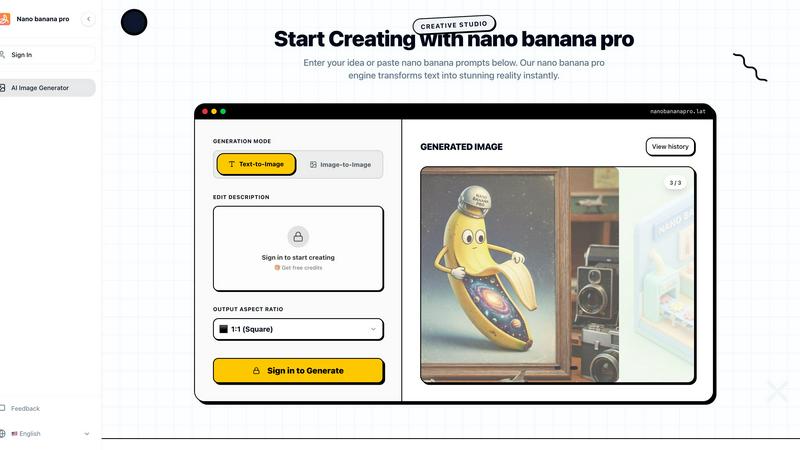
Nano Banana Pro transforms your ideas into stunning 4K AI images and edits for social graphics and manga in seconds.
Last updated: March 1, 2026

Prompt Builder
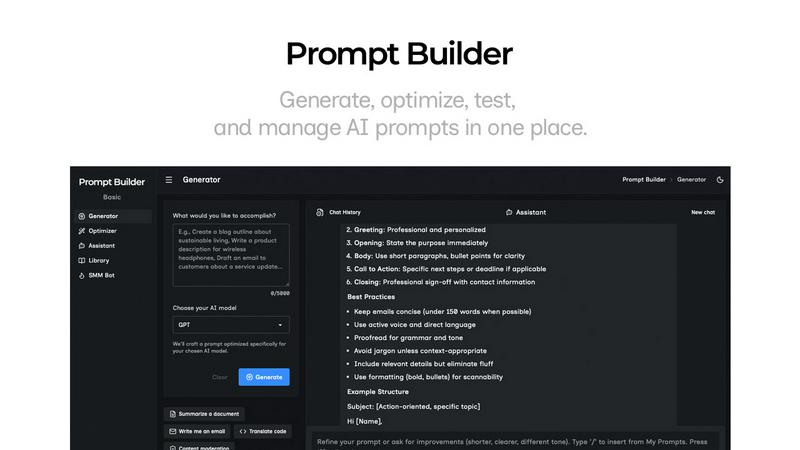
Generate, optimize, test, and manage AI prompts in one place. Turn an idea into a ready-to-use prompt in seconds.
Visual Comparison
Nanobananapro
Prompt Builder
Overview
About Nanobananapro
Nanobananapro is a state-of-the-art, web-based AI creative studio that empowers modern creators to produce stunning visuals with ease. Utilizing the advanced Nano Banana 2 technology, this platform transforms text descriptions and reference images into high-quality images instantly. Its mobile-first design and intuitive interface ensure that users—from digital artists to marketers—can access professional-grade image generation directly from their browsers without the need for complex software installations. With Nanobananapro, content creators can streamline their creative workflows, whether they are drafting concepts, restoring old photos, or crafting engaging social media posts. The platform's core value proposition lies in its ability to seamlessly blend advanced AI models with user-centric design, allowing anyone from novices to professionals to go from a rough idea to a polished 4K masterpiece in just seconds, all at an affordable price point.
About Prompt Builder
Prompt Builder is a prompt engineering workspace for writing, testing, and saving prompts. Describe the task in plain English, and it helps you create a prompt that matches the model you choose. Start with a draft, refine it in chat, save or pin versions, then run them when you are ready. It works with GPT, Claude, Gemini, Llama, Mistral, DeepSeek, Grok, Perplexity, and more. You also get an Optimizer, an assistant for quick tests, and a library of reusable prompts and templates from the community. Turn an idea into a ready-to-use prompt in seconds. Refine it in chat, save it to your Library, and run it anytime.