
CloneUI vs PUNKU.AI
Side-by-side comparison to help you choose the right AI tool.

CloneUI
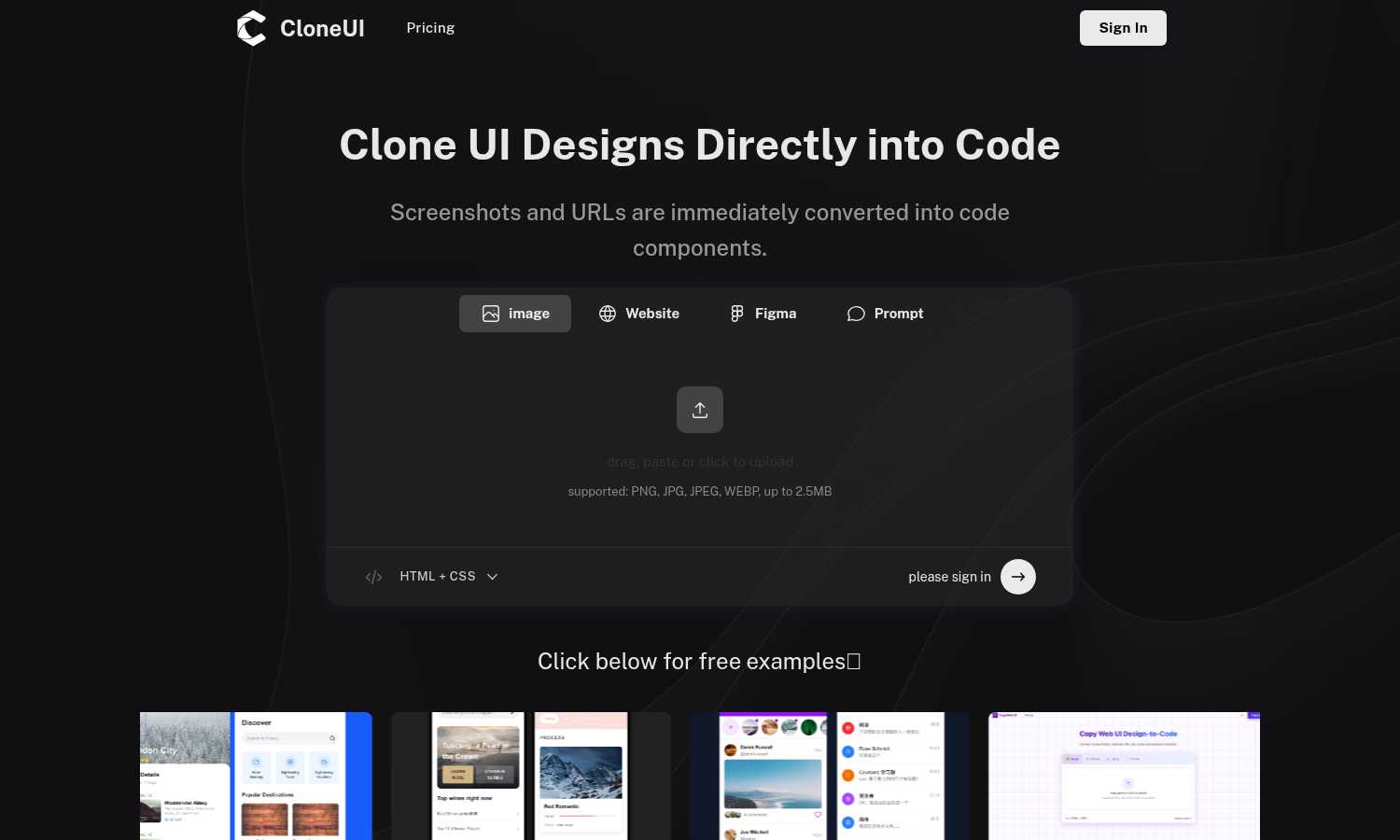
CloneUI effortlessly transforms screenshots and URLs into responsive, production-ready code for seamless web.
Last updated: March 1, 2026

PUNKU.AI
PUNKU.AI automates your tasks effortlessly; just describe your needs in plain English and watch it work seamlessly.
Last updated: February 28, 2026
Visual Comparison
CloneUI
PUNKU.AI

Feature Comparison
CloneUI
Convert Screenshots to Code
With CloneUI's screenshot-to-code feature, users can simply upload their design images and receive pixel-perfect, responsive code in seconds. This functionality eliminates the need for tedious manual coding, making the design-to-development transition seamless.
Clone from URL
By entering a website URL, users can effortlessly replicate entire website structures. This feature allows for quick and easy cloning of web pages, ensuring that the code generated is an accurate reflection of the original design.
Convert Figma Designs to Code
CloneUI supports one-click conversion of Figma designs into clean code, making it an ideal choice for designers who want to streamline their workflow. This feature ensures that designs created in Figma are translated accurately into HTML, CSS, or JavaScript components.
Intelligent Component Recognition
Utilizing AI-powered technology, CloneUI automatically identifies and maps UI components within designs. This intelligent recognition ensures that the generated code is organized and adheres to best practices in coding, enhancing the overall quality of the output.
PUNKU.AI
Conversational Automation Design
Users can describe their automation needs in plain English, allowing PUNKU.AI to understand and build the required workflows without any coding. This conversational approach makes it accessible for everyone, regardless of technical knowledge.
Extensive API Integrations
PUNKU.AI integrates with over 3,000 APIs, enabling users to connect their favorite tools and applications. This seamless integration streamlines workflows and ensures that all systems work together efficiently without manual intervention.
Real-Time Monitoring and Error Detection
The platform provides real-time monitoring of workflows, ensuring that any errors are detected promptly. With proactive alerts and suggestions for improvement based on key performance indicators, users can maintain optimal operational efficiency.
Pre-Built Templates for Quick Start
PUNKU.AI offers a library of over 100 expert-designed templates, allowing users to start automating tasks immediately. These templates can be customized to meet specific business needs, saving time and effort in the setup process.
Use Cases
CloneUI
Rapid Prototyping
Developers can use CloneUI to quickly turn design concepts into functional prototypes. This allows for faster iterations in the design process, enabling teams to test and validate ideas before committing to full development.
E-commerce Site Development
CloneUI is perfect for e-commerce developers who need to replicate existing website designs for new projects. By cloning from screenshots or URLs, they can save time and resources, ensuring their online stores are visually appealing and functional.
Freelance Projects
Freelancers can leverage CloneUI to enhance their service offerings by delivering production-ready code to clients quickly. This not only increases their efficiency but also improves client satisfaction through faster turnaround times.
Educational Use
CloneUI serves as an excellent educational tool for coding students and new developers. By allowing them to convert designs into code, they can learn best practices and understand how design elements translate into functional web components.
PUNKU.AI
Customer Service Automation
Businesses can create a customer service chatbot that operates 24/7, handling common inquiries and freeing up human agents for more complex issues. This leads to improved customer satisfaction and operational efficiency.
Automated Lead Generation
PUNKU.AI can be used to automate lead generation processes, capturing and qualifying leads without manual effort. This feature helps sales teams focus on closing deals rather than spending time on data entry.
Meeting and Appointment Management
Users can automate scheduling tasks by connecting PUNKU.AI to their calendar applications. This includes sending confirmation emails, updating calendars, and notifying team members about appointments, significantly reducing administrative workload.
Social Media Management
With PUNKU.AI, users can automate their social media scheduling, ensuring consistent posting and engagement. This feature allows businesses to maintain an active online presence without dedicating excessive time to content management.
Overview
About CloneUI
CloneUI is an advanced AI-driven tool that revolutionizes the way developers and designers convert website designs into production-ready code. With its intuitive interface, CloneUI allows users to upload screenshots or enter URLs, instantly generating clean and responsive HTML, CSS, React, or Vue components. This powerful tool is designed for professionals and novices alike, streamlining the workflow by automating the time-consuming task of manual coding. By utilizing CloneUI, users can focus on their core creative processes and project execution, rather than getting bogged down in the minutiae of coding. The main value proposition of CloneUI lies in its ability to produce high-quality output that meets industry standards while significantly reducing development time. Whether you're a freelance developer, a design team, or a startup looking to speed up your web development process, CloneUI is your go-to solution for transforming designs into functional code with remarkable ease and efficiency.
About PUNKU.AI
PUNKU.AI is a groundbreaking automation tool that empowers users to effortlessly create and manage AI-driven workflows without any coding expertise. Designed for a wide audience ranging from small business owners to large enterprises, PUNKU.AI simplifies operations by eliminating repetitive tasks and streamlining processes. The platform sets itself apart from traditional automation solutions by offering a user-friendly interface where users can articulate their automation needs in plain English. By engaging users in a conversational manner, PUNKU.AI acts like a senior engineer to gather requirements and identify edge cases before crafting the automation. With seamless integration capabilities for over 3,000 APIs, users can easily connect their existing tools and applications. Additionally, PUNKU.AI’s features include real-time monitoring, error detection, and performance improvement suggestions based on key performance indicators, ensuring workflows run smoothly and effectively. This means businesses can focus on their core activities while PUNKU.AI handles the operational details.
Frequently Asked Questions
CloneUI FAQ
Which input formats are compatible with CloneUI?
CloneUI supports various image formats for uploads, including PNG, JPG, JPEG, and WEBP, with a maximum file size of 2.5MB. This ensures flexibility for users when uploading their design screenshots.
How is the code generated?
The code is generated using advanced AI algorithms that analyze the uploaded designs or URLs. CloneUI interprets the visual elements and converts them into clean, responsive code, ready for production use.
Supported frameworks?
CloneUI allows users to export their code in multiple frameworks, including React, Vue, and plain HTML/CSS. This flexibility makes it easier for developers to integrate the output into their preferred tech stack.
Is the generated code customizable?
Yes, the generated code can be customized further to meet specific project requirements. Users can edit the output to align with their design vision or functionality needs, ensuring maximum adaptability.
PUNKU.AI FAQ
What makes PUNKU.AI different from other AI platforms?
PUNKU.AI stands out with its user-friendly, conversational interface that allows users to articulate their automation needs in plain English. Unlike other platforms that require technical expertise or complex configurations, PUNKU.AI simplifies the process to make automation accessible for everyone.
Do I need technical knowledge to use PUNKU.AI?
No, you do not need any technical knowledge to use PUNKU.AI. The platform is designed for non-technical users, allowing you to describe automation tasks in plain English while PUNKU.AI handles the technical setup for you.
How long does it take to get started?
Getting started with PUNKU.AI is quick and straightforward. Users can set up their automation workflows in just a few minutes, allowing them to begin reaping the benefits of automation almost immediately.
How secure is my data on PUNKU.AI?
PUNKU.AI prioritizes data security and implements robust measures to protect user information. The platform complies with industry standards to ensure that your data remains secure and confidential during all automation processes.
Alternatives
CloneUI Alternatives
CloneUI is an innovative AI-driven tool designed to convert screenshots and URLs into responsive, production-ready code, making it an essential resource in the design tools and development categories. Users often seek alternatives to CloneUI due to factors like pricing, feature sets, platform compatibility, or personal preferences regarding user experience. The choice of an alternative should focus on functionality that aligns with specific project needs, ease of integration with existing workflows, and the quality of code output. When exploring alternatives, consider the range of features offered, such as conversion accuracy, support for various design tools, and the ability to generate clean, maintainable code. Additionally, evaluate the user interface and ease of use, as well as customer support options, to ensure that the chosen solution meets your requirements effectively.
PUNKU.AI Alternatives
PUNKU.AI is an innovative automation tool that falls under the no-code and low-code category, designed to simplify the creation and management of AI-driven workflows. It allows users to convey their automation needs in plain English, eliminating the complexities of traditional automation platforms. Users commonly seek alternatives to PUNKU.AI for various reasons, including pricing structures, specific feature sets, or compatibility with existing platforms. When choosing an alternative, it is essential to consider factors like user experience, the extent of API integrations, ease of use, and the ability to tailor workflows to meet unique business requirements. --- [{"question": "What is PUNKU.AI?", "answer": "PUNKU.AI is an automation tool that enables users to create and manage AI-driven workflows by expressing their needs in plain English."}, {"question": "Who is PUNKU.AI for?", "answer": "PUNKU.AI is designed for a diverse range of users, including small business owners and larger enterprises looking to streamline operations and eliminate repetitive tasks."}, {"question": "Is PUNKU.AI free?", "answer": "The pricing details for PUNKU.AI vary based on usage and features, and users should check the official website for the most current information."}, {"question": "What are the main features of PUNKU.AI?", "answer": "Key features of PUNKU.AI include conversational requirement gathering, visual workflow graphs, extensive API integrations, and proactive error monitoring."}]