
Nano Banana vs Sketch To
Side-by-side comparison to help you choose the right AI tool.

Nano Banana
Transform your ideas into stunning images effortlessly with Nano Banana's chat-driven AI editing tools, now at 50% off for a limited time.
Last updated: March 19, 2026
Sketch To
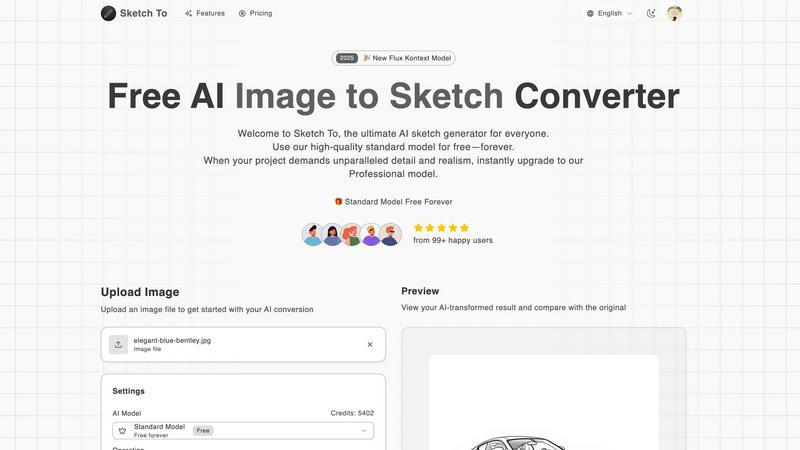
Sketch To instantly transforms your photos into AI sketches and sketches back into images.
Last updated: February 28, 2026
Visual Comparison
Nano Banana

Sketch To
Feature Comparison
Nano Banana
AI-Powered Image Generation
Utilizing sophisticated algorithms, Nano Banana allows users to create stunning images from text descriptions. This feature transforms creative ideas into visual representations effortlessly, making it ideal for those without extensive design experience.
AI Image Upscaler
Enhance image resolution with AI-powered upscaling that preserves quality while increasing size. Users can upscale images, improving clarity and detail, which is essential for professional-grade outputs and high-quality prints.
Background Remover
Instantly eliminate unwanted backgrounds from images using Nano Banana's AI Background Remover. This feature is perfect for creating clean, professional images suitable for marketing materials, social media posts, or personal projects.
Nano Banana Pro Model
The advanced Nano Banana Pro model offers superior capabilities, including consistent character editing and 4K ultra-resolution output. This model is tailored for users who require high-quality graphics for commercial use, ensuring every detail is crisp and professional.
Sketch To
Dual-Direction AI Conversion
Sketch To's core power lies in its two-way conversion engine. Not only can you transform any uploaded photo into a variety of artistic sketches, but you can also take a simple line drawing or sketch and use AI to generate a fully realized, photorealistic image from it. This unique functionality serves as both a fantastic artistic filter and a powerful ideation tool, bridging the gap between initial concept and final visual.
Mobile-First, Web-Based Platform
Access powerful AI conversion without ever downloading an app. Sketch To is built for the modern creator, offering a fully responsive, browser-based experience that works flawlessly on smartphones, tablets, and desktops. This eliminates software installation hurdles and device compatibility issues, putting professional-grade artistic tools directly in your pocket for creativity on the go.
Tiered AI Model System (Standard & Pro)
The platform caters to every need with its two-tier model system. The Standard Model is a powerful, free-to-use option perfect for social media content, hobbies, and personal projects. For projects demanding the highest fidelity, the Professional Model unlocks superior detail, texture, and realism, making it suitable for commercial work and professional portfolios, all managed through a simple credit system.
Extensive Artistic Style Library
Go beyond a simple pencil filter. Sketch To offers a wide array of pre-configured artistic styles to choose from, including Pencil Sketch, Charcoal, Ink, Colored Pencil, Comic, Concept Art, and Watercolor simulations. This allows users to match the output to their specific creative vision, whether they're aiming for a classic drawing look or a specific illustrative aesthetic.
Use Cases
Nano Banana
Quick Marketing Mockups
Marketers can utilize Nano Banana to create visually appealing mockups for campaigns in minutes. The platform's ease of use allows for rapid iterations, enabling teams to focus on strategy rather than design intricacies.
Unique Blog Graphics
Content creators can generate eye-catching graphics tailored to their blog themes. By entering descriptive text prompts, users can produce unique visuals that enhance blog posts and engage readers effectively.
Design Inspiration
Designers looking for fresh ideas can leverage Nano Banana's AI capabilities to generate inspiration. The platform can create a variety of styles and compositions, serving as a creative springboard for new projects.
Photo Enhancement
Casual users wanting to improve personal photos can easily utilize the editing features of Nano Banana. From enhancing colors to removing backgrounds, anyone can elevate their photography skills without needing advanced software knowledge.
Sketch To
Social Media Content Enhancement
Creators and influencers can instantly generate eye-catching, artistic versions of their photos for Instagram, TikTok, or Pinterest. Transforming a standard portrait or landscape into a pencil sketch or digital art piece adds a unique, engaging aesthetic that helps content stand out in a crowded feed, all done quickly from a phone.
Professional Concept Art & Storyboarding
Artists and designers can rapidly visualize concepts. By starting with a rough sketch and using the 'Sketch to Image' Pro model, they can generate detailed, realistic mock-ups to present ideas to clients or teams. Conversely, turning reference photos into clean figure or concept sketches aids in the initial drafting and storyboarding process.
Educational & Hobbyist Projects
Students and hobbyists can explore art and design without needing advanced drawing skills. The tool is perfect for school art projects, creating custom illustrations for personal blogs, or simply experimenting with different artistic styles on personal photographs, fostering creativity in a fun, accessible way.
Commercial Design & Marketing Assets
Marketing professionals and small businesses can create unique branded assets. Convert product photos into sketch-style illustrations for website banners, promotional materials, or merchandise. The high-resolution output from the Pro model ensures the quality is suitable for print and professional digital campaigns.
Overview
About Nano Banana
Nano Banana is an innovative, AI-driven platform designed to simplify the complexities of image creation and editing for everyone. By allowing users to generate and modify images using simple text prompts, it democratizes access to professional-grade visual design. This tool caters to a wide audience, from marketers needing quick ad mockups to content creators seeking unique graphics, designers in search of inspiration, or casual users wanting to enhance their personal photos. Nano Banana's main value proposition lies in its speed and simplicity; users can articulate their creative vision in natural language, and the AI efficiently executes the technical details. With features such as background replacement, lighting adjustments, and complete scene generation, Nano Banana ensures that high-quality visual content is just a few clicks away. The advanced model, Nano Banana Pro, enhances capabilities with consistent character editing, 4K ultra-resolution output, and precise text generation. Additionally, specialized tools like the AI Image Upscaler and Background Remover create a comprehensive creative suite, making Nano Banana an indispensable asset for both casual and professional projects.
About Sketch To
Sketch To is a revolutionary, web-based AI creative suite designed to transform your artistic workflow instantly, right from your mobile device or computer browser. It breaks down the barrier between photography and hand-drawn art with its powerful dual functionality. You can effortlessly convert any photo into a stunning, detailed sketch in styles ranging from pencil and charcoal to watercolor. Uniquely, you can also perform the reverse, breathing life into a simple sketch by transforming it into a photorealistic image with incredible detail. Built with a mobile-first philosophy, the platform requires no software installation, offering a seamless, app-like experience accessible anywhere. It empowers a vast community, from social media hobbyists and students to professional artists and commercial designers. At its core, Sketch To democratizes advanced AI artistry by offering a robust, always-free Standard Model to get started, complemented by a premium Professional Model that delivers world-class realism for critical projects. With instant processing, trial credits for new users, and a flexible credit system, Sketch To makes high-end creative transformation accessible to everyone.
Frequently Asked Questions
Nano Banana FAQ
How does Nano Banana generate images from text prompts?
Nano Banana employs advanced AI algorithms that interpret natural language descriptions to create images. Users simply describe their vision, and the AI translates that into visual content.
Can I use Nano Banana for commercial projects?
Yes, Nano Banana is designed for both casual and professional use. The Pro model offers features suitable for commercial projects, including high-resolution outputs and consistent character editing.
What are the benefits of using the AI Image Upscaler?
The AI Image Upscaler enhances the resolution of images while maintaining clarity and detail. This feature is particularly useful for preparing images for print or high-quality presentations.
Is there a free trial available for Nano Banana?
Yes, users can sign up for a free trial that provides 20 credits to explore Nano Banana's features and capabilities, including the advanced Pro model, without needing a credit card.
Sketch To FAQ
Is Sketch To really free to use?
Yes, Sketch To offers a powerful always-free Standard Model. New users receive trial credits to explore the platform's capabilities immediately. Ongoing use of the Standard Model operates on a credit system, with options to earn or purchase credits. For the highest quality Professional Model, credits are required, which can be purchased via various plans.
What image formats and sizes does Sketch To support?
You can upload common image file formats to get started. The platform specifies a maximum file size of 5MB for uploads. For output, Sketch To provides high-resolution downloads suitable for both digital use and print, ensuring your creations maintain quality whether for social media or professional portfolios.
How does the 'Sketch to Image' feature work?
This feature uses advanced generative AI models. You upload a sketch or line drawing, and the AI intelligently interprets the lines, shapes, and implied forms to create a detailed, textured, and photorealistic image. For the best results, using the Professional Model is recommended as it provides world-class detail and accuracy.
What is the difference between the Standard and Pro model?
The Standard Model is optimized for speed and accessibility, delivering great results for everyday creativity. The Professional Model uses more advanced, computationally intensive AI to achieve significantly higher levels of detail, texture, lighting accuracy, and realism, making it the choice for commercial work and projects where quality is paramount.
Alternatives
Nano Banana Alternatives
Nano Banana is an innovative AI-driven platform designed for image creation and editing. It simplifies the complex world of visual design by allowing users to generate and modify images through intuitive text prompts. As a versatile tool in the image and photo category, Nano Banana caters to a wide range of users, from marketers and content creators to designers and casual users. Users often seek alternatives to Nano Banana for various reasons, including pricing, additional features, and compatibility with different platforms. When exploring alternatives, it’s essential to consider factors such as ease of use, the range of features offered, and the overall user experience. Finding a solution that meets your specific needs while providing the necessary tools for image creation and editing can enhance your creative process.
Sketch To Alternatives
Sketch To is a web-based AI tool in the image and photo category that instantly transforms photos into sketches and sketches into realistic images. It's designed for mobile and desktop browsers, making creative AI art accessible without downloads. Users often explore alternatives for various reasons. Some may need different pricing structures, specific artistic styles not offered, or a tool integrated into a larger creative suite. Others might prioritize offline functionality or have unique workflow requirements that demand a different feature set. When choosing an alternative, consider your primary goal. Look at the quality and style of the AI output, the cost and subscription model, and whether the platform fits your device preference, like a dedicated mobile app versus a web tool. Ease of use and the ability to handle your specific creative projects are key.