
QuoteCraft AI vs SupaSidebar
Side-by-side comparison to help you choose the right AI tool.

QuoteCraft AI
QuoteCraft AI generates winning project proposals in seconds, ensuring clarity and competitive pricing for freelancers.
Last updated: March 4, 2026

SupaSidebar
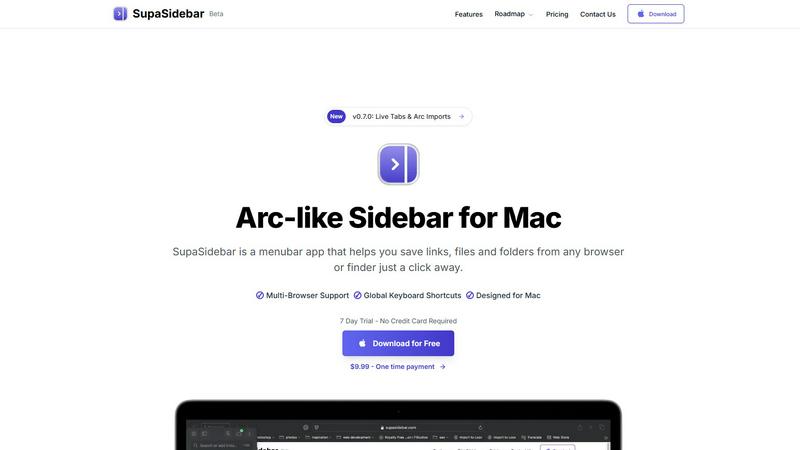
SupaSidebar is your all-in-one Mac sidebar for quickly saving and accessing links, files, and folders with ease.
Last updated: February 28, 2026
Visual Comparison
QuoteCraft AI

SupaSidebar
Feature Comparison
QuoteCraft AI
Voice-to-Proposal
This innovative feature allows users to describe their project verbally, which is then transcribed into a professional proposal in mere seconds. After a meeting with a client, simply record your summary, and the proposal is ready almost instantly, making it perfect for fast-paced workflows.
Interactive Proposals
With interactive proposals, clients can customize their selections by toggling line items on or off. The pricing updates in real time, offering clients flexibility and reducing the likelihood of proposal rejections, ultimately leading to a smoother negotiation process.
Smart Follow-Ups
QuoteCraft AI includes an automated follow-up system that gently reminds clients who have yet to view the proposal. Users can schedule follow-ups at intervals of their choosing—3, 5, or 7 days—ensuring they remain engaged without being pushy.
E-Signatures
To streamline the closing process, proposals sent via QuoteCraft AI come equipped with legally binding e-signature capabilities. Each signature is recorded with an IP address and timestamp, providing legal protection and facilitating trust between parties.
SupaSidebar
Universal Command Center
SupaSidebar acts as a universal command center in your menubar, providing easy access to links, files, and folders across all your applications. You can quickly save or copy URLs with just a few keyboard shortcuts, streamlining your workflow and reducing time spent switching between apps.
Recent Activity Tracking
With the Recents feature, SupaSidebar tracks every website you have visited in the last 48 hours. This allows you to find your work instantly, ensuring that you never lose track of important information, making research and browsing much more efficient.
Fast Search Functionality
SupaSidebar includes a powerful search capability that lets you locate any file, folder, website, or app at lightning speed. By pressing CMD + CTRL + K and typing in your query, you can quickly access whatever you need, eliminating the hassle of digging through multiple tabs or applications.
Customizable Spaces
Organize your digital workspace exactly how you want it with SupaSidebar's customizable spaces. You can have unlimited spaces in the Pro version, allowing for tailored organization that fits your unique workflow needs. This feature is perfect for users juggling different projects and tasks.
Use Cases
QuoteCraft AI
Freelance Web Design
Freelance web designers can utilize QuoteCraft AI to craft visually appealing and detailed proposals that outline design concepts, timelines, and pricing effectively, making it easier to win over clients.
Marketing Agency Proposals
Marketing agencies can leverage this tool to generate comprehensive marketing proposals that include targeted strategies, deliverables, and pricing, enhancing their chances of securing new clients and projects.
Creative Studio Projects
Creative studios can benefit from the voice-to-proposal feature, allowing team members to quickly compile project details and generate proposals after brainstorming sessions, ensuring they capitalize on spontaneous ideas.
Consulting Firm Engagements
Consulting firms can use QuoteCraft AI to produce tailored proposals that reflect their clients' unique needs, incorporating past project data and insights to make their offerings more compelling and relevant.
SupaSidebar
Efficient Research
For researchers, SupaSidebar serves as a centralized hub for gathering links, articles, and resources. The ability to quickly save URLs and access recent activity means that compiling information for papers or projects becomes a seamless process.
Creative Projects
Creators can utilize SupaSidebar to keep essential links, files, and inspiration at their fingertips. By pinning favorite resources and accessing them via keyboard shortcuts, they can maintain uninterrupted creative flow without constantly switching applications.
Student Workflow
Students benefit from SupaSidebar by organizing their study materials, assignments, and research. The Recents feature allows them to revisit previously accessed resources quickly, enhancing their learning experience and keeping them focused on their studies.
Professional Task Management
Professionals juggling multiple projects can use SupaSidebar to manage their tasks efficiently. By centralizing links, files, and recent activity, they can easily switch between different responsibilities, boosting their productivity without the frustration of scattered resources.
Overview
About QuoteCraft AI
QuoteCraft AI is a cutting-edge tool tailored specifically for freelancers seeking to create professional proposals quickly and efficiently. Leveraging advanced artificial intelligence, it transforms the traditionally labor-intensive proposal process into a swift experience. Users can either describe their project verbally or select from a variety of starter templates, making it accessible for professionals in diverse fields such as web design, marketing, creative studios, and consulting firms. By addressing common challenges like unclear project scopes and ineffective pricing strategies, QuoteCraft AI enhances the proposal quality and increases the likelihood of securing deals. Its unique features, including voice-to-proposal capabilities and a Context Engine that learns from user feedback, position it as an essential asset for freelancers looking to elevate their proposal game. With free access available during its beta phase, QuoteCraft AI invites early adopters to explore its functionalities at no cost, ensuring they are equipped to win more business.
About SupaSidebar
SupaSidebar is a beautifully crafted, native macOS application designed to enhance your productivity by bringing the powerful, organized, and flow-centric experience of the Arc browser's sidebar to your entire Mac. It serves as a universal command center that resides in your menubar, providing instant, keyboard-driven access to everything you need, including links, files, and folders. Whether you are a researcher, creator, student, or a professional managing multiple projects, SupaSidebar helps you break free from the silos of apps and browsers. Its main value proposition lies in keeping your digital workspace organized and your focus intact. With seamless integration across all major browsers like Safari, Chrome, Arc, Firefox, and Brave, as well as Finder, SupaSidebar allows users to save, search, and open items from anywhere using simple global shortcuts. Everything remains on your Mac, ensuring privacy and speed, while centralizing your tabs, recent history, and pinned items for a smoother workflow.
Frequently Asked Questions
QuoteCraft AI FAQ
How does the AI generate proposals?
The AI analyzes the project details provided by the user, utilizing templates and learned data from previous proposals to create a comprehensive document that includes scope, pricing, and timelines.
Will my proposals look generic?
No, QuoteCraft AI’s Context Engine learns your unique writing style and preferences, ensuring that each generated proposal reflects your voice and does not appear generic.
Can I edit proposals after generation?
Absolutely! Users can customize and edit their proposals after they are generated, allowing for personalization and refinement before sending them to clients.
Is my data secure?
Yes, QuoteCraft AI prioritizes user data security. The platform employs advanced encryption methods to protect your information and ensure that all proposals and client interactions remain confidential.
SupaSidebar FAQ
Is SupaSidebar a browser extension?
No, SupaSidebar is a standalone menubar application designed specifically for macOS. It integrates with all major browsers and Finder but does not function as a browser extension.
Which browsers does SupaSidebar work with?
SupaSidebar is compatible with all major browsers, including Safari, Chrome, Firefox, Arc, and Brave. This ensures that users can access their resources regardless of their preferred browsing platform.
What macOS version do I need?
SupaSidebar requires macOS 13 or later to function properly. This ensures compatibility with the latest features and security updates offered by Apple.
Where is my data stored?
All data remains on your Mac with SupaSidebar. This means you retain full control over your information, ensuring both privacy and speed in accessing your resources.
Alternatives
QuoteCraft AI Alternatives
QuoteCraft AI is a cutting-edge tool designed specifically for freelancers, helping them create professional proposals quickly and efficiently. By leveraging advanced artificial intelligence, it streamlines the proposal process, making it easy to define project scope and establish competitive pricing. As a part of the Business & Finance and Productivity & Management categories, QuoteCraft AI addresses common challenges faced by freelancers, including unclear project details and ineffective pricing strategies. Users often seek alternatives to QuoteCraft AI for various reasons, such as exploring different pricing structures, seeking specific features, or needing compatibility with their existing platforms. When searching for an alternative, it's essential to consider factors like ease of use, customization options, scalability, and customer support to ensure the chosen tool meets their unique needs and enhances their proposal development process.
SupaSidebar Alternatives
SupaSidebar is a powerful productivity application designed specifically for macOS, functioning as a universal sidebar to help users organize and access links, files, and folders effortlessly. It falls under the productivity and management category, catering to individuals who require a streamlined workflow across various applications and browsers. Users often seek alternatives to SupaSidebar due to factors such as pricing, specific feature requirements, or compatibility with different platforms. When considering alternatives, it’s essential to evaluate the ease of use, integration capabilities with existing tools, and the ability to enhance your workflow without causing disruption. Look for applications that offer similar functionalities, such as quick access to multiple resources, a user-friendly interface, and robust performance.