
qtrl.ai vs Updaytr
Side-by-side comparison to help you choose the right AI tool.

qtrl.ai
qtrl.ai empowers QA teams to scale testing with AI while maintaining control, governance, and seamless integration.
Last updated: March 4, 2026
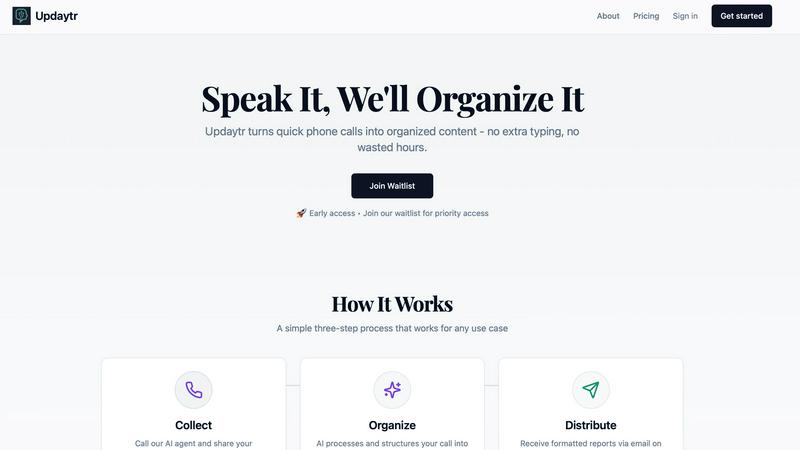
Updaytr turns team phone updates into organized AI reports, eliminating status meetings.
Last updated: March 1, 2026
Visual Comparison
qtrl.ai

Updaytr
Feature Comparison
qtrl.ai
Autonomous QA Agents
qtrl.ai's Autonomous QA Agents execute instructions on demand or continuously across various environments. They adhere to user-defined rules to ensure compliance and reliability, running real browser executions rather than simulations.
Enterprise-Grade Test Management
With centralized management of test cases, plans, and runs, qtrl.ai offers full traceability and audit trails. This feature supports both manual and automated workflows, ensuring that compliance and auditability are built-in, which is crucial for enterprise environments.
Progressive Automation
Begin with human-written test instructions and transition to AI-generated tests as your team becomes more comfortable. qtrl.ai intelligently suggests new tests based on coverage gaps, allowing teams to review, approve, and refine tests at every phase of development.
Adaptive Memory
qtrl.ai builds a living knowledge base of your application, learning from test executions and issues. This adaptive memory enhances context-aware test generation, becoming more effective with each interaction, which significantly improves overall testing efficiency.
Updaytr
Voice-First Update Collection
Team members share updates through a natural, intuitive phone call—no apps to download, no forms to fill out. They simply dial a dedicated number, speak to an AI agent, and relay their information in their own words. This mobile-centric design respects the workflow of field personnel, allowing them to report in seconds from anywhere, even in areas with limited data connectivity, using the most universal tool they have: their phone.
AI-Powered Report Organization & Structuring
The AI doesn't just transcribe; it intelligently structures the raw audio. It automatically tags updates by relevant categories like project name, client, or team member. It identifies key details, filters out filler words, and formats the information into a coherent, professional summary. This smart organization turns scattered voice notes into actionable, well-organized content ready for distribution.
Automated, Scheduled Report Distribution
Managers and stakeholders receive beautifully consolidated reports directly in their inbox without lifting a finger. You control the schedule—whether you need daily digests, weekly summaries, or real-time alerts. Updaytr ensures the right people get the right information at the perfect time, replacing constant check-in calls and messy email threads with streamlined, automated delivery.
Context-Aware Conversation Tracking
Updaytr maintains the thread of conversations across multiple calls. The AI recognizes returning callers and can reference previous updates, ensuring continuity in reporting. This creates a living log of project progress or client interactions, providing valuable context that makes each new update more meaningful and informative for report recipients.
Use Cases
qtrl.ai
Product-Led Engineering Teams
For product-led engineering teams, qtrl.ai streamlines the QA process by integrating test management and automation into one cohesive platform. This allows teams to focus on delivering high-quality features without sacrificing speed.
QA Teams Scaling Beyond Manual Testing
QA teams transitioning from manual testing can leverage qtrl.ai to automate their workflows progressively. This enables them to maintain oversight while reducing the time spent on repetitive tasks, leading to better resource allocation.
Companies Modernizing Legacy QA Workflows
Organizations modernizing their QA workflows can benefit from qtrl.ai's structured approach to test management and automation. This facilitates smoother transitions from outdated practices to modern, efficient QA strategies that enhance product quality.
Enterprises Requiring Governance and Traceability
Enterprises with strict compliance requirements will find qtrl.ai's full traceability and audit trails invaluable. The platform is designed to meet governance needs, ensuring that every testing phase is documented and compliant with industry standards.
Updaytr
Construction & Field Project Management
Foremen and field supervisors call in with daily progress reports, safety notes, and material requests. Updaytr organizes these by job site and project, automatically sending a formatted end-of-day report to the project manager and office, ensuring everyone is aligned without disruptive site meetings.
Sales & Client Service Reporting
Outside sales representatives and insurance adjusters can instantly report on client visits, deal progress, or inspection findings immediately after an appointment. The AI structures updates by client name and opportunity stage, keeping sales managers and service coordinators informed with fresh, actionable intelligence.
Service Technician & Maintenance Updates
HVAC technicians, plumbers, and field service crews report job completions, parts used, and customer feedback via a quick call from the van. Updaytr routes these updates, creating instant service tickets and customer follow-up notes, streamlining operations and improving customer communication.
Personal Productivity & Journaling
Individuals use Updaytr as a hands-free journaling and tracking tool. Whether logging daily accomplishments, tracking personal goals, or capturing ideas on a commute, users call in their thoughts. The AI organizes these entries into searchable, dated notes, creating a personal log without the hassle of typing.
Overview
About qtrl.ai
qtrl.ai is an innovative quality assurance (QA) platform that empowers software teams to elevate their QA processes without compromising on control or governance. By merging robust test management capabilities with advanced AI automation, qtrl.ai serves as a centralized hub for organizing test cases, planning test runs, tracing requirements to coverage, and monitoring quality metrics through intuitive real-time dashboards. This comprehensive structure provides engineering leads and QA managers with clear insights into testing progress, pass rates, and potential risks. What sets qtrl.ai apart is its progressive AI layer, allowing teams to gradually implement intelligent automation. Starting with manual test management, teams can evolve to leverage autonomous agents that generate UI tests from simple English descriptions, adapt to application changes, and execute tests across various browsers and environments. This flexibility makes qtrl.ai ideal for product-driven engineering teams, QA departments moving past manual testing, organizations modernizing their legacy workflows, and enterprises with stringent compliance needs. Ultimately, qtrl.ai bridges the divide between the slow nature of manual testing and the complexities of traditional automation, providing a reliable pathway toward faster and more intelligent quality assurance.
About Updaytr
Updaytr is the AI-powered communication hub that transforms how teams share updates, eliminating the friction of status meetings and manual reporting. Designed for on-the-go professionals, it leverages the simplicity of a phone call to capture real-time information from the field. Users simply call a dedicated number to verbally share their progress, and Updaytr's intelligent AI takes over—transcribing, organizing, and formatting those updates into clear, professional reports delivered automatically to managers and stakeholders. It’s built for industries like construction, field services, sales, and logistics, where teams are mobile and time is critical. The core value proposition is profound: keep your team focused on their core work, not on paperwork. By making content creation as effortless as having a conversation, Updaytr ensures timely information flow, maintains context over multiple interactions, and enhances overall productivity without requiring anyone to download an app or type a single word.
Frequently Asked Questions
qtrl.ai FAQ
What makes qtrl.ai different from traditional QA tools?
qtrl.ai uniquely combines enterprise-grade test management with progressive AI automation, allowing teams to scale their QA efforts without losing control. Unlike traditional tools, qtrl.ai enables incremental adoption of automation.
Can qtrl.ai integrate with existing tools?
Yes, qtrl.ai is built to support existing workflows and can integrate with various tools in your CI/CD pipeline. This ensures a seamless transition and enhances the overall efficiency of your QA processes.
How does adaptive memory work in qtrl.ai?
Adaptive memory in qtrl.ai accumulates knowledge from your application through test executions and issues. This ongoing learning process powers smarter, context-aware test generation, making the platform increasingly effective over time.
Is qtrl.ai suitable for teams with strict compliance needs?
Absolutely. qtrl.ai is designed with governance in mind, offering full traceability and audit trails essential for enterprises that require strict compliance and oversight in their QA processes.
Updaytr FAQ
How does my team start using Updaytr?
Getting started is designed to be effortless. Simply sign up, add your team members by entering their names and phone numbers, and they will receive instructions. They can immediately begin calling the dedicated AI agent number to leave updates. No software installation or training is required—they just use their phone.
Is there a mobile app to download?
No, and that's by design. Updaytr is entirely phone-call based to maximize accessibility and ease of use for field teams. Team members interact through a standard phone call, while managers receive organized reports via email. This eliminates app fatigue and compatibility issues.
How does the AI know where to send reports?
During setup, you configure rules and recipients. The AI uses intelligent tagging (like recognizing project names or team member IDs from the call) to automatically route information. You can set up distributions so that, for example, all updates tagged "Project Alpha" go to the specific project manager's email.
Is my team's data secure and private?
Yes. Updaytr takes security seriously. Audio and transcript data are processed securely. However, it is important to note that Updaytr is not currently HIPAA compliant and should not be used to transmit or store protected health information (PHI). Please refer to the official Privacy Policy and Terms for detailed information.
Alternatives
qtrl.ai Alternatives
qtrl.ai is a cutting-edge QA platform that empowers software teams to enhance their quality assurance processes through AI-driven automation while maintaining full control and governance. As part of the automation and development tools category, qtrl.ai offers a centralized hub for organizing test cases, planning test runs, and tracking quality metrics, making it a favorite among product-led engineering teams and QA groups looking to evolve from manual testing. Users often seek alternatives to qtrl.ai for various reasons, including pricing concerns, specific feature requirements, or compatibility with existing platforms. When exploring alternatives, it’s essential to consider factors like ease of integration, the flexibility of automation capabilities, and the level of support provided. A thorough evaluation of these aspects will help ensure that the selected solution aligns with your team's unique needs and enhances your quality assurance strategy.
Updaytr Alternatives
Updaytr is an AI-powered productivity tool that transforms phone call updates into organized reports, saving teams significant time on manual documentation. It's designed for field teams, project managers, and anyone who needs to streamline status reporting without extra apps or typing. Users often explore alternatives for various reasons. Some may need a different pricing model, require specific integrations with existing project management software, or prefer a solution that uses text or video input instead of voice calls. Others might be looking for more granular control over report formatting or different team collaboration features. When evaluating other options, consider your team's primary communication style. Look for core functionality that automates reporting and organizes information intelligently. Key factors include the input method (voice, text, form), the quality of AI processing, customization for your workflows, and how easily reports are delivered to stakeholders.