
AI Formatter
Effortlessly transform raw text into polished documents with AI Formatter's 1000+ professional templates for free.
AI tool Details
About AI Formatter
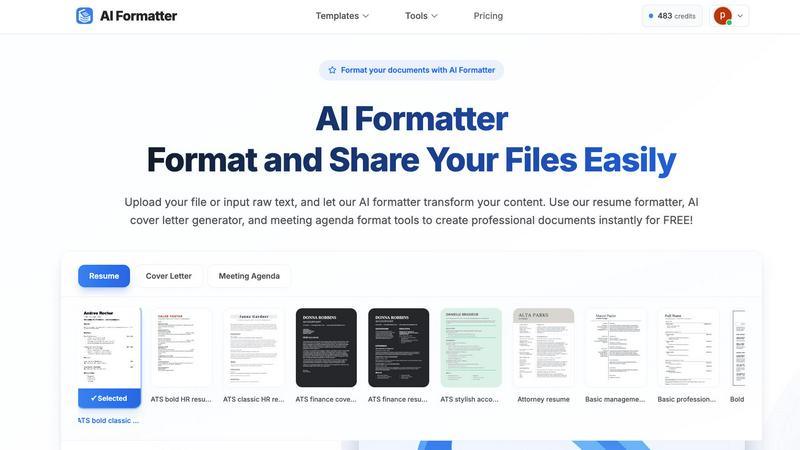
AI Formatter, crafted by Sun Sky LLC, is an innovative document formatting solution that leverages advanced AI technology to enhance the document creation process. Designed for a diverse audience including job seekers, professionals, businesses, and academics, AI Formatter streamlines the transformation of raw text or uploaded files, such as Word, PDF, and TXT formats, into expertly formatted documents in mere seconds. With an impressive ATS pass rate exceeding 95%, it ensures that your documents are optimized for applicant tracking systems, making it an essential tool for anyone looking to stand out in a competitive job market. Users can select from a library of over 100 professional templates, tailored specifically for resumes, cover letters, meeting agendas, and invoices, allowing for personal customization that reflects individual style and preference. The platform features a real-time online editor that provides extensive customization options including fonts, colors, and layouts. Additionally, AI Formatter supports multi-format exports and secure sharing capabilities, enhancing overall usability for its users. Starting with 10 free credits, it offers flexible pricing plans that cater to a wide array of needs, making it accessible to everyone from casual users to enterprise-level clients.
Features
Advanced AI Formatting
AI Formatter utilizes sophisticated artificial intelligence to automatically format your documents, ensuring professional quality and adherence to industry standards. By maintaining the context and structure of your content, it delivers polished results that are ready for immediate use.
Extensive Template Library
With access to over 100 professional templates specifically designed for various document types, users can select ATS-optimized resumes, cover letters, meeting agendas, and invoices that enhance their chances of making a lasting impression.
Real-Time Online Editor
The platform includes an intuitive online editor that allows users to customize their documents in real time. Adjust fonts, colors, and layouts effortlessly to match your personal or corporate branding, ensuring your documents are not only functional but also visually appealing.
Multi-Format Exports
AI Formatter enables users to download their formatted documents in multiple formats, including PDF, Word, and more. This flexibility supports various sharing and submission needs, making it easy to distribute your documents across different platforms and devices.
Use Cases
Job Applications
Job seekers can leverage AI Formatter to create ATS-optimized resumes and cover letters that stand out in competitive application processes. The ability to quickly format and customize these documents increases the chances of landing interviews.
Business Presentations
Professionals can utilize AI Formatter to prepare polished meeting agendas and professional documents for presentations. This ensures that all materials are well-structured and visually appealing, facilitating effective communication.
Academic Reports
Students and academics can transform raw text into formatted research papers and reports efficiently. With the ability to select from a variety of templates, users can ensure their submissions meet institutional standards.
Invoice Creation
Freelancers and businesses can quickly generate professional invoices using AI Formatter. By uploading details or using raw text, users can ensure their invoices are not only accurate but also reflect a high level of professionalism.
Frequently Asked Questions
What file formats does AI Formatter support?
AI Formatter supports a variety of file formats including PDF, DOC, DOCX, and TXT, allowing users to upload their existing documents or input raw text directly for formatting.
Is there a limit to the number of documents I can format?
While users start with 10 free credits, the platform offers multiple pricing plans that cater to different needs, allowing flexibility in the number of documents you can format based on your chosen plan.
How does AI Formatter ensure ATS compatibility?
AI Formatter uses templates specifically designed to be ATS-friendly, ensuring that formatted resumes and cover letters are optimized for applicant tracking systems and have a higher chance of passing through initial screenings.
Can I customize my formatted documents?
Yes, the real-time online editor allows for extensive customization of your documents. Users can modify fonts, colors, and layouts to create personalized and professional documents that fit their unique style.
Similar to AI Formatter
Novastart
Apps and files on an infinite canvas where people and AI agents work together.
MD to Text
Convert Markdown to clean plain text instantly in your browser. Formatting stripped, readable output ready to copy - fully private, no sign-up.
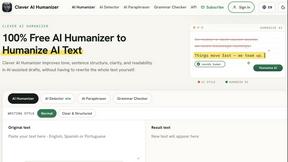
Clever AI Humanizer
Clever AI Humanizer is a free tool that makes AI-generated text sound more human.
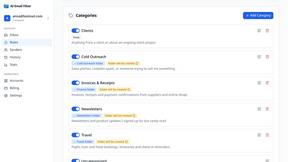
AI Email Filter
AI Email Filter sorts incoming mail into folders using plain-language prompts you write. Works with any IMAP mailbox; bring your own LLM if you want.
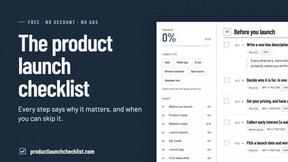
Product Launch Checklist
A free launch checklist for SaaS, apps, AI tools and more. Every step says why it matters and when you can skip it.
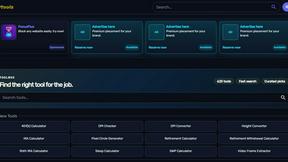
Kody Tools
Free collection of online developer utilities, code formatters, and digital converters designed to streamline your daily workflow.
Forms Plugin
The #1 Native Form Builder Plugin for Framer - No Code, No Embeds, No External Platforms.
