

Crawlkit
Crawlkit is a simple API that turns any website into structured data with one call.
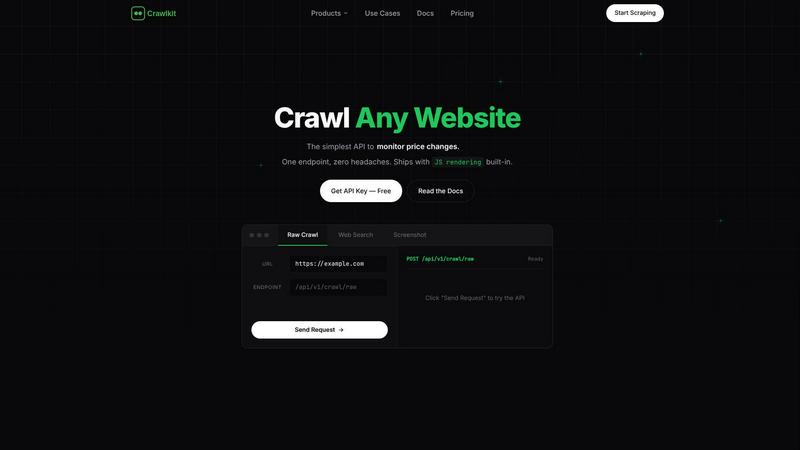
About Crawlkit
Crawlkit is the developer-centric web data extraction platform designed to turn the complex, frustrating task of web scraping into a simple, reliable API call. Built for developers and data teams, it eliminates the need to build and maintain your own scraping infrastructure. Modern websites are protected by sophisticated anti-bot systems, rate limits, and dynamic JavaScript, making data collection a constant battle of rotating proxies, headless browsers, and debugging broken scripts. Crawlkit handles all of this complexity for you. You send a single request with a URL, and the platform automatically manages proxy rotation, JavaScript rendering, retry logic, and blocking evasion. This allows you to focus entirely on analyzing and utilizing the data, not the arduous process of collecting it. With a single, consistent API interface, you can extract raw HTML, perform structured web searches, capture full-page visual snapshots, and gather professional data from platforms like LinkedIn and Instagram, all with industry-leading success rates. It's the seamless, scalable bridge between the web's vast information and your applications, enabling you to build data-driven features faster without the operational overhead.
Features
Unified API for Every Data Source
Crawlkit provides a single, consistent API endpoint to extract structured data from a wide variety of sources. Whether you need data from LinkedIn company pages, Instagram profiles, Google Play Store reviews, or general web searches, you use the same simple request format. This eliminates the need to juggle multiple specialized tools or write custom parsers for each website, streamlining your development workflow and reducing code complexity significantly.
Built-in Anti-Bot Evasion & Reliability
The platform automatically handles the technical challenges that break most scrapers. It manages a rotating pool of residential proxies to avoid IP bans, executes JavaScript to render dynamic content fully, implements smart retry logic for failed requests, and navigates rate limits. This ensures you get complete, clean data on every request without having to build, monitor, or maintain this complex infrastructure yourself.
Developer-First SDK & Integrations
Crawlkit is built for seamless integration into your existing stack. With an official Node.js SDK and a simple HTTP API, it works with any programming language or platform. It integrates effortlessly with popular tools and environments like AWS, Cloud Run, Puppeteer, and OpenAI, giving you the flexibility to incorporate web data into your workflows, automations, and AI applications without vendor lock-in.
Transparent, Credit-Based Pricing
Crawlkit operates on a simple pay-as-you-go credit system. Each API call costs a fixed number of credits, with costs clearly listed per endpoint. Credits never expire, and you only pay for successful requests. This model provides predictable costs, no monthly commitments, and volume discounts for scaling teams, making it easy to budget and scale your data operations.
Use Cases
CRM and Lead Enrichment
Automatically enrich contact profiles in your CRM with fresh, professional data. Use Crawlkit's LinkedIn API to pull job titles, current company information, experience history, and other details directly into your sales platform. This keeps your lead data accurate and actionable, empowering your sales team with better context for outreach without manual research.
Social Media Competitor Tracking
Monitor your competitors' social media performance effortlessly. Schedule weekly calls to Crawlkit's Instagram API to track follower growth, engagement rates on posts, and content strategy. This structured data allows you to analyze trends, benchmark your performance, and make informed decisions about your own social media marketing strategy.
App Store Review Analysis
Gather user feedback at scale to improve your product. Use Crawlkit to pull reviews and ratings from the Google Play Store and Apple App Store. Analyze this data to identify common pain points, feature requests, and sentiment trends. This direct insight from your user base is invaluable for guiding product development and prioritizing updates.
Market Research & Price Monitoring
Conduct comprehensive market research by extracting product details, specifications, and pricing from e-commerce websites and directories. Crawlkit can turn these sites into structured data feeds, allowing you to monitor competitor pricing, track product availability, and analyze market trends over time to inform your business strategy.
Pricing
Crawlkit uses a transparent, credit-based pricing model. You start with 100 free credits. Paid plans offer volume discounts, with packages like 25,000 credits for a one-time payment. Each API endpoint has a fixed credit cost (e.g., 1 credit for an Instagram profile, 2 credits for a LinkedIn profile). You only pay for successful requests, and unused credits never expire. There are no monthly subscriptions or usage minimums, making it easy to scale your data costs directly with your project's needs.
Frequently Asked Questions
How does Crawlkit handle websites with heavy JavaScript?
Crawlkit uses a headless browser automation system to fully render pages, just like a real user's browser. It waits for all dynamic content, AJAX calls, and JavaScript frameworks to load completely before extracting the data. This ensures you receive the final, fully-rendered HTML and not just the initial page source, guaranteeing complete results for modern web applications.
What happens if an API request fails?
Crawlkit employs robust retry logic with different proxy servers and request parameters. If a request ultimately fails after these attempts, you are not charged. The platform only consumes credits for successful data extraction, ensuring you only pay for usable results and maintaining cost predictability for your projects.
Can I use Crawlkit with programming languages other than Node.js?
Absolutely. While Crawlkit offers a convenient Node.js SDK, its core is a simple HTTP REST API. This means you can use it with any programming language that can make HTTP requests, such as Python, Go, Ruby, Java, or PHP. You can easily integrate it into your backend, scripts, or serverless functions.
Do credits expire, and are there any monthly limits?
No, credits never expire. You purchase credits and use them at your own pace. There are also no monthly commitments or rate limits on your API usage. You can make one request a month or thousands a day, scaling up and down based on your project's needs without penalty.
Similar to Crawlkit
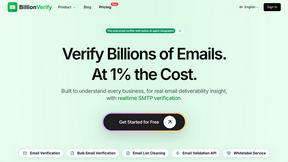
BillionVerify
BillionVerify is a professional email verification service built to solve one problem: bad email data costs businesses money.
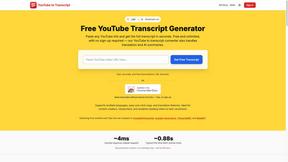
GetYouTubeTranscript
Free YouTube transcripts on the web, a Chrome extension, and an API + MCP server so AI assistants can read YouTube.


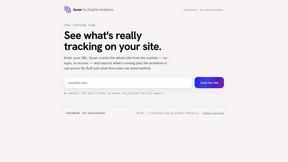

ContextBolt SEO
Research keywords, competitors, backlinks and AI visibility inside Claude or Codex, with findings saved to your SEO dashboard.

GROWNX
Real-time App Store analytics with an AI copilot for portfolio owners.

Built2Win AI Indexing
Custom PHP websites, AI Indexing Pack ($599 one‑time), and WebAgentScan SaaS ($9/mo). MCP, A2A, llms.txt, full ownership.