Grok Imagine
Create stunning AI videos from text or images instantly with Grok Imagine.
AI tool Details
Explore More
Alternatives

About Grok Imagine
Grok Imagine is a revolutionary mobile and web application that puts the power of professional-grade video and image creation directly in your pocket. Designed for the modern creator, it transforms simple text prompts or existing photos into stunning, dynamic 6-second videos complete with sound, all in a matter of seconds. Powered by xAI's advanced Aurora engine, the app democratizes high-quality visual content production, eliminating the need for complex editing software, expensive hardware, or specialized skills. Whether you're a social media influencer crafting your next viral post, a marketer producing engaging ads, an artist exploring new visual ideas, or simply someone who wants to bring their imagination to life, Grok Imagine offers an intuitive, all-in-one workflow. Its core value lies in its seamless fusion of incredible creative potential with effortless usability, allowing anyone to unleash their video creativity from anywhere, directly from their phone.
Features
Text-to-Video & Image-to-Video
Unleash your creativity by starting from a simple sentence or an existing photo. Describe your vision with a text prompt, or upload an image as your foundation. Grok Imagine's powerful AI then brings it to life as a dynamic, 6-second video. This dual-input method provides incredible flexibility, whether you're building a scene from scratch or animating a memorable picture you've already taken, all through a straightforward mobile interface.
Synced Audio Generation
Every video is delivered as a complete, engaging package. Grok Imagine automatically generates perfectly matched background music and sound effects that sync with your visual content. This feature removes the tedious, time-consuming step of sourcing and editing audio separately, ensuring your AI-generated videos are polished and ready to capture attention on any social media platform the moment you download them.
Three Creative Modes (Normal, Fun, Spicy)
Tailor the style and tone of your output with three distinct creative modes. Choose "Normal" for clear, balanced, and accurate results ideal for professional content. Select "Fun" for a playful style with bright tones and creative animations perfect for social media. Or, opt for "Spicy" to generate videos with bold colors, stylized lighting, and more expressive, artistic flair, giving you deep creative control to match any scenario.
Multiple Aspect Ratios
Create content optimized for any platform directly within the app. Grok Imagine supports five image ratios (1:1, 2:3, 3:2, 9:16, 16:9) and three video ratios, allowing you to generate perfect squares for Instagram, vertical clips for TikTok and Reels, or widescreen formats for YouTube and ads without needing external cropping or editing tools.
Use Cases
Social Media Content Creation
Ideal for influencers, creators, and small businesses who need a constant stream of fresh, eye-catching content. Quickly generate unique videos for Instagram Reels, TikTok clips, YouTube Shorts, and Twitter posts. The fast generation and built-in audio allow you to produce trending, platform-optimized content on-the-go, keeping your audience engaged without spending hours on production.
Marketing and Advertising
Marketers and entrepreneurs can use Grok Imagine to rapidly prototype ad concepts, create engaging promotional videos for products or services, and produce A/B testable visual assets. The ability to generate high-quality videos from simple text descriptions makes it a cost-effective tool for crafting compelling ad copy visuals and social media advertisements in minutes.
Creative Brainstorming and Storyboarding
Artists, writers, and filmmakers can use the app as a powerful brainstorming companion. Visualize scenes, characters, or concepts from a script by turning descriptive text into video snippets. This is perfect for creating dynamic mood boards, animating storyboard ideas, and exploring visual styles before committing to full-scale production, all from a mobile device.
Personal Expression and Fun
For everyday users, Grok Imagine is a tool for pure creative play and personal expression. Turn a memorable vacation photo into a short animated clip, create a unique video birthday card from a text message, or visualize a dream scene from a book. It makes advanced video creation an accessible and enjoyable hobby for anyone with a smartphone and an imagination.
Pricing
Grok Imagine offers subscription plans billed monthly or annually, with annual billing offering significant savings. All plans provide a set number of credits each month.
Starter Plan: Priced at $11.9 per month (billed as $143.3 per year). This plan is perfect for getting started and includes 1,000 credits per month, allowing for up to 200 images or 50 videos. It includes access to Text-to-Image, Text-to-Video, and Image-to-Video generation.
Pro Plan: Priced at $23.9 per month (billed as $287.3 per year). This popular plan offers a higher volume of credits for more frequent creators. Specific credit counts for the Pro tier are detailed within the app, providing greater value for users who generate content regularly.
Credits are consumed per generation, with approximate costs of $0.06 per image, $0.24 per 6-second video, and $0.36 per 10-second video. New users can sign up to receive free credits to try the service.
Frequently Asked Questions
What is Grok Imagine?
Grok Imagine is a mobile and web application by xAI that uses artificial intelligence to generate short videos and images from text prompts or uploaded photos. It creates 6-second videos complete with synchronized background music and sound effects, making professional-style video creation simple and accessible for everyone.
How long does it take to generate a video?
Grok Imagine is designed for speed. It typically generates a complete 6-second video with audio in just seconds. The exact time can vary slightly based on server load and complexity, but the process is optimized for a fast, seamless user experience on mobile devices.
What are credits and how are they used?
Credits are the in-app currency used to generate content. Each AI-generated image or video consumes a certain number of credits. For example, generating an image costs fewer credits than generating a video. Users receive free credits upon sign-up and can purchase more through subscription plans based on their creation needs.
What are the different creative modes for?
The three modes—Normal, Fun, and Spicy—control the artistic style of your output. "Normal" provides accurate, balanced results. "Fun" injects playful, bright, and animated elements. "Spicy" offers bold, stylized, and more expressive visuals. You can choose the mode that best fits the mood and purpose of your content.
Similar to Grok Imagine
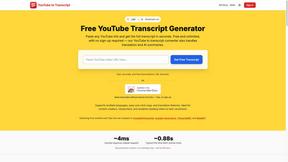
GetYouTubeTranscript
Free YouTube transcripts on the web, a Chrome extension, and an API + MCP server so AI assistants can read YouTube.
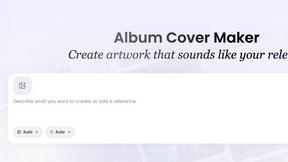
AI Album Cover Maker
Create release-ready album covers from a prompt or photo. Generate, refine, and export art for singles, EPs, mixtapes, and playlists.
Meigen AI
AI video and image generator powered by Seedance 2.5 and GPT Image 2.5.
Vismuse
Create polished AI images and videos from prompts or references for social posts, ads, flyers, album covers, and campaigns.