

JustPDF
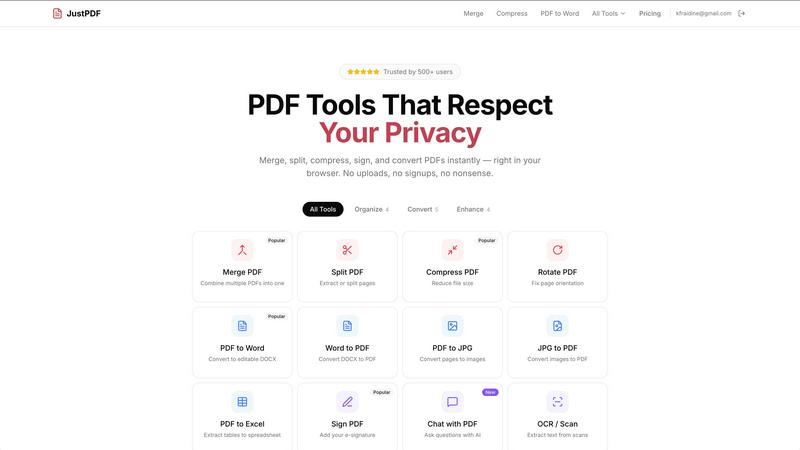
JustPDF is a privacy-first, browser-based toolkit offering 17 free tools to manage your PDFs effortlessly and securely.
AI tool Details
Explore More
Alternatives
About JustPDF
JustPDF is an innovative online platform that offers a comprehensive suite of 17 professional-grade PDF tools, all designed to operate directly within your browser. Unlike other online PDF services like Smallpdf and iLovePDF, JustPDF prioritizes user privacy and security by processing all files locally through JavaScript and WebAssembly. This means that your data never leaves your device, allowing you to work on sensitive documents without worrying about third-party exposure. JustPDF caters to a wide range of users, from students and educators to professionals and businesses. Its main value proposition lies in providing quick, efficient, and secure PDF management solutions without the need for account registration or file uploads, ensuring a seamless user experience. With features like PDF conversion, merging, and compression, JustPDF empowers users to manage their documents effortlessly, making it an ideal choice for anyone in need of reliable PDF tools.
Features
Merge PDF
The Merge PDF feature allows users to combine multiple PDF files into a single document quickly and easily. With its intuitive drag-and-drop interface, you can upload your files and rearrange them as needed before merging. This feature is perfect for organizing reports, presentations, or any multi-document projects, saving users valuable time.
Compress PDF
JustPDF’s Compress PDF tool enables users to reduce the file size of their PDFs in mere seconds. This feature is crucial for anyone needing to send documents via email or upload them to online platforms with file size limitations. The compression process is fast, free, and does not apply any watermarks, ensuring that your documents maintain their quality and integrity.
PDF to Word
The PDF to Word feature allows users to convert their PDF documents into editable DOCX files seamlessly. This functionality is especially useful for those who need to make changes to existing documents without starting from scratch. The conversion retains formatting and layout, making it easier for users to edit and collaborate on their work.
Chat with PDF (AI)
With the innovative Chat with PDF feature, users can interact with their PDFs through AI-driven questions and answers. This unique tool enables users to extract information, summarize content, and clarify details within documents, transforming how you engage with your files. It is perfect for students and researchers who want to streamline their study processes.
Use Cases
Educational Use
Students and educators can benefit significantly from JustPDF's tools. Whether merging lecture notes, compressing assignments for submission, or converting PDFs to editable formats for collaboration, JustPDF provides the essential tools needed for effective learning and teaching.
Business Documentation
For professionals managing multiple documents, JustPDF streamlines the process of handling PDFs. From merging invoices to converting reports into editable formats, the platform ensures that critical business documentation is organized, accessible, and easy to share without sacrificing security.
Personal Document Management
JustPDF is perfect for individuals looking to manage their personal documents. Whether it is compressing family photos into a PDF or converting travel itineraries into editable formats, users can efficiently handle their documents without needing additional software.
Secure File Handling
For anyone concerned about privacy, JustPDF offers a secure solution for handling sensitive files. All processing occurs locally in the browser, which is ideal for legal documents, medical records, or any sensitive information that requires discretion and confidentiality.
Frequently Asked Questions
Is JustPDF free to use?
Yes, JustPDF offers a free tier that allows users to perform three operations per day without the need for any signup. This makes it accessible for casual users who may not require extensive PDF management.
How does JustPDF ensure my files are secure?
JustPDF processes all files locally within your browser, meaning no data is uploaded to remote servers. This local processing is verifiable through the Network tab in your browser's DevTools, ensuring your documents remain private.
What happens if I need more than three operations in a day?
If you require more than three operations per day, JustPDF offers a Pro subscription starting at $4 per month, providing unlimited access to all features and tools.
Can I use JustPDF offline?
Yes, JustPDF supports offline functionality, allowing users to manage their PDFs even without an internet connection. This ensures that you can work on your documents anytime, anywhere.
Similar to JustPDF
Novastart
Apps and files on an infinite canvas where people and AI agents work together.

MD to Text
Convert Markdown to clean plain text instantly in your browser. Formatting stripped, readable output ready to copy - fully private, no sign-up.
AI Email Filter
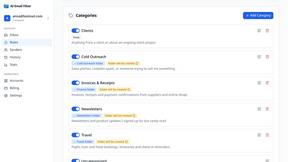
AI Email Filter sorts incoming mail into folders using plain-language prompts you write. Works with any IMAP mailbox; bring your own LLM if you want.
Product Launch Checklist
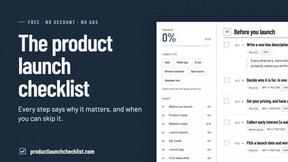
A free launch checklist for SaaS, apps, AI tools and more. Every step says why it matters and when you can skip it.
Kody Tools
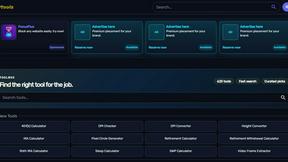
Free collection of online developer utilities, code formatters, and digital converters designed to streamline your daily workflow.
Forms Plugin
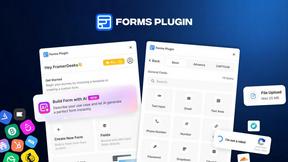
The #1 Native Form Builder Plugin for Framer - No Code, No Embeds, No External Platforms.

