

LunoKid
LunoKid turns chores into fun with an AI pet, helping kids build habits while parents manage tasks effortlessly.
About LunoKid
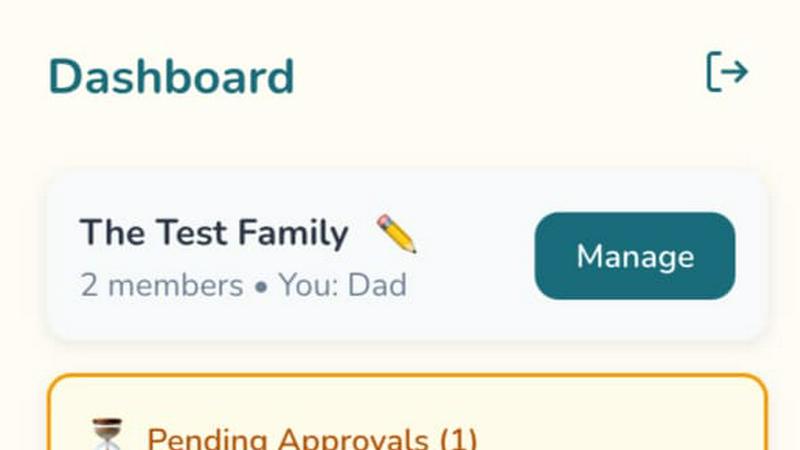
LunoKid is an innovative family task management and chore app tailored for children aged 4-12, designed to make daily responsibilities enjoyable and rewarding. At the core of LunoKid is Luno, an AI-powered virtual pet that grows and evolves based on a child's real-world task completion. This app effectively bridges the gap between what parents need and what children desire by gamifying household chores and routines. Parents can easily create and assign tasks with specific point values, while children are motivated to complete these tasks to earn points, care for their virtual pet, and unlock family-defined rewards. In addition to chores, LunoKid features an AI homework helper that encourages problem-solving through hints rather than direct answers. With support for multi-parent accounts and device sharing for siblings, LunoKid is designed for modern families and is available in nine languages. As a COPPA-compliant platform free from ads or unsafe messaging, LunoKid offers a secure and parent-controlled environment that helps reduce nagging, fosters consistent habits, and transforms the teaching of responsibility into an enjoyable experience for all.
Features
AI-Powered Virtual Pet
Luno, the virtual pet companion, engages children by growing and evolving based on their task completion. This feature motivates kids to take responsibility while enjoying the companionship of their digital pet.
Gamified Task Management
Parents can create and assign chores with point values, making household tasks feel like a game. Kids are encouraged to complete their chores to earn points and rewards, turning daily responsibilities into an engaging adventure.
AI Homework Helper
The "Ask Luno" feature provides kids with hints and guidance for their homework, promoting critical thinking and problem-solving skills rather than simply providing answers, thus enhancing their learning experience.
Multi-Parent and Sibling Support
LunoKid is designed for families with various structures, allowing multiple parents to manage tasks and siblings to share devices easily. This ensures fairness and transparency in task management across the family.
Use Cases
Encouraging Responsibility in Young Children
Parents can assign age-appropriate chores, allowing young kids to learn responsibility in a fun way. The gamification aspect makes them excited to complete tasks.
Homework Assistance for School-age Kids
Children can utilize the AI-powered homework helper when they encounter challenging problems, receiving hints that guide them toward finding the solutions on their own.
Streamlining Chore Management in Busy Households
For busy families, LunoKid simplifies chore management. Parents can quickly assign tasks and track progress through the app, saving time and reducing stress.
Fostering Cooperation Among Siblings
In multi-child households, LunoKid allows for individual tracking of chores and rewards, promoting a sense of fairness and encouraging siblings to work together and support each other.
Frequently Asked Questions
What age is LunoKid for?
LunoKid is designed specifically for children aged 4 to 12, making it suitable for a wide range of developmental stages.
Is LunoKid safe for kids?
Yes, LunoKid is COPPA-compliant, ensuring a safe, secure environment for children. The platform has no ads and prohibits unsafe messaging.
How is LunoKid different from a sticker chart?
Unlike traditional sticker charts, LunoKid gamifies chores with an AI companion and rewards system, making the experience more interactive and engaging for children.
Does LunoKid work on iOS and Android?
Yes, LunoKid is available on both iOS and Android platforms, ensuring accessibility for all families regardless of their device preferences.
Similar to LunoKid

Emailyy
Free email tools for signatures, subject lines, HTML previews, word counts, and email headers. Browser-based, simple to use, and no signup required.

Uniclip
Clip pages, take full-page screenshots and batch-capture list data to Notion, Feishu, Obsidian, Markdown, CSV or JSON.
TroveKey
Search tabs, Chrome bookmarks and history, run browser commands, and save webpages and social posts locally—no account.

Bloom
An adaptive AI tutor that turns topics or your materials into courses, lessons, and answers tailored to how you learn.

LightScreen
Free fullscreen light screen tool online. Turn any display into a flashlight, ambient light, or solid-color screen. No download or sign-up.
PracticeNetworking
Master networking with interactive, hands-on practice directly in your browser. Solve real terminal challenges, debug routes, and build core IT skills

Context Board
Context Board brings your numbers, docs, clients, content and day into one workspace that Claude and Codex can read and update.

@fuck.it - email with attitude
Private email. Pure. Secure. Exclusive. No ads, no tracking, no data selling. GDPR compliant, EU-hosted.