

SparkPix
Transform your photos effortlessly with SparkPix, the AI photo editor that enhances, restores, and styles images by simply typing your requests.
AI tool Details
Explore More
Alternatives
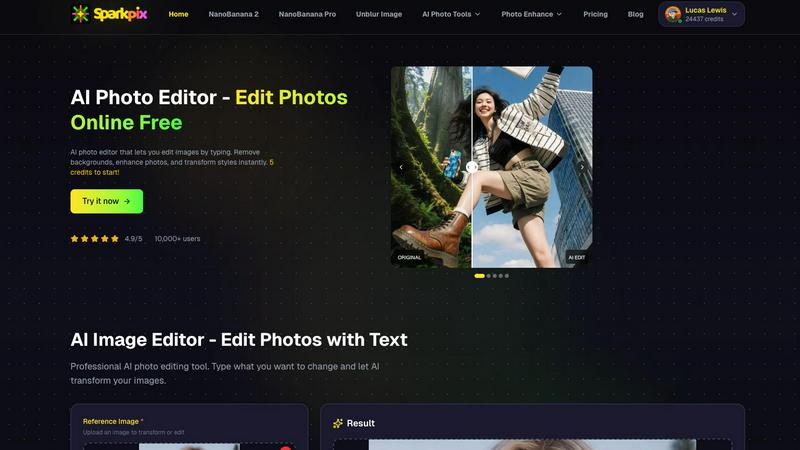
About SparkPix
SparkPix is an innovative AI-powered photo editing tool designed for users of all skill levels. Whether you are a casual user looking to enhance personal photos or a professional needing quick edits, SparkPix simplifies the editing process with its intuitive interface. You can edit photos by simply typing what you want to change, eliminating the need for traditional software skills like those required for Photoshop. With a generous offering of free credits to start, SparkPix allows you to explore its features without any upfront cost. Its advanced AI capabilities enable stunning transformations in seconds, making it a versatile solution for anyone looking to improve their images effortlessly. From background removal to photo restoration, SparkPix is tailored for creatives, marketers, and everyday users alike, ensuring everyone can achieve professional-quality results with ease.
Features
AI Photo Editor
The AI Photo Editor transforms your images based on simple text commands. Just type your desired edits such as "remove background" or "enhance colors," and watch as the AI applies the changes in under 30 seconds. This feature allows for instant editing without the need for complex software skills.
Background Remover
With the one-click Background Remover, you can effortlessly eliminate backgrounds from portraits, product photos, and even complex scenes. This feature is particularly useful for creating transparent backgrounds for e-commerce, social media, and presentations, saving you time and effort.
Unblur Image
Say goodbye to blurry images with the Unblur Image feature. It intelligently fixes motion blur, out-of-focus shots, and compression artifacts, allowing you to salvage those otherwise unusable photos. This feature ensures your images look sharp and clear, enhancing their overall quality.
Photo Restoration
The Photo Restoration tool is perfect for those looking to revive old, damaged, or faded photos. It repairs scratches, tears, and discoloration, making it ideal for preserving family archives and historical images. With just one click, you can restore precious memories to their former glory.
Use Cases
Social Media Content Creation
SparkPix is a game-changer for social media managers and influencers. You can quickly edit images for posts, ads, and stories by removing backgrounds or applying artistic styles, ensuring your content stands out. The user-friendly interface allows for fast edits, perfect for tight deadlines.
E-commerce Product Photography
For online retailers, SparkPix provides an efficient way to create professional product images. Use the Background Remover to isolate products and enhance their appeal, or generate mockups with stunning backgrounds. This enhances product visibility and can lead to increased sales.
Family Photo Restoration
Families often have cherished old photographs that need restoration. SparkPix’s Photo Restoration feature allows users to repair and colorize vintage images, preserving family history. This feature is invaluable for creating beautiful prints and digital keepsakes.
Creative Art Transformations
Artists and hobbyists can take advantage of SparkPix’s Style Transfer capability. Transform your photos into various artistic styles such as watercolor or anime, allowing for unique art creations. This feature is great for personal projects or gifts, adding a creative flair to your photos.
Frequently Asked Questions
How does SparkPix work?
SparkPix utilizes advanced AI algorithms to process images based on user instructions. You simply type what you want to change, and the AI applies the edits automatically, making photo editing accessible to everyone.
Is SparkPix free to use?
Yes, SparkPix offers a free plan that includes 5 credits to start editing photos. You can also receive 1 credit daily. There are paid plans available for users who need more credits.
What types of images can I edit with SparkPix?
You can edit a wide variety of images with SparkPix, including portraits, product photos, and historical images. The tool is versatile and caters to both casual users and professionals.
Can I use SparkPix on mobile devices?
Absolutely! SparkPix is a web-based tool that works seamlessly on desktop, iPhone, and Android devices, allowing you to edit photos anytime and anywhere without the need for downloads.
Similar to SparkPix

ImageGenerator
Create and edit AI images online with multiple models, text-to-image, image-to-image, background removal, and upscaling.

AIPetGen
AIPetGen turns a photo of your dog, cat, or other pet, or a written description, into a new picture or a short animation.

AI Object Remover
Remove unwanted people, objects, text and watermarks from photos with AI

Remove Text
Remove text from images online with AI

Image to Layers AI
Turn any image into editable transparent PNG/PSD layers with AI

EditTextPhoto
AI-powered image text editor to edit, replace, fix, or translate text in images while preserving the original font, color, size, and style.

ideogram-45
Ideogram AI 4.5 creates precise, high-quality images with sharp typography, native 2K output, and localized edits.

Nano Banana 2.1
A fast, simple image studio powered by Nano Banana 2.1. Create and edit high-quality images with accurate details, readable text, consistent character