Tool.Video
Tool.Video is your all-in-one AI toolkit for effortlessly creating stunning videos, music, and thumbnails.
AI tool Details
Explore More
Alternatives

About Tool.Video
Tool.Video is a state-of-the-art AI video generation platform that is tailored to meet the needs of content creators, marketers, and developers. With the integration of advanced AI technologies like Sora 2, Nano Banana Pro, and Suno 5, it offers a comprehensive suite of utilities for video, image, and music generation. This all-in-one solution allows users to translate text prompts into realistic videos, create stunning visuals, and compose professional-quality music seamlessly. The user-friendly interface simplifies the creative process, enabling users to concentrate on their storytelling without getting bogged down by technical complexities. Tool.Video enhances productivity and creative output by providing API integration and a cohesive environment for multi-model generation, making it an indispensable tool for anyone looking to elevate their media production quality.
Features
Sora 2 Video Generation
Sora 2 is Tool.Video's advanced text-to-video AI model that creates stunning videos directly from text prompts. It excels in producing natural motion and striking visuals, making it perfect for storytelling, marketing content, and more.
Nano Banana Pro
This feature offers high-quality AI image generation capabilities, allowing users to create unique visuals in seconds. With both text-to-image and image-to-image modes, Nano Banana Pro is ideal for generating creative content for various applications.
AI Music Generation with Suno 5
Suno 5 is a professional AI music generator that enables users to compose music with lyrics, melodies, and full arrangements across any genre. This feature is perfect for adding custom soundtracks to videos, enhancing the overall media experience.
Video Thumbnail Generator
The Video Thumbnail Generator automatically creates eye-catching thumbnails from selected video frames. This feature is designed to boost engagement and click-through rates by providing visually appealing representations of video content.
Use Cases
Content Creation for Social Media
Content creators can leverage Tool.Video to generate engaging videos and visuals tailored for platforms like Instagram, TikTok, and YouTube. The ability to create professional-quality content quickly saves time and enhances viewer engagement.
Marketing Campaigns
Marketers can utilize the platform to produce captivating promotional videos and advertisements. With tools designed for creating TV commercials and tailored content, Tool.Video helps businesses stand out in a crowded market.
Educational Video Production
Educators can transform their teaching materials into dynamic video presentations. By using text prompts to generate educational content, they can create informative videos that enhance learning experiences for students.
Personal Projects and Creative Exploration
Individuals looking to explore their creativity can use Tool.Video for personal projects, such as creating short films, music videos, or visual art. The intuitive interface allows for experimentation without the need for extensive technical skills.
Frequently Asked Questions
What types of media can I create with Tool.Video?
Tool.Video allows you to create videos, images, and music, all from a single platform. You can generate realistic videos from text, stunning images, and professional-quality music compositions.
Is Tool.Video user-friendly for beginners?
Yes, Tool.Video is designed with a user-friendly interface that simplifies the creative process. This makes it accessible for both beginners and experienced users, allowing anyone to easily produce high-quality media.
Can I integrate Tool.Video with other applications?
Absolutely! Tool.Video provides API integration, allowing you to connect it with other applications and tools to enhance your media production workflow.
What kind of support is available for Tool.Video users?
Tool.Video offers a range of support options, including tutorials, FAQs, and customer service to assist users in navigating the platform and optimizing their creative projects.
Similar to Tool.Video
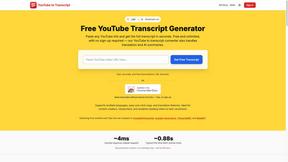
GetYouTubeTranscript
Free YouTube transcripts on the web, a Chrome extension, and an API + MCP server so AI assistants can read YouTube.
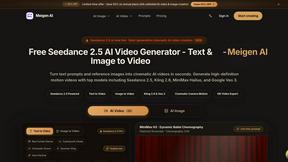
Meigen AI
AI video and image generator powered by Seedance 2.5 and GPT Image 2.5.




CloutStack
Curated directory of tools for influencers engaged with the creator economy