

UseSkill
UseSkill automates your workflows in 30 seconds with pre-built AI skills and 100+ app integrations.
AI tool Details
Explore More
Alternatives

About UseSkill
UseSkill is an innovative AI skills library designed to streamline workflows and automate repetitive tasks that often bog down professionals. With a focus on eliminating the tedious process of crafting prompts and managing data across multiple platforms, UseSkill offers pre-built, expert-designed workflows known as "skills." These skills are directly integrated with essential business applications, allowing users to connect through secure OAuth 2.0 authentication. Instead of spending time manually transferring information or creating complex prompts for tools like ChatGPT, users can select a skill, connect their applications once, and execute tasks in about 30 seconds. This tool is tailored for professionals in sales, support, engineering, data, and marketing, aiming to simplify tasks such as lead enrichment, CRM synchronization, inbox triage, data cleaning, and DevOps alerts without requiring any coding skills. With over 100 integrations, including popular platforms like Salesforce, HubSpot, Gmail, Slack, Snowflake, and Jira, UseSkill provides a privacy-first browser-based solution that processes data without storing it, making it a trusted choice for thousands of users who run tens of thousands of skills weekly.
Features
Pre-Built AI Workflows
UseSkill offers a diverse library of pre-built AI workflows, or "skills," that automate routine tasks across various applications. These workflows are designed by experts to ensure efficiency and effectiveness, reducing the time spent on manual tasks.
Seamless Integration
With over 100 integrations, UseSkill allows users to connect their essential business applications in one click. Whether it is Salesforce, HubSpot, Gmail, or Slack, the integration process is streamlined and requires no technical setup, enabling users to focus on their work instead of configuration.
Secure Data Processing
UseSkill prioritizes user privacy by employing OAuth 2.0 for secure connections. This means that your passwords are never shared and your data is processed in real-time without being stored, ensuring that your sensitive information remains confidential and secure.
Consistent Results
Each skill is rigorously tested and refined to deliver consistent and reliable outcomes. No more uncertainty or variability in results; users can expect the same quality every time they run a skill, significantly enhancing productivity and trust in the tool.
Use Cases
Sales Automation
Sales teams can leverage UseSkill to automate lead enrichment and CRM synchronization. By integrating with platforms like Apollo and Salesforce, users can enrich contact data and ensure that their CRM is always up-to-date without manual data entry.
Inbox Triage
UseSkill enables users to streamline their email management by automating inbox triage. With skills designed for sorting and prioritizing emails, professionals can focus on important messages while reducing the time spent on inbox maintenance.
Data Cleaning
Data professionals can utilize UseSkill for efficient data cleaning tasks. By automating the process of identifying and correcting errors in datasets, users can ensure that their data remains accurate and reliable, which is crucial for informed decision-making.
DevOps Alerts
With UseSkill, engineering teams can automate DevOps alerts, ensuring that critical updates and alerts are communicated promptly. This integration helps teams respond quickly to issues, enhancing operational efficiency and minimizing downtime.
Frequently Asked Questions
What types of applications can I integrate with UseSkill?
UseSkill supports over 100 applications, including Salesforce, HubSpot, Gmail, Slack, Snowflake, and Jira, among others. This wide range of integrations allows users to connect their essential business tools seamlessly.
How secure is my data when using UseSkill?
UseSkill employs OAuth 2.0 for secure connections, meaning your passwords are never shared with the platform. Your data is processed during the skill run and is not stored, ensuring your information remains confidential.
Can I try UseSkill for free?
Yes, UseSkill offers a free version that allows users to try a skill without requiring a credit card. This enables users to explore the platform and its capabilities before committing to any plans.
Is coding required to use UseSkill?
No, UseSkill is designed for professionals without coding experience. The platform provides pre-built workflows that can be easily executed with just a few clicks, making automation accessible to everyone.
Similar to UseSkill
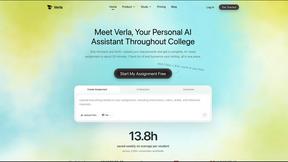
Verla AI
Verla is an AI academic assistant for university and college students, combining AI essay writing, academic research, AI detection, AI humanization
Novastart
Apps and files on an infinite canvas where people and AI agents work together.
MD to Text
Convert Markdown to clean plain text instantly in your browser. Formatting stripped, readable output ready to copy - fully private, no sign-up.
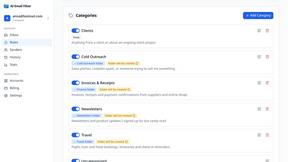
AI Email Filter
AI Email Filter sorts incoming mail into folders using plain-language prompts you write. Works with any IMAP mailbox; bring your own LLM if you want.
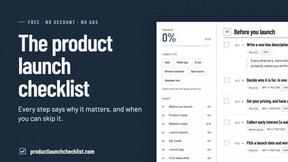
Product Launch Checklist
A free launch checklist for SaaS, apps, AI tools and more. Every step says why it matters and when you can skip it.
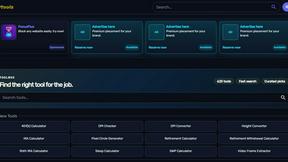
Kody Tools
Free collection of online developer utilities, code formatters, and digital converters designed to streamline your daily workflow.
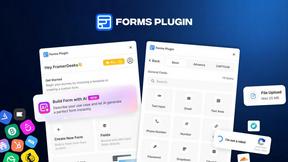
Forms Plugin
The #1 Native Form Builder Plugin for Framer - No Code, No Embeds, No External Platforms.