

Alternatives to QuickSigner
QuickSigner lets you eSign documents in seconds with a simple, secure, and legally binding online app.
Explore 20 alternatives to QuickSigner. Compare features, pricing, and find the best fit for your needs.

@fuck.it - email with attitude
Private email. Pure. Secure. Exclusive. No ads, no tracking, no data selling. GDPR compliant, EU-hosted.
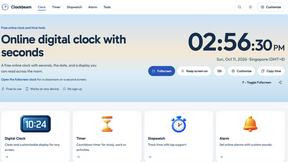

Verla AI
Verla is an AI academic assistant for university and college students, combining AI essay writing, academic research, AI detection, AI humanization

MD to Text
Convert Markdown to clean plain text instantly in your browser. Formatting stripped, readable output ready to copy - fully private, no sign-up.
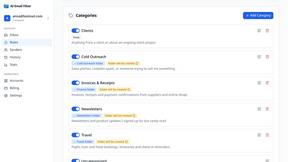
AI Email Filter
AI Email Filter sorts incoming mail into folders using plain-language prompts you write. Works with any IMAP mailbox; bring your own LLM if you want.


Product Launch Checklist
A free launch checklist for SaaS, apps, AI tools and more. Every step says why it matters and when you can skip it.
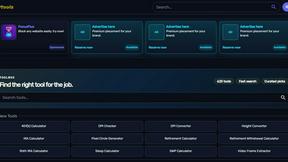
Kody Tools
Free collection of online developer utilities, code formatters, and digital converters designed to streamline your daily workflow.
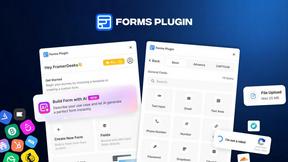
Forms Plugin
The #1 Native Form Builder Plugin for Framer - No Code, No Embeds, No External Platforms.



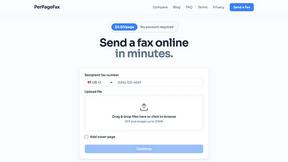
PerPageFax
PerPageFax lets you send a fax online from any browser for a flat $0.50 per page — no account, no subscription, no fax machine.

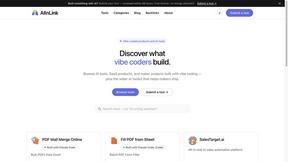
AIInLink
AIInLink is a curated platform to discover and submit AI tools, SaaS products, and maker projects, with a unique focus on "vibe coding."
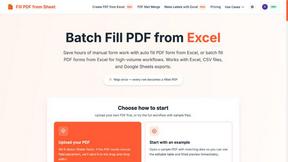
Fill PDF from Sheet
t offers smart mapping to accurately generate individual or batch PDF forms, saving professionals significant time on manual data entry.



About QuickSigner Alternatives
QuickSigner is an online eSigning platform designed to simplify and accelerate the process of signing, sending, and finalizing documents. It falls under the Productivity & Management category, offering a mobile-first experience that turns what used to be days of back-and-forth into just a few minutes. While QuickSigner provides a powerful and secure solution with features like Adobe Approved Trust List electronic signatures and ISO 27001 certification, users often begin searching for alternatives for a few common reasons. These include seeking a more flexible pricing structure that better fits a smaller budget, needing specific integrations not currently supported, or wanting a different user interface that aligns more closely with their team's existing workflow. When evaluating alternatives to a tool like QuickSigner, it is crucial to focus on the core experience that matters most to your daily operations. Look for a solution that prioritizes a seamless mobile experience, as the ability to sign and manage documents on the go is often the primary need. Additionally, pay close attention to the security credentials, such as compliance standards and audit trails, to ensure your documents remain protected. Finally, consider the depth of the API and how easily the platform integrates with your existing app stack, as a smooth connection between tools is what ultimately saves you time and reduces friction in your document management process.
FAQs about QuickSigner Alternatives
What is QuickSigner?
QuickSigner is an online eSigning platform that helps you sign, send, and finalize documents quickly and securely. It is designed to replace slow, manual processes by turning days of back-and-forth document handling into just a few minutes. The platform is categorized under Productivity & Management, offering a mobile-first experience for users who need to manage documents on the go.
Who is QuickSigner for?
QuickSigner is built for professionals, businesses, and teams who regularly need to send and sign documents electronically. It is ideal for users who value a mobile-first approach and require a secure, fast workflow for contracts, agreements, and forms. Whether you are a freelancer, a small business owner, or part of a larger enterprise, QuickSigner caters to anyone looking to streamline their document signing process.
Is QuickSigner free?
The provided content does not specify a free tier or pricing model for QuickSigner. However, it is described as a powerful and secure solution, which typically indicates a subscription-based or pay-per-use structure. For the most accurate and current pricing information, including whether a free trial is available, you should visit the official QuickSigner website or contact their sales team directly.
What are the main features of QuickSigner?
QuickSigner offers a range of features centered around simplicity, power, and security. Key features include Adobe Approved Trust List electronic signatures, which ensure legal compliance, and ISO 27001 certification for robust data security. The platform also provides a comprehensive API for integration, allowing users to automate their document workflows within their existing app ecosystem.