
Big Apple Collects vs StatPecker
Side-by-side comparison to help you choose the right AI tool.

Big Apple Collects
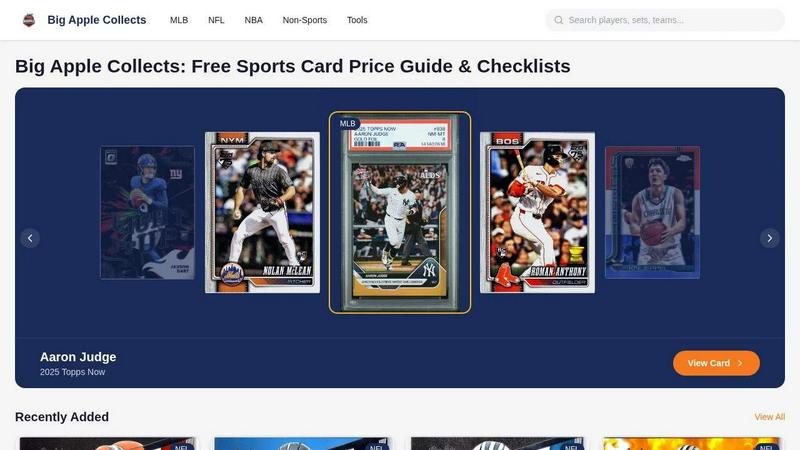
Big Apple Collects is your free mobile app to instantly lookup sports card values and browse checklists to optimize your eBay sales.
Last updated: April 4, 2026

StatPecker
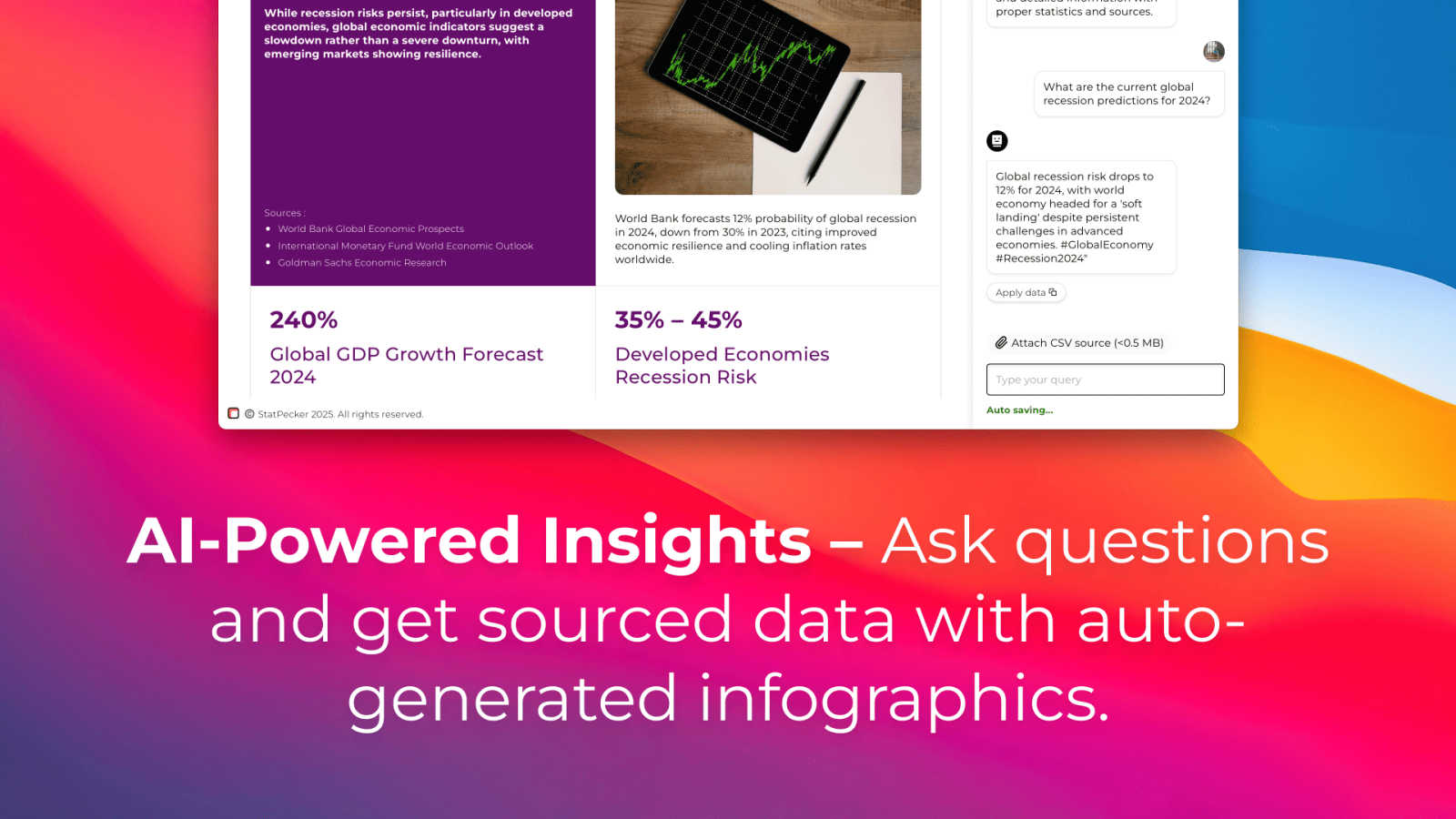
StatPecker turns your data into instant AI insights and stunning visuals for free.
Last updated: March 1, 2026
Visual Comparison
Big Apple Collects
StatPecker
Feature Comparison
Big Apple Collects
Live eBay Market Price Guide
Instantly discover the real-time market value of any sports card by tapping into live, completed eBay sales data. This feature provides accurate and up-to-the-minute pricing for baseball, football, and basketball cards, removing the guesswork and ensuring you buy or sell with confidence. Simply search for a player or specific card to see its current worth based on actual market transactions.
Extensive Digital Checklists
Browse and search through a vast digital library of over 600 official card checklists from all the major manufacturers, including Topps, Panini, Bowman, and Upper Deck. This organized database makes it simple to track your collection, identify cards you need, and verify set details for MLB, NFL, NBA, and non-sports cards, all from a clean, mobile-friendly interface.
AI-Powered eBay Title Generator
Maximize your listing visibility and sales potential with an AI tool that creates optimized, 80-character eBay titles for your cards. This smart feature analyzes key details like player name, card brand, year, and special attributes to generate compelling, search-friendly titles designed to attract more buyers and improve your sell-through rates directly from the app.
Professional Listing Image Creator
Elevate your eBay listings with high-quality, custom images generated within the app. This tool allows you to easily create professional front-and-back combo photos of your cards, as well as stylish binder showcase grids that display multiple cards attractively. These ready-to-use images help your listings stand out, build buyer trust, and command better prices.
StatPecker
Ask Your Query
Get instant, credible insights without complex tools. Simply type your question in plain English, and StatPecker's AI queries validated data sources to generate the answer. This feature turns curiosity into clear visuals in seconds, perfect for quick research or validating a hypothesis on the go, directly from your phone or tablet.
Upload & Analyze CSVs
Go beyond public data by analyzing your private information securely. Upload a CSV file directly from your device, and StatPecker's local SQL Agent processes everything on-device. Your data never leaves your phone or computer, ensuring complete privacy while you explore trends, summarize figures, and extract key insights without spreadsheet hassle.
Publish & Embed
Seamlessly integrate your created visuals into your digital content. StatPecker generates interactive charts and infographics with embed codes, making it easy to add them directly to blogs, articles, websites, or internal wikis. This creates a dynamic, engaging experience for your audience without requiring any coding or design software.
Download & Use Anywhere
Export your finished infographics as high-quality image files with a single tap. This allows for maximum flexibility, letting you instantly use your visuals in reports, slide presentations, social media posts, or printed materials. Your data stories are ready to share anywhere, in any format you need.
Use Cases
Big Apple Collects
Pricing a Personal Collection
Quickly and accurately assess the value of your entire sports card collection. Whether you've rediscovered old cards in the attic or are reviewing your current holdings, you can search each card against live eBay data to get a clear picture of its market worth, helping you make informed decisions about insurance, selling, or trading.
Researching Before a Purchase
Use the live price guide and detailed card database to research fair market values before buying singles or boxes. This ensures you never overpay for a card on eBay, at a show, or from a dealer, empowering you to be a savvy collector and make purchases based on solid, current data.
Optimizing eBay Listings for Sale
Streamline your selling workflow by using the AI title generator and image creation tools to produce professional listings in minutes. This is perfect for sellers who want to list cards efficiently while ensuring their titles are SEO-optimized and their photos look clean and trustworthy, leading to faster sales at better prices.
Tracking Collection Progress and Completing Sets
Utilize the extensive digital checklists to meticulously track which cards you own and which you need. This is ideal for set builders and completionists who want a digital, on-the-go solution to manage their progress across hundreds of different Topps, Panini, and other sets without relying on physical lists or multiple websites.
StatPecker
Content Creation & Blogging
Bloggers and digital writers use StatPecker to quickly find supporting data and create custom infographics that boost article credibility and engagement. Instead of searching for generic charts, they can generate unique visuals that perfectly match their narrative, making complex topics accessible and shareable for their readers.
Business Reporting & Analysis
Analysts and managers leverage the CSV upload feature to turn internal sales, marketing, or operational data into clear charts for weekly reports or team meetings. They can ask specific questions like "Which product line had the highest growth last quarter?" and get a visual answer ready for a presentation in minutes.
Educational Material Development
Educators and trainers use StatPecker to simplify complex statistical or historical data for students. By transforming datasets into easy-to-understand infographics, they can create more engaging lesson plans, handouts, and presentation slides that help students grasp difficult concepts visually.
Marketing & Social Media
Marketing professionals create eye-catching data-driven content for social media campaigns and reports. They can visualize market research, campaign performance metrics, or industry comparisons to tell a compelling brand story, drive engagement, and present results to stakeholders with professional clarity.
Overview
About Big Apple Collects
Big Apple Collects is the ultimate mobile-first toolkit designed for the modern sports card collector and eBay seller. It streamlines the entire process of managing, valuing, and selling a card collection, all from the convenience of your phone or tablet. The platform serves as a comprehensive, free-to-use hub that eliminates the need for multiple subscriptions and scattered resources. At its core, it provides a massive, searchable database with live eBay market data, allowing users to instantly look up the current value of any baseball, football, or basketball card. Beyond pricing, it offers an extensive library of over 600 official checklists from major brands like Topps, Panini, Bowman, and Upper Deck, making collection tracking effortless. For sellers, Big Apple Collects includes powerful AI-driven tools to generate optimized eBay listing titles and create professional-grade images, including front/back combos and binder showcase grids. It’s built for anyone from the casual hobbyist pricing their childhood collection to the serious seller optimizing their eBay storefront, delivering everything needed in one intuitive, accessible, and completely free platform.
About StatPecker
StatPecker is an AI-powered data visualization tool that transforms the complex task of data storytelling into a simple, fast, and intuitive experience on any device. Designed for the modern creator and analyst, it instantly converts raw data and simple questions into stunning, publication-ready infographics. The core value proposition is clear: democratize data visualization. You don't need to be a data scientist or a graphic designer to create impactful visuals. StatPecker is built for a diverse mobile-first audience, including content creators looking to enrich blogs, marketers crafting compelling reports, educators simplifying complex topics, and business analysts needing quick, credible insights. It bridges the gap between data and narrative, allowing users to extract trends, visualize comparisons, and share insights without ever leaving their workflow. By offering features like a local SQL agent for private CSV analysis, StatPecker ensures both power and privacy, making it an essential app for anyone who needs to communicate with data effectively and beautifully.
Frequently Asked Questions
Big Apple Collects FAQ
Is Big Apple Collects really free to use?
Yes, Big Apple Collects is completely free. There are no subscriptions, no premium tiers, and no paywalls. All features, including the live price guide, checklists, AI title generator, and image tools, are available at no cost to users.
What sports and card brands are covered?
The platform primarily covers MLB baseball, NFL football, and NBA basketball cards, along with a non-sports category. It includes checklists and data for major brands like Topps, Panini, Bowman, and Upper Deck, with a database that is continually growing.
How current is the eBay price data?
The price guide is powered by live eBay data, meaning it reflects the most recent completed sales and active listings. This provides a real-time snapshot of the current market value for any given card, ensuring accurate and timely pricing information.
Can I use the generated images and titles directly on eBay?
Absolutely. The AI-generated 80-character titles and the professional front/back combo or grid images are created specifically for eBay listings. They are ready to be downloaded and used directly in your listings to improve their quality and appeal.
StatPecker FAQ
Is my data private when I upload a CSV?
Yes, absolutely. When you use the Local SQL Agent feature to upload a CSV, all data processing and analysis happen directly on your device. Your file is not sent to StatPecker's servers. This ensures complete privacy and security for your sensitive business or personal information.
Do I need design or coding skills to use StatPecker?
No, you do not. StatPecker is designed to be intuitive and user-friendly. The AI handles the complex parts of data querying and visual design. You simply ask a question or upload a file, and the tool generates a professional infographic for you to use, publish, or download immediately.
What are the limits of the Free Tier?
The Free Tier is a great way to start. It includes unlimited projects and embeds, 25 AI queries to ask questions, and 10 CSV uploads for private analysis. This allows you to fully explore the app's core functionality and create a significant amount of content at no cost.
Can I edit the infographics after they are created?
Yes, you can. While StatPecker AI generates the initial visual, the platform provides options for manual edits on your embeds. You can adjust colors, and text, and sometimes chart types to better fit your brand or presentation needs before publishing or downloading the final graphic.
Alternatives
Big Apple Collects Alternatives
Big Apple Collects is a free, all-in-one toolkit designed for sports card collectors and eBay sellers. It falls into the category of content creation and sales optimization apps, helping users price cards, generate listings, and create professional images directly from their mobile device. Users often explore alternatives for various reasons. Some may need pricing data from sources beyond eBay, require tools for different selling platforms like Instagram or dedicated marketplaces, or seek more advanced inventory management features. Others might look for apps with a broader focus, including non-sports cards or other collectibles. When choosing an alternative, consider your primary needs. Key factors include the accuracy and source of pricing data, compatibility with your preferred selling platforms, the depth of catalog and checklist information, and the availability of image creation or listing tools. A mobile-friendly experience is crucial for on-the-go collection management.
StatPecker Alternatives
StatPecker is an AI-powered data visualization tool that transforms raw data into engaging infographics in seconds. It's designed for anyone who needs to tell a story with data quickly, from marketers to educators. Users often explore alternatives for various reasons. These can include budget constraints, the need for more advanced or specific features, compatibility with different operating systems or mobile apps, or simply a preference for a different user interface and workflow. When evaluating other options, consider your core needs. Look at the ease of use, especially on mobile devices, the types of visualizations offered, how well it integrates AI for analysis, and the flexibility to share or embed your final creations. The right tool should fit seamlessly into your existing process.