
CloneUI vs Dokie AI
Side-by-side comparison to help you choose the right AI tool.

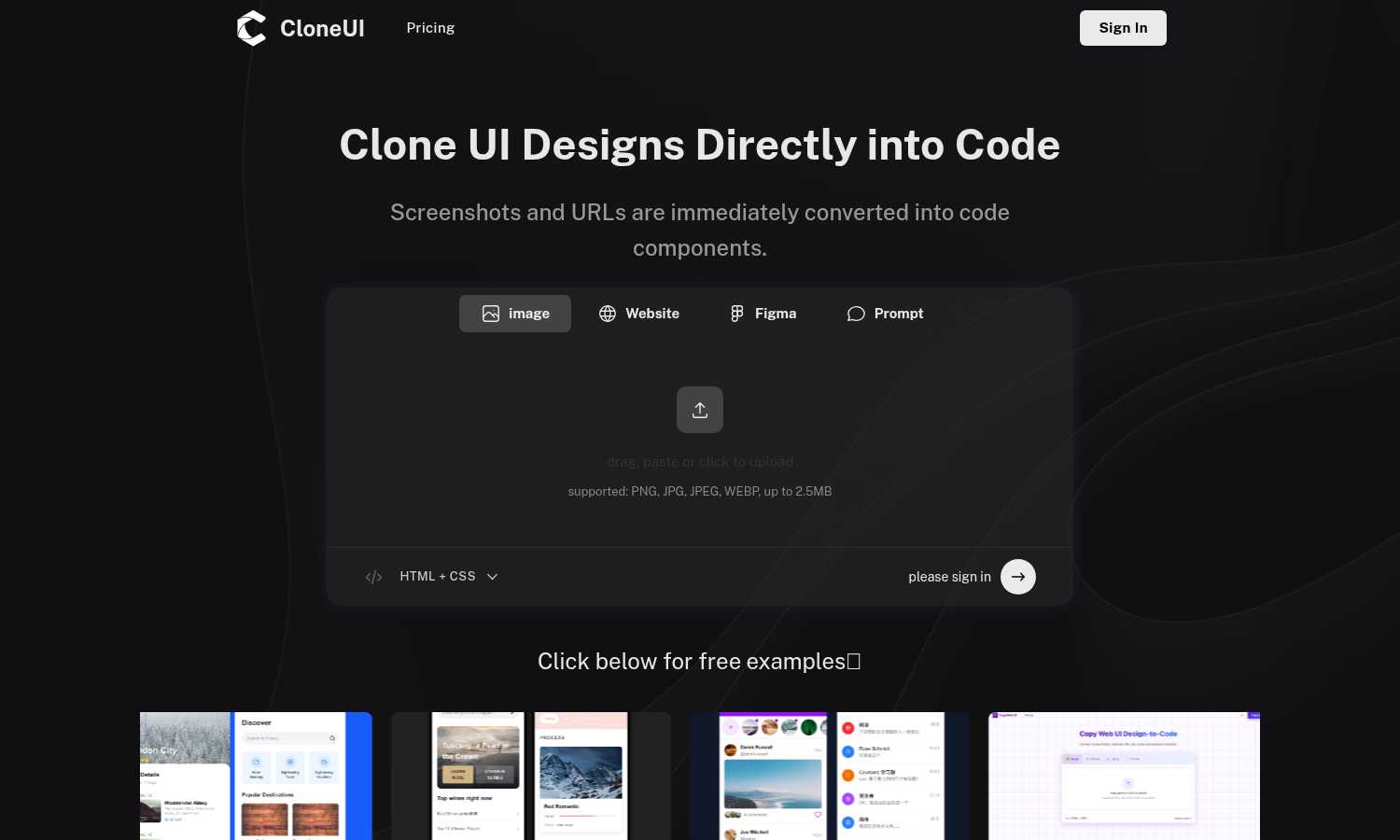
CloneUI effortlessly transforms screenshots and URLs into responsive, production-ready code for seamless web.
Last updated: March 1, 2026

Dokie AI
Dokie AI empowers you to create stunning professional presentations in minutes, transforming ideas into captivating PPT slides effortlessly.
Last updated: March 19, 2026
Visual Comparison
CloneUI
Dokie AI

Feature Comparison
CloneUI
Convert Screenshots to Code
With CloneUI's screenshot-to-code feature, users can simply upload their design images and receive pixel-perfect, responsive code in seconds. This functionality eliminates the need for tedious manual coding, making the design-to-development transition seamless.
Clone from URL
By entering a website URL, users can effortlessly replicate entire website structures. This feature allows for quick and easy cloning of web pages, ensuring that the code generated is an accurate reflection of the original design.
Convert Figma Designs to Code
CloneUI supports one-click conversion of Figma designs into clean code, making it an ideal choice for designers who want to streamline their workflow. This feature ensures that designs created in Figma are translated accurately into HTML, CSS, or JavaScript components.
Intelligent Component Recognition
Utilizing AI-powered technology, CloneUI automatically identifies and maps UI components within designs. This intelligent recognition ensures that the generated code is organized and adheres to best practices in coding, enhancing the overall quality of the output.
Dokie AI
AI Generate PPT
With the AI Generate feature, users can simply describe their presentation topic in plain text and receive a complete slide deck in return. The AI generates professional layouts, charts, and compelling content tailored to your topic, making it easy for anyone to create an impressive presentation instantly.
AI Beautify PPT
The AI Beautify option allows users to upload existing presentations for enhancement. Dokie AI intelligently fixes layouts, applies professional styling, and enhances the overall design while preserving the original content, ensuring your slides look visually appealing and cohesive.
Speech Notes Generation
Dokie AI offers a unique feature that generates detailed speaker notes for each slide. This functionality assists presenters in delivering their message with confidence by providing them with comprehensive talking points that enhance their engagement with the audience.
Multi-Format Conversions
Dokie AI supports various document-to-PPT conversions, including PDF to PPT, Word to PPT, and even HTML to PPT. This versatility allows users to transform different content formats into professional slide presentations seamlessly, saving time and effort in the process.
Use Cases
CloneUI
Rapid Prototyping
Developers can use CloneUI to quickly turn design concepts into functional prototypes. This allows for faster iterations in the design process, enabling teams to test and validate ideas before committing to full development.
E-commerce Site Development
CloneUI is perfect for e-commerce developers who need to replicate existing website designs for new projects. By cloning from screenshots or URLs, they can save time and resources, ensuring their online stores are visually appealing and functional.
Freelance Projects
Freelancers can leverage CloneUI to enhance their service offerings by delivering production-ready code to clients quickly. This not only increases their efficiency but also improves client satisfaction through faster turnaround times.
Educational Use
CloneUI serves as an excellent educational tool for coding students and new developers. By allowing them to convert designs into code, they can learn best practices and understand how design elements translate into functional web components.
Dokie AI
Business Presentations
Dokie AI is ideal for business professionals who need to create persuasive presentations for meetings, pitches, or conferences. With its ability to generate polished slides quickly, users can focus on their strategy and delivery rather than design.
Educational Lectures
Educators can use Dokie AI to create engaging slide decks for classroom lectures. The AI's capability to structure content effectively helps teachers present complex topics in a clear and visually appealing manner, enhancing student understanding.
Marketing Campaigns
Marketers can benefit from Dokie AI by creating visually striking presentations for campaigns, product launches, or client presentations. The tool's beautification feature ensures that marketing materials are not only informative but also eye-catching.
Workshops and Trainings
For trainers conducting workshops, Dokie AI provides an efficient way to generate training materials. By using the Speech Notes feature, trainers can enhance their delivery and ensure that all key points are covered during their sessions.
Overview
About CloneUI
CloneUI is an advanced AI-driven tool that revolutionizes the way developers and designers convert website designs into production-ready code. With its intuitive interface, CloneUI allows users to upload screenshots or enter URLs, instantly generating clean and responsive HTML, CSS, React, or Vue components. This powerful tool is designed for professionals and novices alike, streamlining the workflow by automating the time-consuming task of manual coding. By utilizing CloneUI, users can focus on their core creative processes and project execution, rather than getting bogged down in the minutiae of coding. The main value proposition of CloneUI lies in its ability to produce high-quality output that meets industry standards while significantly reducing development time. Whether you're a freelance developer, a design team, or a startup looking to speed up your web development process, CloneUI is your go-to solution for transforming designs into functional code with remarkable ease and efficiency.
About Dokie AI
Dokie AI is an innovative presentation maker designed for business professionals, educators, marketers, and startup founders who want to create stunning presentations without needing advanced design skills. Leveraging the power of Claude Opus 4.6, Dokie AI automates the entire presentation creation process, from content structuring to typography and visual design. This means users can focus on their message while Dokie AI handles the aesthetics. With features like Generate, Beautify, Speech, and document-to-PPT conversions, Dokie AI streamlines workflow, eliminates the hassle of templates, and ensures that every presentation is polished and professional. Whether you are preparing for a high-stakes business pitch, a classroom lecture, or a marketing campaign, Dokie AI is the ultimate solution for creating impactful presentations quickly and easily.
Frequently Asked Questions
CloneUI FAQ
Which input formats are compatible with CloneUI?
CloneUI supports various image formats for uploads, including PNG, JPG, JPEG, and WEBP, with a maximum file size of 2.5MB. This ensures flexibility for users when uploading their design screenshots.
How is the code generated?
The code is generated using advanced AI algorithms that analyze the uploaded designs or URLs. CloneUI interprets the visual elements and converts them into clean, responsive code, ready for production use.
Supported frameworks?
CloneUI allows users to export their code in multiple frameworks, including React, Vue, and plain HTML/CSS. This flexibility makes it easier for developers to integrate the output into their preferred tech stack.
Is the generated code customizable?
Yes, the generated code can be customized further to meet specific project requirements. Users can edit the output to align with their design vision or functionality needs, ensuring maximum adaptability.
Dokie AI FAQ
What types of presentations can I create with Dokie AI?
With Dokie AI, you can create a wide range of presentations including business proposals, educational lectures, marketing materials, and training workshops, all tailored to meet your specific needs.
How does the AI Beautify feature work?
The AI Beautify feature analyzes your existing presentation and automatically enhances its design. It adjusts layouts, applies professional styling, and ensures that the overall visual presentation is cohesive and attractive while maintaining your content.
Can I convert documents and other files into PPT using Dokie AI?
Yes, Dokie AI supports multiple formats for conversion into PowerPoint presentations, including PDF, Word, HTML, and even YouTube videos, allowing for versatile content creation.
Is Dokie AI suitable for beginners with no design experience?
Absolutely! Dokie AI is specifically designed for users who may not have design skills. Its intuitive AI-driven features make it easy for anyone to create professional presentations effortlessly.
Alternatives
CloneUI Alternatives
CloneUI is an innovative AI-driven tool designed to convert screenshots and URLs into responsive, production-ready code, making it an essential resource in the design tools and development categories. Users often seek alternatives to CloneUI due to factors like pricing, feature sets, platform compatibility, or personal preferences regarding user experience. The choice of an alternative should focus on functionality that aligns with specific project needs, ease of integration with existing workflows, and the quality of code output. When exploring alternatives, consider the range of features offered, such as conversion accuracy, support for various design tools, and the ability to generate clean, maintainable code. Additionally, evaluate the user interface and ease of use, as well as customer support options, to ensure that the chosen solution meets your requirements effectively.
Dokie AI Alternatives
Dokie AI is a cutting-edge AI presentation maker designed to help users create professional-quality PowerPoint slides quickly and effortlessly. It caters to a diverse range of users, including business professionals, educators, marketers, and startup founders, by leveraging advanced AI technology to automate content structure, layout, typography, and visual design. While Dokie AI is highly regarded for its innovative features, users often seek alternatives due to reasons such as pricing structures, specific feature sets, or platform compatibility that better align with their unique needs and workflows. When considering an alternative to Dokie AI, it's essential to evaluate several factors. Look for tools that offer similar AI-driven capabilities, ease of use, and customization options. Pricing plans should also be assessed to ensure they fit within your budget, while the overall user experience and support should be considered to facilitate seamless integration into your presentation creation process.