

Dokie AI
Dokie AI empowers you to create stunning professional presentations in minutes, transforming ideas into captivating PPT slides effortlessly.
AI tool Details
Explore More
Alternatives

About Dokie AI
Dokie AI is an innovative presentation maker designed for business professionals, educators, marketers, and startup founders who want to create stunning presentations without needing advanced design skills. Leveraging the power of Claude Opus 4.6, Dokie AI automates the entire presentation creation process, from content structuring to typography and visual design. This means users can focus on their message while Dokie AI handles the aesthetics. With features like Generate, Beautify, Speech, and document-to-PPT conversions, Dokie AI streamlines workflow, eliminates the hassle of templates, and ensures that every presentation is polished and professional. Whether you are preparing for a high-stakes business pitch, a classroom lecture, or a marketing campaign, Dokie AI is the ultimate solution for creating impactful presentations quickly and easily.
Features
AI Generate PPT
With the AI Generate feature, users can simply describe their presentation topic in plain text and receive a complete slide deck in return. The AI generates professional layouts, charts, and compelling content tailored to your topic, making it easy for anyone to create an impressive presentation instantly.
AI Beautify PPT
The AI Beautify option allows users to upload existing presentations for enhancement. Dokie AI intelligently fixes layouts, applies professional styling, and enhances the overall design while preserving the original content, ensuring your slides look visually appealing and cohesive.
Speech Notes Generation
Dokie AI offers a unique feature that generates detailed speaker notes for each slide. This functionality assists presenters in delivering their message with confidence by providing them with comprehensive talking points that enhance their engagement with the audience.
Multi-Format Conversions
Dokie AI supports various document-to-PPT conversions, including PDF to PPT, Word to PPT, and even HTML to PPT. This versatility allows users to transform different content formats into professional slide presentations seamlessly, saving time and effort in the process.
Use Cases
Business Presentations
Dokie AI is ideal for business professionals who need to create persuasive presentations for meetings, pitches, or conferences. With its ability to generate polished slides quickly, users can focus on their strategy and delivery rather than design.
Educational Lectures
Educators can use Dokie AI to create engaging slide decks for classroom lectures. The AI's capability to structure content effectively helps teachers present complex topics in a clear and visually appealing manner, enhancing student understanding.
Marketing Campaigns
Marketers can benefit from Dokie AI by creating visually striking presentations for campaigns, product launches, or client presentations. The tool's beautification feature ensures that marketing materials are not only informative but also eye-catching.
Workshops and Trainings
For trainers conducting workshops, Dokie AI provides an efficient way to generate training materials. By using the Speech Notes feature, trainers can enhance their delivery and ensure that all key points are covered during their sessions.
Frequently Asked Questions
What types of presentations can I create with Dokie AI?
With Dokie AI, you can create a wide range of presentations including business proposals, educational lectures, marketing materials, and training workshops, all tailored to meet your specific needs.
How does the AI Beautify feature work?
The AI Beautify feature analyzes your existing presentation and automatically enhances its design. It adjusts layouts, applies professional styling, and ensures that the overall visual presentation is cohesive and attractive while maintaining your content.
Can I convert documents and other files into PPT using Dokie AI?
Yes, Dokie AI supports multiple formats for conversion into PowerPoint presentations, including PDF, Word, HTML, and even YouTube videos, allowing for versatile content creation.
Is Dokie AI suitable for beginners with no design experience?
Absolutely! Dokie AI is specifically designed for users who may not have design skills. Its intuitive AI-driven features make it easy for anyone to create professional presentations effortlessly.
Similar to Dokie AI
FreeCreate
Free AI image and video studio with no sign-up: generate images from text or photos, turn prompts into short videos, plus editing and upscaling.
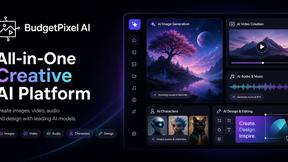
Budgetpixel AI
Create AI images, videos, music, and designs in one workspace with multiple models, powerful editing tools, and API access.
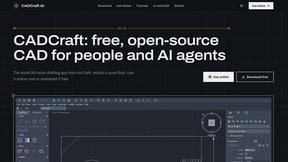
CADCraft
Free open-source 2D CAD in Rust with precise drafting, DWG/DXF support, and MCP/JSON/CLI automation for AI agents.
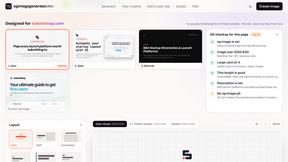
ogimagegenerator.dev
Paste a URL and AI designs on-brand Open Graph images from your page's colours, fonts and logo. Free, no sign-up.
Screen Issues
Free Online Screen Test Tool - Instantly diagnose dead pixels, lines, color issues, and flickering. Multiple test modes, no download needed.
ImageGenerator
Create and edit AI images online with multiple models, text-to-image, image-to-image, background removal, and upscaling.

Remove Text
Remove text from images online with AI

Image to Layers AI
Turn any image into editable transparent PNG/PSD layers with AI