
Free Youtube Transcript Generator vs Hush Touch | Voice-to-Text for MacOS
Side-by-side comparison to help you choose the right AI tool.

Free Youtube Transcript Generator
Generate, copy, translate, and download accurate YouTube transcripts effortlessly and for free.

Hush Touch | Voice-to-Text for MacOS
Hush Touch is offline voice-to-text software for Mac that learns your vocabulary for smarter, accurate dictation.
Last updated: February 28, 2026
Visual Comparison
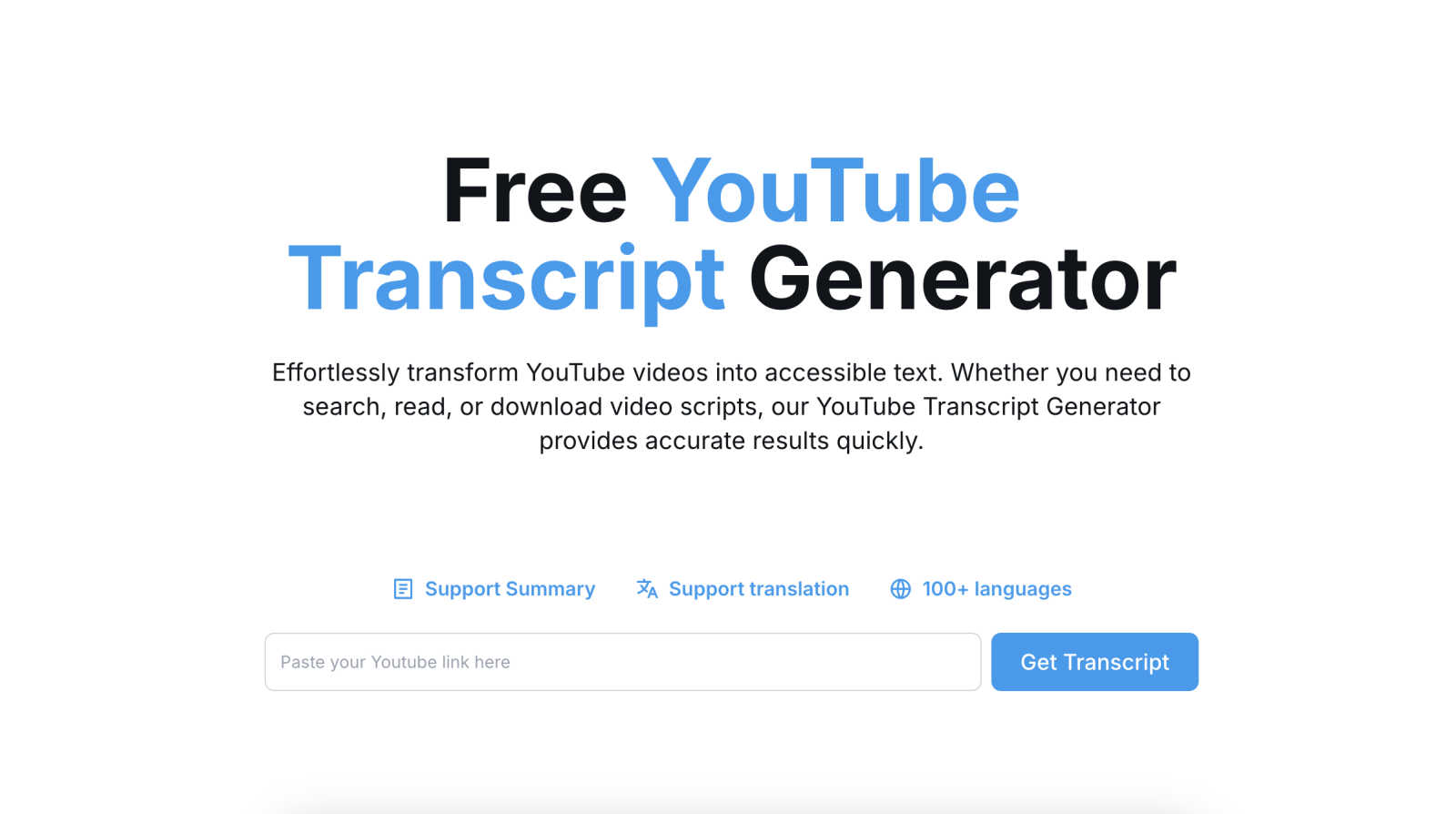
Free Youtube Transcript Generator
Hush Touch | Voice-to-Text for MacOS

Feature Comparison
Free Youtube Transcript Generator
Instant Transcript Generation
With the Free YouTube Transcript Generator, users can quickly generate accurate transcripts from YouTube videos by simply entering the video URL. This feature ensures that you waste no time waiting for the content you need, making it perfect for fast-paced environments.
Multi-Format Download Options
The tool offers users the flexibility to download transcripts in various formats, including TXT, DOCX, PDF, and Excel. This feature allows individuals to choose the format that best suits their needs, whether for academic reports, presentations, or simple note-taking.
Language Translation Support
One of the standout features of the Free YouTube Transcript Generator is its ability to translate transcripts into over 100 languages. This functionality broadens the accessibility of video content, ensuring that language barriers do not prevent anyone from engaging with valuable information.
User-Friendly Interface
Designed with a mobile-first approach, the Free YouTube Transcript Generator boasts a clean and intuitive interface. This user-centric design ensures that anyone can navigate the tool with ease, making the transcript generation process straightforward and hassle-free.
Hush Touch | Voice-to-Text for MacOS
Dual-Engine Recognition
Hush Touch employs a dual-engine recognition system that combines DictationTranscriber for natural flow and punctuation with SFSpeechRecognizer for custom vocabulary enhancement. This sophisticated blend ensures that your transcriptions are not only accurate but also reflect the nuances of your unique speech patterns.
Custom Vocabulary
With an impressive capacity for recognizing up to 500 custom terms, Hush Touch learns from your corrections and preferences. This feature is particularly beneficial for professionals in specialized fields—like medicine or technology—ensuring that the software can accurately transcribe complex terminology and jargon that other apps might misinterpret.
Smart Text Processing
The app excels in smart text processing by automatically removing filler words and correcting common mistakes in real time. Features such as voice snippets for repeated phrases and formatted numbered lists enhance the overall dictation experience, helping users to produce polished documents faster and with less effort.
100% On-Device Privacy
Hush Touch guarantees that all processing is conducted on your Mac, ensuring that your voice data is never sent to the cloud. This fully on-device operation not only enhances privacy but also allows the app to function offline, making it a reliable tool regardless of your internet connectivity.
Use Cases
Free Youtube Transcript Generator
Enhancing Learning Materials
Educators can utilize the Free YouTube Transcript Generator to create transcripts of educational videos, which can then be integrated into teaching materials. This use case helps students who prefer reading to enhance their learning experience.
Research and Analysis
Researchers can benefit from this tool by generating transcripts of relevant video content, allowing for easier analysis and citation in their work. This streamlines the research process, making video data more manageable and accessible.
Content Creation and Summarization
Content creators can use the tool to generate transcripts of their own videos or those of others for summarization purposes. This feature aids in scriptwriting, blog post creation, and more, ultimately enhancing content engagement.
Accessibility for Diverse Audiences
By providing transcripts in multiple languages, the Free YouTube Transcript Generator ensures that a diverse audience can access video content. This use case is particularly important for organizations aiming to reach global markets or engage different demographic groups.
Hush Touch | Voice-to-Text for MacOS
Drafting Emails
Hush Touch simplifies the process of composing emails by allowing users to dictate messages hands-free. Whether you are responding to colleagues or sending quick updates, you can effortlessly convert your thoughts into written text with just your voice.
Taking Notes in Meetings
During meetings or lectures, Hush Touch serves as an invaluable tool for capturing ideas and discussions without the distraction of typing. Users can focus on the conversation while the app transcribes their voice into notes, making it easier to stay engaged.
Writing Content and Articles
For bloggers and content creators, Hush Touch provides a seamless way to brainstorm and draft articles. By dictating their thoughts, users can maintain a natural flow of ideas, enhancing creativity and productivity.
Creating Technical Documentation
Professionals in technical fields can leverage Hush Touch to produce documentation that includes specialized terminology. The custom vocabulary feature ensures that terms related to coding, medical practices, or engineering are accurately captured, saving time and reducing errors.
Overview
About Free Youtube Transcript Generator
The Free YouTube Transcript Generator is a powerful and intuitive tool designed for anyone looking to convert YouTube videos into accurate text transcripts effortlessly. Whether you are a student, educator, content creator, or researcher, this tool serves as an invaluable resource for accessing video content in a written format. By simply pasting a YouTube video URL and clicking the "Get Transcript" button, users can extract subtitles in just a matter of seconds. The main value proposition lies in its ability to enhance accessibility and comprehension of video content. With support for over 100 languages, the tool also facilitates translation, allowing users from different linguistic backgrounds to benefit from the same video material. Its user-friendly interface ensures that even those with minimal technical knowledge can easily navigate the process, making video content more inclusive and available to all.
About Hush Touch | Voice-to-Text for MacOS
Hush Touch is an innovative voice-to-text application designed specifically for macOS, transforming the dictation experience into something that feels both fast and natural. It stands out by ensuring complete privacy with its on-device processing, meaning users can enjoy robust voice recognition without relying on cloud services. This lightweight app, at just 5.5 MB, integrates seamlessly into daily writing workflows, making it ideal for anyone looking to enhance their productivity without the hassle of complicated setups. Whether you are a busy professional drafting emails, a student taking notes, or a creative writer brainstorming ideas, Hush Touch adapts to your needs. Its dual-engine transcription system, combined with advanced learning capabilities, produces cleaner, more accurate text outputs. With a one-time purchase of $20 for a lifetime license, Hush Touch is an affordable solution for those seeking efficiency and privacy in their dictation tasks.
Frequently Asked Questions
Free Youtube Transcript Generator FAQ
How do I use the Free YouTube Transcript Generator?
To use the generator, simply copy the URL of the YouTube video you wish to transcribe, paste it into the generator, and click "Get Transcript." The tool will process the video and provide you with the transcript instantly.
Can I download the transcript in different formats?
Yes, the Free YouTube Transcript Generator allows you to download transcripts in several formats, including TXT, DOCX, PDF, and Excel. This flexibility ensures you can choose the format that works best for your needs.
Is there a limit to the length of videos I can transcribe?
While there is no specific limit mentioned, extremely long videos may take longer to process. However, the tool is designed to handle most standard-length videos efficiently.
Is the translation feature accurate?
The translation feature utilizes advanced algorithms to provide translations in over 100 languages. While it aims for high accuracy, users are encouraged to review the translations for context-specific nuances and variations.
Hush Touch | Voice-to-Text for MacOS FAQ
How does Hush Touch maintain user privacy?
Hush Touch processes all voice data entirely on your Mac, with no reliance on cloud services. This ensures your dictations remain private and secure, protecting sensitive information from potential breaches.
Can I use Hush Touch offline?
Yes, Hush Touch is designed for offline use. Its on-device processing means you can dictate your thoughts and ideas without needing an internet connection, making it highly convenient for users on the go.
What is the cost of Hush Touch?
Hush Touch is available for a one-time fee of $20, providing a lifetime license with no recurring subscription costs. This makes it an affordable choice compared to other voice dictation services that charge monthly fees.
How does the adaptive learning feature work?
Hush Touch’s adaptive learning feature improves accuracy by detecting when you correct a transcription. It automatically adds the corrected terms to your custom vocabulary, enhancing the app’s performance and responsiveness over time.