
Imgezy vs Shrinkpad
Side-by-side comparison to help you choose the right AI tool.

Imgezy
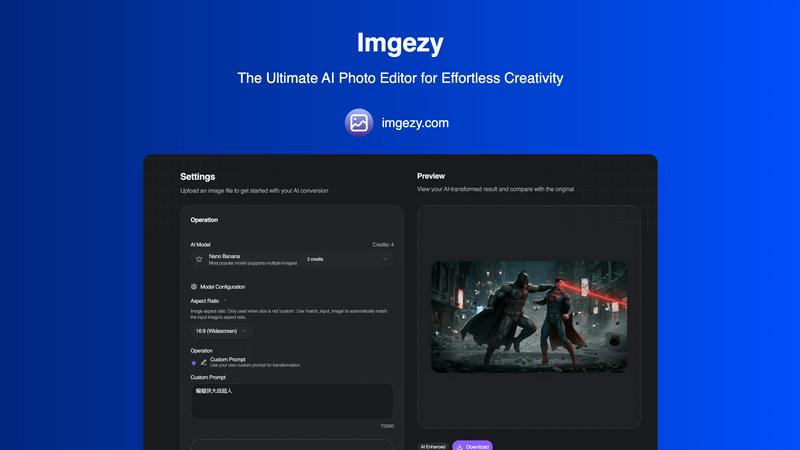
Imgezy is an AI photo editor that transforms your images instantly with just a few taps.
Last updated: February 28, 2026

Shrinkpad
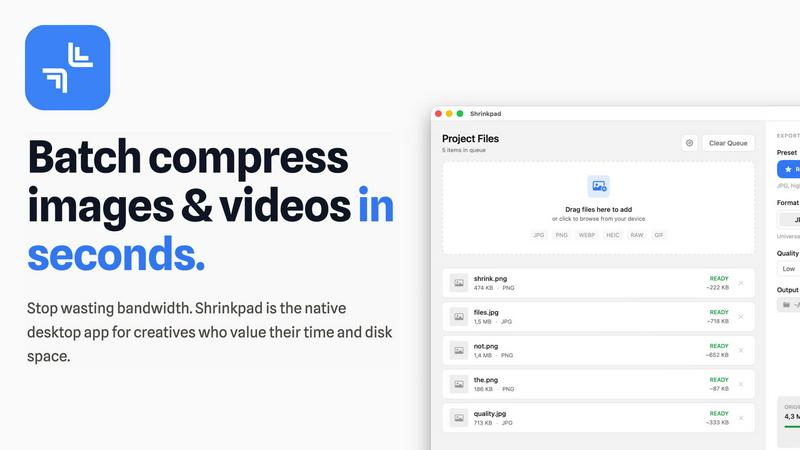
Shrinkpad compresses images and videos in bulk on your Mac to save space and time.
Last updated: February 28, 2026
Visual Comparison
Imgezy
Shrinkpad
Feature Comparison
Imgezy
Conversational AI Editing
Edit photos using simple language, not complex tools. Just type a command like "remove the trash can" or "change the background to a beach at sunset" and Imgezy's AI understands and executes your vision instantly. This removes all technical barriers, letting your creativity lead the way without any design skills required.
Flawless Object Removal
Don't let photobombers or distracting elements ruin your perfect shot. Our AI intelligently identifies and removes any unwanted object, person, or blemish from your photo. It then reconstructs the background with pixel-perfect accuracy, leaving no trace behind for a clean, natural-looking result every time.
Instant Background Replacement
Transform the context of any photo in seconds. Swap out a boring office wall for a tropical paradise, a cloudy sky for a golden hour glow, or any background you can imagine. The AI seamlessly blends your subject into the new environment, creating professional composites that look authentic and stunning.
Smart Photo Enhancement & Repair
Automatically enhance your images to make them pop. Imgezy's AI can adjust colors, improve lighting, and sharpen details with a single command. It also features smart repair tools to automatically fix damaged, blurry, or low-quality areas, restoring clarity and vibrancy to your precious memories.
Shrinkpad
Lightning-Fast Batch Processing
Shrinkpad is engineered for speed, utilizing multi-threaded compression optimized for Apple Silicon. You can process thousands of images and videos in a single batch within minutes, not hours. Unlike web-based tools that crash under heavy loads, Shrinkpad handles massive queues with ease, turning a previously time-consuming chore into a background task that finishes in seconds.
Privacy-First Local Processing
Your sensitive creative assets never leave the security of your Mac. All compression happens locally on your machine using Apple's native frameworks. There are no cloud uploads, no hidden subscriptions for server processing, and no risk of your unreleased work being exposed. Shrinkpad gives you powerful optimization while guaranteeing complete data privacy.
Intelligent Quality Optimization
Stop guessing compression settings. Shrinkpad automatically analyzes the visual complexity of each image and video to apply the perfect compression ratio. This smart detection ensures maximum file size reduction without introducing noticeable artifacts or quality loss, delivering optimized assets that look as good as the originals.
Comprehensive Format Support
Drag and drop virtually any media file and Shrinkpad is ready to go. It supports over 50 formats natively, including JPG, PNG, WEBP, AVIF, HEIC, RAW camera files, MP4, and MOV. This extensive compatibility means you can process mixed batches of photos and videos together without needing multiple specialized tools.
Use Cases
Imgezy
Social Media Content Creation
Create eye-catching, professional-looking posts for Instagram, TikTok, or Facebook in seconds. Quickly remove distractions from selfies, replace bland backgrounds with trendy settings, and enhance image quality to stand out in any feed and grow your audience with consistently high-quality visuals.
E-commerce Product Photography
Elevate your online store without a studio budget. Easily remove distracting backgrounds from product shots and place items on clean white or branded backgrounds. You can also fix minor imperfections on products, ensuring your listings look polished and trustworthy to potential customers.
Travel & Lifestyle Blogging
Perfect your travel photos by removing unwanted tourists or modern signage from historic sites. Instantly change a gloomy sky to a bright blue one or enhance the colors of a landscape to match the vibrant experience. Tell better visual stories without spending hours editing on a laptop.
Personal Photo Restoration & Enhancement
Breathe new life into old or damaged personal photos. Use the smart repair feature to fix scratches, tears, or blurriness. Colorize black and white images, remove unwanted former objects from family portraits, and enhance precious memories to preserve them in their best light for generations.
Shrinkpad
Web Designers & Developers
Quickly optimize entire directories of website assets like hero images, product shots, and icons. Reduce bundle sizes and significantly improve website load times and Core Web Vitals like Largest Contentful Paint (LCP). Simply export assets from Figma or Photoshop at 2x/4x resolution and let Shrinkpad batch-optimize and rename them in one go.
Photographers & Content Creators
Manage massive libraries of high-resolution photos and video clips. Reclaim terabytes of storage by compressing RAW files, HEIC images, and 4K video footage without sacrificing quality for your portfolio or client deliveries. Prepare batches of social media content quickly and efficiently.
App & Software Developers
Reduce the overall size of your application bundles by optimizing all embedded images and video resources. Smaller app sizes lead to faster download times for your users and can help you stay under distribution platform size limits, improving the overall user experience.
General Mac Users
Easily tackle "Storage Full" warnings by finding and compressing large media files scattered across your Downloads, Desktop, and Documents folders. Use Folder Mode to drop any directory and instantly compress all discoverable images and videos, freeing up gigabytes of space with minimal effort.
Pricing Comparison
Imgezy
Imgezy offers flexible plans to suit different needs. The Basic plan is perfect for personal use at $9.99 per month, offering 200 credits (approx. 100 images). The Pro plan, at $19.99 per month, is designed for power users and professionals, providing 800 credits (approx. 400 images), a commercial license, and priority support. You can save 20% by choosing annual billing. All plans allow you to cancel anytime with no lock-in contract.
Shrinkpad
Shrinkpad offers simple, one-time payment pricing with no subscriptions. The Free Starter plan provides essential tools for casual use with a 10-file per batch limit. The Personal plan, at a one-time cost of $14, is the best value for individual creators, unlocking unlimited batch processing, all file formats (including RAW and video), no file size limits, and a license for 1 device. For teams, the Team plan costs a one-time payment of $35 and includes everything in the Personal plan plus licenses for up to 10 devices and priority support.
Overview
About Imgezy
Imgezy is the future of photo editing, reimagined for the mobile-first creator. It's an AI-powered photo editor that transforms complex editing tasks into a simple, conversational experience. Forget about navigating confusing menus or mastering intricate tools. With Imgezy, you achieve professional-grade results by simply describing the change you want to see. Whether you need to remove an unwanted object, instantly swap a dull background for a stunning vista, or enhance colors and lighting, Imgezy's advanced artificial intelligence handles it all in seconds. Built for anyone who values stunning visuals without the steep learning curve, it's the perfect tool for social media enthusiasts, travel bloggers, e-commerce sellers, and content creators. Trusted by over 200,000 users, Imgezy delivers pixel-perfect accuracy and stunning results directly from your device, making powerful photo editing accessible, intuitive, and incredibly fast. It's the only AI photo editor you'll ever need, putting creative power directly in your hands.
About Shrinkpad
Shrinkpad is the ultimate native macOS app for creatives who need to reclaim storage and streamline their workflow. It solves the universal problem of bloated media files by offering fast, private, and intelligent batch compression for both images and videos. Built specifically for Mac, it leverages Apple's frameworks to process everything directly on your device. Your files never leave your computer, ensuring complete privacy and eliminating any dependency on slow internet connections or insecure cloud uploads. Whether you're a photographer managing hundreds of RAW files, a designer optimizing website assets, a content creator editing video clips, or simply someone tired of constant "Storage Full" warnings, Shrinkpad is your dedicated solution. It dramatically reduces file sizes by up to 90% while preserving visual quality, supports over 50 formats out of the box, and handles massive batches of files in seconds. With its intuitive drag-and-drop interface and powerful customization, Shrinkpad transforms the tedious task of file optimization into a simple one-click operation, saving you hours of manual work and gigabytes of precious disk space.
Frequently Asked Questions
Imgezy FAQ
How does Imgezy's AI editing work?
Imgezy uses advanced artificial intelligence models, like the popular Nano Banana model, to understand your text-based instructions. You upload a photo and describe the edit you want. The AI analyzes the image, interprets your command, and applies complex edits—such as object removal or background generation—automatically, delivering results in just seconds.
Do I need any design experience to use Imgezy?
No, absolutely not. Imgezy is specifically designed for users with zero design or editing experience. The conversational interface means you don't need to learn any tools. If you can describe what you want to see changed in your photo, you can use Imgezy to achieve professional-level edits.
What image formats does Imgezy support?
Imgezy supports all major image formats, including JPG, PNG, and WebP. You can easily drag and drop your photo or select a file directly from your mobile device or computer to get started with your AI-powered transformation.
Are my edited images high quality?
Yes. Imgezy is built to deliver maximum quality with the best detail and accuracy. You can download your edited photos in full, high resolution without any loss of quality, ensuring your images look perfect whether viewed on a phone screen or printed.
Shrinkpad FAQ
Can I use Shrinkpad for free?
Yes, Shrinkpad offers a Free Starter tier that includes standard compression for common formats like JPG and PNG. It allows you to process up to 10 files per batch with a maximum file size of 1GB, perfect for trying out the app's core functionality before upgrading.
What file formats does Shrinkpad support?
Shrinkpad supports a wide range of over 50 image and video formats. This includes common types like JPG, PNG, MP4, and MOV, as well as professional formats like WEBP, AVIF, HEIC, and RAW files from various camera manufacturers. A full list is available on the website.
Does Shrinkpad support video compression?
Absolutely. Shrinkpad provides powerful video compression alongside image optimization. You can compress MP4, MOV, and other video formats, often reducing file sizes by 65% or more. This makes it ideal for content creators needing to manage large video project files or clips.
How many files can I process at once?
With the paid Personal or Team plans, you can process an unlimited number of files in a single batch. The app is built to handle massive queues of thousands of assets without crashing, leveraging your Mac's full processing power to work through them efficiently.
Alternatives
Imgezy Alternatives
Imgezy is a leading AI photo editor in the mobile app space, designed to transform images through simple text commands. It's part of a growing category of apps that use artificial intelligence to automate complex photo edits, making professional results accessible to everyone. Users often explore alternatives for various reasons. Some may be looking for different pricing models or subscription plans. Others might need specific features not offered, prefer a desktop or web-based platform over a mobile app, or simply want to compare the AI quality and user experience before committing to one editor. When choosing an alternative, consider your primary needs. Look at the core editing capabilities, especially the AI's accuracy for tasks like object removal. Evaluate the user interface for ease of use, check the supported platforms, and understand the cost structure. The best choice aligns with your specific workflow and the type of edits you do most often.
Shrinkpad Alternatives
Shrinkpad is a native macOS application for batch compression of images and videos. It helps users reclaim storage space by intelligently reducing file sizes directly on their Mac, ensuring privacy and speed. This places it in the media optimization and file management category for creative professionals and everyday users alike. Users often explore alternatives for various reasons. Some may need a solution for Windows or a cross-platform tool, while others might seek different pricing models, specific advanced features, or a different user interface. The search for the right tool is highly personal and depends on individual workflow needs. When evaluating alternatives, key considerations include the platform compatibility, privacy policy regarding file processing, support for your specific file formats, and the efficiency of batch handling. The goal is to find a tool that integrates seamlessly into your routine, saving time and space without compromising on the quality you need.