
Meme Builder AI vs Prompt Builder
Side-by-side comparison to help you choose the right AI tool.

Meme Builder AI
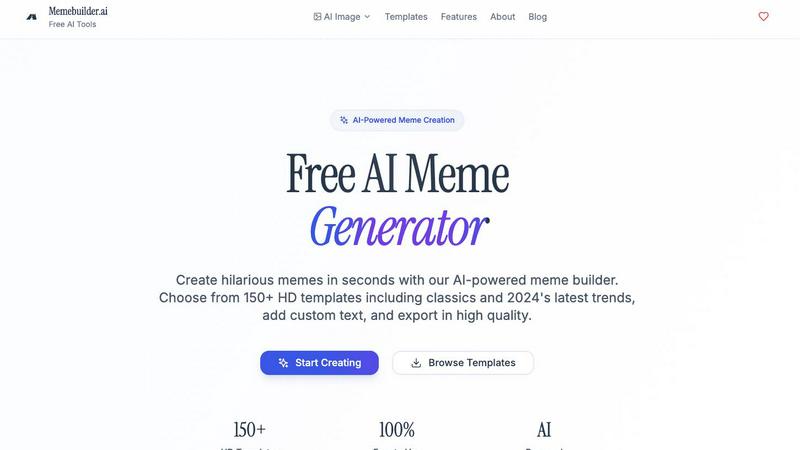
Instantly create viral memes with AI using text or our huge template library.
Last updated: February 28, 2026

Prompt Builder
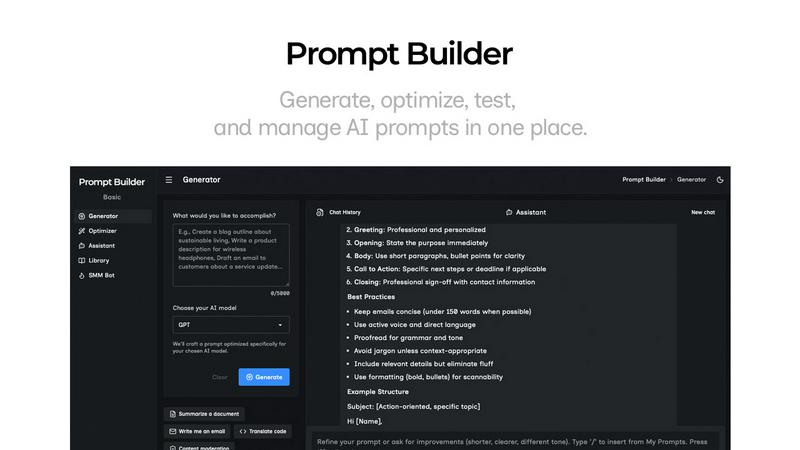
Generate, optimize, test, and manage AI prompts in one place. Turn an idea into a ready-to-use prompt in seconds.
Visual Comparison
Meme Builder AI
Prompt Builder
Overview
About Meme Builder AI
Meme Builder AI is the ultimate mobile-first, AI-powered suite designed to put viral meme creation in your pocket. It transforms a simple thought or description into a fully realized, shareable meme in seconds, completely free of charge. Built for the modern content creator, it strips away the traditional complexity of finding templates, editing images, and brainstorming captions. Whether you're a social media manager looking to boost engagement, a digital marketer crafting relatable campaigns, a student adding humor to a presentation, or just someone who wants to join an online conversation with a perfectly timed joke, this tool is engineered for you. Its core value proposition is a powerful combination of speed, simplicity, and smart automation. You don't need any design skills; you just describe your idea. The AI then takes over, intelligently selecting the perfect trending template from a massive, ever-updated library and generating witty, context-aware captions that are culturally relevant and funny. With groundbreaking support for creating memes in over 110 languages and the ability to generate both static images and animated GIFs, Meme Builder AI empowers a truly global audience. It enables anyone, anywhere, to create professional, engaging, and hilarious content instantly, directly from their smartphone or web browser, ensuring you're always ready to participate in the digital dialogue.
About Prompt Builder
Prompt Builder is a prompt engineering workspace for writing, testing, and saving prompts. Describe the task in plain English, and it helps you create a prompt that matches the model you choose. Start with a draft, refine it in chat, save or pin versions, then run them when you are ready. It works with GPT, Claude, Gemini, Llama, Mistral, DeepSeek, Grok, Perplexity, and more. You also get an Optimizer, an assistant for quick tests, and a library of reusable prompts and templates from the community. Turn an idea into a ready-to-use prompt in seconds. Refine it in chat, save it to your Library, and run it anytime.