
One More Shot AI vs StatPecker
Side-by-side comparison to help you choose the right AI tool.

One More Shot AI
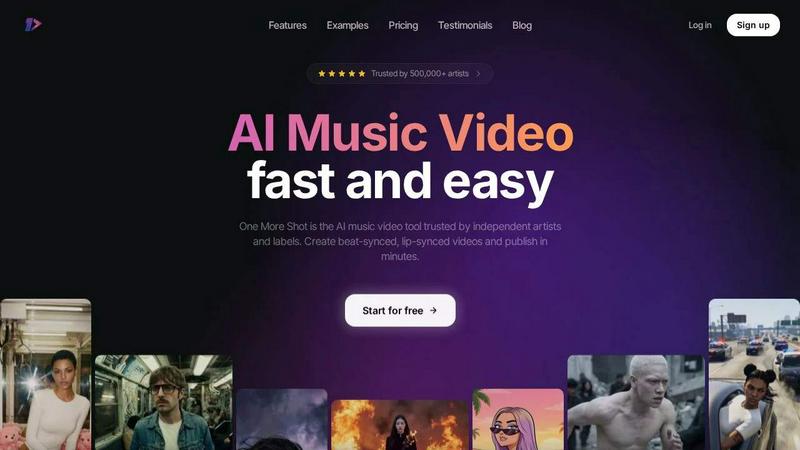
One More Shot AI helps artists effortlessly create stunning, lip-synced music videos in minutes, transforming songs into visual masterpieces.
Last updated: April 4, 2026

StatPecker
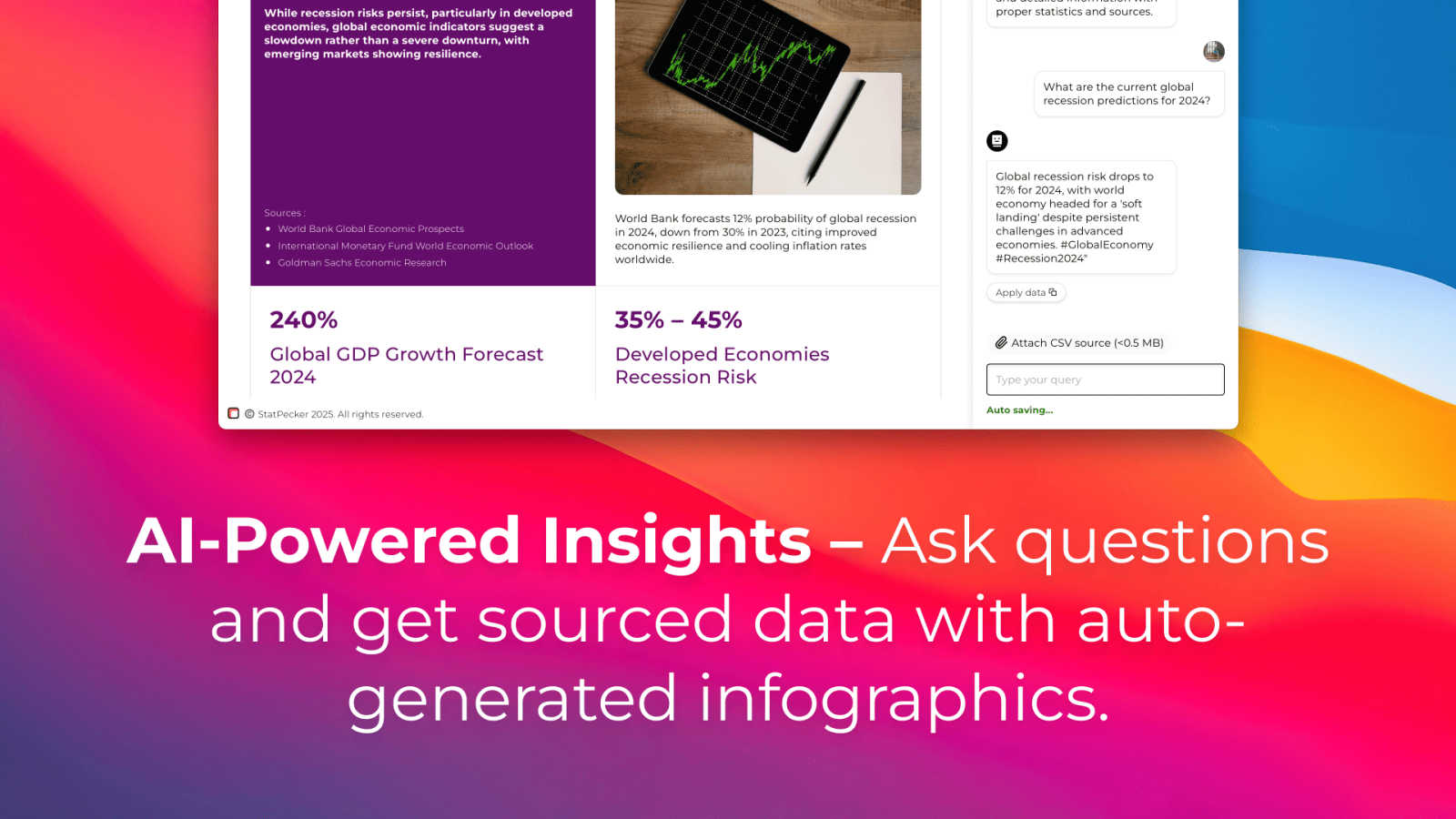
StatPecker turns your data into instant AI insights and stunning visuals for free.
Last updated: March 1, 2026
Visual Comparison
One More Shot AI
StatPecker
Feature Comparison
One More Shot AI
AI-Powered Music Video Creation
One More Shot AI utilizes advanced artificial intelligence to create music videos that perfectly align with the musical elements of the track. By analyzing various aspects of the song, the tool generates captivating visuals that resonate with the intended audience.
Auto Videos
With the Auto Videos feature, users can simplify the video creation process significantly. Simply input a song and a reference photo, and let the AI agents handle the rest, delivering a professional-quality music video in no time.
Precise Editing with Project Mode
For those who enjoy a hands-on approach, the Project Mode offers granular control over each individual shot in the video. Users can start from scratch or modify existing content to ensure every scene is crafted to their liking.
Top-Notch Lip-Syncing
One More Shot AI boasts the best lip-syncing model available in the market, ensuring that every singing scene looks natural and synchronized with the audio. This feature is crucial for artists who want to maintain authenticity in their music videos.
StatPecker
Ask Your Query
Get instant, credible insights without complex tools. Simply type your question in plain English, and StatPecker's AI queries validated data sources to generate the answer. This feature turns curiosity into clear visuals in seconds, perfect for quick research or validating a hypothesis on the go, directly from your phone or tablet.
Upload & Analyze CSVs
Go beyond public data by analyzing your private information securely. Upload a CSV file directly from your device, and StatPecker's local SQL Agent processes everything on-device. Your data never leaves your phone or computer, ensuring complete privacy while you explore trends, summarize figures, and extract key insights without spreadsheet hassle.
Publish & Embed
Seamlessly integrate your created visuals into your digital content. StatPecker generates interactive charts and infographics with embed codes, making it easy to add them directly to blogs, articles, websites, or internal wikis. This creates a dynamic, engaging experience for your audience without requiring any coding or design software.
Download & Use Anywhere
Export your finished infographics as high-quality image files with a single tap. This allows for maximum flexibility, letting you instantly use your visuals in reports, slide presentations, social media posts, or printed materials. Your data stories are ready to share anywhere, in any format you need.
Use Cases
One More Shot AI
Independent Artists
Independent musicians can leverage One More Shot AI to create visually appealing music videos that enhance their promotional efforts. This tool allows them to produce high-quality content without the need for a large budget or extensive video production experience.
Social Media Content Creation
Creators looking to enhance their social media presence can use One More Shot AI to quickly generate music videos tailored for platforms like Instagram and TikTok. The ability to output videos in multiple formats ensures compatibility with various social media channels.
Music Labels and Marketers
Music labels can utilize One More Shot AI to streamline their marketing campaigns. By producing engaging music videos for their artists, labels can effectively reach wider audiences and promote new releases in an eye-catching manner.
Virtual Artists and Branding
With the ability to create a virtual artist using just a photo or description, One More Shot AI opens up possibilities for innovative branding. Musicians can generate consistent and recognizable visual identities that resonate with their target audience across various platforms.
StatPecker
Content Creation & Blogging
Bloggers and digital writers use StatPecker to quickly find supporting data and create custom infographics that boost article credibility and engagement. Instead of searching for generic charts, they can generate unique visuals that perfectly match their narrative, making complex topics accessible and shareable for their readers.
Business Reporting & Analysis
Analysts and managers leverage the CSV upload feature to turn internal sales, marketing, or operational data into clear charts for weekly reports or team meetings. They can ask specific questions like "Which product line had the highest growth last quarter?" and get a visual answer ready for a presentation in minutes.
Educational Material Development
Educators and trainers use StatPecker to simplify complex statistical or historical data for students. By transforming datasets into easy-to-understand infographics, they can create more engaging lesson plans, handouts, and presentation slides that help students grasp difficult concepts visually.
Marketing & Social Media
Marketing professionals create eye-catching data-driven content for social media campaigns and reports. They can visualize market research, campaign performance metrics, or industry comparisons to tell a compelling brand story, drive engagement, and present results to stakeholders with professional clarity.
Overview
About One More Shot AI
One More Shot AI is a cutting-edge web and mobile platform designed for musicians, creators, and music marketers who want to transform their audio tracks into visually stunning music videos without the hassle of traditional video production processes. By leveraging AI technology, the platform analyzes the song's rhythm, energy, and mood to generate visuals that are in perfect sync with the music. Whether you are an independent artist looking to promote your latest single or a label seeking to enhance your marketing efforts, One More Shot AI provides a fast and efficient way to create engaging content. Users can quickly upload their songs, input reference images, and provide prompts to generate full music videos in mere minutes. For those who desire more control, advanced workflows allow for scene-by-scene and frame-by-frame editing, ensuring that your creative vision is fully realized. With its ability to produce beat-synced visuals and top-notch lip-syncing, One More Shot AI is the ideal tool for anyone looking to elevate their music video production.
About StatPecker
StatPecker is an AI-powered data visualization tool that transforms the complex task of data storytelling into a simple, fast, and intuitive experience on any device. Designed for the modern creator and analyst, it instantly converts raw data and simple questions into stunning, publication-ready infographics. The core value proposition is clear: democratize data visualization. You don't need to be a data scientist or a graphic designer to create impactful visuals. StatPecker is built for a diverse mobile-first audience, including content creators looking to enrich blogs, marketers crafting compelling reports, educators simplifying complex topics, and business analysts needing quick, credible insights. It bridges the gap between data and narrative, allowing users to extract trends, visualize comparisons, and share insights without ever leaving their workflow. By offering features like a local SQL agent for private CSV analysis, StatPecker ensures both power and privacy, making it an essential app for anyone who needs to communicate with data effectively and beautifully.
Frequently Asked Questions
One More Shot AI FAQ
How does One More Shot AI generate music videos?
One More Shot AI analyzes a song's rhythm, energy, and mood to create visuals that are in sync with the music. Users can upload their audio track along with a reference image and prompts to guide the video generation.
Is it easy to use for beginners?
Yes, One More Shot AI is designed with user-friendliness in mind. The platform provides both simple workflows for quick video creation and advanced options for more in-depth editing, making it accessible for users with varying levels of experience.
Can I edit the generated music videos?
Absolutely! One More Shot AI features a Project Mode that allows users to edit each individual shot in the video. This level of control ensures that you can modify existing content or start fresh to meet your creative vision.
What formats does One More Shot AI support for video output?
The platform supports various output formats, including vertical, horizontal, and square options. This flexibility makes it ideal for social media content, music promotion, and artist branding across different platforms.
StatPecker FAQ
Is my data private when I upload a CSV?
Yes, absolutely. When you use the Local SQL Agent feature to upload a CSV, all data processing and analysis happen directly on your device. Your file is not sent to StatPecker's servers. This ensures complete privacy and security for your sensitive business or personal information.
Do I need design or coding skills to use StatPecker?
No, you do not. StatPecker is designed to be intuitive and user-friendly. The AI handles the complex parts of data querying and visual design. You simply ask a question or upload a file, and the tool generates a professional infographic for you to use, publish, or download immediately.
What are the limits of the Free Tier?
The Free Tier is a great way to start. It includes unlimited projects and embeds, 25 AI queries to ask questions, and 10 CSV uploads for private analysis. This allows you to fully explore the app's core functionality and create a significant amount of content at no cost.
Can I edit the infographics after they are created?
Yes, you can. While StatPecker AI generates the initial visual, the platform provides options for manual edits on your embeds. You can adjust colors, and text, and sometimes chart types to better fit your brand or presentation needs before publishing or downloading the final graphic.
Alternatives
One More Shot AI Alternatives
One More Shot AI is an innovative platform designed to transform songs into captivating music videos using advanced artificial intelligence. This web and mobile application caters specifically to musicians, creators, and music marketers who seek to elevate their tracks into visually engaging experiences without the complexities of traditional video production. By analyzing the music's rhythm, energy, and mood, it generates synchronized visuals that enhance the overall artistic expression. Users often explore alternatives to One More Shot AI for various reasons, such as pricing concerns, specific feature sets, or compatibility with different platforms. When searching for the right alternative, it's essential to consider factors like user experience, output formats, creative control options, and the ability to produce quality visuals that align with the desired artistic vision. Ultimately, finding a suitable alternative hinges on balancing these elements to meet individual needs.
StatPecker Alternatives
StatPecker is an AI-powered data visualization tool that transforms raw data into engaging infographics in seconds. It's designed for anyone who needs to tell a story with data quickly, from marketers to educators. Users often explore alternatives for various reasons. These can include budget constraints, the need for more advanced or specific features, compatibility with different operating systems or mobile apps, or simply a preference for a different user interface and workflow. When evaluating other options, consider your core needs. Look at the ease of use, especially on mobile devices, the types of visualizations offered, how well it integrates AI for analysis, and the flexibility to share or embed your final creations. The right tool should fit seamlessly into your existing process.