
Magic Hour vs QuickImg
Side-by-side comparison to help you choose the right AI tool.

Magic Hour
Magic Hour is a free AI studio that lets you create stunning videos and images in seconds, effortlessly.
Last updated: March 4, 2026

Create stunning AI images and edit photos instantly with one powerful app.
Last updated: February 28, 2026
Visual Comparison
Magic Hour

QuickImg
Feature Comparison
Magic Hour
AI Video Creation
Magic Hour's AI video tools allow you to create stunning, cinematic videos from scripts or prompts. The text-to-video functionality converts written content into engaging visual narratives, while video-to-video features enable users to apply new artistic styles to existing footage seamlessly.
AI Image Generation
With the AI Image Generator, users can create high-quality images from simple text prompts, providing endless possibilities for artistic expression. The AI Image Editor allows for easy image manipulation and enhancement, ensuring your visuals are always polished and professional.
Face Swap Technology
Magic Hour’s face swap features, available for both photos and videos, make it easy to personalize content by swapping faces with just a few clicks. This functionality is perfect for creating engaging and humorous content that resonates with audiences, enhancing viewer interaction.
AI Headshot Generator
Creating professional-quality headshots is effortless with Magic Hour’s AI Headshot Generator. This tool enables users to produce high-resolution headshots suitable for corporate profiles, social media, or personal branding without the need for a photographer.
QuickImg
Unified AI Model Hub
Access multiple cutting-edge AI image models in one streamlined app. Switch seamlessly between Google's Nano Banana Pro for text rendering, OpenAI's GPT Image 1, or ByteDance's ultra-fast Seedream 4K generator without needing separate subscriptions or apps. This hub approach lets you choose the perfect model for your specific task, ensuring optimal results for everything from photorealistic scenes to anime art, all from a single, cohesive interface.
Natural Language-Driven Editing
Transform your images using simple words, not complex tools. This feature allows you to perform intricate edits by just describing what you want to change. Want to remove an object, change a background color, or alter clothing? Simply type your instruction, and QuickImg's AI, including models like Flux Kontext, handles the technical execution with precision, making professional editing as easy as having a conversation.
One-Click Specialized Tools
Simplify complex workflows with dedicated, instant-action tools. The platform includes a suite of one-click solutions like AI Background Changer, Watermark Remover, PNG Maker, and Image Upscaler. These tools are designed for mobile efficiency, allowing you to perform tasks like removing a green screen or enhancing resolution to 4K with a single tap, saving you time and effort on detailed manual work.
Ready-to-Use Templates & Asset Library
Jumpstart your creativity with a wide collection of professionally designed templates for common scenarios like social media posts, ads, or product photos. This feature, combined with an intuitive asset management system within the app, helps you maintain consistency and speed up your workflow. Upload, organize, and edit your images all in one place, turning ideas into polished visuals in minutes.
Use Cases
Magic Hour
Content Creation for Social Media
Magic Hour is perfect for social media managers and influencers looking to create eye-catching content quickly. With its range of tools, users can generate videos and images that stand out in crowded feeds, boosting engagement and reach.
Marketing Campaigns
Marketers can leverage Magic Hour to create compelling visuals for ad campaigns. The platform’s ability to produce high-quality video and image assets efficiently allows teams to meet tight deadlines while maintaining high standards of creativity.
Educational and Training Materials
Educators and trainers can use Magic Hour to develop engaging instructional videos and presentations. The platform’s intuitive tools allow for the creation of informative content that keeps learners engaged and enhances understanding.
Personal Projects and Hobbies
For solo creators and hobbyists, Magic Hour provides a fun and easy way to express creativity. Whether you want to create a personal video project, artistic images, or experiment with various styles, the platform offers all the tools needed for creative exploration.
QuickImg
Social Media Content Creation
Ideal for influencers, marketers, and small business owners who need a constant stream of engaging visuals. Quickly generate unique post images, create branded templates, remove backgrounds for product shots, or transform photos into eye-catching anime-style artwork to stand out on platforms like Instagram, TikTok, and Facebook, all from your mobile device.
Professional Design & Prototyping
Graphic designers and digital artists can use QuickImg to rapidly brainstorm concepts, generate mockups, and create visual assets. The ability to iterate with different AI models and use natural language to refine edits makes it a powerful tool for prototyping website visuals, marketing materials, or character designs before moving into final production in other software.
Personal Photo Enhancement & Fun
Perfect for everyday users looking to improve personal photos or have creative fun. Easily upscale old family pictures to 4K, remove unwanted text or people from images, change backgrounds in portrait shots, or use the Pet to Human tool for entertaining transformations. It turns your phone into a powerful photo lab for enhancing memories and exploring creativity.
E-commerce & Product Listing
Online sellers can efficiently create clean, professional product images. Use the AI Background Changer to place items on pure white or contextual backgrounds, remove watermarks from supplier images, and upscale product photos for higher detail. This streamlines the listing process, making products look more appealing and consistent across marketplaces like Amazon or Etsy.
Overview
About Magic Hour
Magic Hour is an innovative, browser-based AI studio that redefines video and image creation, making it accessible, fast, and user-friendly for creators of all skill levels. Whether you are a solo content creator, a marketer with tight deadlines, or part of a larger team, Magic Hour equips you with over 100 powerful AI tools to produce stunning media without the need for expensive hardware or complex software. Its core value proposition lies in its ability to consolidate various AI functionalities into a single intuitive platform, enabling users to generate, edit, and enhance their visual content in mere seconds. Start your creative journey by inputting a text prompt, image, or video clip, and watch as Magic Hour transforms your ideas into captivating content. From text-to-video conversions to artistic style applications, the platform’s features such as AI Face Swap and Lip Sync make personalization a breeze. Designed for rapid iteration, Magic Hour streamlines workflows, allowing creators to generate multiple variations while maintaining brand consistency across social media, advertisements, training clips, and more—all from the convenience of your web browser.
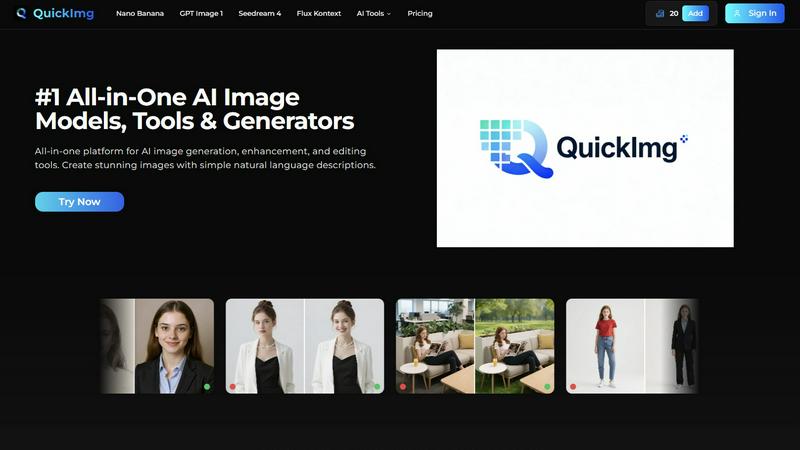
About QuickImg
QuickImg is the definitive mobile-first platform that puts the power of professional AI image creation directly in your hands. Designed as an all-in-one suite, it seamlessly integrates generation, enhancement, and editing into a single, intuitive app experience. Whether you're a graphic designer on the go, a social media manager crafting content, or a creative hobbyist, QuickImg eliminates complex software and technical barriers. Its core value lies in translating your simple natural language descriptions into stunning, high-quality visuals using top-tier AI models like Nano Banana, GPT Image 1, and Seedream 4. You don't need to be a prompt engineer; just describe your vision and let the AI do the heavy lifting. The platform's clean, user-centric design ensures smooth navigation from concept to final download, making advanced image manipulation accessible and effortless for everyone, anywhere.
Frequently Asked Questions
Magic Hour FAQ
What types of content can I create with Magic Hour?
Magic Hour allows users to create a variety of content, including videos, images, and animations. You can generate, edit, and enhance visual media using over 100 AI tools tailored for diverse needs.
Is Magic Hour suitable for beginners?
Absolutely! Magic Hour is designed with user experience in mind, making it accessible for beginners and experienced creators alike. Its intuitive interface and step-by-step guidance help users navigate the platform with ease.
Do I need any special software or equipment to use Magic Hour?
No special software or equipment is required. Magic Hour is a browser-based platform, so you can access it from any device with internet connectivity, making it easy to create and publish content on the go.
Can I collaborate with my team using Magic Hour?
Yes, Magic Hour is built for collaboration. Teams can work together seamlessly within the platform, sharing projects and assets to streamline the creative process and ensure consistent branding across all content.
QuickImg FAQ
What AI models are available on QuickImg?
QuickImg provides access to several leading AI models in one platform. This includes Nano Banana and Nano Banana Pro (known for advanced text rendering), GPT Image 1 (OpenAI's multimodal generator), Seedream 4 (for 4K generation and speed), and Flux Kontext (for precise editing). You can select the model that best fits your specific image creation or editing task.
Do I need to know how to write AI prompts?
No, you do not need to be an expert in writing technical AI prompts. QuickImg is designed to work with simple, natural language descriptions. Just describe the image you want to create or the edit you want to make in plain English (or your preferred language), and our AI interprets your request to generate the desired result.
Can I edit my existing images with QuickImg?
Absolutely. QuickImg is not just a generator; it's a full editing suite. You can upload your existing photos and use our AI tools to enhance them. This includes upscaling resolution, removing objects or text, changing backgrounds, converting formats to PNG, applying filters like Photo to Anime, and much more, all through an intuitive mobile interface.
Is there a free trial or any discounts available?
QuickImg often runs promotional offers for new users. Currently, there is a limited-time offer providing 50% off your first purchase. You can use the promo code QI50 at checkout to avail of this discount. Check the app or website for the latest information on trial options and ongoing promotions.
Alternatives
Magic Hour Alternatives
Magic Hour is a cutting-edge, browser-based AI studio that simplifies the process of creating professional videos and images. It falls under the category of content creation tools, equipped with over 100 powerful AI features designed for rapid and accessible media production. Whether you're an independent creator or part of a marketing team, Magic Hour allows you to generate stunning visuals quickly, without the need for complex software or expensive equipment. Users often seek alternatives to Magic Hour for various reasons, including pricing, specific feature sets, or platform compatibility. When selecting an alternative, it's essential to consider factors such as usability, the depth of available tools, and the flexibility of the platform to meet your creative needs. Prioritize solutions that offer a seamless user experience and cater to your specific content creation requirements.
QuickImg Alternatives
QuickImg is a powerful AI assistant for image creation and editing, allowing anyone to generate and enhance visuals using simple text descriptions. It's part of the growing category of AI-powered creative tools that simplify complex design tasks. Users often explore alternatives for various reasons. Some may need a different pricing model or a free tier, while others might seek specific features, different AI models, or better integration with their existing mobile or desktop workflow. Platform compatibility and the need for specialized editing tools also drive the search. When choosing an alternative, consider your primary use case. Look at the core AI capabilities, ease of use on your preferred device, the quality and style of image outputs, and the overall value for your budget. The right tool should fit seamlessly into your creative process, whether you're a professional or a hobbyist.