
Project20x vs SVG to 3D
Side-by-side comparison to help you choose the right AI tool.

Project20x
Project20x is your AI governance app, ensuring compliance and effectiveness for modern teams.
Last updated: March 4, 2026
SVG to 3D
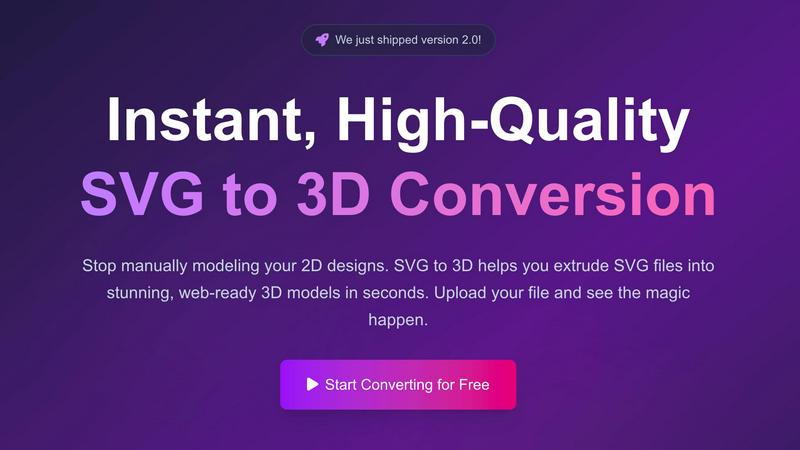
Easily transform your SVG files into stunning 3D models with advanced controls and lightning-fast processing.
Last updated: February 28, 2026
Visual Comparison
Project20x

SVG to 3D
Feature Comparison
Project20x
Governance Layer: AI-Powered Policy Crafting
This foundational layer assists lawmakers in developing robust, clear legislation. Using a ten-step AI methodology, it analyzes draft policies for linguistic clarity, internal consistency, and potential conflicts with existing laws. It acts as a collaborative digital advisor, ensuring that policies are sound, understandable, and effective from their very inception, long before they are implemented.
Management Layer: Rules as Code Automation
Once a policy is approved, this layer automatically translates the legal text into functional, executable code. This "Rules as Code" approach turns static regulations into dynamic, automated workflows for government agencies. It eliminates manual interpretation, reduces administrative overhead, and ensures consistent application of rules across all digital systems and processes.
Interface Layer: 24/7 Citizen AI Agents
This is the public-facing portal where citizens interact with government. It provides round-the-clock access to AI agents that are expertly trained on the codified policies from the Management Layer. Users can get instant, accurate answers to complex questions, apply for services, check eligibility, and complete transactions through a simple, conversational interface, much like using a helpful mobile app.
Full-Stack Transparency & Audit Trail
Project20x is built with accountability at its core. Every action, from a policy edit to a citizen query, is logged on an immutable audit trail. This ensures all governmental activities are traceable and quantifiable. The system operates with rigorous human oversight, providing complete transparency into how decisions are made and how automated outcomes are derived, building essential public trust.
SVG to 3D
One-Click GLB Export
With a single click, you can convert SVG files into web-optimized GLB formats. This feature is specifically tailored for web developers, allowing seamless integration into Three.js or React Three Fiber projects, enhancing the interactive experience of websites.
3D-Print Ready STL Exports
SVG to 3D provides clean STL exports that are directly compatible with slicer software for 3D printing. This feature ensures that designs can be brought to life physically without the need for complex CAD software, making the process straightforward and efficient.
Advanced 3D Modeling Controls
Users have the ability to go beyond basic extrusion with SVG to 3D. The tool offers options to adjust thickness, add bevels, and apply realistic PBR materials, all while providing a real-time 3D preview. This level of control ensures high-quality output that meets professional standards.
Lightning-Fast Processing
The tool is engineered with optimized algorithms that allow for near-instantaneous SVG to 3D conversions. Users can expect their files to be processed in seconds, making it one of the fastest online conversion tools available, ideal for busy designers and developers.
Use Cases
Project20x
Streamlining Business Licensing & Permits
A business owner can use the Project20x interface to navigate the complex requirements for a new license. The AI agent, trained on all relevant municipal codes, guides them step-by-step, checks their application for completeness in real-time, and automates the submission to the correct agency, drastically reducing processing time and confusion.
Legislative Drafting & Analysis for Lawmakers
A legislative team drafting a new environmental bill uses the Governance Layer. The AI analyzes the draft, flags ambiguous language, identifies potential overlaps with existing federal regulations, and suggests clearer terminology. This results in more precise, legally sound legislation that is easier for agencies to implement and for the public to understand.
Automated Benefits Eligibility & Distribution
A citizen seeking housing assistance can converse with an AI agent via the Interface Layer. The agent confidentially assesses their situation against the latest codified eligibility rules, instantly informs them of their qualification status, and can initiate the application process, ensuring fast, fair, and consistent access to critical support services.
Agency Workflow Optimization
A government agency like the Department of Education uses the Management Layer to codify a new student grant policy. The system automatically generates the digital forms, approval routing, and compliance checks. Caseworkers are freed from manual rule-checking, allowing them to focus on complex cases and citizen support, while ensuring 100% rule adherence.
SVG to 3D
Create Interactive 3D Logos
Designers can easily transform their SVG logos into interactive 3D models, perfect for enhancing web projects. The GLB export is optimized for frameworks like Three.js, allowing for dynamic and engaging user experiences.
Rapid Prototyping for 3D Printing
SVG to 3D serves as an efficient tool for creating prototypes from 2D designs. Users can generate STL files ready for 3D printing, streamlining the workflow from digital design to physical object.
UI/UX Design Enhancement
By converting SVG elements into 3D models, designers can add depth and realism to their mockups. This not only impresses clients and stakeholders but also enhances the overall user experience in digital interfaces.
Educational and Presentation Tools
Educators and presenters can utilize SVG to 3D to create visually impactful materials. Converting logos, diagrams, or infographics into 3D models can make presentations more engaging and informative.
Overview
About Project20x
Project20x is the AI-native operating system for modern government, transforming how policies are created, managed, and accessed. Designed for government agencies, lawmakers, and citizens, it bridges the gap between complex regulatory frameworks and user-friendly digital services. The platform's core mission is to revolutionize governmental operations by making them more transparent, efficient, and accessible to everyone. It achieves this through a unique three-layer architecture: Governance, Management, and Interface. This structure ensures that from the initial drafting of legislation to the final citizen interaction, every step is enhanced by AI for clarity, automation, and ease of use. Project20x delivers a seamless, app-like experience, putting powerful governmental tools and services directly into the hands of users, 24/7. Its value proposition is clear: to build accountable, traceable, and quantifiable government processes that foster greater public trust and engagement.
About SVG to 3D
SVG to 3D is a revolutionary tool designed to effortlessly convert 2D SVG vector graphics into stunning, high-quality 3D models. This tool caters to a range of users, including web developers, graphic designers, and 3D printing enthusiasts, who often find traditional modeling software cumbersome for simple tasks. With SVG to 3D, you can transform your designs in seconds without the need for heavyweight applications like Blender or Cinema 4D. The primary value proposition lies in its simplicity, speed, and the ability to produce professional-grade 3D models ready for web integration or 3D printing. Users can upload their SVG files, adjust relevant parameters, and export their creations in multiple formats, making it an invaluable asset for anyone looking to enhance their digital projects or physical creations.
Frequently Asked Questions
Project20x FAQ
How does Project20x ensure the security of sensitive government and citizen data?
Project20x is built with enterprise-grade security as a foundational principle. All data is encrypted in transit and at rest. The platform features robust access controls, comprehensive audit trails for every action, and is designed to comply with stringent government security standards. Human oversight is integral to all automated processes, ensuring security protocols are always maintained.
Can Project20x integrate with existing government IT systems?
Yes, a core design principle of Project20x is interoperability. The platform is built with modern APIs and a modular architecture, allowing it to connect seamlessly with legacy databases, case management systems, and other critical government software. This ensures a smooth transition and enhances existing technological investments rather than replacing them outright.
How accurate are the AI agents when answering complex citizen questions?
The AI agents are uniquely accurate because they are not trained on general internet data but directly on the official, machine-readable "Rules as Code" from the Management Layer. This source-of-truth training, combined with continuous updates as policies change and a feedback loop for corrections, ensures responses are precise, current, and legally faithful.
What happens if a policy changes? How quickly does the system update?
When a policy is amended and officially approved through the Governance Layer, the update is immediately codified in the Management Layer. This change is then propagated to the training data for the Interface Layer's AI agents. This end-to-end integration allows the entire system, including public-facing services, to update almost in real-time, ensuring citizens always interact with the most current rules.
SVG to 3D FAQ
How does SVG to 3D work?
SVG to 3D converts 2D SVG files into 3D models using optimized algorithms. Users simply upload their SVG files, adjust settings, and then export their models in various formats, all within a web browser.
Is SVG to 3D free to use?
Yes, SVG to 3D offers a free version that allows users to convert SVG files into 3D models without any registration required. There may be additional features in premium versions, but basic usage is completely free.
What file formats can I export my 3D models to?
Users can export their 3D models in multiple formats including GLB, GLTF, OBJ, and STL. This flexibility ensures compatibility across various 3D frameworks and applications.
Are my designs secure when using SVG to 3D?
Yes, SVG to 3D prioritizes user privacy and security. Files are processed locally in your browser where possible, ensuring that your designs are not uploaded to external servers and remain confidential.
Alternatives
Project20x Alternatives
Project20x is a specialized AI governance platform designed for government agencies and lawmakers. It helps translate complex policies into clear, automated digital workflows and public-facing AI agents. This places it in a niche category focused on public sector digital transformation and regulatory technology. Users often explore alternatives for several reasons. Budget constraints or specific procurement processes can drive the search for different pricing models. Some organizations might need a tool that integrates with existing legacy systems, or they may require features tailored for a different level of government or a specific regulatory domain. When evaluating other options, consider the platform's core methodology for policy analysis and "Rules as Code" automation. Look for strong security credentials and audit trails, as handling government data demands the highest standards. Finally, assess the citizen engagement tools to ensure they provide the intuitive, 24/7 access that modern public service delivery requires.
SVG to 3D Alternatives
SVG to 3D is a specialized tool designed to transform 2D SVG vector graphics into high-quality 3D models. It falls under the category of AI assistants, catering primarily to developers, designers, and 3D printing enthusiasts. Users often seek alternatives due to various reasons, including pricing, specific feature sets, or platform compatibility. They may also want to explore tools that provide additional functionalities or enhanced user experiences. When looking for an alternative, it’s crucial to consider factors such as ease of use, the quality of output, integration capabilities with existing workflows, and any unique features that could enhance productivity. A good alternative should streamline the 3D modeling process and cater to the specific needs of its users, ensuring a seamless experience in transforming designs.